


Ever been woken at 2 a.m. by a flurry of webhook retries?
Webhooks hinge on one simple thing: the HTTP status you return.
Senders read that code to decide whether to stop, retry, or delete the subscription.
This guide breaks down the common statuses—2xx, 4xx, 429, and 5xx—when to return each, and how senders interpret them.
Read this to stop noisy retries, fix error handling, and make integrations behave the way you expect.
Comprehensive Overview of HTTP Webhook Response Meanings

When a webhook sender delivers an event to your endpoint, the HTTP status code you return decides what happens next. Senders parse these codes to figure out if the event went through, if they should retry, or if something’s permanently broken.
The split is clean. Senders POST events via HTTPS and read your response code. Receivers validate requests, process payloads, and return the right HTTP code fast. A 2xx tells the sender “we’re done here.” Most 4xx codes mean “don’t try again, this won’t work.” And 5xx codes (plus 429) signal “something’s wrong on our end, try later.”
Redirects (3xx) almost never get followed in webhook systems. They’re usually treated as config mistakes. The real webhook status landscape comes down to a few core codes every integration needs to handle right.
Common webhook response codes and their sender interpretation:
- 200 OK – Event processed, done, no retry
- 201 Created – Resource created from event, success
- 202 Accepted – Accepted for async processing, success (no retry)
- 204 No Content – Processed with no response body, success
- 400 Bad Request – Malformed payload or schema error, permanent failure
- 401 Unauthorized / 403 Forbidden – Auth or permission failure, permanent until creds fixed
- 404 Not Found / 410 Gone – Endpoint missing or removed, permanent failure
- 422 Unprocessable Entity – Semantic validation error, permanent (fix payload first)
- 429 Too Many Requests – Rate limit hit, retryable, honor Retry-After header
- 5xx (500, 502, 503, 504) – Transient server errors, retryable with backoff
Success-Level Webhook Response Codes and When to Use Them

Success codes (2xx) are the happy path. When your receiver validates the signature, parses the payload, and confirms the event can be or has been processed, return a 2xx immediately. The sender marks it delivered and moves on.
The choice between 200, 201, 202, and 204 depends on what you’re doing with the event and whether you’re sending a response body. If you finish processing in under a second, return 200 OK with optional JSON confirmation. If processing takes longer than a couple seconds, acknowledge with 202 Accepted and push the work into a background queue. Use 204 No Content when there’s nothing useful to send back. Keep it lean and fast (target 200 to 500 ms for quick ack, cap at 5 to 10 seconds total).
| Code | Meaning | Recommended Use Case |
|---|---|---|
| 200 OK | Event processed successfully | Synchronous validation and processing completed; optionally return confirmation JSON |
| 201 Created | Resource created as result | Event triggered creation of a new resource (e.g., user record, order entry) |
| 202 Accepted | Accepted for async processing | Long-running work queued; sender should not retry and can consider delivery successful |
| 204 No Content | Success with no response body | Event processed with no data to return; minimal latency response ideal for high throughput |
Client Error Webhook Response Codes and Proper Handling

Client errors (4xx) tell the sender “you sent something wrong.” These are permanent failures in most cases. The sender shouldn’t automatically retry the same payload. Instead, log the error, surface it to a human or monitoring system, and wait for a config or payload fix before trying again.
Return 400 Bad Request when the JSON is malformed, required fields are missing, or the schema doesn’t match. Use 401 Unauthorized when the signature or token is invalid, and 403 Forbidden when authentication worked but the sender lacks permission to trigger that event. A 404 Not Found means the endpoint path is wrong or the resource no longer exists at that URL. For semantic or business logic validation failures (valid JSON, but breaks your domain rules), return 422 Unprocessable Entity with a JSON body describing which fields failed and why.
The one retryable 4xx is 429 Too Many Requests. It signals rate limiting. When you return 429, include a Retry-After header (value in seconds or HTTP date) so the sender knows how long to back off. Senders should treat 429 like a transient 5xx error and retry with backoff, respecting the Retry-After hint. A 409 Conflict can happen when the same event ID arrives twice or when there’s a concurrency issue. This usually needs application specific deduplication logic rather than blind retries.
When to return each 4xx code:
- 400 – JSON parse error, missing required field, or invalid Content-Type
- 401 – Missing, expired, or invalid authentication token or HMAC signature
- 403 – Valid credentials but insufficient scope or ACL permission to accept this event type
- 404 – Webhook endpoint path doesn’t exist or was removed from routing config
- 409 – Duplicate event ID detected or resource conflict (requires idempotency handling)
- 422 – Payload passes syntax checks but fails business validation (e.g., email format invalid, out of range value)
- 429 – Rate limit exceeded; sender must back off and retry after the specified delay
- 410 Gone – Endpoint permanently retired; sender should delete webhook subscription and alert integrator
Server Error Webhook Response Codes and Recovery Strategies

Server errors (5xx) mean something went wrong on the receiver’s side, and the sender should retry. These codes cover transient issues like database timeouts, upstream service failures, worker queue backlogs, or temporary resource exhaustion. Unlike 4xx errors, 5xx responses don’t mean the payload is invalid. They mean “try again later, this might work next time.”
When your receiver hits an unexpected exception, crashes mid processing, or can’t reach a dependency, return 500 Internal Server Error. If you’re proxying the webhook through a gateway or load balancer and the upstream service returns garbage, use 502 Bad Gateway. Return 503 Service Unavailable during planned maintenance, deployment windows, or when your worker pool is saturated. A 504 Gateway Timeout means an upstream service didn’t respond within your timeout window. Senders interpret all of these as retriable and will apply exponential backoff, honoring any Retry-After header you include.
| Code | Meaning | Common Causes | Retry Guidance |
|---|---|---|---|
| 500 | Internal Server Error | Uncaught exception, null pointer, config error | Retry with exponential backoff |
| 502 | Bad Gateway | Upstream returned invalid response | Retry; check upstream health |
| 503 | Service Unavailable | Maintenance mode, worker pool full, rate-limited internally | Retry with backoff; include Retry-After if known |
| 504 | Gateway Timeout | Upstream service did not respond in time | Retry; consider increasing upstream timeout or making processing async |
| Network error | Connection refused, DNS failure, TLS handshake failure | Firewall, DNS misconfiguration, expired cert | Treat as 5xx; retry with backoff |
| Timeout (sender-side) | No response within sender’s configured timeout (e.g., 5–10 seconds) | Slow processing, blocking I/O, heavy database query | Treat as 5xx; retry; receiver should respond faster or use 202 + async queue |
Webhook Retry Logic, Exponential Backoff, and Jitter Implementation
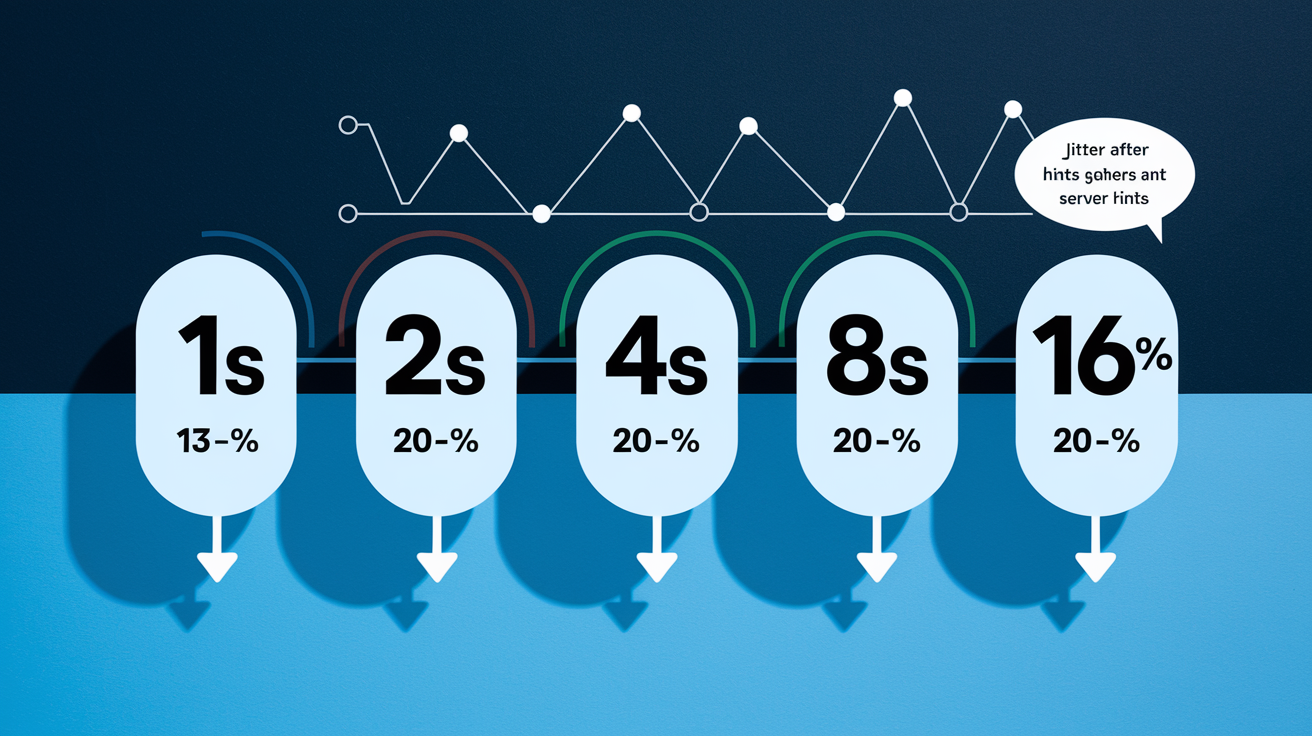
When a webhook delivery fails with a retryable status (5xx, 429, or network error), the sender queues it for retry using exponential backoff. The goal is to give the receiver time to recover without hammering it with repeated requests every second. A typical retry policy starts with a short delay and doubles it with each attempt, capping the maximum wait to avoid infinite delays.
A common default is 3 to 5 retry attempts with delays like 1 second, 2 seconds, 4 seconds, 8 seconds, and 16 seconds. Some systems use longer windows. Klaviyo retries up to 17 times over 24 hours, spacing attempts to handle extended outages. You should honor the Retry-After header when the receiver includes one. If the header specifies a longer wait than your configured maximum (e.g., 24 hours), cap it at your limit to prevent indefinite delays. Adding jitter (randomizing the delay by ±10% to ±30%) prevents thundering herd problems when many senders retry at the same time after a brief outage.
Terminal failures (don’t retry automatically) include most 4xx codes except 429, plus 410 Gone. Retryable failures are 5xx, network errors (connection refused, DNS failure, TLS handshake failure), timeouts, and 429 Too Many Requests. After exhausting max attempts or exceeding the retry window (e.g., 24 hours), mark the delivery as “Skipped” or “Failed” and surface it for manual investigation or dead letter queue processing.
Step by step retry algorithm with jitter:
- Attempt delivery – POST event to webhook endpoint with configured timeout (recommend 5 to 10 seconds)
- Check response code – If 2xx, mark delivered and stop; if 4xx except 429, mark failed and stop; if 5xx, 429, network error, or timeout, proceed to retry
- Calculate next delay – Use exponential backoff:
delay = base_delay_seconds * (2 ^ (attempt_number - 1)); cap delay at maximum (e.g., 900 seconds / 15 minutes) - Add jitter – Randomize delay by ±20%:
actual_delay = delay * (0.8 + random(0, 0.4)) - Honor Retry-After – If response includes Retry-After header, use that value instead of calculated delay (respect configured maximum)
- Schedule next attempt – Increment attempt counter; if attempts exceed max (e.g., 5) or total elapsed time exceeds retry window (e.g., 24 hours), move to dead letter queue and alert; otherwise enqueue retry at
now + actual_delay
Idempotency, Deduplication, and Safe Webhook Consumption

Webhooks are delivered at least once. Receivers can see the same event multiple times due to retries after network blips, 5xx errors, or timeouts. To handle this safely, receivers must implement idempotency. Processing the same event ID multiple times should produce the same result and not duplicate side effects (like charging a customer twice or sending duplicate emails).
Senders should include a unique event ID in every payload (e.g., event_id field or X-Event-ID header). Receivers store recently seen event IDs in a cache or database with a TTL of 24 to 72 hours. When a duplicate event arrives, check the ID. If already processed, return 200 or 204 immediately without reprocessing. If you detect a conflict (the event ID exists but with different data), return 409 Conflict and let the sender or integrator investigate. Idempotency keys are critical when the receiver triggers non-idempotent operations like API calls to third party services. Pass the event ID as an idempotency key to those APIs when available.
Idempotency and deduplication best practices:
- Include a unique
event_idanddelivery_idin webhook payload or headers; event ID is stable across retries; delivery ID changes per attempt - Store event IDs in Redis, Memcached, or a database table with a 24 to 72 hour TTL for quick duplicate checks
- On receiving an event, check if
event_idexists; if yes and already processed, return 2xx without side effects - Use the event ID as an idempotency key when calling downstream APIs or payment processors to prevent duplicate charges or actions
- Log all delivery attempts with event ID, attempt count, and final status to trace duplicates and debug retry storms
Security Expectations for Webhook Status Handling

Webhook endpoints are public facing HTTPS URLs, so you must verify every incoming request before processing it. Authentication failures should return 401 Unauthorized or 403 Forbidden immediately, signaling the sender to check credentials before retrying. The most common pattern is HMAC signature verification. The sender computes HMAC SHA-256 over the raw request body using a shared secret and includes the result in a header like X-Signature or X-Hub-Signature-256 (64 hex characters for SHA-256).
Your receiver reads the raw body bytes, computes the same HMAC using the shared secret, and compares it to the header value using a constant time comparison to prevent timing attacks. If the signature doesn’t match, reject with 401. Include a timestamp in the payload or header (e.g., X-Timestamp) and verify it’s within an acceptable window (±300 seconds / 5 minutes by default) to prevent replay attacks. Rotate shared secrets every 90 days and support multiple active secrets during rotation to avoid downtime.
Always enforce TLS 1.2 or higher (prefer TLS 1.3). Validate the certificate chain and hostname. IP allowlists are optional and can add defense in depth, but don’t rely on IP alone for authentication since cloud providers and proxies can change source IPs. Limit payload size (recommend max 1 MB) and validate Content-Type (application/json) before parsing to prevent resource exhaustion attacks.
Security checklist for webhook receivers:
- Enforce HTTPS with TLS 1.2+ and verify certificate validity; reject HTTP or self-signed certs in production
- Verify HMAC SHA-256 signature using the raw request body and shared secret; use constant time comparison to prevent timing leaks
- Check timestamp header and reject requests older than ±300 seconds (configurable tolerance) to mitigate replay attacks
- Rotate shared secrets periodically (every 90 days recommended); support multiple active secrets during rotation window
- Validate Content-Type is
application/jsonand enforce maximum payload size (e.g., 1 MB) before parsing body - Optional: maintain an IP allowlist of known sender ranges, but always combine with signature verification (IP is not sufficient auth alone)
Webhook Timeout Behavior, Latency Considerations, and Performance Tuning

Senders configure a request timeout (typically 5 to 10 seconds) per delivery attempt. If your receiver doesn’t respond within that window, the sender treats it as a timeout and retries with backoff, just like a 5xx error. To avoid this, acknowledge the webhook within 200 to 500 milliseconds whenever possible. If your processing requires database writes, external API calls, or heavy computation, return 202 Accepted immediately and push the work into a background queue.
Blocking I/O is the most common cause of slow webhook responses. Synchronous calls to external services, slow database queries, or CPU intensive validation can push response times past the timeout threshold. Use async workers, message queues (Redis, RabbitMQ, SQS), and non blocking libraries to keep your endpoint responsive. Keep response payloads small (prefer 204 No Content or minimal JSON) and avoid including large datasets or debug logs in the response body.
Performance and timeout best practices:
- Set sender side timeout at 5 to 10 seconds per attempt; tune based on your SLA and expected processing time
- Respond within 200 to 500 ms for synchronous validation and quick acks; use 202 Accepted if work takes longer than 1 to 2 seconds
- Offload long running tasks (database writes, third party API calls, email sends) to background workers or queues
- Avoid blocking I/O in the request handler; use async/await, promises, or event loops to keep the main thread free
- Limit response payload size; prefer 204 No Content or small JSON confirmations (avoid embedding large objects or stack traces)
Practical Code Examples for Returning Webhook Response Codes

Below are conceptual outlines of how to handle webhook requests and return appropriate status codes in Node.js and Python. Both examples verify an HMAC signature, return 204 on success, and emit 400 or 401 for validation errors. Real implementations should add logging, metrics, and background queue integration.
Node.js Example (Express)
In Express, read the raw body using express.raw() middleware (not JSON middleware, since HMAC must be computed on the raw bytes). Extract the signature header (e.g., x-signature), compute HMAC SHA-256 using crypto.createHmac('sha256', secret).update(rawBody).digest('hex'), and compare it to the received signature using crypto.timingSafeEqual for constant time comparison.
If signatures match and the timestamp is fresh, return 204 No Content immediately. If signature fails, return 401 Unauthorized with a JSON body like {"error": "Invalid signature"}. If JSON parsing or schema validation fails, return 400 Bad Request with details. For internal errors (database down, queue unavailable), catch exceptions and return 500 Internal Server Error. Push valid payloads into a queue (Redis, Bull, SQS) for async processing to keep response time under 200 ms.
Python Example (Flask)
In Flask, use request.get_data() to access the raw body bytes before JSON parsing. Compute HMAC with hmac.new(secret.encode(), raw_body, hashlib.sha256).hexdigest() and compare using hmac.compare_digest(computed, received) to prevent timing attacks. Verify the X-Timestamp header is within ±300 seconds of the current time using time.time().
On success, return ('', 204) with no body. For signature failures, return ({"error": "Unauthorized"}, 401) with Content-Type application/json. For malformed JSON or missing required fields, return ({"error": "Bad Request", "details": "Missing field: event_type"}, 400). If processing hits an exception, log it and return ({"error": "Internal Server Error"}, 500). Enqueue validated events into Celery, RQ, or a message broker for background processing, ensuring the endpoint responds in under 500 ms.
Debugging, Logs, Metrics, and Troubleshooting Webhook Response Codes

When webhooks fail, the first place to look is the response code and the logs on both sender and receiver. Senders should log every delivery attempt with the event ID, delivery ID, final HTTP status, response body (or first 500 bytes), latency, and timestamp. Receivers should log signature verification results, processing duration, and which validation checks passed or failed.
Track metrics like delivered count (2xx), client error count (4xx), server error count (5xx), retry count, and average latency. Set up alerts for sustained spikes in 4xx rates (indicates schema drift or auth issues), high 5xx rates (capacity or dependency problems), or repeated 429 responses (rate limit threshold too low). When investigating a specific failed event, check the webhook activity log or dead letter queue, grab the payload, and replay it locally using curl or a webhook debugging tool to inspect headers, response codes, and error messages.
Common troubleshooting steps: verify the endpoint URL is correct and reachable (check DNS with dig or nslookup); confirm the TLS certificate is valid and not expired (openssl s_client -connect domain.com:443); test signature generation manually to ensure both sides use the same secret and algorithm; check server logs for exceptions, queue backlogs, or worker crashes; inspect rate limit headers and Retry-After values when seeing 429; and compare payload schema against your validator to catch missing or malformed fields that trigger 400 or 422.
Webhook troubleshooting checklist:
- Verify endpoint URL, protocol (https://), port, and DNS resolution using curl or dig
- Check TLS certificate validity, expiration, and chain trust using openssl or browser inspector
- Confirm shared secret matches on sender and receiver; test signature generation manually with sample payload
- Inspect server logs for parsing errors, exceptions, queue depth, worker status, and database connection errors
- Review rate limit thresholds and Retry-After headers if receiving 429; reduce send rate or increase receiver capacity
- Validate JSON schema and required fields; use a schema validator to catch 400/422 payload errors
- Monitor metrics: 2xx success rate, 4xx/5xx counts, retry attempts, and processing latency; set alerts for anomalies
Final Words
You’ve mapped the meaning and responsibilities behind every major status bucket—2xx successes, 3xx redirects, 4xx client errors, and 5xx server failures—so you know when a sender should stop, retry, or mark success.
We also covered when to return 200/201/202/204, how to treat 429 vs other 4xx, exponential backoff with jitter, idempotency and dedupe, signature checks, timeouts, and the logs to watch.
Treat this as a quick cheat-sheet for webhook response codes: apply the rules, tune retries, and you’ll get fewer missed deliveries and faster debugging.
FAQ
Q: What do common webhook HTTP status codes mean?
A: The common webhook HTTP status codes mean: 2xx = success (terminal), 3xx = redirect (rarely followed), 4xx = client error (permanent except 429), 5xx = server error (retryable); senders act accordingly.
Q: When should a receiver return 200, 201, 202, or 204?
A: A receiver should return 200 for processed events, 201 when creating a resource, 202 for accepted async work, and 204 for success with no body; aim to respond fast (200–500 ms).
Q: How should receivers handle 4xx errors like 400, 401, 403, 404, 409, 422, 429?
A: Receivers should return 400 for malformed payloads, 401 for invalid creds, 403 for forbidden, 404 for wrong endpoint, 409 for conflicts, 422 for validation errors, and 429 for rate limits with Retry-After.
Q: How should senders handle 5xx server errors and network failures?
A: Senders should treat 5xx and network failures as transient, retry with exponential backoff plus jitter, honor Retry-After when present, and cap retries (commonly 3–10 attempts).
Q: What’s a good retry schedule and jitter strategy for webhooks?
A: A good retry schedule uses exponential backoff (example: 1s, 2s, 4s, 8s, 16s), adds random jitter to each delay, honors Retry-After, and stops on permanent 4xx failures (except 429/410).
Q: How to ensure idempotency and deduplication for webhook consumers?
A: To ensure idempotency, store event/delivery IDs with a 24–72 hour TTL, require unique sender event IDs, return 2xx for already-processed duplicates, and use 409 to signal conflicts when helpful.
Q: What security checks should webhook receivers enforce and corresponding response codes?
A: Receivers should require TLS 1.2+, verify HMAC-SHA256 signatures (constant-time compare), check timestamps within ±300 seconds, rotate secrets regularly, and reject invalid auth with 401 or 403.
Q: How should receivers handle timeouts, latency, and performance to avoid retries?
A: Receivers should respond quickly (200–500 ms), use a 5–10 second request timeout, offload long work to async queues, avoid blocking I/O, and enforce payload limits (around 1 MB).
Q: What should Node.js/Express and Python/Flask receivers do when handling webhooks?
A: Node.js/Express and Python/Flask receivers should read the raw request body for HMAC verification, do constant-time signature checks, acknowledge fast with 200/204/202, and return 400/401/403/422 as appropriate.
Q: What logs and metrics should you capture to debug webhook issues?
A: You should log event ID, delivery ID, response code, response body size, processing duration, and signature result, and alert on spikes in 4xx, 5xx, or 429 rates for quick troubleshooting.