


Think Vim is just an ancient text editor?
Give it the right tools and it becomes a productivity engine that keeps your fingers on the home row.
This post shows the specific plugins that actually save time: plugin managers so you stop cloning repos by hand, LSP/completion for IDE-grade suggestions, fuzzy finders to jump to files in milliseconds, Git integrations to stage hunks without leaving the buffer, Treesitter for accurate syntax, and a debugger for real troubleshooting.
Most productive setups run 5–12 plugins; go past 20 and you’ll want lazy loading.
Best Vim Tools (Quick Overview)

Developers who stick with Vim want more than a text editor. They’re after an environment that kills repetition, catches errors immediately, and keeps their fingers locked on the home row. The tools that matter fall into a few buckets: plugin managers for dependencies, completion engines that guess your next move, fuzzy finders that pull up files instantly, Git integrations that stage changes without buffer hopping, and debugging adapters that drop breakpoints inline.
Most productive Vim setups run 5 to 12 plugins. Push past 20 and you’ll see startup lag unless you’re lazy loading. What’s below is the core stack plus the extras power users actually need.
You’ll want a plugin manager so you’re not wrestling with paths manually. Add a completion engine for autocomplete and LSP hooks, throw in a fuzzy finder for quick navigation, pull Git into your workflow for diffs and blame, grab a syntax engine for solid highlighting, and if you debug regularly, add an adapter that lets you step through code.
- vim-plug – Plugin manager with parallel installs and dead-simple config
- coc.nvim – Full LSP client with intellisense-style completion and a real extension ecosystem
- fzf.vim – Fuzzy search for files and text, powered by the fzf CLI
- vim-fugitive – Complete Git wrapper for staging, committing, merging, rebasing
- nvim-treesitter – Advanced syntax parsing and folding using Tree-sitter grammars
- vimspector – Graphical debugger with breakpoints, watches, stack inspection
Plugin Managers for Vim

Every plugin changes Vim’s runtime path. Without a manager, you’re cloning repos by hand, symlinking directories, updating each one separately. That workflow breaks the moment plugins conflict or need specific load order. A manager automates the mess so you list what you want in a config file and run one command to sync everything.
vim-plug is what most people use in 2024. You drop a bootstrap snippet into your vimrc, list plugins between call plug#begin() and call plug#end(), then run :PlugInstall. Downloads happen in parallel, you can lazy load with on and for directives, and orphaned plugins get wiped with :PlugClean. Pathogen’s simpler. It tweaks the runtime path to load anything in ~/.vim/bundle, leaving install and update to you or a script. Vundle uses a similar declarative syntax to vim-plug but installs serially, which slows things down if you’ve got a long list.
Neovim users lean toward packer.nvim. It’s Lua-native, compiles plugin specs into bytecode for faster startup, and hooks into Neovim’s Lua APIs. You’ll need to rewrite your config in Lua and regenerate the compiled snapshot sometimes, but the speed boost is real.
- Automatic updates – Hit
:PlugUpdateor similar to grab the latest commits for everything - Parallel installs – vim-plug and packer fetch multiple plugins at once, cutting setup time by half or more
- Lazy loading – Hold off on plugin activation until you open a filetype or run a command, shaving hundreds of milliseconds off startup
- Rollback and pinning – Lock plugins to specific commits or tags so breaking changes don’t wreck your flow
Autocomplete and LSP Tools

Modern autocomplete in Vim runs on Language Server Protocol clients that talk to external servers. gopls for Go, tsserver for TypeScript, pyright for Python. The client asks for completions, diagnostics, definitions. The server parses your project and sends back structured data. This setup pushes heavy computation outside Vim and delivers IDE-grade features without hardcoding language logic into the editor.
coc.nvim
coc.nvim is a Node.js-based LSP client that borrows VS Code’s extension model. You install language extensions like coc-tsserver, coc-pyright, or coc-rust-analyzer via :CocInstall. Each extension bundles its server or pulls it down on first run. Completions show up as you type, diagnostics light up the sign column, hover docs appear in floating windows. The extension ecosystem is solid. Over 100 published extensions cover linters, formatters, specialty tools. The catch? Node dependency and slightly slower startup compared to native Lua.
nvim-lspconfig
Neovim 0.5 shipped with a built-in LSP client written in Lua. nvim-lspconfig is a set of pre-written server configs. One function call per language server and you’re wired up. Install the server separately (through Mason, npm, pip, your package manager), then call require('lspconfig').pyright.setup{} in your init.lua. Pair it with nvim-cmp for completion sources and you’ve got a lightweight, fast stack that starts in under 100 milliseconds. The Neovim community’s basically standardized on this because it skips external runtimes and plays nice with Lua plugins like Telescope and Treesitter.
YouCompleteMe
YouCompleteMe (YCM) came before LSP. It uses custom semantic engines for C-family languages, Python, Go, and a few others. You have to compile a binary with language support flags, which can eat 5 to 15 minutes and sometimes breaks on unusual systems. Once it’s in, you get fast, context-aware completions without a separate server process. YCM’s still maintained but it’s lost ground to LSP tools that support more languages and install easier.
Syntax Highlighting and Code Formatting Tools

Vim’s default regex-based syntax engine handles simple files fine but chokes on nested structures, big buffers, ambiguous grammars. Tree-sitter swaps regex for incremental parsers that build a syntax tree while you edit. nvim-treesitter wraps Tree-sitter in a Neovim plugin, installing grammar modules on demand and exposing highlight groups, folds, text objects that actually understand code structure. You get accurate highlighting for deep JSX nesting, multi-line strings, embedded languages. Plus folding that respects function boundaries.
vim-polyglot is lighter. One plugin bundling syntax files for 100+ languages. It lazy-loads each syntax when the filetype gets detected, so you get broad coverage without hunting down individual files. Polyglot doesn’t parse structurally, but for quick edits or languages without Tree-sitter grammars, it’s faster to install and uses less memory.
Code formatters hook in through plugins like ALE (Asynchronous Lint Engine) or Neoformat. ALE runs linters and formatters in the background, fills the quickfix list, fixes files on save. Neoformat just does formatting. Invoke :Neoformat and it pipes your buffer through prettier, black, gofmt, whatever CLI formatter you’ve set up. Both detect formatters in your PATH and need zero config for common languages.
- nvim-treesitter – Incremental parsing, structural folds, text objects for 40+ languages
- vim-polyglot – Lazy-loaded syntax bundles covering 100+ languages, no extra dependencies
- ALE – Async linting and formatting with sign-column diagnostics and auto-fix on save
- Neoformat – Straightforward formatter runner that shells out to black, prettier, rustfmt
- vim-autoformat – Formatter with fallback chains when your first choice isn’t installed
Navigation and Search Enhancing Tools

Vim’s built-in file navigation (:edit, :find, wildmenu completion) works but doesn’t scale past a few dozen files. Fuzzy finders index your project, rank matches by frecency or edit distance, let you type partial strings and jump anywhere in milliseconds. fzf.vim wraps the fzf command-line tool, exposing commands like :Files, :Buffers, :Rg, :Commits. Type a few characters, fzf filters hundreds of results in real time, hit Enter, file opens. It’s fast because fzf is written in Go and runs outside Vim’s event loop.
Telescope is Neovim’s native fuzzy finder, written in Lua with a picker architecture supporting files, grep, LSP symbols, Git branches, custom sources. It renders previews in split windows, highlights matches in context, integrates with Treesitter for syntax-aware previews. Telescope’s slightly slower than fzf on massive projects (think 10,000+ files) but gives you richer UI and tighter integration with Neovim plugins.
| Tool | Main Function | Distinct Feature |
|---|---|---|
| fzf.vim | Fuzzy file, buffer, and text search | Backed by fzf CLI; filters thousands of files in under 50 ms |
| Telescope (Neovim) | Extensible picker for files, grep, LSP, Git | Live preview panes with syntax highlighting and Treesitter integration |
| EasyMotion | Two-keystroke cursor jumps to any visible word or line | Highlights jump targets with unique letter pairs, eliminating repetitive hjkl |
Git Integration Tools

Staging a hunk, blaming a line, resolving a merge conflict without leaving Vim cuts out the context switches that kill flow. vim-fugitive wraps every Git command in Vim functions. :Git add %, :Git commit, :Git blame, :Gdiffsplit for three-way merges. You stage changes by hitting - on a line in the status window, commit by writing a message in a new buffer, rebase interactively by editing a todo list. Fugitive doesn’t pile on UI chrome. It surfaces Git operations through Vim’s native interfaces.
vim-gitgutter and vim-signify watch your file for changes and stick diff markers (+, ~, -) in the sign column. Gitgutter updates every save, showing which lines changed since the last commit. You can stage hunks with <leader>hs, undo hunks with <leader>hu, preview diffs in a floating window. Signify supports multiple version control systems (Git, Mercurial, SVN) and offers similar hunk ops.
- vim-fugitive – Full Git command suite with blame, log, diff, merge, rebase workflows inside Vim buffers
- vim-gitgutter – Real-time diff markers in the sign column, hunk staging and undo ops bound to leader keys
- gitsigns.nvim – Neovim-native alternative to gitgutter, written in Lua for faster updates and tighter integration with LSP and Treesitter
Debugging Tools for Vim

Debugging in Vim used to mean scattering print statements or shelling out to gdb in a tmux pane. Vimspector brings graphical debugging into the editor. Set breakpoints with <F9>, start a session with <F5>, step over with <F10>, step into with <F11>, inspect variables in a watch window. It uses the Debug Adapter Protocol (DAP), the same standard VS Code debuggers run on, so you configure launch profiles in a JSON file and Vimspector talks to language-specific adapters. debugpy for Python, delve for Go, lldb for C++.
Neovim users often go with nvim-dap, a Lua DAP client that pairs with nvim-dap-ui for a similar experience. You install adapters via Mason or manually, write adapter configs in Lua, bind keys to dap.continue(), dap.step_over(), dap.toggle_breakpoint(). The Lua API gives you more flexibility than Vimspector’s JSON configs, but you’ll spend more time scripting upfront.
Both support conditional breakpoints, log points, multi-threaded debugging. Typical setup is 10 to 20 minutes per language. Install the adapter, write or copy a launch config, test a breakpoint. Once it’s wired up, you can debug without leaving Vim. That matters if switching to an IDE breaks your concentration.
Language-Specific Toolchains and Integrations
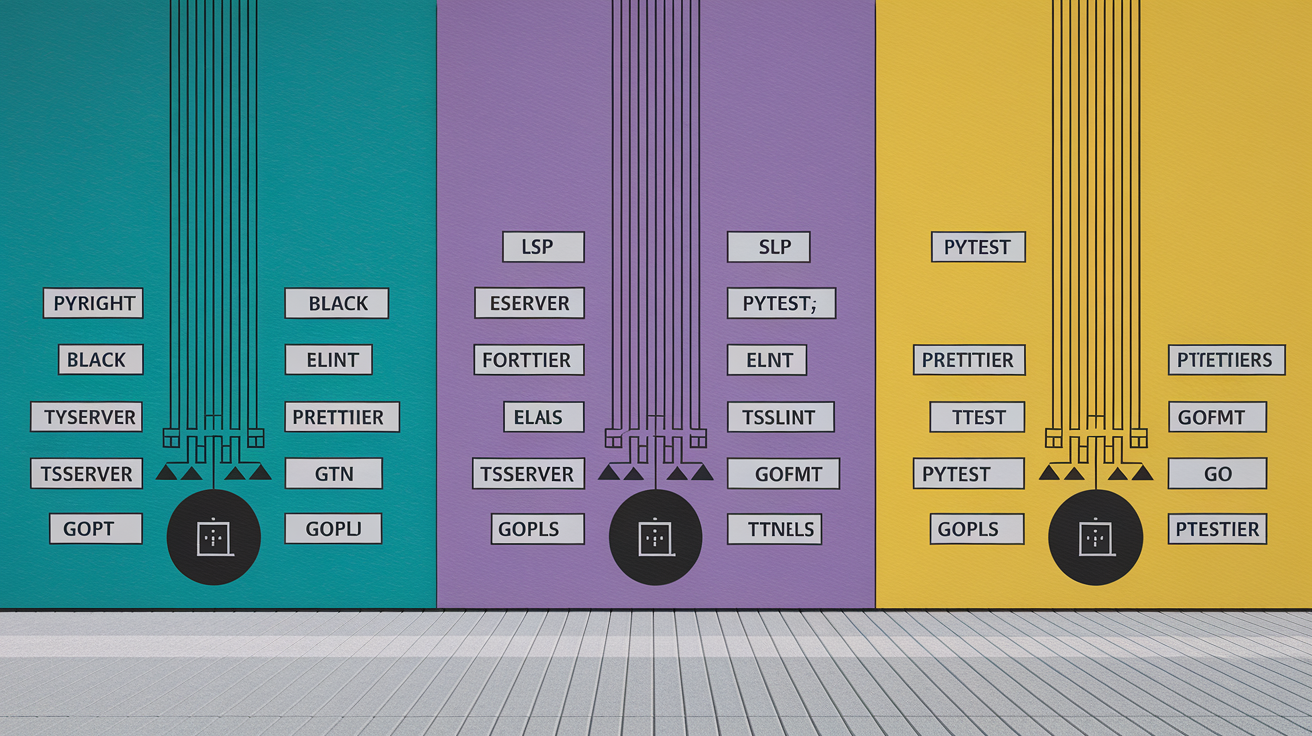
General-purpose plugins handle most editing tasks, but every language has quirks. Python virtual environments, JavaScript bundler integrations, Go test runners. The toolchains below are common setups combining LSP, linters, formatters, test runners into something coherent.
Python Tools
Python developers usually install pyright or pylsp as the LSP server, black or ruff for formatting, flake8 or pylint for linting. jedi-vim was the go-to completion engine before LSP but it’s mostly been replaced by coc-pyright or nvim-lspconfig + pyright. Add vim-test to run pytest or unittest from a keybinding. Consider a virtualenv detection plugin (like vim-virtualenv) to auto-activate the right environment when you open a project. Typical Python stack is 4 to 6 plugins: LSP client, LSP server install helper, formatter integration, linter, test runner, virtualenv manager.
JavaScript Tools
JavaScript and TypeScript projects lean on tsserver for LSP completions and diagnostics. Install coc-tsserver if you’re using coc.nvim, or configure lspconfig.tsserver.setup{} for Neovim. Pair it with eslint for linting (through ALE or null-ls) and prettier for formatting. Working with React or Vue? Add syntax support via vim-polyglot or Treesitter grammars. For debugging, install the Chrome or Node debug adapter and set up launch profiles to attach to running processes. This stack typically runs 5 to 7 plugins plus the language servers installed through npm.
Go Tools
vim-go was the all-in-one Go plugin for years. It bundled gopls integration, test runners, coverage display, struct tag generation. With native LSP support in Neovim, a lot of developers now use gopls via lspconfig and only pull in vim-go for its test and coverage features. Go’s toolchain includes gofmt and goimports for formatting, so formatter plugins often just shell out to those binaries. Add the delve debug adapter to step through goroutines and inspect channels. You’ve got a complete Go environment in 3 to 5 plugins.
Final Words
We jumped straight into the essentials: quick plugin picks, plugin managers, autocomplete/LSP options, syntax and formatter tools, search/navigation helpers, Git integration, debuggers, and language-specific toolchains.
Each section gives a fast recommendation and what to expect — vim-plug for installs, coc.nvim or nvim-lspconfig for LSP, Treesitter for syntax, fzf/telescope for search, fugitive/gitgutter for Git, vimspector for debugging, plus jedi-vim and vim-go for language work.
Treat these vim tools as a starter kit: pick a manager, add one LSP and one search tool, then iterate. You’ll get faster feedback and fewer late-night fixes.
FAQ
Who makes VIM Tools?
VIM Tools are made by VIM Tools Company, an American manufacturer based in Sturtevant, Wisconsin, specializing in automotive service tools, extraction sets, and specialty hand tools since 1991.
Is Vim a good tool brand?
Vim is a good tool brand known for producing durable automotive specialty tools with a focus on extraction, removal, and diagnostic equipment, backed by a lifetime warranty and trusted by professional mechanics.
Are VIM Tools a lifetime warranty?
VIM Tools come with a lifetime warranty that covers defects in materials and workmanship, allowing customers to replace broken or defective tools at no charge throughout the product’s usable life.
Who is the owner of VIM Tools?
VIM Tools is privately owned by the founding family and leadership team who established the company in Wisconsin in 1991 and continue to oversee operations and product development.