


Hand-writing TypeScript interfaces from JSON is a bug magnet—stop doing it.
If you’re copying API responses, validating webhooks, or parsing configs, generators save time and cut errors.
They turn sample JSON into ready-to-import interfaces in seconds.
This post compares browser converters, editor extensions, and CLI tools, shows when to use each, and gives quick steps and gotchas so you can pick the right workflow and keep types in sync with your APIs.
Practical Tools and Methods for a TypeScript Interface Generator

Most developers automate interface generation when they need to sync types with data coming from outside their codebase. Common scenarios include consuming REST API responses, validating webhook payloads, parsing configuration files, or integrating with backend systems that already define structured models. Manual typing is slow and error prone, especially when an API returns dozens of fields or deeply nested objects. A typescript interface generator handles this repetition, converting the source data format into proper TypeScript definitions you can import and use immediately.
The popular tools fall into three categories: browser converters, editor extensions, and CLI or npm packages. Online tools like json2ts and quicktype let you paste JSON and download a .d.ts file in seconds. The VS Code extension Paste JSON as CODE runs the same workflow inside your editor, generating interfaces recursively for nested objects. CLI generators such as ts-json-schema-generator or standalone Node.js scripts let you automate generation in build pipelines, support configuration files, and target entire directories of schemas or existing code. Each method works for different workflows. Use online converters for one off tasks, editor extensions during active development, and CLI tools when you need repeatable automation or CI/CD integration.
Pick your method based on workflow size and consistency requirements. If you’re prototyping or converting a single API response, browser tools are fastest. When you regularly update interfaces as your API evolves, an editor extension saves context switching. For teams maintaining shared schemas, generating interfaces from version controlled JSON Schema files, or enforcing validation at runtime, CLI generators paired with package scripts give you the most control and the least manual drift.
Common data inputs developers convert to TypeScript interfaces include:
- JSON payload from a REST or GraphQL endpoint
- API response with nested objects and arrays
- Database schema exported as JSON or YAML
- Java classes when a backend team shares DTOs
- YAML files used for configuration or OpenAPI specs
- Nested objects with recursive or circular references
Popular TypeScript Interface Generator Tools and Their Core Features
Online, editor, and CLI tools differ in how they integrate into your workflow and what level of automation they provide. Online converters run in the browser with zero setup. You paste JSON, get TypeScript back, and copy it into your project. Editor extensions hook directly into your IDE command palette, letting you generate interfaces without leaving your file. CLI and npm packages run from the terminal or package scripts, support configuration files, and can watch directories or run on every build. The tradeoff is setup time versus repeatability. Online tools are instant but manual. CLI tools require install and config but scale to entire projects.
Capabilities vary across tools, but most handle common TypeScript features like enums, nested objects, and unions. Enum generation kicks in when the tool detects repeated string literals or a fixed set of values. Nested object inference creates separate interfaces for child objects and references them by name, which keeps definitions readable. Union handling produces type A | type B when a field accepts multiple shapes. Advanced generators support tuple types, mapped types, and optional fields based on whether a property appears in all samples. Not every tool handles all features. Some skip enums, others struggle with deeply recursive schemas.
Install methods depend on the tool. Browser tools require no install. Editor extensions install via the marketplace (search for “Paste JSON as CODE” in VS Code). CLI tools install globally via npm (npm install -g quicktype) or locally as a dev dependency. Most tools output standard .d.ts files or inline interface and type declarations. Some let you customize the output template using Handlebars or similar engines. A few support configuration files (.json or .yaml) to control naming conventions, strict mode flags, and whether to generate JSDoc comments.
Feature coverage varies significantly. Tools built for JSON to interface conversion may not understand TypeScript constructs like conditional types or template literals. Schema generators that start from JSON Schema or OpenAPI can emit stricter types and enforce required fields more accurately. Generators that read existing TypeScript code (like ts-json-schema-generator running in reverse) preserve more nuance but require a TypeScript AST parser under the hood. Check the tool’s GitHub issues and release cadence to confirm it supports the TypeScript version and features your project uses.
| Tool | Input Format | Output Capabilities |
|---|---|---|
| quicktype | JSON, JSON Schema, TypeScript | Interfaces, enums, unions, nested objects |
| json2ts | JSON | Interfaces, optional fields, arrays |
| Paste JSON as CODE | JSON (via clipboard) | Recursive interfaces, nested types |
| ts-json-schema-generator | TypeScript source | JSON Schema Draft-07, validation-ready objects |
Workflow Guide: How to Generate Interfaces from JSON, Schemas, and Code
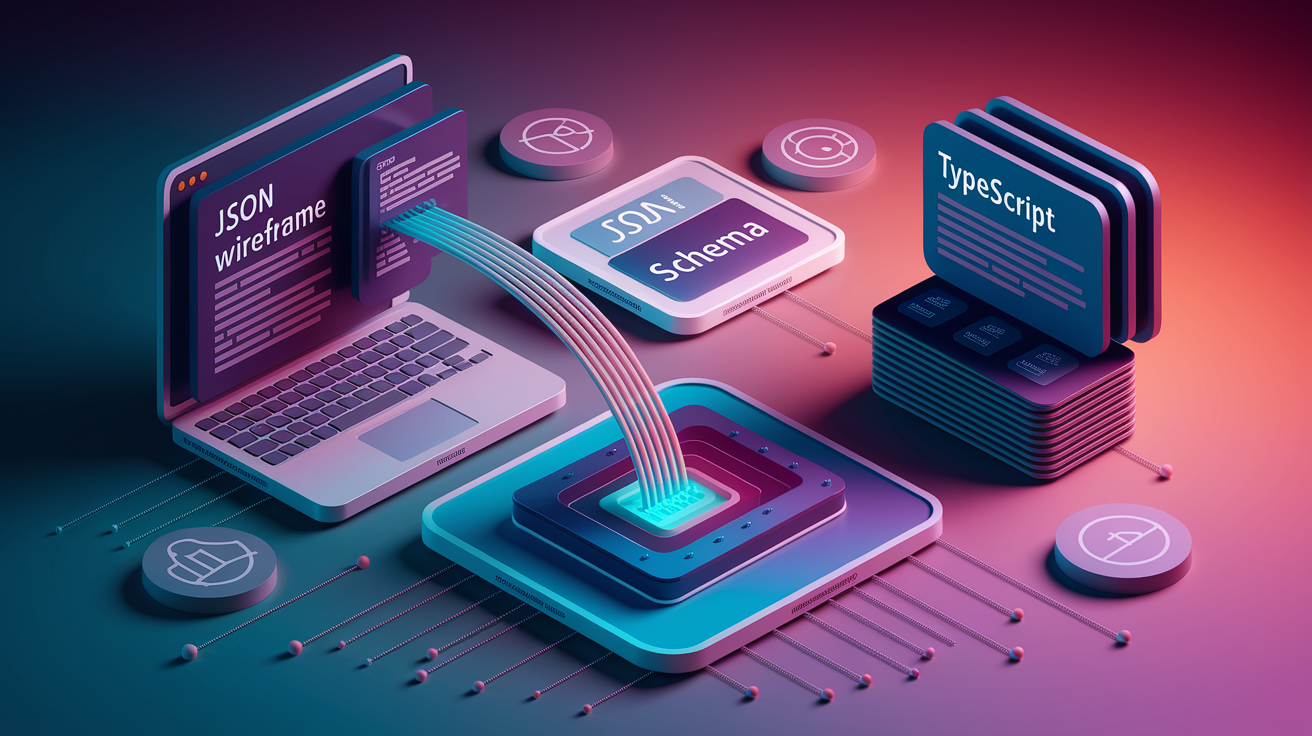
JSON driven workflows start with an example payload, usually copied from a browser network tab, a Postman response, or a curl command. You paste the JSON into your chosen generator, which infers the shape by examining field names, value types, and nesting depth. The tool outputs one or more interface declarations. If the JSON contains an array of objects, the generator creates an interface for the array item and wraps it in an array type. If a field sometimes appears and sometimes doesn’t, the generator marks it optional (field?: string). The whole process takes seconds, but you always review the output. Auto generated names like RootObject or Item need renaming to match your domain model.
Schema inputs provide more control. When you start from JSON Schema or OpenAPI, the generator reads the required array, additionalProperties flag, and $ref pointers. This produces stricter interfaces with accurate optionality and cross references between types. Tools like ts-json-schema-generator can also run in reverse, reading TypeScript interfaces and emitting JSON Schema for runtime validation. Java to TypeScript generators parse .java files or class metadata, using a classPatterns field to select which packages to convert. The generator maps Java primitives (int, String) to TypeScript equivalents (number, string) and handles generics, inheritance, and annotations.
Adjust generated names and structures to fit your codebase conventions. Rename interfaces to use PascalCase and descriptive nouns (User, ProductListing, PaymentRequest). Split large interfaces into smaller ones when logical groupings emerge. Add JSDoc comments to clarify intent. If the generator creates redundant wrappers or deeply nested types, flatten them manually. Save the cleaned interfaces in a dedicated types/ or models/ folder and import them where needed. Re-run generation whenever the upstream schema changes, then review the diff to catch breaking changes.
Here’s a step by step flow for generating TypeScript interfaces from JSON using a VS Code extension:
- Open the
.tsfile where you want to place the interface. - Press
CMD+SHIFT+P(macOS) orCTRL+SHIFT+P(Windows/Linux) to open the command palette. - Type “Paste JSON as CODE” and press ENTER.
- Paste your JSON payload into the input field that appears.
- Press ENTER to generate the interfaces.
- Review the output and rename
RootObjector other generic names to match your domain. - Save the file and import the interface where you handle the JSON data.
Using a TypeScript Interface Generator in a Development Pipeline

Integrating code generation into Node.js scripts and CI pipelines keeps your types in sync with evolving APIs and schemas. Add a package script that runs your generator whenever schemas change, something like "codegen": "quicktype --src schemas/ --out src/types/". Hook it into your build process so npm run build regenerates types before compiling. In CI, run the codegen script and commit the output, or run it as a check and fail the build if generated files differ from what’s committed. This prevents developers from deploying code that references outdated or missing interfaces. GitHub Actions can trigger regeneration on pull requests that modify schema files, then auto commit the updated types.
Watch mode and incremental rebuilds save time during local development. Tools like quicktype or custom Node scripts using chokidar can monitor a directory of JSON or YAML files and regenerate interfaces on save. This gives you live feedback when you tweak a schema. Incremental generation skips unchanged files, reducing rebuild time in large projects. Caching the parsed AST or schema metadata between runs speeds things up further. Configure your generator to output a hash or timestamp comment at the top of each file so you can tell when it was last regenerated.
Publishing and testing workflows benefit from automated type generation. When you publish an npm package that includes generated types, add a prepublishOnly script to regenerate them from the canonical schema. This guarantees the published .d.ts files match the current spec. For testing, generate interfaces from mock API responses and use them in unit tests to ensure your parsers and serializers handle all fields. Run the generator in a Docker build step so CI and local environments produce identical output. Use Postman or curl to fetch live API responses, feed them into the generator, and diff the result against your checked in types to catch schema drift.
Common CI/CD integration patterns for automatic interface generation:
- Precommit tasks that run the generator and stage updated types before each commit
- GitHub Action triggers on pull requests modifying schema or API definition files
- Schema checks that fail the build if generated types have uncommitted changes
- Automated rebuilds on a schedule to catch upstream API changes before they break production
- Test gated generation where new interfaces must pass validation and lint checks before merging
Best Practices for Customizing and Maintaining Generated Interfaces

Adjusting generator templates and naming conventions keeps output consistent with your codebase style. Many CLI tools accept a config file where you define naming patterns. PascalCase for interfaces, camelCase for properties, and prefixes like I or suffixes like DTO if your team uses them. Template engines let you inject custom JSDoc comments, import statements, or utility types. If the default template produces verbose or redundant code, override it with a Handlebars or EJS file that outputs exactly what you need. Store the config and template in version control so all developers generate identical types.
Versioning and documentation alignment prevent confusion when schemas evolve. Tag generated files with the schema version or API spec version in a comment at the top. When you regenerate after a breaking change, the diff shows which fields were added, removed, or made required. Keep a changelog or migration guide that maps schema versions to interface changes. Link generated interfaces to your OpenAPI docs or internal API reference so consumers know which endpoint corresponds to which type. This is especially important in microservices architectures where multiple teams consume the same schema.
Formatting, linting, and strict mode considerations ensure generated code passes your project’s quality gates. Run Prettier or your formatter on generated files as a post generation step. Add a lint rule to enforce consistent property ordering or disallow any. Enable TypeScript’s strict mode and noImplicitAny so the generator can’t produce unsafe types. Some generators let you set strictNullChecks compatibility, emitting T | null or T | undefined explicitly. If generated types fail lint or build checks, fix the generator config rather than editing the output manually. Manual edits disappear on the next regeneration.
| Technique | Benefit |
|---|---|
| Custom naming config | Matches team conventions and avoids renaming after generation |
| Version tags in comments | Tracks which schema version produced the current types |
| Post-generation formatting | Ensures generated code passes lint and style checks |
| Template overrides | Lets you inject imports, JSDoc, or utility types automatically |
Troubleshooting and Limitations When Using a TypeScript Interface Generator

Complex schemas expose limitations in how generators handle recursive structures and circular references. When a schema references itself (like a tree node with a children property of type Node[]), some generators produce an invalid forward reference or fail entirely. Others emit a placeholder any or skip the recursive field. To fix this, manually add a self referencing interface or use a type alias that TypeScript resolves correctly. For circular references across multiple types (A references B, B references A), check if your generator supports $ref pointers or requires you to split definitions into separate files and import them.
Ensuring consistent client/server contract validation requires aligning your generated types with runtime checks. Generate JSON Schema from your TypeScript interfaces using ts-json-schema-generator, then use Ajv or another validator to enforce the schema at runtime. When a payload fails validation, return HTTP 400 with a readable error message so clients know which field is wrong. Keep the schema and interfaces in sync by regenerating both from the same source of truth, either the TypeScript code or the JSON Schema file. Run automated tests that validate sample payloads against both the schema and the interface to catch mismatches before production.
Common issues developers hit when generating interfaces from schemas:
- Circular references that produce invalid forward declarations or fall back to
any - Missing required fields when the generator doesn’t read the schema’s
requiredarray - Invalid unions where the tool outputs
A | B | anyinstead of narrowing types correctly - Mismatched enums that generate string literals when the schema defines numeric enums
- Invalid arrays typed as
any[]instead ofArray<SpecificType>due to incomplete inference
Final Words
In the action, we covered why you automate interface creation, the most reliable json-to-interface tools, a step-by-step JSON→TS flow, CI/automation tips, customization, and common gotchas.
Pick a tool that matches your workflow: editor shortcuts for single payloads, CLI or schema generators for pipelines, and schema-based tools when validation matters. Watch naming, unions, and recursive types.
If you want fewer runtime bugs and faster handoffs, add a typescript interface generator into your build and CI — you’ll save time and headaches.
FAQ
Q: What is a TypeScript interface generator and why should I use one?
A: A TypeScript interface generator creates TypeScript interfaces automatically from inputs like JSON, schemas, or code. Use it to save manual typing, reduce human errors, and keep client/server contracts in sync.
Q: What input formats do TypeScript interface generators accept?
A: TypeScript interface generators accept JSON payloads, API responses, database schemas, Java classes, YAML files, and nested objects as common inputs for automatic conversion into types.
Q: Which popular tools should I consider for generating interfaces?
A: Popular tools include quicktype, json2ts, Paste JSON as CODE (VS Code), online JSON-to-interface converters, ts-json-schema-generator, and various CLI or npm packages for programmatic use.
Q: How do I generate interfaces quickly from JSON inside VS Code?
A: To generate interfaces in VS Code, copy JSON, run Paste JSON as CODE, choose TypeScript, let it infer nested types, review names, and paste the generated interfaces into your file.
Q: How do CLI and programmatic generation differ and when to pick each?
A: CLI tools are easy for one-off or CI scripts; programmatic APIs (createSchema) embed generation in Node.js apps for custom flows, fine-grained control, and automated validation pipelines.
Q: When should I use an editor plugin, online converter, or CLI tool?
A: Use editor plugins for quick local edits, online converters for ad-hoc checks, and CLI/programmatic tools for repeatable automation, large projects, or CI‑integrated code generation.
Q: How do I integrate interface generation into a CI/CD pipeline?
A: Integrate generation as precommit tasks, GitHub Action steps, schema checks, automated rebuilds on schema changes, and test-gated generation to ensure types always reflect source schemas.
Q: What are the best practices for customizing and maintaining generated interfaces?
A: Customize templates and naming, enforce formatting (Prettier), run linting, use strict TypeScript options, version generated artifacts, and review names to match your codebase conventions.
Q: How should I handle enums, union types, arrays, and nested objects?
A: Generators typically map enums, unions, arrays, tuples, and nested objects automatically; manually adjust ambiguous unions, check enum values, and normalize deeply nested names for clarity and reuse.
Q: How do I deal with recursive or circular schema references?
A: Resolve recursive or circular references by refactoring schemas into named types, using generator options that support references, or hand-editing problematic cycles to break infinite loops.
Q: What common errors should I watch for and how do I troubleshoot them?
A: Watch for circular refs, missing required fields, invalid unions, mismatched enums, and malformed arrays. Troubleshoot by validating source JSON/schema, simplifying structures, or adding explicit type annotations.
Q: How can I convert Java classes or database schemas into TypeScript interfaces?
A: To convert Java or DB schemas, export or map them to JSON/JSON Schema, use class patterns or generator flags for Java, then run a JSON-to-TS tool and adjust generated names as needed.