


Want to ship a container without doing a quick vulnerability check?
If you’re skipping scans, you’re betting on luck.
This Trivy vulnerability scanner tutorial shows a no-nonsense path from install to a full scan report in under two minutes.
You’ll learn the fastest setup (Docker or native), run image, filesystem, and repo scans, and export JSON for CI.
I’ll also show the small flags that make scanning practical in pipelines and how to focus on the high and critical issues that actually matter to production.
Immediate Hands-On Guide to Using the Trivy Vulnerability Scanner
Trivy is an open-source security scanner built by Aqua Security, first released in 2019. It finds vulnerabilities, misconfigurations, exposed secrets, and generates software bills of materials across container images, filesystems, Git repositories, Kubernetes clusters, and infrastructure-as-code templates like Terraform and Helm. Trivy pulls from dozens of vulnerability databases and supports multiple output formats including JSON, SARIF, JUnit, and plain text tables.
If you want to run Trivy right now without installing anything locally, use Docker. The quickest path is docker run --rm -v /var/run/docker.sock:/var/run/docker.sock aquasec/trivy:latest image nginx:latest which mounts your Docker socket and scans the nginx:latest image directly. To verify the version, run docker run --rm aquasec/trivy:latest --version and you should see output similar to “Version: 0.61.0” (or whichever release is current as of May 2025).
The workflow below assumes you have Docker running and gets you from zero to a complete scan report in under two minutes. You’ll scan a public image, inspect results in your terminal, and export findings as JSON for further analysis or ingestion into dashboards and ticketing systems.
- Pull and run Trivy via Docker: Execute
docker run --rm -v /var/run/docker.sock:/var/run/docker.sock aquasec/trivy:latest image nginx:latestin your terminal. Trivy will pull the nginx image (if not cached) and start scanning. - Verify the scanner version: Run
docker run --rm aquasec/trivy:latest --versionto confirm Trivy is operational and check which release you’re using. - Run your first image scan: Use the full command
docker run --rm -v /var/run/docker.sock:/var/run/docker.sock aquasec/trivy:latest image nginx:latest. Trivy fetches its vulnerability database on first run and scans the target image. - View the results: Trivy prints a table to stdout listing Vulnerability ID, Package Name, Severity (LOW, MEDIUM, HIGH, CRITICAL), Installed Version, Fixed Version, and a brief Description with References.
- Export findings to JSON: Add
-f json -o /output/report.jsonand mount a local directory to capture the file:docker run --rm -v /var/run/docker.sock:/var/run/docker.sock -v $(pwd):/output aquasec/trivy:latest image -f json -o /output/report.json nginx:latest. You’ll find report.json in your current working directory.
Understanding Trivy’s Core Scanning Capabilities
Trivy’s vulnerability scanning checks operating system packages, language dependencies, and application libraries for known CVEs. It consults the Trivy DB (which aggregates over 30 sources including NVD and GitHub Security Advisories), a dedicated Java Index DB for JAR files, and VEX data to reduce false positives. Trivy assigns one of four severity levels: LOW, MEDIUM, HIGH, or CRITICAL, based on CVSS scores and exploitability metadata. Because the database updates automatically on each run (unless you pass --skip-update), you’re always scanning against the latest threat intelligence.
Misconfiguration detection evaluates infrastructure-as-code files and Kubernetes manifests against security best practices and compliance benchmarks. Trivy flags issues like overly permissive IAM policies, unencrypted storage buckets, missing network policies, or containers running as root. This complements vulnerability scanning by catching configuration drift before deployment. Secret scanning identifies API keys, database passwords, private keys, and tokens accidentally committed to repositories or baked into container layers.
OS packages: Alpine, Red Hat, CentOS, Debian, Ubuntu, Amazon Linux, SUSE, and others
Language dependencies: Bundler (Ruby), Composer (PHP), npm/Yarn (JavaScript), pip/Pipenv (Python), Maven/Gradle (Java), Go modules, NuGet (.NET), Cargo (Rust)
Infrastructure as code: Terraform plans, AWS CloudFormation templates, Azure Resource Manager JSON, Kubernetes YAML manifests, Helm charts, Dockerfiles
Secrets detection: Hardcoded credentials, tokens, certificates embedded in source code, config files, or image layers
SBOM generation: Exports complete software inventories in SPDX, CycloneDX, or JSON for supply chain transparency and compliance audits
Plugin extensions: WebAssembly modules and custom scripts let you write domain specific checks or integrate proprietary vulnerability feeds
Installing and Verifying Trivy Across Different Platforms
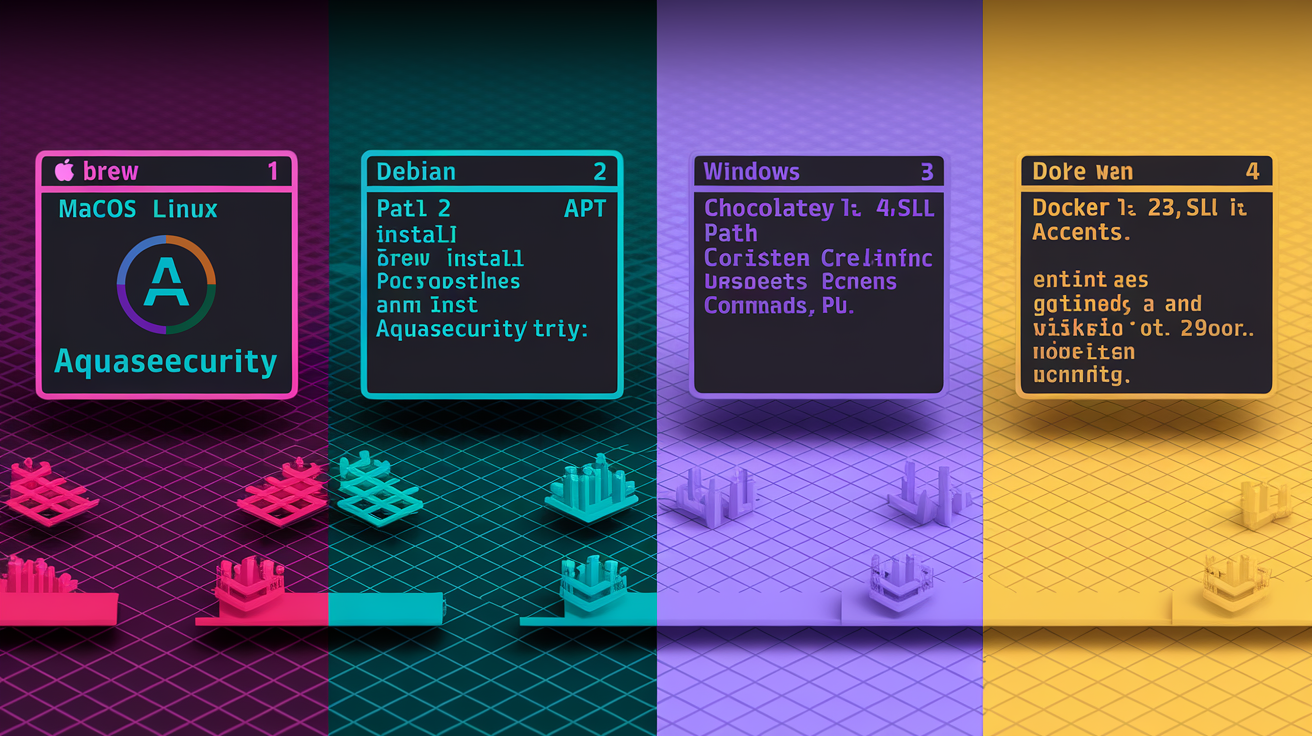
On macOS or Linux with Homebrew installed, run brew install aquasecurity/trivy/trivy to pull the latest release. Homebrew handles dependencies and places the trivy binary in your PATH. Verify by running trivy --version and confirming the output shows a version number like “Version: 0.61.0.” Homebrew makes updates simple. Just brew upgrade trivy when a new release drops.
Debian and Ubuntu users can add Aqua Security’s official APT repository and install via sudo apt update && sudo apt install trivy -y. This method integrates with your package manager so system updates pull in new Trivy versions automatically. After installation finishes, check with trivy --version to ensure the binary is executable and properly configured.
Windows environments have two paths: install via Chocolatey (choco install trivy) if you manage packages that way, or use Windows Subsystem for Linux and follow the Linux instructions above. For the simplest cross-platform option that requires no local installation, rely on the Docker image as shown in the quick start section. Running docker run --rm aquasec/trivy:latest --version inside a container gives you Trivy on any system that runs Docker, including CI runners and air-gapped build servers.
| Platform | Installation Method | Verification Command |
|---|---|---|
| macOS / Linux | brew install aquasecurity/trivy/trivy | trivy –version |
| Debian / Ubuntu | sudo apt install trivy -y | trivy –version |
| Windows | choco install trivy or use WSL | trivy –version |
| Docker (any OS) | docker run aquasec/trivy:latest | docker run –rm aquasec/trivy:latest –version |
Practical Examples: Running Trivy Scans on Images, Filesystems, and Repositories
Trivy supports multiple scan modes: image scanning for container registries and local Docker images, filesystem scanning for directories containing source code or built artifacts, and repository scanning that clones a Git URL and inspects its contents. Each mode uses the same core engine and database but targets different entry points. You pick the mode by specifying image, fs, or repo as the first positional argument after trivy.
To scan a Docker image, run trivy image nginx:latest (or trivy image docker.io/my-app:latest for your own images). Trivy pulls layers from your local Docker daemon or the specified registry, unpacks them, catalogs every installed package and library, cross-references that inventory against its vulnerability database, and prints findings organized by severity. The scan completes in under 60 seconds for most images. If the image doesn’t exist locally, Trivy pulls it from the registry automatically, so you can scan remote images without a separate docker pull step.
Filesystem scanning targets your project directory: trivy fs . runs from your current working directory and inspects package manager lock files (package-lock.json, Pipfile.lock, go.mod, Gemfile.lock), installed binaries, and configuration templates. This mode is useful for scanning codebases before they’re containerized or checking built artifacts on disk. Trivy skips common non-scannable paths like .git and node_modules binaries but still catches dependency manifests inside those folders.
Repository scanning clones a Git URL and scans it as a filesystem: trivy repo https://github.com/aquasecurity/trivy. Trivy fetches the default branch, inspects all dependency files and IaC templates, and reports vulnerabilities and misconfigurations. This mode integrates well with automated security audits. Point Trivy at any public or authenticated private repo and get a full report without manual checkout steps.
Important Trivy Flags Explained
--severity HIGH,CRITICAL filters results to show only vulnerabilities that matter most for breaking builds or prioritizing patches. You can combine any subset of LOW, MEDIUM, HIGH, CRITICAL. Before spending hours fixing every CVE, focus on the ones that actually threaten production.
--ignore-unfixed hides vulnerabilities that have no patch available yet. Use this in CI pipelines to avoid failing builds for issues your team can’t remediate right now.
--skip-update prevents Trivy from fetching the latest vulnerability database. Useful in air-gapped environments where you’ve pre-loaded the DB or when you need deterministic scans against a pinned database snapshot.
--format json or --format sarif changes output from the default human readable table to structured formats. JSON works for custom dashboards and SIEM ingestion; SARIF integrates with GitHub code scanning and other static analysis platforms.
--exit-code 1 makes Trivy return a non-zero exit code if it finds any vulnerabilities matching your filters. In CI pipelines this flag fails the build when policy violations occur. trivy image --severity HIGH,CRITICAL --exit-code 1 myapp:latest blocks deployment if high or critical issues exist.
--scanners vuln,secret,misconfig lets you run only the checkers you need. Pass a comma-separated list to disable unneeded scans and speed up execution: --scanners secret runs only secret detection, skipping vulnerability and misconfiguration checks.
Using Trivy for Kubernetes and IaC Scanning
Kubernetes scanning evaluates running clusters, individual pods, or manifest files against security policies. Run trivy k8s --report summary cluster to get a high level overview of vulnerabilities and misconfigurations across all workloads in your current kubectl context. Trivy connects via your kubeconfig, enumerates pods, pulls container images referenced in those pods, scans each image, checks pod security settings, and aggregates results by namespace. This mode surfaces issues like privileged containers, missing resource limits, or images with known CVEs already running in production.
For pre-deployment validation, scan Kubernetes YAML manifests before applying them: trivy k8s ./manifests/ points Trivy at a directory of manifest files and checks for misconfigurations like exposed NodePorts, missing AppArmor profiles, or deployments that allow privilege escalation. Trivy won’t deploy anything. It only reads YAML, so you can safely run this in CI during pull request checks. Combine with --exit-code 1 to block merges if critical misconfigurations are detected.
Infrastructure as code scanning targets Terraform, CloudFormation, and Helm templates with the same command structure: trivy iac ./terraform scans a directory of .tf files for issues like unrestricted security groups, S3 buckets with public access, or IAM roles granting excessive permissions. Trivy understands HCL (Terraform), JSON (CloudFormation and ARM templates), and Helm’s values.yaml syntax. It flags violations against CIS benchmarks and common compliance frameworks, giving you line numbers and remediation guidance.
Scanning running pods: Use trivy k8s pod mypod -n mynamespace to target a specific pod and see which container images inside it have vulnerabilities.
Scanning a manifest directory: Point Trivy at your GitOps repo with trivy k8s ./k8s-manifests/ to validate every YAML file before it reaches production.
Cluster summary with severity focus: Add --severity HIGH,CRITICAL to the cluster scan command to filter out noise and focus on actionable findings.
Integrating Trivy Operator: Deploy the Trivy Operator (formerly Starboard) into your cluster for continuous, automated scanning of every workload. It runs scans as Kubernetes CronJobs and stores results as custom resources you can query with kubectl.
Scanning Helm chart values: Run trivy iac ./my-chart/ against a Helm chart directory. Trivy inspects values.yaml and templates for misconfigurations that could propagate across all releases of that chart.
Exporting, Understanding, and Using Trivy Scan Results

Trivy’s default output format is a terminal friendly table: one row per vulnerability with columns for ID, package, severity, installed version, fixed version, short description, and reference links. This view is perfect for quick local checks where you scan an image and immediately see what needs patching. For automated workflows you’ll want structured exports. Run trivy image -f json -o report.json nginx:latest to write findings as JSON. The resulting file contains nested objects with full CVE metadata, CVSS scores, exploitability flags, and package details. Parsing this JSON in a script or dashboard is straightforward. Most CI systems can upload it to artifact storage or push it to a security platform API.
SARIF (Static Analysis Results Interchange Format) is the recommended format for integration with GitHub Security, Azure DevOps, and other code scanning dashboards. Use trivy image -f sarif -o results.sarif myapp:latest then upload results.sarif to GitHub’s security tab. The platform will annotate pull requests with inline comments showing exactly which lines in a Dockerfile or dependency manifest introduced a vulnerability. JUnit format (-f junit) suits Jenkins and other test runner UIs that already consume JUnit XML. Vulnerabilities appear as test failures with severity levels mapped to failure reasons.
Understanding the severity field is critical for prioritizing work. Trivy assigns LOW for issues with minimal impact or difficult exploitation, MEDIUM for moderate risks, HIGH for serious vulnerabilities that are easier to exploit or have significant impact, and CRITICAL for actively exploited issues with public proof-of-concept code and severe consequences. The “Fixed Version” field tells you which package version resolves the issue. If it’s blank, no patch exists yet. “Installed Version” shows what’s currently in the image or filesystem. Cross-reference the CVE ID in the “References” list to read full vendor advisories and decide whether the risk applies to your specific use case.
| Field | Meaning |
|---|---|
| Vulnerability ID | CVE identifier or vendor-specific advisory code (e.g., CVE-2024-1234, GHSA-xxxx) |
| Package Name | Affected library, OS package, or dependency (e.g., openssl, lodash, numpy) |
| Severity | Risk level: LOW, MEDIUM, HIGH, or CRITICAL based on CVSS and exploitability |
| Installed Version | Version currently present in the scanned image or filesystem |
| Fixed Version | Patched version that resolves the vulnerability, or empty if no fix available |
Integrating Trivy into CI/CD Pipelines (GitHub, GitLab, Azure DevOps, Jenkins)

GitHub Actions workflows trigger Trivy scans on every push or pull request by adding a job that checks out code, installs Trivy, scans the built image or IaC files, and optionally uploads SARIF results. Create .github/workflows/trivy_scan.yml with a job that runs on pushes to main and changes to Dockerfile or Terraform directories. Pin the Trivy version with a specific release or Docker image tag to keep scans deterministic. A typical step sequence: actions/checkout@v3, install Trivy via curl or use the official aquasecurity/trivy-action, run trivy image myapp:latest --exit-code 1 --severity HIGH,CRITICAL, then upload SARIF with github/codeql-action/upload-sarif@v2 so findings appear in the Security tab.
GitLab CI pipelines use .gitlab-ci.yml with stages for build and scan. The build stage produces a Docker image tagged with the commit SHA, and the scan stage runs Trivy against that image. GitLab runners need Docker available. Most setups use docker:dind (Docker-in-Docker) as a service. A scan job looks like this: pull the aquasec/trivy:latest image, run trivy image --exit-code 1 registry.example.com/myapp:$CI_COMMIT_SHA, and mark the job as allow_failure: false to block merges on policy violations. Cache the Trivy database in GitLab’s cache to avoid re-downloading it every pipeline run.
Azure DevOps pipelines add a script step that installs Trivy on the build agent and runs the scan. Use a pool with a recent Ubuntu VM image, add a Bash task that curls the Trivy install script, then run trivy image --severity HIGH,CRITICAL --exit-code 1 nginx:latest or your built image. Parse the exit code in subsequent tasks to fail the pipeline if vulnerabilities are found. Store JSON reports as pipeline artifacts for audit trails.
Jenkins integrations script Trivy calls inside pipeline stages or freestyle job shell steps. After building and pushing an image, add a stage that runs trivy image --format json --output trivy-report.json myapp:latest, parse the JSON with a Groovy script or a plugin, and set the build status to FAILED if critical vulnerabilities exist. Jenkins can send notifications to Slack or email when scans detect issues, giving teams immediate feedback on risky commits.
Common CI/CD Failure Conditions
Failing on HIGH or CRITICAL severities: Add --severity HIGH,CRITICAL --exit-code 1 to block deployments when serious vulnerabilities are present. This is the most common policy threshold.
Authenticating to private registries: Provide credentials via --username and --password flags, or configure Docker config on the CI runner so Trivy inherits authentication. Store secrets in GitHub Secrets, GitLab CI/CD variables, or Azure Key Vault.
Caching the vulnerability database: Mount a persistent volume or use CI cache directories to store Trivy’s DB between runs. On GitLab set cache: paths: [~/.cache/trivy] to speed up scans.
Exit code behavior: By default Trivy exits 0 even if vulnerabilities are found. Use --exit-code 1 to return non-zero when your severity filter matches findings, which tells CI systems to fail the build.
SARIF upload workflow: After scanning, upload the SARIF file to GitHub with github/codeql-action/upload-sarif@v2 or to Azure DevOps with the Code Analysis task. This step surfaces findings directly in pull request diffs and the security dashboard.
Database Management, Performance Tuning, and Offline Scanning

Trivy downloads its vulnerability database on first run and checks for updates at the start of every scan. To force a refresh, run trivy image --download-db-only which fetches the latest DB without scanning anything. This command is useful in scheduled jobs that pre-populate the cache overnight so developers’ morning scans are instant. If you’re working in an air-gapped environment or want reproducible scans, download the database once, copy it to your target systems, and use --skip-update to prevent Trivy from trying to reach the internet.
Performance tuning starts with caching. By default Trivy stores its database in ~/.cache/trivy on Linux and macOS. In CI pipelines, cache this directory across jobs to avoid re-downloading hundreds of megabytes on every run. On GitLab add the path to your cache configuration, on GitHub Actions use actions/cache to persist the Trivy cache directory, and on Jenkins mount a shared volume for build agents. Scans complete in under 60 seconds for typical images, but large multi-gigabyte containers or those with thousands of packages can take longer. Use --scanners vuln (omitting secret and misconfiguration checks) when you only need CVE detection, or pass --light for a faster, less thorough scan that skips certain package indexes.
Offline scanning requires moving the database manually. Run trivy image --download-db-only on an internet connected machine, then copy ~/.cache/trivy/db to your air-gapped system. Set the TRIVY_CACHE_DIR environment variable to point Trivy at the relocated database directory, and always pass --skip-update so it doesn’t attempt network calls. This workflow suits secure build environments, compliance locked networks, and CI runners without egress access.
| Command | Purpose |
|---|---|
| trivy image –download-db-only | Fetch the latest vulnerability database without scanning |
| trivy image –skip-update nginx:latest | Scan using the existing local database, no network fetch |
| trivy image –refresh nginx:latest | Force an immediate DB update before scanning |
| TRIVY_CACHE_DIR=/custom/path trivy … | Override the default cache directory location for database and temp files |
Handling False Positives, Ignore Files, and Policy Enforcement

False positives happen when Trivy flags a CVE that doesn’t apply to your usage. Maybe the vulnerable code path isn’t reachable, or you’ve applied a vendor patch that isn’t reflected in package metadata. Start by running trivy image --ignore-unfixed myapp:latest to filter out vulnerabilities with no available fix. This reduces noise and keeps your team focused on actionable issues. If a specific CVE is confirmed irrelevant, create a .trivyignore file in your project root and add the CVE ID on its own line. Trivy reads this file automatically and skips those IDs in future scans.
VEX (Vulnerability Exploitability eXchange) data provides vendor or security team assertions about whether a vulnerability is actually exploitable in a given context. Trivy can consume VEX documents to suppress findings that vendors have declared unexploitable. Pass --vex <file> to point Trivy at a VEX JSON document, and it will cross-reference findings against those assertions. This approach is more structured than a simple ignore list because VEX includes rationale and expiration dates for each suppression.
Policy enforcement integrates Trivy with tools like Open Policy Agent or Kyverno. Write Rego policies that inspect Trivy’s JSON output and enforce rules like “no container image with CRITICAL vulnerabilities may run in the production namespace” or “every deployment must have an SBOM artifact attached.” OPA can evaluate Trivy reports during admission control in Kubernetes, blocking non-compliant workloads before they’re scheduled. Gatekeeper policies can trigger alerts or auto-remediation workflows when scans detect policy drift.
- Use –ignore-unfixed in CI: Add the flag to every pipeline scan to focus only on vulnerabilities your team can fix right now. This keeps builds from failing due to issues outside your control.
- Maintain a .trivyignore file: Track suppressed CVEs in version control so the entire team knows which findings are accepted risks and why. Comment each line with the business justification.
- Consume VEX data: If your vendors or security team publish VEX documents, pass them to Trivy with
--vex vendor-vex.jsonto automatically suppress non-exploitable findings. - Integrate policy as code: Use OPA or Kyverno to codify security policies and enforce them using Trivy scan results. Treat policies as code, review them, test them, and version them like any other artifact.
Advanced Usage: Plugins, Multi-Stage Builds, Registries, and Cloud Targets

Trivy’s plugin system lets you extend scanning with custom logic written in WebAssembly or executed as external scripts. Plugins can add proprietary vulnerability feeds, enforce organization specific compliance rules, or integrate with internal ticketing systems. Load plugins by placing them in ~/.trivy/plugins/ and invoking them via trivy plugin run <name>. This extensibility keeps Trivy lightweight while allowing teams to tailor scans to their exact needs.
Multi-stage Docker builds often discard intermediate layers and dependencies, leaving only the runtime artifacts in the final image. Trivy scans the exported image, so it only sees what ships to production. If you want to audit build time dependencies or check intermediate stages, tag each stage explicitly (FROM node:16 AS builder, FROM alpine:latest AS runtime) and scan each tag separately: trivy image myapp:builder and trivy image myapp:runtime. This approach surfaces vulnerabilities in build tools that never reach production but might affect supply chain security.
Trivy connects to public and private container registries using the same authentication Docker uses. If you’ve already run docker login registry.example.com, Trivy reads your Docker config and authenticates automatically. For registries that require explicit credentials, pass --username and --password flags or set TRIVY_USERNAME and TRIVY_PASSWORD environment variables. Trivy supports Docker Hub, Google Container Registry, Amazon ECR, Azure Container Registry, Harbor, GitLab Container Registry, and any registry that implements the OCI Distribution specification.
Supported Registry and Cloud Target Types
Docker Hub: Scan public images (trivy image nginx:latest) or authenticate for private repos with Docker credentials.
Harbor: Enterprise registry scanning with support for Harbor’s vulnerability database integration and RBAC policies.
AWS Elastic Container Registry (ECR): Trivy uses AWS CLI credentials or IAM roles to pull images from private ECR repositories.
Azure Container Registry (ACR): Authenticate via Azure CLI or service principal credentials to scan images stored in ACR.
Google Container Registry (GCR) and Artifact Registry: Use gcloud credentials or service account JSON keys for authentication.
AWS S3 buckets and Lambda functions: Point Trivy at an S3 bucket URL or Lambda function ARN to scan application artifacts and dependencies deployed to serverless environments.
Trivy Best Practices for Reliable Vulnerability Scanning
Automate scans in every CI/CD pipeline so no image or IaC template reaches production without a security check. Integrate Trivy as an early gate in pull request workflows. Scan on commit and block merges if HIGH or CRITICAL vulnerabilities are detected. This shift left approach catches issues when they’re cheapest to fix, before code is deployed and before attack surface expands. Run scans locally during development by adding a pre-commit hook or IDE plugin so developers get instant feedback without waiting for CI.
Prioritize remediation using severity filters and ignore unfixed flags. Start by addressing CRITICAL findings with available patches, then move to HIGH severity issues. Use --ignore-unfixed to hide vulnerabilities that have no fix yet, and revisit those findings weekly as new patches are released. Update the Trivy database regularly. Daily in CI environments, weekly on developer workstations, by running trivy image --download-db-only in a scheduled job or letting Trivy auto-update at the start of each scan.
Generate and store SBOMs for every production image and application release. Run trivy image --format cyclonedx -o sbom.json myapp:latest to export a CycloneDX SBOM, then archive it alongside build artifacts. SBOMs support compliance audits (PCI DSS, HIPAA, GDPR), incident response (quickly identify if a new CVE affects your deployed software), and supply chain transparency (understand every dependency in production). Integrate Trivy with notification systems. Send Slack or Microsoft Teams alerts when scans find critical issues and combine scans with policy engines like OPA or Kyverno to enforce organizational security standards automatically.
Automate in CI/CD: Every build should include a Trivy scan step with --exit-code 1 to fail fast on policy violations.
Prioritize HIGH and CRITICAL: Focus remediation on the top two severity levels first, use filters to reduce noise from LOW and MEDIUM findings.
Update the database often: Schedule daily DB updates in CI or let Trivy auto-update at scan time to ensure you’re detecting the latest CVEs.
Schedule periodic scans: Run nightly or weekly scans of production registries and deployed clusters to catch newly disclosed vulnerabilities in long lived images.
Use SBOM for compliance: Generate and archive SBOMs for every release to meet audit requirements and speed up incident response.
Combine with policy tools: Integrate Trivy outputs with OPA, Kyverno, or Gatekeeper to enforce security policies as code across your entire infrastructure.
Final Words
You pulled the Trivy Docker image, verified the version, and ran a first scan—seeing results as table, JSON, or SARIF.
You covered what Trivy checks (OS packages, deps, IaC, secrets), how to manage DB updates and ignore rules, and where scans fit in CI pipelines.
Keep the flow simple: run fast scans, export JSON for automation, and fail CI only on HIGH/CRITICAL to avoid noise.
This trivy vulnerability scanner tutorial gives you a working workflow you can run today—more confidence, fewer surprises, and smoother deploys.
FAQ
Q: How does trivy scan work?
A: Trivy scans by pulling the target (image, filesystem, repo, or Kubernetes manifests) and comparing packages, language deps, IaC and secrets against its vulnerability DB, Java index and VEX, then reports findings in table/JSON/SARIF.
Q: Is trivy the same as SonarQube?
A: Trivy is not the same as SonarQube; Trivy focuses on vulnerabilities, misconfigurations, secrets, and SCA across artifacts, while SonarQube is a static code-quality and security analyzer for source code.
Q: Can trivy scan code?
A: Trivy can scan repositories and local filesystems to detect vulnerable dependencies, IaC misconfigurations, and exposed secrets, but it doesn’t perform deep static code-quality analysis like SonarQube.
Q: What is the difference between trivy scan and Grype scan?
A: The Trivy scan is broader—it covers OS packages, language deps, IaC, misconfigs, and secrets plus SBOMs and plugins; Grype focuses mainly on software composition analysis for container images and SBOM-based vulnerability matching.