


Ever waste 20 minutes hunting for that regex pattern you wrote last month? Or copy the same authentication boilerplate from Slack for the third time this week? Most developers lose hours rewriting code they’ve already solved. The fix isn’t better memory. It’s a solid snippet manager that captures, organizes, and resurfaces your code when you actually need it. Here’s how to pick one that fits your workflow without adding friction.
Immediate Solutions: Top Code Snippet Tools Compared

You’ve got dozens of snippet management options out there. Desktop apps with deep language support. Cloud platforms that sync everywhere. Browser tools for quick captures. Some developers want local storage with killer syntax highlighting. Others need cloud sync and team features. The right tool? That depends on whether you care more about privacy, language coverage, or how well it fits into what you’re already doing.
Masscode
Masscode is completely free and open source. It supports over 160 programming languages right out of the box, and you can extend that to 600+ through tmLanguage files. The platform gives you multi-level folders so you can structure things however complex they need to get. Markdown writing comes with syntax highlighting, which makes documentation easy. You can even create presentations from snippet sequences, turning your code library into a teaching tool. There’s no premium tier here. No paywalled features. Everything stays accessible without subscription fees.
Pieces Drive
Pieces Drive accepts code from all over the place. Files, clipboard, IDE selections, images, GitHub Gists. The platform’s processed over 1 million saved materials, which shows real adoption among developers who want robust snippet management. Security matters? The architecture is local first, storing everything on your machine. Cloud storage is optional for when you need sync. It’s free to download and use, making it accessible whether you’re solo or a small team trying things out.
Cacher
Cacher targets professional developers. The free tier includes 2-way syncing with GitHub Gist, but there’s a catch. Free snippets are all public. That’s fine for open source work, not so much for proprietary code. IDE integrations cover VSCode, IntelliJ, Atom, and Sublime, putting snippet access right in your editor. Team libraries and Slack integration make this more of a collaboration platform than just personal storage. Pricing goes from Pro at $6 per month for individuals to Teams at $5 per user per month. The privacy you get with paid plans justifies the cost if you’re handling sensitive code.
3Cols
3Cols delivers unlimited cloud storage completely free through Patreon funding. It supports over 25 programming languages and works as a Progressive Web App, giving you a desktop quality experience in any browser. The public snippet repository encourages community sharing and learning from other people’s patterns. There’s an API for custom integrations, which enables advanced workflows if you’re building your own tools. The main limitation shows up in sharing capabilities. Those require a premium subscription despite the generous free storage. That’s fine for personal collections but restrictive if your team needs collaboration.
CodePen
CodePen specializes in front end development with real-time HTML, CSS, and JavaScript editing. It’s the go to platform for interactive demos and prototyping. Over 1.8 million developers use it, creating a massive community repository of examples and templates. The free plan makes all pens public, which works for educational content and portfolio building. It doesn’t work for private client work or proprietary development. Developer PRO costs $12 per month or $108 per year for privacy and advanced features. CodePen positions itself as both snippet manager and collaborative environment for web projects.
| Tool | Type | Price | Languages | Cloud Sync | Key Strength |
|---|---|---|---|---|---|
| Masscode | Desktop | Free (Open Source) | 160+ (600+ with extensions) | No | Unlimited free features, presentation creation |
| Pieces Drive | Desktop/Cloud | Free | Multi-language | Optional | Multi-source saving, local-first security |
| Cacher | Cloud | Free (public) / $6/mo Pro | Multi-language | Yes (GitHub Gist) | Team collaboration, IDE integration |
| 3Cols | Cloud/PWA | Free (Patreon funded) | 25+ | Yes (unlimited) | Unlimited free cloud storage, API access |
| CodePen | Cloud | Free (public) / $12/mo Pro | Front-end (HTML/CSS/JS) | Yes | Real-time editing, 1.8M+ user community |
Cloud Platforms with Cross-Device Synchronization

Cloud storage eliminates the risk of losing valuable code when hard drives fail or you switch machines. Automatic backup means every snippet you save stays accessible regardless of hardware issues or accidental deletions. You can access your snippet database from work desktops, home laptops, tablets, even mobile devices. That transforms how you work across locations, whether you’re reviewing code on your commute or quickly checking syntax while away from your primary machine.
Platform compatibility determines whether a tool fits your entire workflow or creates gaps:
Windows compatibility varies. Most cloud platforms support Windows alongside Mac and Linux, but not all of them.
Mac and Linux support tends to be comprehensive on web based snippet managers. Desktop applications are less consistent.
Progressive Web App options like 3Cols deliver desktop quality experience without platform specific installation.
Mobile access availability remains limited. Some platforms lack dedicated mobile apps or responsive interfaces.
Offline access capabilities separate tools that cache snippets locally from those requiring constant internet.
Browser based solutions like Snipp.in work anywhere but lack automatic cloud backup in IndexedDB versions.
Synchronization mechanisms range from manual export and import to real-time sync that updates across devices within seconds. GitHub Gist integration provides version controlled synchronization that many developers already trust. Platforms like Cacher offer 2-way syncing in free tiers. Real-time sync updates your snippet collection as you save, eliminating conflicts when you’re working from multiple locations throughout the day.
Privacy considerations create tension between public repositories that encourage community learning and private storage protecting proprietary code. Free tiers on CodePen and Cacher make all snippets public. That works fine for open source contributions and educational examples. It fails for client projects or company code containing business logic. Paid plans typically add privacy controls, letting you decide which snippets to share publicly and which to keep private. That’s essential for professional developers balancing knowledge sharing with confidentiality requirements.
IDE Integration and Text Editor Extensions

IDE native snippet access keeps you in the flow without alt tabbing to separate applications. Integrations with VSCode, Atom, IntelliJ, and Sublime bring your entire snippet library into the environment where you already spend hours each day. Right click context menus on selected code provide instant saving. Quick access shortcuts retrieve snippets without touching your mouse.
Here’s how it works in practice:
Select code in your text editor that you want to save as a reusable snippet.
Right click the selection and choose the snippet manager option from the context menu.
The snippet saves automatically with language detection and initial tagging.
When you need that code later, press cmd + Shift + p on Mac or ctrl + shift + p on Windows.
Search your snippet collection and insert the code with a single click or Enter key press.
Keyboard shortcuts eliminate friction between thinking “I need that authentication function” and actually inserting it. The cmd + Shift + p shortcut on Mac or ctrl + shift + p on Windows becomes muscle memory after a few uses. Snippet retrieval gets faster than manually copying from previous projects or searching through documentation.
Snippet expansion and autocomplete features detect when you’re typing a saved snippet’s trigger phrase. They suggest the full code before you finish typing. This transforms frequently used boilerplate into two or three keystrokes instead of dozens of lines. Quick access through IDE plugins means you stop wasting time on repetitive copy and paste operations. You focus on the unique logic each project requires.
Browser Extensions for Snippet Capture
Browser extensions detect code blocks on documentation sites, Stack Overflow answers, GitHub repositories, and tutorial blogs. Every code example you encounter during research becomes a potential addition to your library. When you’re reading framework documentation or following a technical blog post, the extension highlights code blocks and adds a save button directly to the page.
Single click saving from webpages eliminates the manual process. You don’t need to select code, switch to your snippet manager, create a new entry, and paste the content. The browser extension handles all that coordination in the background. You focus on learning rather than administrative snippet management.
Automatic metadata capture goes beyond storing the code itself. The extension records source links pointing back to the original documentation. It adds tags based on detected programming languages. Creation date tracks when you discovered something useful. It even flags warnings about sensitive information like API keys or passwords that accidentally made it into public examples. This context proves valuable when you return to a snippet weeks later and need to understand where it came from or what it was intended to accomplish.
Automatic description generation uses surrounding text from the webpage to create meaningful titles and descriptions. Instead of “untitled snippet 47,” your collection contains entries like “React useEffect cleanup function for WebSocket connections.” That makes search functionality actually work when you need to find something specific months after saving it.
Advanced Features: OCR and Image-Based Code Capture

OCR technology designed specifically for code extraction handles the unique challenges programming syntax presents. General text recognition fails to process it correctly. Code specific Optical Character Recognition engines understand indentation, brackets, operators, and the importance of exact spacing that makes the difference between working code and syntax errors.
Use cases extend beyond simple screenshots. YouTube video tutorials where instructors display code on screen. Online presentation slides from conference talks. Photos from university lectures. Even printed code documentation from older technical books. Screenshots from YouTube videos let you capture that perfect example from a coding tutorial without manually transcribing every character while pausing and rewinding. Online presentation slides from conference talks preserve code examples that speakers show briefly before moving to the next topic. Photos from lectures or whiteboards turn temporary teaching examples into permanent references you can study later.
Automatic language detection and formatting occurs immediately after OCR extraction. The system analyzes captured text to identify whether it’s Python, JavaScript, Java, or dozens of other languages. It then applies appropriate code formatting with correct indentation, syntax highlighting, and structure. That transforms a flat image into properly formatted, copy and paste ready code you can drop directly into your IDE.
Organization Systems: Tagging, Folders, and Search

Folder structure with nested categories provides the foundation for organizing hundreds or thousands of snippets without chaos. Multi-level folder organization lets you create hierarchies like Languages > JavaScript > React > Hooks > useState Examples. That mirrors how you think about code categorization. Projects can have their own folders, with sub folders for different feature areas or component types.
| Method | Best For | Example |
|---|---|---|
| Tagging | Cross-cutting concepts that don’t fit single folders | Tags like “authentication,” “database,” “testing” across multiple languages |
| Folder Hierarchy | Structured organization by technology or project | Backend > Node.js > Express > Middleware > error-handling.js |
| Language-Based Grouping | Developers working across multiple programming languages | Separate top-level folders for Python, JavaScript, Go, Rust |
| Project-Based Organization | Contractors or consultants managing client work | Client folders containing all snippets specific to their codebase |
Search functionality that looks through tags, descriptions, and code content itself makes massive snippet databases usable through fast retrieval. Platforms processing millions of associated points of context (over 17 million in some cases) can search not just the code but the enrichments surrounding it. Searching by people finds snippets you saved from specific developers or documentation authors. Searching descriptions locates snippets based on what they accomplish rather than exact code syntax. Searching the code content directly helps when you remember a function name or variable but forget which project it came from. Features like favorite snippets and recently used tracking surface your most valuable code fragments without manual searching. Your most useful templates stay one click away.
AI-Powered Snippet Enhancement and Context
AI powered automatic enrichment activates the moment you save a snippet. It analyzes the code to generate descriptions, add relevant tags, and create suggested searches that improve future retrieval. The system looks at function names, variable patterns, import statements, and coding patterns to understand what the snippet accomplishes and how you might want to find it later.
Long-Term Memory combined with on-device AI processing creates context aware copilot features. These understand your coding patterns over time without sending sensitive code to external servers. Platforms have processed over 5 million copilot messages, showing how AI conversation about code becomes part of the snippet management workflow. You can ask questions about saved snippets, request modifications, or explore alternative implementations.
Code transformation capabilities let AI improve readability by refactoring complex logic into clearer structures. It can boost performance by suggesting more efficient algorithms or data structures. It can even change programming languages entirely, translating Python snippets to JavaScript or vice versa. The transformation happens within your snippet manager, creating variations of existing code rather than replacing it.
The ability to switch between different LLMs means you’re not locked into a single AI provider. Try different models for code analysis and pick whichever produces better results for your specific use cases. Version control built into AI enhanced snippet managers tracks how code evolves through transformations and manual edits. You can revert to previous versions when an AI suggestion doesn’t quite work as expected.
Productivity gains show up in concrete statistics across platforms processing millions of snippets and billions of context points. With over 1 million saved materials and 17 million+ associated context points, time savings compound daily through code reusability and quick access that eliminates repetitive typing. You stop rebuilding authentication flows, recreating API integration patterns, or rewriting data validation logic. Instead you insert proven snippets that already work.
Team Libraries and Collaborative Features

Code sharing for team collaboration transforms individual snippet collections into organizational knowledge bases. Best practices and standardized code templates spread naturally across the team. Knowledge transfer happens through shared libraries instead of lengthy documentation or repeated code reviews explaining preferred patterns. Team libraries in platforms like Cacher combined with Slack integration mean new developers see how senior team members solve common problems. That accelerates onboarding and reduces architectural inconsistencies.
| Tool | Team Feature | Pricing | Sharing Method |
|---|---|---|---|
| Cacher | Team libraries with Slack integration | $5 per user per month | GitHub Gist sync, team workspaces |
| CodePen Team PRO | Private team pens with collaboration | $26 per user per month or $234 per user per year | Shared team accounts, private repositories |
| 3Cols | Public snippet repository | Free (premium subscription required for advanced sharing) | Custom links, API for integrations |
Security features including snippet encryption and local storage options protect proprietary code while still enabling selective sharing. You can share snippets using custom shareable links that let specific team members or external collaborators access particular code examples without exposing your entire library. GitHub Gists with enrichments included provide version controlled sharing that developers already trust. Platforms generate shareable links that allow others to save snippets to their own repositories. Access control determines who can view, edit, or delete team snippets, preventing accidental changes to standardized templates or critical boilerplate code. The balance between public repositories for sharing best practices with the wider development community and private storage for protecting proprietary code comes down to encryption and local storage. Platforms that store all data locally and securely on user machines give maximum control. Cloud platforms with team pricing ($5 to $26 per user per month) typically add robust permission systems and audit logs.
Command Line and API Access
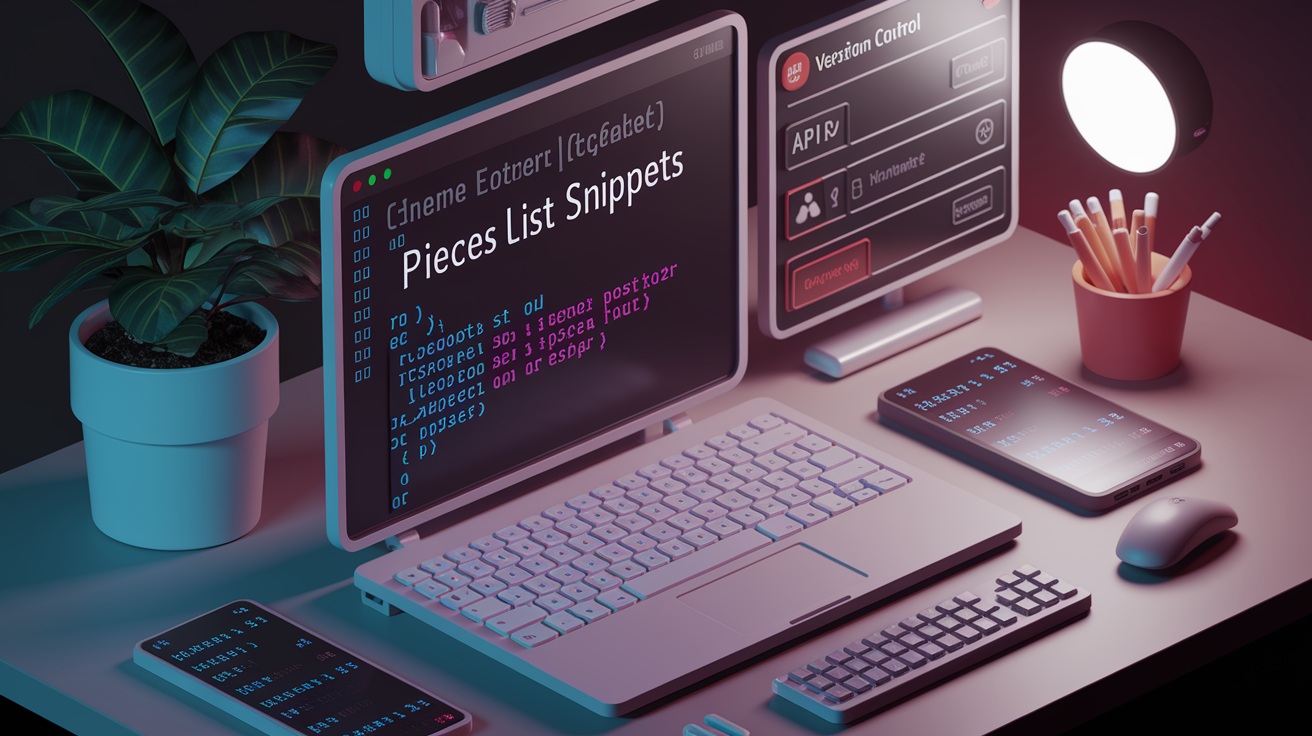
CLI access for developers who prefer terminal workflows brings snippet management into the environment where many developers already run builds, manage git operations, and execute scripts. Command line interfaces integrate snippet libraries into shell scripts and automation without requiring GUI interaction or breaking terminal focus.
Specific commands demonstrate the simplicity of terminal based snippet management. “pieces list snippets” displays all saved snippets locally in your terminal with syntax highlighting and quick identification. “pieces use IDX” copies the snippet at the specified index position to your clipboard, ready to paste into any file or command without opening a separate application. These commands become part of shell aliases and scripts. The pieces list snippets command gives you a quick inventory check. $ pieces list snippets outputs your entire snippet collection right in the terminal, numbered and syntax highlighted.
API availability for custom integrations opens snippet libraries to automation scripts, build tools, and custom development tools you create for your own workflow. SDKs for advanced integration options provide language specific libraries that make API calls simple, whether you’re building snippet recommendation systems, documentation generators, or code quality checkers that reference your team’s standard implementations. Dynamic snippets with variables and placeholder text enable workflow automation where snippet templates accept input parameters. Insert an API endpoint snippet that prompts for the resource name, HTTP method, and authentication type rather than storing dozens of nearly identical endpoint variations.
Pricing Models: Free vs. Premium Options

The pricing spectrum ranges from permanently free open source tools like Masscode to professional team solutions like CodePen Team PRO at $234 per user per year. Most options fall somewhere between those extremes based on features and target users.
| Tool | Free Option | Paid Pricing | Key Limitation of Free |
|---|---|---|---|
| Masscode | Full features (open source) | None | No cloud sync, local storage only |
| Dash | No | $29.99 personal / $39.99 teams (one-time) | No free tier available |
| Cacher | Yes (public snippets only) | $6/month Pro / $5/user/month Teams | All snippets public, no privacy |
| CodePen | Yes (public pens only) | $12/month Developer PRO / $26/user/month Team PRO | All pens public, limited features |
| 3Cols | Unlimited cloud storage | Premium for sharing features | Sharing requires paid subscription |
| Pieces | Full features | Free | None mentioned |
Common premium features separating free from paid tiers center on privacy, collaboration, and storage limits. Private snippets appear consistently as a paid feature. Free tiers on Cacher and CodePen make everything public. That’s acceptable for learning and portfolio building but problematic for professional work involving client code or proprietary algorithms. Unlimited cloud storage differentiates platforms like 3Cols (free through Patreon funding) from those imposing storage caps on free accounts. Team collaboration features including shared libraries, user management, and permission controls justify higher per user pricing on platforms targeting professional development teams. Advanced export options and import functionality for migration between tools often require paid accounts, locking free users into platform ecosystems. Mobile access with dedicated applications tends to be premium only, with free tiers limited to web interfaces that may not work well on smaller screens.
Visual Presentation and Documentation Tools
Snappify specializes in creating visually appealing code presentations. Over 32,000 developers used it as of 2024, focusing on aesthetics and presentation quality beyond basic syntax highlighting. Animation capabilities let code examples unfold line by line or highlight specific sections during explanations. Perfect for tutorial videos and technical presentations. Custom branding adds company logos, color schemes, and styling that matches organizational design guidelines. Integration with Hashnode, Notion, and Medium means polished code examples flow directly into blog posts and documentation without screenshot and upload workflows. The Starter plan costs $8 per month while Pro reaches $12 per month for advanced features.
Masscode’s markdown support enables rich documentation alongside code snippets. You can create presentations from snippet sequences that turn your code collection into slide decks for teaching or knowledge sharing. Technical writers and educators benefit from tools that treat code snippets as both reference material and presentation content.
CodePen’s real-time editing for front end code documentation provides live demonstration capabilities. HTML, CSS, and JavaScript run immediately as you type. The platform becomes both snippet manager and interactive coding environment. You can show rather than just tell how code behaves. That’s particularly valuable for component libraries, design systems, and front end framework examples that need visual confirmation alongside the code itself.
Getting Started: Setup and Migration
Choosing the right tool requires evaluating your specific workflow, team size, privacy requirements, and budget constraints before committing to a platform that might become central to your daily development process.
Evaluate current workflow to identify pain points. Are you losing snippets, struggling to find saved code, or lacking team sharing capabilities?
Select appropriate tool based on platform compatibility (Windows vs Mac vs Linux), privacy needs (public vs private snippets), and whether you work solo or need team features.
Import existing snippets from previous tools, IDE snippet managers, or GitHub Gists using migration tools and API options available on most platforms.
Organize with folder structure and tags from the start rather than letting hundreds of unsorted snippets accumulate into an unusable mess.
Establish regular usage habits by integrating snippet saving into your daily coding workflow through IDE extensions and browser plugins.
Migration tools and 2-way syncing with GitHub Gist enable seamless transitions between platforms without losing your accumulated snippet library. Export options on your current tool combined with import functionality on your new platform mean switching doesn’t require manual recreation of every saved code fragment. API options for custom integrations let developers write migration scripts that transform snippet formats between platforms, preserving metadata and organizational structure during the transfer.
Initial snippet creation strategies focus on capturing high value, frequently used code patterns first rather than trying to save everything at once. Authentication flows, API integration templates, database connection setups, and error handling patterns typically deliver immediate returns on time invested. Establishing custom snippets for your most repetitive coding tasks (form validation, data transformation, configuration boilerplate) creates productivity gains within days of adoption. Editing capabilities matter during this phase, as you refine saved snippets to be truly reusable rather than one off code that only worked in a specific context.
For discovering additional development tools and workflow utilities beyond snippet management, explore the CodeToolboxHub.com developer tools platform covering productivity solutions across the development lifecycle. Developer productivity guides provide best practices for tool adoption and workflow optimization that complement snippet management with broader efficiency strategies.
Final Words
Snippet managers save real development time by cutting down on repetitive typing and context switching.
Whether you need a free open-source solution like Masscode, cloud sync across devices, or AI-powered enrichment with OCR capabilities, there’s a tool that fits your workflow.
Start small. Pick one snippet application based on your platform and privacy needs, import your most-used code fragments, and build from there.
The right snippet library turns scattered code examples into a searchable, reusable toolbox that grows more valuable over time.
FAQ
What are the best free code snippet managers available?
The best free code snippet managers include Masscode (completely free and open-source with 160+ languages), Pieces Drive (free with local storage and multi-source saving), and 3Cols (100% free with unlimited cloud storage funded through Patreon). Each offers robust features without premium tiers for basic snippet management needs.
How do cloud-based snippet tools handle synchronization?
Cloud-based snippet tools handle synchronization through automatic backup systems, real-time sync across devices, and integrations like GitHub Gist 2-way syncing. Tools like Cacher and 3Cols sync snippets across Windows, Mac, Linux, and web platforms, ensuring access from any development machine.
Which snippet managers integrate with VS Code?
Snippet managers that integrate with VS Code include Cacher, Dash, and Pieces, offering context menu saving, keyboard shortcuts (cmd/ctrl + Shift + p), and single-click insertion. These integrations eliminate context switching by providing snippet access directly within your development environment.
Can I capture code snippets from browser documentation?
You can capture code snippets from browser documentation using browser extensions that automatically detect code blocks on webpages. Tools like Pieces offer single-click saving with automatic metadata capture including source links, tags, creation date, and auto-generated descriptions for easier retrieval.
What is OCR for code snippets?
OCR for code snippets is technology that extracts code from images, screenshots, YouTube videos, presentation slides, and lecture photos. Pieces Drive uses code-specific OCR that automatically detects programming language and formats the extracted code into usable, editable snippets.
How should I organize my snippet library?
You should organize your snippet library using multi-level folders, tagging systems, and descriptive metadata to enable fast retrieval. Effective methods include language-based grouping, project-based organization, hierarchical folder structures, and searchable tags that work across descriptions and code content.
Do snippet tools offer AI-powered features?
Snippet tools offer AI-powered features including automatic description generation, tag suggestions, code transformation for readability or language conversion, and context-aware copilot assistance. Pieces has processed 5 million+ copilot messages and 17 million+ context points through on-device AI processing and Long-Term Memory capabilities.
What team collaboration features do snippet managers provide?
Snippet managers provide team collaboration features including shared libraries, custom shareable links, GitHub Gist integration, Slack integration, and access control. Pricing ranges from Cacher Teams at $5/user/month to CodePen Team PRO at $26/user/month with security features like encryption and local storage options.
How do I access snippets from the command line?
You access snippets from the command line using CLI commands like pieces list snippets to display all saved snippets and pieces use IDX to copy specific snippets to clipboard. Advanced users can leverage APIs and SDKs for custom integrations and workflow automation.
What’s the difference between free and paid snippet tools?
The difference between free and paid snippet tools typically involves privacy (public vs private snippets), team collaboration features, unlimited cloud storage, advanced export/import options, and mobile access. Free tools like Masscode offer full features, while paid options like Cacher Pro ($6/month) unlock privacy and team capabilities.
Which tools specialize in visual code presentation?
Tools that specialize in visual code presentation include Snappify (32,000+ users, $8-12/month) with animation and custom branding, Masscode with markdown and presentation sequences, and CodePen with real-time HTML/CSS/JavaScript editing. These integrate with documentation platforms like Hashnode, Notion, and Medium.
How do I migrate snippets between different tools?
You migrate snippets between different tools using export/import functionality, GitHub Gist 2-way syncing, and API integrations for batch transfers. Start by evaluating your workflow needs, select the appropriate tool, import existing snippets, organize with folders and tags, then establish regular usage habits.
What languages do snippet managers support?
Snippet managers support extensive language ranges from Masscode’s 160+ languages (expandable to 600+ with tmLanguage files) to 3Cols’ 25+ languages and Snipp.in’s 140+ languages. Most tools offer syntax highlighting, code formatting, and multi-language support across popular programming languages and frameworks.
Are there offline snippet management options?
Offline snippet management options include Dash with 200+ API documentation sets, Pieces Drive with local-first storage, and Masscode as downloadable desktop software. These tools allow accessing and managing snippets without internet connectivity while offering optional cloud sync when available.
How much do professional snippet tools cost?
Professional snippet tools cost between $6-39.99 depending on features and licensing. Dash costs $29.99 one-time for personal use, Cacher Pro costs $6/month, CodePen Developer PRO costs $12/month ($108/year), and team plans range from $5-26 per user monthly for collaboration features.