


Are your logs a pile of freeform text that make debugging a guessing game?
If so, your log message formatter is the guilty party or the unsung hero you haven’t standardized.
This post walks through practical formatter patterns: pattern layouts, JSON/structured output, and small custom enrichers that make logs queryable and traceable.
You’ll get clear rules to pick formats, quick config examples for Log4j, Python, and Serilog, and the common pitfalls to avoid so incidents stop costing hours.
Core Principles of Log Message Formatting
Log message formatting is how you define what your application logs actually look like. It covers timestamps, metadata placement, and whether you’re writing plain text or machine-parsable JSON. Every time you call a logger, the framework uses a formatter to bundle severity, timestamp, message, and context into one log entry. Skip the standard formatter and you’ll watch half your team write freeform messages while the other half dumps JSON blobs. Good luck querying that mess at scale.
Consistent formatting turns logs from noise into something useful. When every entry uses the same timestamp format, field order, and severity labels, you can grep, parse, and index without writing custom regexes for each service. Production debugging gets faster when you filter by trace ID or thread name without guessing where those fields live. Tools like ELK, Splunk, or Datadog need predictable structure to build dashboards, alerts, and correlation queries. Format once, centrally, and you’ll thank yourself every time an incident hits.
You’ve got three main options for implementation: pattern-based templates (Log4j’s %d %p %c %m%n), structured logging libraries that spit out JSON (like Serilog’s structured sinks), and custom formatters that inject request IDs or user context. Pattern layouts are fast and readable but trickier to parse reliably. JSON formatters sacrifice readability for machine precision, giving you exact field extraction and schema validation. Structured logging blends both by tagging semantic fields when you write the log, then rendering them as JSON or plain text at the output stage.
Most formatters let you control five common pieces:
Timestamp – ISO-8601 with milliseconds and timezone (2026-03-19T12:34:56.789Z) or epoch milliseconds for sorting.
Log level – uppercase severity label (ERROR, WARN, INFO, DEBUG, TRACE) for filtering and alerts.
Logger name or source – class name, module, or service identifier to trace where the message came from.
Thread or request ID – critical for connecting logs in multi-threaded or distributed systems.
Message and exception details – the actual event description plus stack traces when you log an error.
Formatting Logs in Popular Frameworks

Every major logging framework gives you a different way to define how log entries render, but they’re all aiming for the same thing: let you set field order, inject metadata, and pick between human and machine output. Java folks configure PatternLayout strings. Python devs pass format strings to Formatter objects. C# developers write Serilog output templates or wire up JSON sinks. Learn the syntax for your framework and you’ll save yourself hours of debugging why timestamps won’t parse.
Log4j Formatting
Log4j and Log4j2 rely on PatternLayout to build log entries from conversion patterns. Those are strings with percent-prefixed tokens like %d for date, %p for level, %t for thread name, %c for logger name, and %m for the message. A typical pattern is %d{yyyy-MM-dd'T'HH:mm:ss.SSSZZ} %-5p [%t] %c{1} - %m%n, which gives you ISO-8601 timestamps with milliseconds, a 5-character padded level, thread name in brackets, the short logger name, the message, and a newline. The %-5p token left-pads the level so INFO and ERROR line up in columns. You can nest date formats inside curly braces (%d{ISO8601}) and truncate logger names with a number after %c (%c{2} shows only the last two path segments).
For structured output, Log4j2 offers JSONLayout and XMLLayout. JSONLayout renders each log event as a single-line JSON object, with optional stack traces, thread context maps, and nested exception causes. A config snippet might look like <JSONLayout compact="true" eventEol="true" properties="true" includeStacktrace="true"/>, telling Log4j2 to write one JSON event per line, include all thread-context properties (MDC keys), and embed full stack traces in an exception field. This ships straight to Logstash or Elasticsearch without a parsing layer.
Python Logging Formatting
Python’s logging module uses Formatter objects you initialize with a format string containing %(attribute)s placeholders. Common attributes: %(asctime)s for timestamp, %(levelname)s for level, %(name)s for logger name, %(threadName)s for thread, %(message)s for the logged message, and %(exc_info)s to append exception tracebacks. A typical formatter looks like logging.Formatter("%(asctime)s %(levelname)s %(name)s %(threadName)s %(message)s"), producing space-separated fields in that order. Control timestamp format with a datefmt parameter, like datefmt="%Y-%m-%dT%H:%M:%S.%fZ". Python’s %f gives microseconds instead of milliseconds, so you’ll often format timestamps manually if you need millisecond precision and strict ISO-8601.
Python also supports dictConfig and fileConfig for declarative setup. A dictConfig dictionary includes a "formatters" section mapping formatter names to format strings and date formats. Reference those formatter names in handler definitions, letting you send JSON to a file handler and plain text to the console without duplicating code. For structured JSON output, most people reach for libraries like python-json-logger or structlog, which serialize log records as JSON objects and let you inject extra fields at the call site.
Serilog Output Templates
Serilog (C#) uses output templates like "{Timestamp:yyyy-MM-dd HH:mm:ss.fff zzz} [{Level:u3}] {Message:lj}{NewLine}{Exception}". Curly-brace placeholders map to log-event properties: {Timestamp} renders the event timestamp, {Level} renders severity, {Message} renders the formatted message, and {Exception} appends stack traces if you logged an exception. Format specifiers after the colon control rendering. :yyyy-MM-dd HH:mm:ss.fff zzz formats the timestamp with three millisecond digits and a timezone offset, :u3 uppercases the level and truncates to three characters (INF, WRN), and :lj forces the message to be literal-JSON-safe by escaping special characters.
Serilog’s real strength is structured logging with sinks that emit JSON. Instead of a text template, configure a JSON formatter sink like WriteTo.File(new Serilog.Formatting.Json.JsonFormatter(), "logs/log.json"), which serializes every log event as a JSON object with timestamp, level, message template, and any properties captured at the call site. When you log Log.Information("Order {OrderId} created", orderId), Serilog stores "OrderId": 123 as a top-level JSON field, not buried in the message string. This makes querying and indexing trivial compared to parsing free-text logs with regexes.
Serilog also supports enrichers that inject properties like machine name, process ID, or thread ID into every event. Add an enricher in the logger config and it automatically shows up in the output template or JSON structure. This keeps log call sites clean while surfacing useful context in the formatted output.
Practical Code Examples for Custom Log Formatters
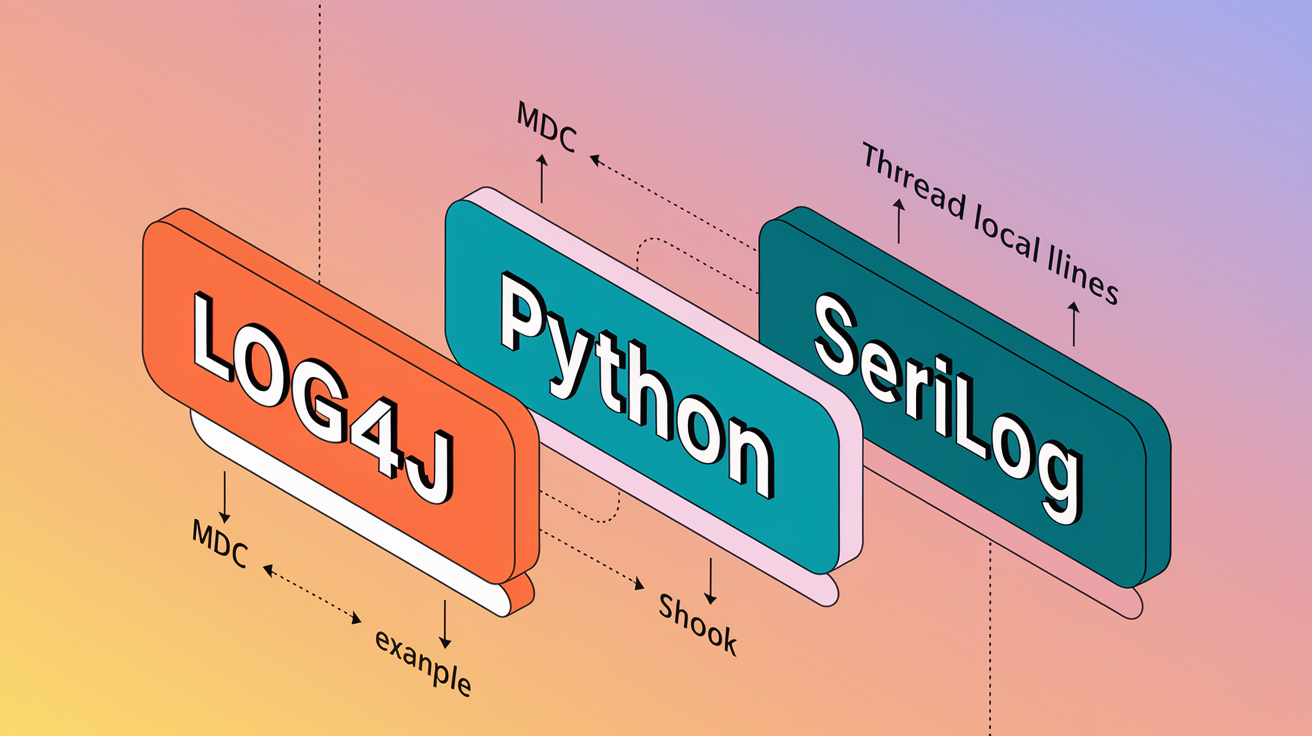
Most teams need more than the default formatter. Common scenarios include injecting a request ID to trace a user’s journey across services, adding a correlation ID from distributed tracing headers, or embedding system metrics like memory usage or response time. Formatters also get extended to truncate long payloads, mask sensitive fields (credit card numbers, passwords), or enforce consistent key naming when migrating from unstructured to structured logging. The goal is centralizing these transformations so every developer gets them automatically.
Small formatter changes can save hundreds of manual edits across call sites. Adding a thread-local request ID to every log entry means you don’t have to remember passing it as a parameter in every logger call. Formatting timestamps in UTC at the formatter level prevents confusion when logs from servers in different timezones get aggregated. The following examples show how to define custom formatters in Log4j, Python, and Serilog for real-world needs.
-
Log4j custom pattern with thread-context request ID – Configure Log4j2 to pull a mapped diagnostic context (MDC) value and include it in every log line. The pattern
%d{ISO8601} %-5p [%t] [%X{requestId}] %c{1} - %m%nrenders the request ID fromThreadContext.put("requestId", id). This produces lines like2026-03-19T12:34:56,789 INFO [http-nio-8080-exec-3] [req-abcd-1234] OrderController - Order 42 created, wherereq-abcd-1234is the MDC request ID. Shows how to inject correlation IDs without changing every logger call. -
Python custom Formatter subclass with user ID and trace ID – Subclass
logging.Formatterand override theformatmethod to inject fields from thread-local storage or Flask’sgobject. The custom formatter readsg.user_idandg.trace_id, appends them to the log record, then calls the parentformat. The format string"%(asctime)s %(levelname)s [%(user_id)s] [%(trace_id)s] %(name)s %(message)s"picks up the injected fields. This adds structured context to Python logs without touching every log statement. -
Serilog JSON sink with custom enricher for hostname and environment – Configure a Serilog enricher that adds
"Host"and"Environment"properties to every log event, then write to a JSON file. The enricher code readsEnvironment.MachineNameand an environment variable, and the JSON sink serializes them automatically. The resulting JSON contains"Host": "web-01"and"Environment": "production"in every event. Shows how to inject operational metadata globally, making it easy to filter logs by host or environment in a central logging system.
Best Practices for Consistent Log Formatting

Consistency in log formatting is what separates usable logs from a random string dump. When every service uses the same timestamp format, field names, and severity labels, you can write one Logstash grok pattern or one Elasticsearch mapping template and apply it everywhere. Inconsistent formatting breaks automated parsing, makes dashboards unreliable, and forces engineers to manually correlate events during incidents. Define a standard once and enforce it through shared libraries, templates, or configuration management.
Formatting choices affect performance and storage costs too. Large unstructured messages with embedded JSON or XML fragments bloat log volume and slow indexing. Truncating payloads, sampling high-frequency events, and using compact JSON encoding all reduce disk usage and speed up search queries. Human-readable formats help during development, but production systems benefit from machine-optimized JSON that ships directly to aggregation tools. The right balance depends on your observability stack and team workflows.
Always include a timestamp in ISO-8601 format with milliseconds and timezone – Use 2026-03-19T12:34:56.789Z or epoch milliseconds to avoid ambiguity and enable chronological sorting across distributed systems.
Use uppercase, consistent log-level labels – Stick to ERROR, WARN, INFO, DEBUG, TRACE so filtering and alerting rules work reliably.
Assign consistent field names and types in structured logs – Always use trace_id (string), status_code (integer), duration_ms (integer) to prevent mapping conflicts in Elasticsearch or similar tools.
Truncate or omit very large payloads – Cap message length at 1,000 to 10,000 bytes and log large request/response bodies to separate files or object storage instead of inline.
Include trace and span IDs for distributed tracing – Inject trace_id and span_id from OpenTelemetry or similar frameworks so you can correlate logs with traces in observability platforms.
Use separate formatters for development and production – Plain-text patterns with color and indentation for local debugging. Compact JSON for production ingestion and analysis.
Comparing Structured and Unstructured Log Formats

Structured logs store each piece of information in a labeled field, usually encoded as JSON or key-value pairs. Unstructured logs are plain-text messages that need regex parsing or natural-language processing to extract meaning. The choice affects how easily you can query logs, how reliably you can alert on specific conditions, and how much CPU and storage you spend on indexing. Structured formats win for automation and scale. Unstructured formats win for quick human scanning during local development.
Production systems increasingly favor JSON because it kills ambiguity. When a log entry is {"timestamp":"2026-03-19T12:34:56.789Z","level":"ERROR","service":"orders","message":"Payment failed","user_id":123,"amount":49.99}, you can filter by user_id or amount with exact queries. An unstructured equivalent like 2026-03-19T12:34:56.789 ERROR orders Payment failed for user 123 amount 49.99 needs a regex to extract user and amount, and small message variations break the pattern. Structured logs also version better. Adding a new field doesn’t break existing parsers, while changing word order in an unstructured message can.
| Format Type | Primary Advantages |
|---|---|
| Structured (JSON) | Exact field extraction, schema validation, tool compatibility (Elasticsearch, Splunk), version-safe field additions, automated alerting on field values |
| Unstructured (plain text) | Human-readable at a glance, smaller on-disk size, easier to scan in tail or less, no JSON parsing overhead |
Final Words
In practice, you set up consistent message shapes, pick pattern or JSON, and wire formatters into your stack—core principles, framework specifics, and code examples showed how.
We walked through Log4j, Python, Serilog, gave custom formatter snippets, and listed best practices for timestamps, keys, and structured output. The structured vs unstructured comparison helps decide what suits your tooling.
If you need a quick win, start with a simple JSON template and a lightweight log message formatter that injects timestamps and request IDs. Do that and you’ll get clearer alerts, faster debugging, and fewer late-night surprises.
FAQ
Q: What is log message formatting?
A: Log message formatting is the practice of standardizing log text and fields so logs are readable and machine-parseable, typically defining timestamps, severity, message templates, and contextual metadata for reliable debugging.
Q: Why does consistent log formatting matter?
A: Consistent log formatting matters because it speeds debugging, enables automated parsing and analytics, reduces ingestion errors, and helps correlate events across services during incident response and postmortems.
Q: What are common formatting elements to include in log messages?
A: Common formatting elements include an ISO timestamp, severity level, logger or service name, the human message, and structured context fields like requestid, userid, or trace_id for correlation and search.
Q: How do pattern-based, JSON-based, and structured logging differ?
A: The difference is pattern-based formats produce human-friendly strings; JSON-based outputs produce parseable objects; structured logging attaches typed fields for richer querying, metrics extraction, and reliable machine processing.
Q: How do Log4j, Python logging, and Serilog handle formatting?
A: Log4j uses PatternLayout tokens for format strings; Python logging uses Formatter objects and dictConfig for structured output; Serilog uses output templates plus JSON sinks and enrichers for structured events.
Q: How do I add custom fields like request ID or user ID to logs?
A: To add custom fields like request ID or user ID to logs, inject context at emit time—use MDC/ThreadContext in Java, LoggerAdapter or extra/context in Python, or enrichers/properties in Serilog.
Q: What are practical best practices for consistent log formatting?
A: Practical best practices include using ISO timestamps, consistent key names and severity levels, preferring JSON for ingestion, adding correlation IDs, avoiding sensitive data, and documenting the chosen format.
Q: When should I choose structured versus unstructured logs?
A: You should choose structured logs when you need reliable parsing, search, metrics, and alerting in production; use unstructured, human-readable logs for quick local debugging or ad-hoc troubleshooting.
Q: How can I test or validate log formats before production?
A: To test or validate log formats before production, write unit tests that parse generated logs, validate against a JSON schema or regex, run sample ingestion in staging, and verify fields in dashboards and alerts.
Q: How do I migrate existing logs to structured logging?
A: To migrate existing logs to structured logging, emit structured events alongside current logs, add context enrichers, use processors to parse legacy text into fields, and roll changes gradually with staging verification.