


Ever lost an hour tracing a missing field because your SIEM choked on a log line?
Log format converters turn messy, mismatched logs into structures your tools actually understand.
They parse, map, and serialize formats—CSV, syslog, JSON, CEF—so Elasticsearch, SIEMs, or archives get clean records.
This post shows when to run a quick CLI conversion, when to build a streaming pipeline, and which tradeoffs matter (speed, format coverage, automation).
Read on for practical examples, config snippets, and the gotchas that cost you time.
Core Purpose and Capabilities of a Modern Log Format Converter

A log format converter transforms raw log data from one structure into another so your analysis tools, SIEM, or storage backend can actually read it. You need conversion when source systems write logs your downstream tools don’t understand, or when you’re normalizing timestamps, flattening nested structures, or merging fields for consistent queries.
Modern converters handle plenty of transformations. Converting Apache Common Log Format lines into JSON objects. Translating BSD Syslog messages into IETF RFC 5424 streams. Serializing CSV extracts to XML for legacy compliance systems. Parsing unstructured text into key/value pairs using regex or Grok patterns. The best tools combine a flexible parser library, a transformation engine, and adapters for dozens of input sources (files, UDP/TCP streams, HTTP endpoints, cloud storage buckets) plus output targets (local disk, Elasticsearch clusters, Kafka topics, SIEM ingestion APIs).
Production-grade converters give you:
- Multi-format ingestion and emission so you can read from imfile, imudp, imtcp, imhttp, imamazons3 modules and write to omfile, omtcp, omelasticsearch, omkafka, omhttp outputs
- Pluggable parser and serializer modules like xmjson for JSON parsing and serialization, xmxml for XML, xmcsv for CSV, xmgrok for unstructured text, xmsyslog for syslog variants (BSD/IETF), plus xmcef, xmleef, xmgelf, xm_w3c
- Field-level transformation through pmtransformer for mapping, renaming, or reformatting fields, and xmrewrite plus xm_pattern modules for regex substitution
- Batch and stream processing via pmbuffer for batching messages before output, pmnorepeat to deduplicate identical log lines, flow control via pm_blocker
- Character set and multiline support using xmcharconv for encoding conversion (UTF-8, ISO-8859-1) and xmmultiline to merge stack traces or multi-line messages before parsing
A complete pipeline might receive BSD syslog messages over UDP on port 514 (imudp), parse with xmsyslog, transform severity and facility fields with pmtransformer, serialize to IETF RFC 5424 format (xmsyslog again), and forward over TCP to port 1514 (om_tcp). This exact flow is documented in the Format conversion (NXLog documentation) guide and shows how modular converters chain input, parser, processor, serializer, and output stages.
Common Log Formats and How Conversion Works Across Each Category
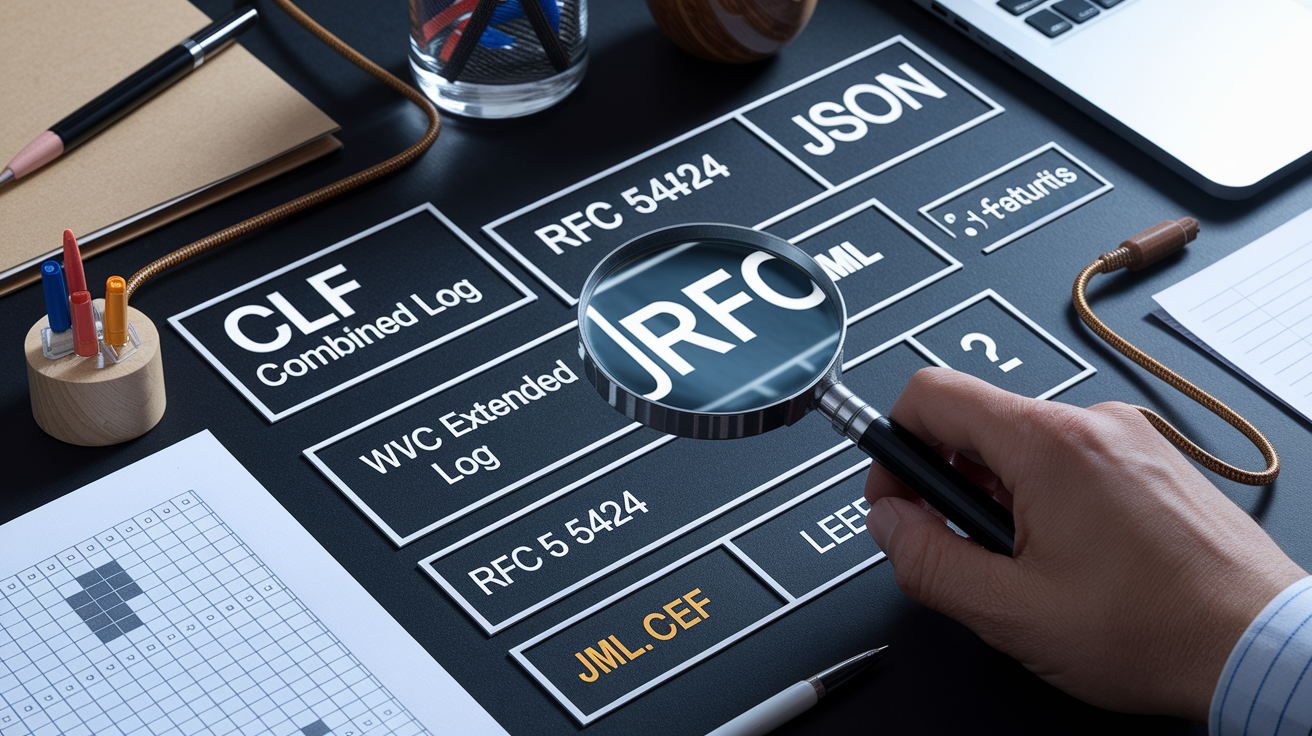
Log conversion starts with understanding what structure you’re reading and what structure you need to write. Each category requires different parsing rules and serialization logic.
Apache and Nginx web servers emit access logs in Common Log Format (CLF) or the Extended (Combined) Log Format, both space-delimited plain text. Converting CLF to JSON or CSV means extracting fields like client IP, timestamp, HTTP method, path, status code, and bytes sent using a fixed regex or Grok pattern, then mapping each field into named JSON keys or CSV columns. W3C Extended Log Format, used by IIS and other Microsoft services, is tab-delimited with a header row that defines column names. Conversion typically skips the header, reads the field list once, then maps each subsequent line to a structured record.
Syslog comes in two main flavors: BSD (RFC 3164, older) and IETF (RFC 5424, newer). BSD syslog is unstructured after the PRI/timestamp/hostname prefix. IETF syslog adds structured data blocks. Converting between them or from either into JSON requires the xm_syslog module to parse the PRI value into facility and severity, extract the timestamp (possibly converting to ISO 8601), and optionally decode structured data elements. SIEM-oriented formats like CEF (Common Event Format), LEEF (Log Event Extended Format), and GELF (Graylog Extended Log Format) are key/value or JSON-based with specific required fields. Converting to these means mapping your source fields into the CEF/LEEF/GELF schemas and making sure numeric severity values or timestamps match the spec.
| Format | Typical Source | Common Output Target |
|---|---|---|
| Apache/Nginx CLF or Combined | Web server access logs | JSON for Elasticsearch, CSV for analytics |
| W3C Extended Log | IIS, CDN edge logs | JSON or CEF for SIEM ingestion |
| Syslog (BSD/IETF) | Linux/network device daemons | IETF syslog-over-TLS, JSON, or LEEF |
| JSON structured logs | Application stdout, cloud services | Parquet for archival, CSV for spreadsheets |
| CEF, LEEF, GELF | Security appliances, SIEM agents | Native SIEM index, JSON for secondary analysis |
All these conversions rely on three steps: parse the input using a format-specific module (xmsyslog, xmw3c, xmcef, xmjson, or xmcsv), optionally transform fields with pmtransformer or regex rewrites, and serialize the result with the target format module (xmjson for JSON, xmxml for XML, xm_csv for CSV).
Selecting the Right Log Format Converter Tool for Your Workflow
Choosing a converter depends on your volume, automation needs, and technical environment. For a one-off conversion (exporting a single .LOG file to CSV or checking the structure of a small syslog sample) an online converter or lightweight CLI tool is fastest. For recurring production pipelines that ingest thousands of files per day, batch a million lines at a time, or forward logs in near real time to a SIEM, you need a programmable agent with dedicated input/output modules, buffering, and error handling.
If you’re working inside a DevOps or SRE workflow, a CLI converter fits shell scripts and CI/CD pipelines. You run the tool via cron, orchestrate it with Ansible, or chain it with find and xargs for parallel processing. GUI-based converters are rare for logs, but some vendor tools include wizards or drag/drop field mappers. REST API converters work best when you need to expose conversion as a microservice: an endpoint accepts raw log data via POST, converts it server-side, and returns structured JSON or CSV, letting other applications or front ends integrate without installing parsers locally.
Key factors to evaluate before picking a tool:
- Format coverage. Does it support all your sources (Apache CLF, W3C, syslog, JSON, CSV, XML, CEF, LEEF) and all your targets (JSON, CSV, Parquet, GELF, custom SIEM schemas)?
- Batch and streaming support. Can it process 100,000 files in one run, handle 10 GB logs without loading the entire file into memory, or stream conversions from S3 buckets?
- Automation and API availability. Does the tool expose command-line flags for scripting, config files for reproducible pipelines, or HTTP endpoints for programmatic access?
- OS and platform support. Confirmed compatibility with Red Hat, Debian/Ubuntu, SUSE, Windows (including Nano Server), macOS, IBM AIX, Oracle Linux, Oracle Solaris gives you deployment flexibility.
- Performance and concurrency. Documented throughput (lines per second or MB per second), built-in parallelization, and the ability to run multiple workers per CPU core.
- Schema mapping and field transformation. Dedicated processors like pmtransformer for renaming or reformatting fields, support for custom modules (xmpython, xmperl, xmruby, xm_java) when built-in logic isn’t enough.
For example, the Protection Engine logconverter is a simple CLI utility installed by default in C:\Program Files\Symantec\Scan Engine\ (Windows) or /opt/SYMCScan/bin/ (Linux) that converts .LOG files to CSV (flag -c), HTML (flag -h), or generic text (no flag). You run it from cmd or bash, redirect the output to a file, and you’re done. Ideal for quick exports but limited to one input format and three outputs. More flexible tools rely on modular parsers: xmjson handles JSON parsing and serialization, xmxml does the same for XML, xm_csv for CSV, and so on, letting you chain any input format to any output format via a configuration file.
Detailed Walkthrough: Converting Syslog, CSV, and JSON Logs

Before starting any conversion, confirm your input format, expected output format, and any field mappings or timestamp normalizations required. Check a few sample lines to identify delimiters, timestamp formats, and character encodings. Mismatched expectations here cause silent data loss or parsing errors later.
Syslog Conversion
Converting BSD syslog to IETF syslog is a common requirement when upgrading monitoring infrastructure or meeting compliance rules that mandate structured data fields. A typical setup receives BSD-format messages over UDP on port 514 using the imudp module, parses the priority, timestamp, hostname, and message body with xmsyslog, then re-serializes as IETF RFC 5424 syslog and forwards the result over TCP to port 1514 using omtcp. The pmtransformer processor can insert or rewrite fields in between, adding a structured data block, normalizing the timestamp to UTC, or mapping application names to standard values. The exact configuration example and module options are detailed in the Format conversion (NXLog documentation) guide, which shows a complete config file for this BSD to IETF UDP to TCP pipeline.
CSV to JSON
CSV conversion gets more complex when column counts vary, headers are missing, or you need to map CSV columns to nested JSON objects. The basic flow uses xmcsv to parse the input file (specifying delimiter, quote character, and whether the first row is a header), then xmjson to serialize each row into a JSON object. Complex CSV format conversion (handling multi-value cells, escaping embedded quotes, or splitting one CSV row into multiple JSON records) is covered in a separate guide referenced in the log agent documentation. You’ll use custom field extraction or xm_pattern to split and normalize values before JSON serialization.
JSON Normalization
JSON logs already have structure, but timestamps might be epoch integers, ISO 8601 strings, or custom formats. Converting everything to ISO 8601 UTC simplifies querying and indexing. The pmtransformer processor can parse epoch timestamps into human-readable strings, reformat dates, or inject a new field with a standardized timestamp. If your JSON logs contain multi-line stack traces embedded as single string fields, you can use xmmultiline before parsing to merge physical lines into logical records. Character set conversion with xm_charconv gives you UTF-8 output even when sources mix encodings, which matters when forwarding to Elasticsearch or other tools that require consistent UTF-8.
Batch Log Conversion and High‑Volume Processing Scenarios

Batch processing means converting many files or large volumes of data in a single run, often overnight or during maintenance windows. Instead of processing files one at a time, you parallelize: use find to locate all .log files in a directory tree, pipe the list to xargs or GNU parallel, and launch multiple converter processes simultaneously. Start with 4 to 8 workers per CPU core and measure throughput to find the sweet spot.
For very large files (10 GB or more), streaming avoids memory exhaustion. A streaming parser reads a chunk of the file, processes and emits converted records, then reads the next chunk without holding the entire file in RAM. Set chunk sizes to 1 to 10 MB depending on line length and available memory. The pm_buffer module batches converted messages before writing them to disk or forwarding them over the network, reducing I/O overhead and improving throughput when the destination can accept bulk operations.
Best practices for high-volume conversion:
- Control batch frequency. Flush buffers every 60 seconds or every 10,000 messages, whichever comes first, to balance latency and efficiency.
- Deduplicate early. pm_norepeat removes identical log lines before transformation, saving CPU and storage.
- Apply flow control. pm_blocker limits the rate of message processing to prevent overwhelming downstream systems. Helpful when forwarding to rate-limited SIEM ingestion APIs.
- Monitor and measure. Track lines per second, MB per second, CPU usage, and memory footprint. Adjust concurrency, buffer size, and flush intervals based on real numbers.
When you need to process 50,000 Apache access logs spread across hundreds of files, a typical workflow looks like this: find ./logs -name “*.log” | xargs -n 1 -P 8 convertscript.sh, where convertscript.sh runs your converter with the input file as an argument and writes JSON output to a separate directory. This spreads the load across 8 parallel workers, converting 1,000+ files in minutes instead of hours.
Programmatic Conversion Using Python, Node.js, and Go

When built-in converters don’t meet your needs (maybe you have custom field logic, proprietary schemas, or need to call external APIs during transformation) writing a custom converter in Python, Node.js, or Go gives you full control. Many log agents support extension modules: xmpython, xmperl, xmruby, and xmjava let you inject custom parsing or transformation code directly into the processing pipeline, combining the performance of a native agent with the flexibility of a scripting language.
In Python, pandas is a fast way to read CSV logs, apply transformations, and write JSON or Parquet. A common pattern: df = pd.read_csv("input.csv", nrows=100000) to read the first 100,000 lines, df['timestamp'] = pd.to_datetime(df['timestamp'], unit='s') to convert epoch timestamps, and df.to_json("output.json", orient="records", lines=True) to write newline-delimited JSON. For unstructured text logs, use regex or the parse library to extract fields, then build a list of dictionaries and dump to JSON with json.dump(records, outfile).
Node.js works well for streaming conversions in real-time pipelines. Use the split2 module to split a log file stream into lines, map each line through a parser function that extracts fields with regex or a library like fast-csv, transform the resulting object, and stringify it to JSON with JSON.stringify(record) + '\n'. This approach processes gigabyte-sized files with minimal memory because each line is parsed, converted, and written before the next line is read.
Go converters are compiled binaries that run fast and deploy easily. Use bufio.Scanner to read lines, encoding/json to parse and emit JSON, and encoding/csv for CSV. A typical Go converter reads stdin, processes each line in a loop, and writes to stdout, making it easy to chain with Unix pipes or integrate into shell scripts.
Schema mapping and field templates:
- Python. Define a dictionary mapping source column names to target field paths. Use pandas
.rename(columns=mapping)or build JSON objects by hand. - Node.js. Create a mapping object
{ 'source_field': 'target.nested.field' }and use lodash.set()to populate nested structures. - Go. Use struct tags for JSON marshaling. Define a source struct and a target struct, copy fields in a conversion function.
Custom modules let you call external enrichment services (IP geolocation, threat intel lookups) during conversion, implement complex business logic (rate limiting per tenant, dynamic field masking), or integrate with internal APIs that aren’t accessible from off-the-shelf tools.
Securing, Validating, and Testing Converted Logs

Converted logs must be correct, complete, and safe. Validation catches parsing errors, missing fields, or malformed timestamps before bad data reaches your analytics or SIEM. Security measures prevent sensitive information from leaking and make sure converted logs comply with privacy regulations.
Start by comparing line counts: the number of records in the output should match the number of valid input lines (accounting for any filtered or deduplicated records). Check a random sample of converted records against the original lines to confirm field values are correct and timestamps parsed accurately. Use checksums or hashes on the output file to verify integrity if you’re archiving or transferring logs.
| Validation Check | Purpose |
|---|---|
| Line count before/after | Confirms no records lost or duplicated during conversion |
| Schema validation (JSON Schema, XSD) | Ensures all required fields present, data types correct |
| Spot-check random samples | Manual review catches logic errors in field mappings |
| Checksum or hash (SHA-256) | Detects file corruption or tampering after conversion |
For debugging, test your converter with synthetic data using modules like im_testgen to generate controlled log volumes with known values. Verify the output matches expected field counts and formats. When conversion fails on real data, isolate the problem line, examine the raw input, and adjust your parser regex or field mappings. The log agent’s debugging features and “Common issues” troubleshooting notes help pinpoint parsing errors, timestamp mismatches, and encoding problems.
PII masking and anonymization protect user privacy and help meet GDPR, HIPAA, and other compliance requirements. Use xmcrypto to hash or encrypt sensitive fields like IP addresses, email addresses, or session tokens before writing the converted log. For GDPR, redact or pseudonymize identifiers so logs retain analytical value without storing personal data. For HIPAA, make sure protected health information is stripped or encrypted in transit and at rest. xmresolver can enrich logs by adding geolocation or ASN data based on IP addresses, but be careful not to create new PII in the process. Anonymize IPs to /24 subnets if exact addresses aren’t needed.
Integrating Converted Logs Into Analytics, SIEM, and Cloud Pipelines

Once logs are converted, they need to flow into your analytics platform, SIEM, or cloud storage. Output modules handle this final step, connecting your converter to Elasticsearch clusters, Kafka topics, HTTP ingestion endpoints, or cloud storage buckets.
Elasticsearch indexing is a common target for JSON logs. The om_elasticsearch module batches converted records into bulk API requests, creates daily or monthly indices, and handles retries on network errors. You specify the index name pattern, document type, and bulk size (typically 1,000 to 5,000 documents per batch). Converted logs land in Elasticsearch within seconds, ready for Kibana dashboards or analytics queries.
For SIEM platforms like Splunk, Microsoft Sentinel, Google Chronicle, or IBM QRadar, you’ll often convert to CEF (Common Event Format) or LEEF (Log Event Extended Format) because those are the native ingestion formats. The xmcef and xmleef modules serialize your parsed log fields into the required key/value structure, mapping source field names to CEF/LEEF field names. Then omtcp or omhttp forwards the formatted messages to the SIEM’s collector port or HTTP event collector.
Kafka pipelines decouple log collection from log consumption. Converted logs are published to a Kafka topic, and multiple downstream consumers read and process them independently. The om_kafka module connects to your Kafka cluster, specifies the topic name, and optionally sets a partition key to make sure related logs land on the same partition. This pattern is common in microservices environments where logs feed multiple systems (real-time alerting, long-term archival, and ad-hoc analytics) all from the same converted stream.
Common integration patterns to implement:
- Kafka to Elasticsearch pipeline. Publish converted JSON logs to a Kafka topic, run Kafka Connect with the Elasticsearch sink connector to index messages automatically.
- HTTP ingestion to SIEM or log aggregator. Use om_http to POST JSON or CEF records to a vendor ingestion API. Set authentication headers (API key or OAuth token) and batch size.
- Elasticsearch bulk indexing. omelasticsearch with bulksize=5000, flush_interval=10s, and daily index pattern
logs-%{+YYYY.MM.dd}. - SIEM CEF/LEEF mapping. Parse original log with xmjson or xmsyslog, map fields with pmtransformer to CEF extension fields (cs1, cs2, cn1, etc.), serialize with xmcef, forward with om_tcp.
Cloud storage formats like Parquet or Avro are used for archival and batch analytics. You convert JSON logs to Parquet using a library like pyarrow in Python, then upload to S3, Azure Blob, or Google Cloud Storage with om_amazons3 or equivalent modules. Parquet’s columnar compression reduces storage costs by 70% compared to raw JSON and enables fast SQL queries in tools like Athena, BigQuery, or Databricks.
Specialized Converters: Handling Proprietary, Binary, and Product‑Specific Logs

Some logs don’t fit standard formats. Vendor appliances, legacy systems, and compliance tools often write proprietary binary or structured text formats that require dedicated converters. The Protection Engine logconverter is one example: it reads Symantec Protection Engine .LOG files (binary or semi-structured) and outputs CSV, HTML, or human-readable text. You run logconverter from the command line, specify the input .LOG file, add a flag (-c for CSV, -h for HTML), and redirect output to a file. logconverter -c input.log > output.csv on Linux bash or logconverter.exe -h input.log > output.html on Windows cmd. The tool is installed by default in C:\Program Files\Symantec\Scan Engine\ on current Windows releases or C:\Program Files (x86)\Scan Engine\ for legacy SPE 7.5, and in /opt/SYMCScan/bin/ on Linux. Full usage and flag details are documented in Converting Protection Engine Log Files.
Windows Event Logs are another common proprietary format. Export them to CSV or JSON using PowerShell cmdlets like Get-WinEvent piped to ConvertTo-Json or Export-Csv, or use a log agent input module that reads .evtx files directly and converts events to JSON with field mappings for EventID, Source, Message, and TimeCreated.
Audit logs from systems like IBM AIX or Oracle Solaris often use custom delimiters or multi-line records. The log agent provides imaixaudit for AIX binary audit trails, parsing them into structured records that can then be serialized to JSON or CEF. For other proprietary formats, you can write a custom parser using the extension module framework (xmpython, xm_perl, etc.) or develop a dedicated processor module if the format is complex enough to justify the effort.
Examples of proprietary logs and their converters:
- Binary vendor appliance logs. Use vendor-supplied SDK or API to extract events, convert to JSON or syslog in a custom script.
- Symantec Protection Engine .LOG files. logconverter with -c (CSV) or -h (HTML) flags. Supports SPE 7.5 and later versions across Windows/Linux.
- Device-specific audit logs. im_aixaudit for AIX, custom input modules for other Unix variants, or external scripts that parse and forward to a standard syslog or JSON stream.
Final Words
Explained how to convert logs across formats—CSV, JSON, syslog, XML—and why a log format converter matters for ingest and output.
We broke down core pieces: pmtransformer and modules like xmjson/xmxml/xmcsv/xmsyslog, transport tips (imudp → om_tcp), batch and programmatic patterns, plus validation and SIEM integrations.
Pick the right tool for your workflow, try the examples, and automate tests and masking; a solid log format converter will cut debugging time and make downstream analytics more reliable.
FAQ
Q: How to convert log values to normal?
A: Converting log values to normal means applying the inverse logarithm — raise the base (10, e, or 2) to the logged value. Use exp(value) for ln and 10^value for log10.
Q: How to convert log file into excel?
A: Converting a .log file into Excel means importing it as text, pick delimiters or use regex to split fields, normalize timestamps/encoding, then save or export the cleaned data as CSV or XLSX.
Q: Is a .log file just a text file?
A: A .log file is typically a plain text file you can open with any editor, but some logs are binary or vendor‑specific and require specialized parsers or tools to decode structured content.
Q: Is CSV a log format?
A: CSV can be used as a log format: it stores events as rows and columns, works well for tabular data, but struggles with nested JSON, multiline messages, and strict schema validation.