


Sick of hand-writing RewriteRule lines that break your site the minute you miss a slash?
An .htaccess generator replaces that fiddly work with a form: pick options, watch a live preview, and copy ready-to-paste directives.
It saves time during migrations, forces HTTPS, sets caching, and blocks abusive IPs without memorizing Apache syntax, cutting the typos that cause 500 errors.
This post shows how to build redirects, security rules, hotlink protection, custom error pages, and caching headers in seconds so you can ship fixes fast and avoid late-night rollbacks.
Instant .htaccess Rule Builder for Fast Configuration

An htaccess generator gets rid of hand-coding Apache config files. You don’t need to memorize RewriteRule syntax or dig through docs every time you need a redirect or security tweak. You pick options from dropdowns, check boxes, and paste the code straight into your .htaccess file.
Most generators give you a form with labeled sections for each rule type. Pick what you need (redirects, IP blocks, caching headers) and the tool writes the directives instantly. A lot of them show a live preview panel so you can watch the code update as you change settings. Copy buttons and download links let you grab the file and upload it in under a minute.
This speed matters when you’re fixing an urgent redirect mid-migration, setting up HTTPS before launch, or blocking an IP that’s hammering your server. Manual edits risk typos that break everything. A generator hands you tested, ready-to-paste rules for common tasks.
Quick options you’ll usually find:
- 301 and 302 redirects for permanent and temporary URL moves
- Force HTTPS to push all HTTP traffic to secure protocol
- IP blocking and access controls by address
- Hotlink protection to stop other sites from embedding your images
- Custom error pages for 404, 500, and other status codes
- Browser caching and compression headers for CSS, JavaScript, images
Redirect Creation with an htaccess Generator
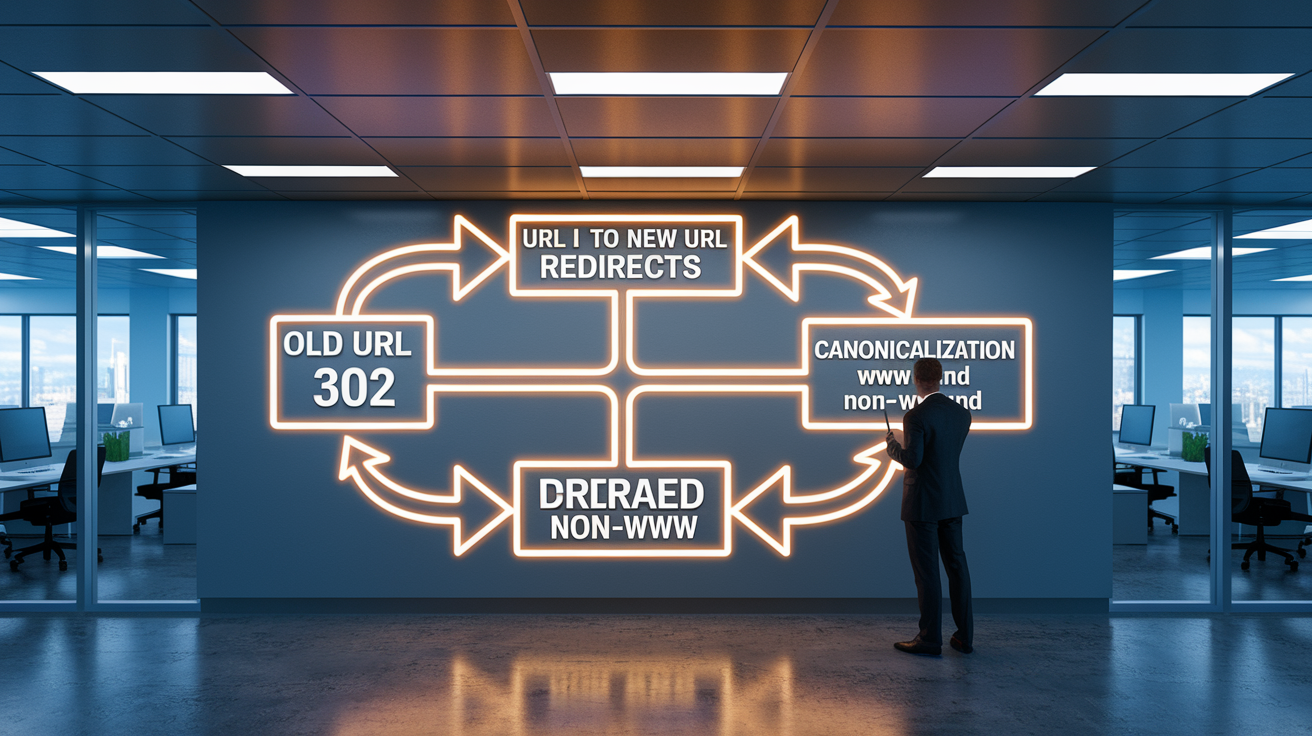
A 301 redirect tells browsers and search engines a page has moved permanently. It passes most of the original ranking power to the new URL, which matters when you’re consolidating duplicate content, switching domains, or cleaning up old links. A 302 signals a temporary move and doesn’t transfer ranking signals the same way. Generators make it simple to pick the right status code and handle canonicalization tasks (forcing www or non-www) without writing RewriteCond logic yourself.
Most generators let you paste old and new URL pairs into input fields, then click a button to compile the rules. Some support bulk uploads for big migrations. They add the RewriteEngine On directive, escape special characters, and wrap everything in correct syntax so you don’t get redirect loops or missing slashes. A few tools include validation that warns you if old and new URLs match or if rules might conflict.
| Scenario | Example Input | Expected Output |
|---|---|---|
| Non-www to www | example.com | RewriteCond %{HTTP_HOST} ^example\.com [NC] RewriteRule ^(.*)$ https://www.example.com/$1 [L,R=301] |
| www to Non-www | www.example.com | RewriteCond %{HTTP_HOST} ^www\.example\.com [NC] RewriteRule ^(.*)$ https://example.com/$1 [L,R=301] |
| HTTP to HTTPS | http://example.com | RewriteCond %{HTTPS} off RewriteRule ^(.*)$ https://%{HTTP_HOST}%{REQUEST_URI} [L,R=301] |
| Page to Page | /old-page.html → /new-page.html | Redirect 301 /old-page.html /new-page.html |
| Domain to Domain | oldsite.com → newsite.com | RewriteCond %{HTTP_HOST} ^oldsite\.com [NC,OR] RewriteCond %{HTTP_HOST} ^www\.oldsite\.com [NC] RewriteRule ^(.*)$ https://newsite.com/$1 [L,R=301] |
Security Rules You Can Generate with htaccess Tools

IP blocking is one of the fastest ways to stop a malicious visitor. You paste a list of IP addresses into the generator and it spits out Order allow,deny and Deny from directives that Apache enforces at the server level. Generators also handle ranges and wildcards, so you can block entire subnets without writing the logic yourself.
Bot blocking works off user-agent strings. The generator checks a box for known bad bots, then writes a RewriteCond that matches the User-Agent header and serves a 403 Forbidden. Directory browsing prevention uses Options -Indexes to stop people from seeing file listings when there’s no index file. Password protection needs a .htpasswd file, and a lot of generators include a companion htpasswd builder that hashes your credentials and outputs the AuthType Basic, AuthName, AuthUserFile, and Require valid-user directives in one go.
Security rules you’ll see:
- Block specific IPs or ranges using Deny from or mod_rewrite conditions
- Block user agents matching known scraper or bot signatures
- Require authentication with AuthType Basic and reference to a .htpasswd file
- Disable directory indexing with Options -Indexes
- Deny access to sensitive files like .htaccess, .env, or config.php by extension or pattern
Hotlink Protection and Resource Control via htaccess Rules

A hotlink happens when another site embeds your image, video, or file in their HTML, eating your bandwidth without sending you traffic. Generators automate the fix. You type the offending domains (example.com, no leading dot) and optionally a replacement image or blank response. The tool writes a RewriteCond that checks HTTP_REFERER and blocks requests that don’t come from your own domain.
Some generators extend hotlink protection to specific file types (JPG, PNG, MP4) or combine it with bot blocks so scrapers can’t harvest your media. The rules usually sit near the top of your .htaccess file and fire before other rewrites.
Typical workflow:
- Enter the domain that’s hotlinking your files (no dot or http://).
- Choose which file extensions to protect (images, videos, PDFs).
- Generate the RewriteCond and RewriteRule block, paste it into .htaccess, and test.
Custom Error Pages Generated through htaccess Tools

Custom error pages replace default Apache screens with branded HTML that matches your site and includes helpful navigation or a search box. Generators ask for the path to each custom error file (usually /errors/404.html or /404.php) and produce ErrorDocument directives that map HTTP status codes to those files.
When a visitor hits a missing page or the server encounters an internal error, Apache serves your custom page instead of plain text. Generators support 400 Bad Request, 401 Authorization Required, 404 Not Found, and 500 Internal Server Error. Some include fields for maintenance mode pages or rate-limit errors.
Error codes you’ll configure:
- 400 Bad Request: malformed syntax or invalid headers
- 401 Authorization Required: missing or incorrect credentials for protected resources
- 404 Not Found: requested URL doesn’t exist on the server
- 500 Internal Server Error: server-side script crash or misconfiguration
Caching and Compression Settings Produced by an htaccess Generator

Browser caching rules tell browsers to store copies of your CSS, JavaScript, and images locally. That cuts repeat requests and speeds up page loads on return visits. Generators write ExpiresActive On and ExpiresByType directives that set cache lifetimes for each MIME type (one year for images, one week for stylesheets). You pick expiration periods from dropdowns or sliders and the tool builds the headers without you remembering mod_expires syntax.
Compression rules use moddeflate to gzip text-based assets before sending them, cutting transfer size 60 to 80 percent for HTML, CSS, and JavaScript. Generators add AddOutputFilterByType DEFLATE lines for common MIME types and wrap them in IfModule checks so directives fail gracefully if moddeflate isn’t enabled. Caching and compression together can cut page weight and server load significantly, especially on image-heavy or script-heavy sites.
| Rule Type | Benefit |
|---|---|
| Gzip Compression | Reduces file size by 60–80% for text assets, lowering bandwidth and load time. |
| Expires Headers | Sets cache lifetime for images, fonts, and scripts, reducing repeat requests. |
| Cache-Control | Defines caching policy (public, private, max-age) for fine-grained control. |
| Asset-Specific Caching | Applies different expiration times per file type (1 year for images, 1 week for CSS). |
Advanced Rewrite Logic and mod_rewrite Examples Built with an htaccess Generator

Generators can build complex RewriteCond and RewriteRule chains that match URL patterns with regex, capture parts of the URL, and reconstruct clean, SEO-friendly paths. This is useful when migrating legacy URLs or setting up front-controller routing for frameworks.
Regex-Based Rewrite Conditions
A RewriteCond checks server variables like REQUESTURI or HTTPHOST against a regex before applying the rewrite. Generators help you anchor patterns with ^ and $, escape special characters, and use parentheses for capture groups. For example, ^old-category/(.*)$ grabs everything after old-category/ and references it as $1 in the RewriteRule target. Case-insensitive matching gets handled by the [NC] flag, which the generator adds when you check a “case insensitive” option.
Pretty URLs and Extension Removal
Front-controller patterns route all requests through a single entry point (usually index.php) and let your app parse the URL internally. A generator writes RewriteCond %{REQUEST_FILENAME} !-f and !-d to skip real files and directories, then RewriteRule ^(.*)$ index.php?path=$1 [L,QSA]. Removing .html or .php extensions works the same way. The rule rewrites /page to /page.php internally, keeping the URL clean in the browser. Better for readability and SEO.
CMS-Specific Rewrite Templates
WordPress uses a standard permalink structure that generators output with one click: RewriteRule . /index.php [L] inside the right IfModule block. Joomla SEF URLs need RewriteBase and a fallback to index.php with query-string append. Laravel and other PHP frameworks often need the public folder stripped when the document root points to the project root. Generators include presets for these patterns so you don’t dig through docs or forums every time you spin up a new site.
Rewrite flags you’ll encounter:
- [L]: Last rule. Stop processing further rewrites if this one matches.
- [R=301]: Redirect with a 301 status. Browser updates the URL bar.
- [QSA]: Query String Append. Keeps existing query parameters in the rewritten URL.
Best Practices When Using Any htaccess Generator

Always back up your existing .htaccess file before pasting new rules. A single misplaced character can throw a 500 Internal Server Error and take your site offline. Download the current file, save it with a .bak extension, and keep it somewhere you can restore quickly if the new rules break something.
Test redirects right after deployment. Use a browser extension or curl to verify that your 301 redirects return the correct status code and target URL. Check for redirect loops (page A redirects to B, B redirects back to A) by visiting the old URL and watching the browser’s network tab. If you see multiple hops or an endless loop, review your RewriteCond logic for conflicting patterns.
Generators sometimes produce rules that work on one server but fail on another, especially when modrewrite or moddeflate isn’t enabled or when directory-level overrides are restricted in the main Apache config. If a rule doesn’t work, check your server’s error log for RewriteRule or syntax messages and confirm that AllowOverride is set to allow .htaccess directives in the target directory.
Steps to validate and dodge issues:
- Download and save a backup of your current .htaccess before making changes.
- Paste generated rules into a staging or local environment first, not straight into production.
- Test each redirect or rule individually using curl -I or a redirect checker to confirm the correct HTTP status.
- Watch for redirect loops by visiting old URLs and checking they resolve in one hop.
- Monitor server error logs for RewriteRule failures or syntax errors, and verify required Apache modules are enabled.
Final Words
Jump in: the post showed how an interactive .htaccess rule builder gives copy-ready directives via dropdowns, checkboxes, and instant preview—no manual editing.
You saw redirects (301/302), security blocks, hotlink protection, custom error pages, caching/compression, and advanced mod_rewrite examples, plus backup and testing best practices.
Use the htaccess generator to produce quick, safe rules, test them locally, and keep a backup — it’ll save time and reduce mistakes. Small checks mean fewer emergency fixes. You’ve got this.
FAQ
Q: What is an .htaccess generator and why should I use one?
A: An .htaccess generator is a web tool that instantly creates Apache rules from form inputs, saving time and preventing manual syntax errors when setting redirects, security headers, or caching directives.
Q: What UI elements should I expect in an online .htaccess rule builder?
A: The UI of an .htaccess rule builder includes dropdowns, checkboxes, text inputs, instant preview, copy‑to‑clipboard, and file download so you can configure rules quickly without coding them by hand.
Q: Can I create 301 and 302 redirects with a generator?
A: You can create 301 and 302 redirects with a generator; it lets you choose permanent (301) for SEO preservation or temporary (302), and outputs the correct redirect directives automatically.
Q: How does a generator handle www vs non‑www, trailing slashes, and other canonical rules?
A: A generator handles www/non‑www and trailing slash rules by letting you enter old/new URL patterns and compiling safe RewriteCond/RewriteRule lines to enforce canonical URLs without guesswork.
Q: Can I block IPs or bad bots using an .htaccess generator?
A: You can block IPs and bad bots with an .htaccess generator; it accepts comma‑separated IPs or user agents and produces deny rules or conditions plus .htpasswd snippets for auth when needed.
Q: How does hotlink protection work in a generator?
A: Hotlink protection in a generator works by letting you list offending domains, choose file types to protect, and generate rewrite rules that deny external requests or serve a placeholder image.
Q: Can I create custom error pages using an .htaccess generator?
A: You can create custom error pages with an .htaccess generator by supplying file paths for codes like 400, 401, 404, and 500; it outputs ErrorDocument directives that point to your pages.
Q: What caching and compression rules can a generator produce?
A: A generator can produce gzip compression, Expires headers, Cache‑Control directives, and MIME‑type mappings to reduce load times and improve browser caching without manual rule writing.
Q: Can advanced mod_rewrite rules be generated, such as removing file extensions or CMS templates?
A: Advanced mod_rewrite rules can be generated; tools produce RewriteCond/RewriteRule lines with regex for extension removal, front‑controller routing, and CMS‑specific templates for WordPress, Joomla, or Laravel.
Q: Which rewrite flags and behaviors should I expect in generated rules?
A: Generated rules commonly use flags like L (last), R (redirect), and QSA (append query string), and may include NC (case‑insensitive) or [L,R=301] combos for predictable behavior.
Q: What best practices should I follow when using any .htaccess generator?
A: Best practices for using an .htaccess generator include backing up your .htaccess, testing redirects for 301 status, avoiding redirect loops, verifying server scope (vhost vs directory), and reviewing generated rules.
Q: How should I test and verify generated .htaccess rules before deploying to production?
A: Test and verify generated rules by using a local or staging server, curl to check response codes, check redirects preserve query strings, watch server logs for rewrite matches, and keep a rollback copy.