


Tired of git diffs turning a one-cell change into a 3,000-line rewrite?
Git treats each CSV row as one line, so column edits or find-and-replace flood the patch and hide the real change.
This post shows practical fixes—quick git flags, a .gitattributes setup, and CSV-aware tools like daff and csvdiff—that make diffs show cell-level edits, keep merges valid, and save hours in code review.
Read on to get the exact commands and drivers to run today and stop wrestling with noisy CSV diffs.
Making Git Diffs Readable and Actionable for CSV Files

Git’s line-based diff algorithm doesn’t play well with CSV files. Edit a single cell and Git flags the whole row as changed because it treats each line as one block of text. Run a find-and-replace across one column in 3,000 rows? You’ll get 3,000 deletions and 3,000 additions in the patch, even though only one field per row actually moved. Code review becomes impossible. The real scope of your edits disappears under the noise.
The problems stack up quick. Merge two branches that touch different columns in the same row and you’ll get conflict markers that break CSV syntax completely. Your spreadsheet editor won’t even open it. A one-character typo fix shows up as a full-line rewrite. GitHub’s web interface displays cleaner, token-level diffs for the exact same comparison, which proves your local Git can do better but isn’t set up to.
Large CSVs with 20+ columns and inconsistent quoting make standard git diff output nearly useless.
Custom tokenization and CSV-aware comparison tools fix this by treating commas and cell boundaries as meaningful delimiters instead of random characters. Git’s built-in regex options let you control how lines split into tokens. Dedicated CSV diff libraries understand tabular structure and keep valid CSV syntax even during merge conflicts.
Here’s what works:
- Use
git diff --word-diffto break lines into whitespace-separated tokens instead of whole rows - Use
git diff --word-diff-regex="[^,]+"to tokenize on commas and show only changed fields - Use
.gitattributesto permanently assign a CSV-aware diff driver to all.csvfiles - Use CSV-aware tools like daff that generate spreadsheet-style diffs highlighting added, modified, and deleted cells
- Use external CSV diff utilities such as csvdiff that support primary-key-based comparison and ignore columns like timestamps
Structured diffs cut the noise by showing cell-level edits in context. A one-character fix looks like a one-character fix, not a 20-column rewrite. They preserve CSV validity during merges, so even files with conflict markers stay editable in spreadsheet software. For teams working with configuration CSVs, test data, or small database exports, switching from line-based to column-aware diffs turns Git from a headache into a useful audit trail.
Advanced Nuances in Git’s Handling of CSV Files

Git’s diff engine has no concept of row identity, column headers, or semantic grouping in a CSV file. It can’t tell that row 47 in the old version and row 48 in the new version represent the same record after an insertion higher up. Irregular delimiters like tabs mixed with commas, or inconsistent quoting where some fields use double quotes and others don’t, confuse the tokenizer further.
When a CSV hits 3,000+ rows and 20+ columns, Git’s heuristic for detecting renames and moves breaks down. It’ll often attribute a simple column reorder to thousands of individual cell changes. Files with embedded newlines inside quoted fields produce especially chaotic diffs because Git counts those internal line breaks as row boundaries.
GitHub’s web UI applies smarter tokenization than your default local Git config. It breaks lines at more granular boundaries and produces character-level or field-level highlights. Same commit looks clean in a pull request but incomprehensible when you run git diff on the command line. The root cause? GitHub uses a different word-boundary regex behind the scenes, optimized for common file formats. Local Git defaults to splitting on whitespace and treating everything between spaces as a single token, which fails catastrophically for comma-separated data with no spaces between fields.
Using Git’s Built-in Options to Improve CSV Diff Output

Git’s tokenization lets you redefine what counts as a “word” for diffing purposes. Shift from line-based to field-based or even character-based comparisons. The --word-diff flag displays changes inline with markers instead of separate before-and-after blocks, cutting down vertical scrolling. Combine it with --word-diff-regex and you control exactly how Git splits each line into tokens.
Regex-based strategies tailor the tokenization to your data format. Using --word-diff-regex="[^,]+" tells Git to treat everything between commas as a single token, showing only the cells that changed. The pattern --word-diff-regex="." forces per-character diffing, useful when tracking down invisible Unicode changes or trailing whitespace. For mixed alphanumeric data, --word-diff-regex="([A-Z]+|[0-9]+)" groups consecutive letters and consecutive digits separately. Add --word-diff=color to get inline red/green highlighting instead of brackets.
Combining whitespace normalization with quoting-ignore patterns requires chaining multiple Git options. Run git diff --ignore-space-change --word-diff-regex='[^,"]+' to strip spaces and treat quotes as token boundaries, making “value” and ” value ” equivalent. For CSVs that mix tabs and commas, use --word-diff-regex='[^\t,]+' to split on both delimiters. Preprocessing the file with git diff --no-index <(sort file1.csv) <(sort file2.csv) handles row-order differences, though this breaks row-level context.
| Command | Purpose |
|---|---|
| git diff –word-diff-regex=”[^,]+” | Tokenize on commas to show field-level changes |
| git diff –word-diff-regex=”.” –word-diff=color | Character-level diff with inline color highlighting |
| git diff –ignore-space-change –word-diff | Ignore whitespace differences while showing word-level changes |
| git diff –word-diff-regex=”([A-Z]+|[0-9]+)” | Separate alphabetic and numeric runs for mixed-format fields |
Configuring .gitattributes for CSV-Aware Git Diff Drivers

The .gitattributes file binds patterns like *.csv to custom diff and merge drivers, so every CSV comparison in your repository uses structured tokenization without anyone needing to remember command-line flags. Add a line such as *.csv diff=csv to .gitattributes, then register the csv driver in your Git config with a command or script that understands tabular structure. This configuration applies to all branches and all contributors who clone the repo.
Typical diff driver blocks in .git/config or ~/.gitconfig might invoke an external tool or script. For example, git config diff.csv.command "daff diff --git" tells Git to pass CSV files to daff instead of the built-in line diff. Or use git config diff.csv.textconv "python3 normalize_csv.py" to preprocess CSVs before diffing, stripping whitespace, sorting rows by a key column, or normalizing quote styles. The textconv approach is simpler because it outputs plain text that Git’s standard diff engine then compares. A full diff driver replaces the comparison logic entirely.
Custom CSV diff drivers shine in these cases:
- Primary-key diffing that matches rows by ID instead of line number, handling insertions and deletions cleanly
- Normalization of inconsistent formatting such as mixed delimiters, varying quote styles, or extra whitespace
- Column selection that ignores timestamp or auto-increment fields, showing only meaningful business-logic changes
- Quote normalization so “value” and value are treated as identical
- Delimiter detection that auto-adjusts for tabs, commas, or semicolons based on file content
Performance degrades on very large datasets because custom diff drivers parse the entire file into memory before comparing. CSVs over 100,000 rows or 50MB in size often take several seconds to diff. Repositories containing dozens of such files can slow down routine Git operations. For those cases, store only schemas or representative samples in Git and keep the bulk data in a database or object storage.
CSV-Aware Tools: daff, coopy, and csvdiff

daff generates spreadsheet-style diffs that highlight added rows in green, modified cells in yellow, and deleted rows in red. Output looks like a track-changes view in Excel. It works both server-side (GitHub plugins and GitLab tweaks use daff to render pretty diffs in pull requests) and client-side (installed locally and invoked via Git diff drivers or manually). daff also supports merging, detecting changes on both branches and producing a valid CSV even when conflicts occur. Instead of inserting Git’s ugly conflict markers that break CSV syntax, daff marks conflicting cells with special notation that spreadsheet editors can still parse.
coopy provides a dedicated merge driver focused on three-way merges for CSV files. When two branches edit different columns in the same row, coopy combines the changes cleanly without conflict markers. It identifies rows by a primary key or heuristic row matching, then merges cell by cell. If both branches modify the same cell, coopy inserts a conflict marker but ensures the resulting file remains a valid CSV. You can open it in a spreadsheet editor, review the conflicting values side by side, and manually pick the correct one.
csvdiff is a high-performance command-line tool written in Go that compares CSV files containing millions of records in under 2 seconds. It treats CSVs as database tables, matching rows by a designated primary key and reporting additions, modifications, and deletions with precise field-level granularity. Typical use cases include comparing nightly database exports, validating ETL pipeline outputs, or auditing configuration changes in CSV-formatted infrastructure as code files.
Key features of csvdiff:
- Detection of additions, modifications, and deletions at the row and cell level
- Primary-key support using one or more columns to uniquely identify rows
- Ignore-column option to exclude fields like
created_attimestamps from comparison - Multiple output formats including diff (Git-style), word-diff, color-words, json, legacy-json, and rowmark
- Non-comma separator support for tab-delimited or pipe-delimited files
- Selective field comparison to diff only a subset of columns
Creating Custom CSV Diff Scripts (Python, Pandas, Bash)

Pandas DataFrames offer row-level and column-level diff capabilities through set operations and merge functions. Load both CSVs into DataFrames, set a primary key with set_index(), then use df1.compare(df2) to generate a side-by-side comparison showing old and new values for each changed cell. For row-level additions and deletions, compute df1.index.difference(df2.index) and df2.index.difference(df1.index) to identify which keys appear in only one file. This approach handles unsorted data and scales well to hundreds of thousands of rows on modern hardware.
Bash and awk join-based comparisons work best for sorted CSVs where row order is stable. Use join -t, -1 1 -2 1 file1.csv file2.csv to match rows by the first field, producing a combined output with columns from both files. Pipe the result to awk to compare field values and print rows where specific columns differ. csvkit’s csvjoin command offers similar functionality with better handling of headers and quoted fields. For quick spot checks, comm -3 <(sort file1.csv) <(sort file2.csv) shows lines that appear in only one file, though it treats entire rows as atomic units.
Git’s --no-index flag lets you diff two arbitrary files outside a repository, useful for quick comparisons without committing test data. Run git diff --no-index --word-diff-regex="[^,]+" old.csv new.csv to get field-level diffs in your terminal without creating a Git repo. Combine this with shell redirection to save the output or pipe it to a pager for large files.
Common scripting patterns for robust CSV diffing:
- Primary-key join using Pandas
merge()withindicator=Trueto flag left-only, right-only, and both-side rows - Row normalization by sorting columns alphabetically and rows by key fields before comparison
- Whitespace stripping with
df.applymap(lambda x: x.strip() if isinstance(x, str) else x)to ignore padding differences - Delimiter detection using Python’s
csv.Snifferclass to auto-detect commas, tabs, or semicolons
Handling Merge Conflicts in CSV Files

Normal merge conflicts insert angle-bracket markers that turn a valid CSV into invalid syntax. Spreadsheet editors and CSV parsers break. When two branches edit the same row, Git splices in <<<<<<< HEAD, =======, and >>>>>>> branch lines that don’t match the column count, corrupting the file structure. Attempting to open the conflicted CSV in Excel or Pandas produces parsing errors. You’re forced to hand-edit raw text and manually reconstruct the row format before you can even see what the conflicting values are.
CSV-aware merge drivers preserve CSV validity during conflicts by using in-cell markers or separate conflict-tracking rows. Tools like daff and coopy insert special notation such as [[conflict: value1 | value2]] inside a single cell, maintaining the correct number of columns per row. The resulting file remains parseable. You can load it into a spreadsheet editor, filter to rows containing conflict markers, and resolve each conflict by choosing one value or typing a new one. This workflow is faster and less error-prone than manually counting commas and reconstructing CSV structure in a text editor.
Four steps for resolving CSV conflicts safely:
- Identify conflict markers by searching for the conflict notation your CSV-aware tool uses (such as
[[conflict:or a special column added by the merge driver). - Load the conflicted CSV into a spreadsheet editor or Pandas to view rows in tabular form, making it easy to compare conflicting values in context.
- For each conflict, review both proposed values and the surrounding row data to decide which change to keep, or manually enter a third value that reconciles both edits.
- Remove conflict markers and save the file, then stage the resolved CSV with
git addand complete the merge withgit commit.
GUI Diff Tools for CSV Files
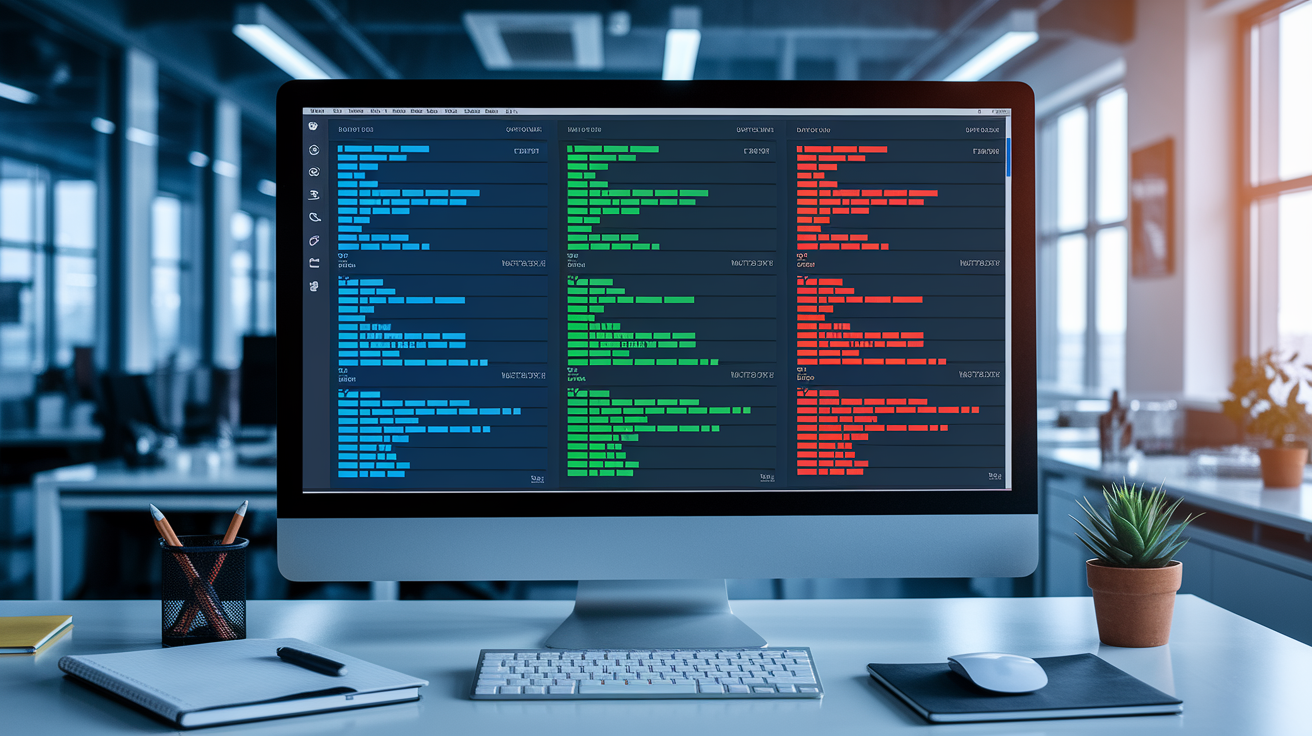
GUI diff tools display CSV changes in a side-by-side or unified pane with syntax highlighting, making it easier to scan columns visually and spot patterns across many rows. Some tools recognize CSV structure and apply column-aware alignment, so fields in the same column stack vertically even when row lengths differ. Others support custom comparison rules such as ignoring specific columns, treating numeric fields with tolerance thresholds, or normalizing date formats before comparison. Colorized cell highlighting draws attention to actual changes, reducing the cognitive load of parsing textual diff markers.
Limitations include performance degradation on large files and difficulty handling complex merge scenarios involving three or more branches. Many GUI tools load entire files into memory, causing slowdowns or crashes when comparing multi-megabyte CSVs. They also lack primary-key awareness, matching rows by line number instead of a unique ID, which produces misleading diffs when rows are inserted or reordered.
For exploratory comparison of small to medium datasets, GUI tools are invaluable. For automated workflows or large-scale data auditing, command-line tools and scripts prove more reliable.
Popular GUI options:
- Beyond Compare supports CSV-specific comparison rules, column alignment, and ignore-column settings, making it ideal for structured data review.
- Meld provides a clean three-pane merge view and integrates with Git as an external diff tool via
git difftool. - KDiff3 excels at three-way merges and can be configured to ignore whitespace or specific fields, useful for resolving complex CSV conflicts.
- WinMerge offers CSV plugins that parse and align columns, highlighting cell-level differences with color coding.
Automating CSV Diffs in CI Pipelines

CI environments benefit from structured CSV diffs that produce consistent, machine-readable output for automated review and alerting. Running daff diff --output diff.html old.csv new.csv in a CI job generates an HTML report showing row-level and cell-level changes. You can archive it as a build artifact or email it to stakeholders. csvdiff’s JSON output format supports automated parsing, letting you extract addition and deletion counts, flag schema changes, or fail the build if unexpected columns appear. These structured formats integrate cleanly with CI dashboards and notification systems.
Pre-commit hooks enforce CSV formatting standards before code reaches the repository, preventing noisy diffs caused by inconsistent whitespace or quote styles. A hook script can invoke a CSV normalizer that sorts rows by a key column, removes trailing whitespace, and standardizes delimiters, then auto-stage the cleaned file. This ensures every commit contains canonical CSV formatting, making diffs focus on data changes rather than stylistic variations. Exit code behavior matters for scripted workflows: tools like csvdiff return zero on identical files and nonzero on differences, allowing simple if csvdiff old.csv new.csv; then echo "No changes"; fi conditionals.
Common CI tasks for CSV diffing:
- Schema checks that validate column names, order, and data types against a reference file, failing the build if the structure changes
- Normalization steps that apply consistent formatting and sorting before committing, reducing diff noise
- Patch generation that outputs a diff artifact for manual review or automated application to downstream systems
- Change summary reports that count added, modified, and deleted rows, then post metrics to a dashboard
- Alerting integrations that send notifications when high-value CSVs change, such as pricing tables or access control lists
Final Words
In the action, noisy line-based diffs make CSV edits look like full-file rewrites; this post explained why that happens and why default git tokenization fails for tabular data.
We walked through practical fixes: –word-diff and regex patterns, .gitattributes with CSV drivers, daff/coopy/csvdiff, pandas and bash scripts, GUI tools, merge strategies, and CI automation.
Apply the right mix so git diff csv files show true cell changes, avoid broken merges, and catch regressions faster. You’ll spend less time debugging and more time shipping.
FAQ
Q: Is there a way to compare CSV files?
A: There is a way to compare CSV files. Use git flags (–word-diff, –word-diff-regex), CSV-aware tools like daff or csvdiff, pandas scripts, or GUI diff tools for cell-level, structured comparisons.
Q: Can I git diff a specific file?
A: You can git diff a specific file by running git diff
Q: Can git track CSV files?
A: Git can track CSV files as plain text, so yes. Diffs are noisy by default; configure .gitattributes, use –word-diff, or attach CSV-aware drivers (daff, coopy) to get structured diffs and safer merges.
Q: How to git ignore CSV files?
A: To git ignore CSV files, add patterns like *.csv to .gitignore and commit. For files already tracked, run git rm –cached path/to/file (or git rm –cached *.csv) then commit to stop tracking.