


Ever spent an hour debugging a Dockerfile because you forgot one flag in a RUN command? Writing container configs from scratch is slow, error-prone, and pulls you away from actual development work. Dockerfile generators solve this by detecting your project’s language and framework, then producing production-ready configs in seconds with best practices baked in. You get multi-stage builds, optimized layers, security hardening, and framework-specific commands without needing to memorize Docker syntax or research image optimization techniques.
Top Dockerfile Generator Tools and Platforms
Browser-based Dockerfile generators get rid of manual config file creation. You pick options in a web form and get production-ready Docker files in seconds.
Dockerfile Generator (dockerfilegenerator.com) gives you an online interface with dropdowns for directives, a base image picker, and form fields for ports, environment variables, and package installation. No setup required. You get instant preview and downloadable output with comments that explain what’s happening.
Docker Labs GenAI Tools (github.com/docker/labs-ai-tools-for-devs) is open source AI generation using GPT-4. It includes analyzeproject, writefiles, and dockerscouttag_recommendation functions. The tool detects your project structure on its own and applies best practices automatically.
FlexStack Dockerfile Generator (flexstack.com) creates Dockerfiles automatically when you deploy by scanning your repo to detect the runtime. You can customize through dashboard Build Arguments or use the CLI tool for local generation.
Flyio Dockerfile Generator (github.com/flyio/dockerfile) is built specifically for Node.js. It generates optimized Dockerfiles with framework detection and multi-stage builds for JavaScript apps.
These generators show you web forms where you pick your base image (Ubuntu, Alpine, Debian Slim), list packages to install, define ports to expose, and set environment variables. The interface converts your choices into proper Dockerfile syntax with FROM, RUN, COPY, EXPOSE, and CMD instructions. Most tools give you real-time preview showing the generated code as you work, so you can check everything before downloading.
The zero-installation advantage means any device with a browser can generate a Dockerfile. No local Docker installation needed. Preview the code right in the browser, copy it to clipboard, or download it as a ready-to-use file. Perfect for quick project setup, learning Docker syntax, or creating baseline configs you’ll tweak later.
Framework-Specific Template Generation for Docker Images

Modern generators detect your project’s language and framework on their own, producing pre-configured Dockerfiles optimized for your specific tech stack.
These tools scan your repo for signature files that reveal runtime and framework. A package-lock.json signals Node.js, next.config.js means Next.js, Cargo.toml identifies Rust, and mix.exs marks Elixir. The generator analyzes these files to figure out not just the language but also framework conventions, package manager, and build toolchain.
Version detection happens through config files like .tool-versions, .nvmrc, .node-version, .python-version, and .ruby-version. Generators recognize version managers including asdf, nvm, rbenv, and pyenv, pulling the specified runtime version to use as the base image tag.
Once the generator identifies your framework, it determines the right install, build, and start commands automatically. For Bun projects, it searches package.json scripts in priority order: build:prod, build:production, build-prod, build-production, build. Start command detection follows a similar path: serve, start:prod, start:production, start-prod, start-production, preview, start. Node.js projects get npm ci with frozen lockfile for npm or corepack enable pnpm && pnpm i –frozen-lockfile for pnpm. Python projects using Poetry receive poetry install –no-dev –no-interactive –no-ansi. Java Maven projects get mvn -DoutputFile=target/mvn-dependency-list.log -B -DskipTests clean dependency:list install.
Core Dockerfile Instructions and Command Configuration
Generators help configure the fundamental Dockerfile instructions (FROM, RUN, COPY, WORKDIR, EXPOSE, CMD, ENTRYPOINT) while automatically ordering them to maximize Docker’s build cache. Placing frequently-changing operations like COPY source code later means Docker reuses cached layers from earlier steps when you rebuild, cutting build times from minutes to seconds.
Smart generators scan your project to identify package managers and select production-optimized installation commands with the right flags. A Node.js project with package-lock.json gets npm ci, not npm install, ensuring reproducible builds from the lockfile. Ruby projects receive bundle install with deployment flags. PHP Composer users get composer install –prefer-dist –no-dev –optimize-autoloader –no-interaction. Python projects using Pipenv get PIPENVVENVIN_PROJECT=1 pipenv install –deploy. The generator detects your build tool (Gradle, Maven, npm scripts, Mix tasks) and sets up the correct build command. Gradle projects get ./gradlew clean build -x check -x test, skipping tests during image creation.
CMD provides default arguments users can override at runtime. ENTRYPOINT defines the executable that always runs when the container starts. For a container running as an executable (like a CLI tool), use ENTRYPOINT. For application servers where users might want different arguments, combine both. ENTRYPOINT for the base command, CMD for default flags. COPY is better than ADD for file operations because ADD has hidden behaviors (auto-extraction of archives, URL fetching) that make Dockerfiles harder to understand. Framework-specific conventions apply automatically. Django projects get python manage.py runserver 0.0.0.0:${PORT}, Rails projects receive bundle exec rails server -b 0.0.0.0 -p ${PORT}, and Spring Boot applications include -Dserver.port=${PORT} in JAVA_OPTS.
| Instruction | Purpose | Generator Input |
|---|---|---|
| FROM | Specifies base image (runtime environment) | Language/framework selection, version dropdown |
| RUN | Executes commands during build (install packages, compile code) | Package list, build commands, system dependencies |
| COPY | Copies files from build context into image | Source paths, destination directories, file patterns |
| WORKDIR | Sets working directory for subsequent instructions | Application directory path (often /app) |
| ENV | Defines environment variables available in container | Key-value pairs for configuration settings |
| EXPOSE | Documents which ports the application listens on | Port numbers (3000, 8080, 5432) |
| CMD/ENTRYPOINT | Specifies command to run when container starts | Start script, server command, application entry point |
Customization Options and Advanced Configuration
Projects often need to override default commands or adjust environment-specific settings without editing the generated Dockerfile directly. Docker Build Arguments (ARG instructions) let you pass values at build time, keeping the Dockerfile generic while allowing runtime customization through flags like docker build –build-arg NODE_ENV=production.
Common customizable parameters:
Custom install commands (INSTALLCMD) override default package installation for private registries or custom dependency sources. Build process overrides (BUILDCMD) specify non-standard build scripts or compilation flags. Application startup commands (START_CMD) define custom entry points or server configs. Environment-specific variables inject API endpoints, feature flags, or database connection strings. Resource allocation settings configure memory limits, CPU constraints, or concurrency workers.
Quality generators build in Docker best practices automatically, so beginners don’t need to research layer optimization or security hardening. The output Dockerfile follows official guidelines for dependency management, security configs, and image size minimization. Command-line tools like new-dockerfile provide advanced customization for local development, letting you iterate on configs and test builds without a web interface. Dashboard customization through build tabs in platforms like FlexStack offers point-and-click adjustment of build arguments.
Key best practices that generators enforce:
Official base image selection from Docker Hub uses community-maintained images with security patches and long-term support. Explicit version tagging for reproducibility always specifies node:18.17.0 instead of node:latest to prevent surprise breakage. Proper .dockerignore file usage excludes .git directories, node_modules, test files, and documentation from build context, reducing image size by 50-90%. Layer minimization through instruction consolidation combines multiple RUN commands into single instructions to reduce layer count. Security-focused configs (non-root user execution) create unprivileged users and switch context before running application code.
Generated Dockerfiles often include instructional comments like “# Install production dependencies with frozen lockfile” or “# Run as non-root user for security” that explain each directive’s purpose, turning the output into a learning resource.
Multi-Stage Builds and Performance Optimization
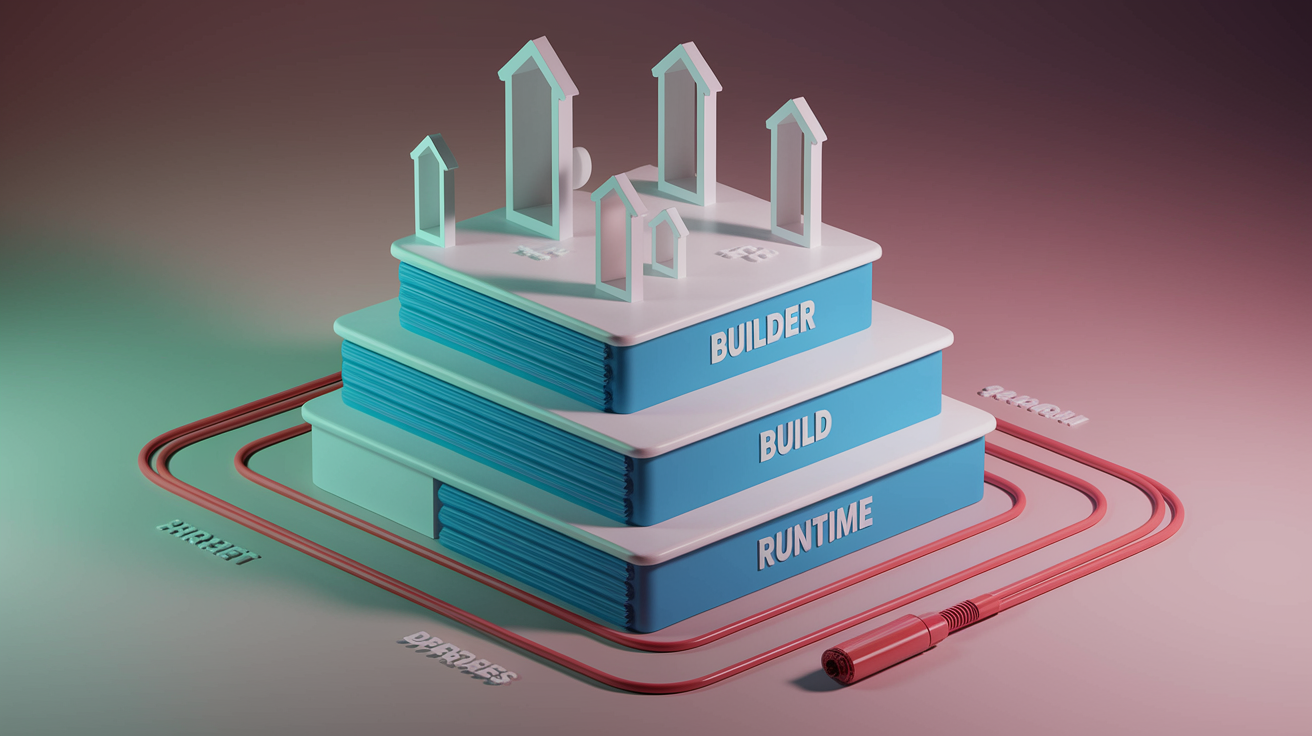
Modern Dockerfile generators implement multi-stage builds automatically to separate build-time dependencies from runtime requirements, often cutting final image size by 60-80%. The typical three-stage pattern starts with a dependency fetch stage that installs build tools and pulls packages, moves to a build stage that compiles code and bundles assets, then finishes with a minimal runtime stage containing only the compiled application and production dependencies. Each stage uses a separate FROM instruction, and the final stage copies built artifacts from previous stages with COPY –from=builder syntax.
Generators select minimal base images like Debian Slim or Alpine Linux for the final runtime stage, reducing attack surface and image size while maintaining compatibility. Debian Slim provides about 80MB overhead compared to Alpine’s 5MB, but offers better compatibility with pre-compiled binaries and glibc-dependent packages. Docker’s layer caching stores the result of each instruction, reusing it on subsequent builds if the instruction and context haven’t changed. Placing dependency installation before source code copying means Docker reuses the cached dependency layer until your package.json or requirements.txt changes, even though you’re changing application code constantly.
| Optimization Technique | Implementation | Benefit |
|---|---|---|
| Layer caching | Order instructions from least to most frequently changing | 90% faster rebuilds by reusing unchanged layers |
| Instruction ordering | COPY package files, RUN install, then COPY source code | Dependencies cached separately from application code |
| Build context minimization | .dockerignore excludes unnecessary files from context | Faster context upload, smaller build workspace |
| Multi-stage separation | Build tools in early stages, copy artifacts to minimal final stage | 60-80% smaller final images, faster deployments |
Generators order instructions to maximize cache hit rates by placing rarely-changing operations first. Installing system packages happens before copying package manager files, which happens before installing application dependencies, which happens before copying source code. Resource limit configs for memory and CPU get specified through generator interfaces or Docker Build Arguments. Settings like JAVA_OPTS=-Xmx512m -Xms256m for Java applications or worker process counts for Node.js clusters. The dependency installation stage pulls and installs all build tools, the application compilation stage runs webpack, tsc, cargo build, or mix compile to produce executable artifacts, and the production runtime stage runs only the compiled application with minimal supporting libraries. Modern generators use newer Docker features like BuildKit cache mounts (RUN –mount=type=cache) that persist package manager caches across builds, avoiding repeated downloads of the same packages.
GenAI-Powered Dockerfile Creation with Tool Functions

Docker Labs is exploring AI-assisted Dockerfile generation that equips AI models with specialized functions rather than extracting project details through conversational prompts, letting the assistant autonomously analyze codebases and generate configs.
The approach uses three core components working together. System-level instructions guide the assistant’s overall process and decision-making. Tool functions (analyzeproject for codebase inspection, writefiles for Dockerfile creation, dockerscouttag_recommendation for base image selection) do the actual work. Stack-specific best practice content formatted as Markdown documents gets referenced by the AI during generation. When a developer points the AI at a project directory, these components work in sequence without additional human input.
Tool-based AI generation offers advantages over template systems. Autonomous project analysis detects unconventional project structures or mixed-language repositories. Self-correction capabilities catch and fix errors like invalid JSON in generated files. Adaptive problem-solving adjusts strategies when initial approaches fail. The AI doesn’t just fill in template blanks. It makes decisions about architecture based on what it discovers in your codebase.
Practical outcomes include automatic application of modern Docker features like cache mounts for package managers (RUN –mount=type=cache,target=/root/.npm npm ci), intelligent multi-stage build optimization based on project complexity, and work summaries that explain which base images were selected and why certain instructions were ordered in specific sequences. The AI demonstrated unscripted behaviors like regenerating files after detecting malformed JSON syntax and determining when the task was complete without explicit completion criteria, suggesting this approach can handle edge cases that would break template-based generators.
Security Features in Auto-Generated Container Images

Containerization introduces attack vectors that don’t exist in traditional deployments, and quality Dockerfile generators address common vulnerabilities through automatic security configs.
Running containers as root means any code execution vulnerability gives attackers full system access inside the container. Generators automatically create unprivileged users (typically named node, app, or ubuntu) and switch to them before the CMD or ENTRYPOINT instruction executes. The pattern looks like RUN useradd -m -u 1000 app followed by USER app, ensuring the application process runs with limited permissions.
Minimal base images reduce attack surface by excluding unnecessary system utilities, compilers, and package managers from the final runtime image. Debian Slim strips out documentation, man pages, and development tools while maintaining compatibility with most applications, providing a middle ground between full Debian (124MB) and Alpine (5MB). Fewer installed packages means fewer CVEs to patch and faster security update cycles.
Health check implementation happens through HEALTHCHECK instructions that generators include for production deployments. A typical config runs wget -nv -t1 –spider ‘http://localhost:8080/healthz’ || exit 1 every 30 seconds, letting orchestration systems detect and restart failed containers automatically. The generator includes wget or curl in the runtime image specifically for this monitoring purpose, even in minimal base images that otherwise exclude network utilities.
CI/CD Pipeline Integration for Automated Container Builds
Continuous integration and deployment pipelines depend on standardized, reproducible Docker builds that work identically across development laptops, CI runners, and production clusters.
Well-structured Dockerfiles generated by quality tools integrate into automated workflows because they use explicit versioning, avoid environment-specific assumptions, and follow conventions that major CI/CD platforms expect. The generator produces a single Dockerfile that works locally with docker build and in automated pipelines without modification, eliminating the “works on CI but not locally” debugging sessions.
Common CI/CD integrations:
GitHub Actions with Docker build actions uses docker/build-push-action to build and push to registries with automatic layer caching. GitLab CI with container registry integrates with GitLab’s built-in registry and uses shared Docker layer caches across pipeline jobs. Jenkins with Docker pipeline plugins supports declarative pipelines with agent { docker { image ‘node:18’ } } syntax for containerized build environments. Cloud-native build services (AWS CodeBuild, Azure Pipelines, Google Cloud Build) handle Docker builds as native primitives with registry integration and secret management.
Build arguments and secret management require careful handling in pipelines to avoid leaking credentials in layer metadata or build logs. Use –secret flags with BuildKit rather than ARG instructions for sensitive values, and inject API keys through CI/CD platform secret stores rather than hardcoding them in Dockerfiles.
Testing Environment Setup with Generated Dockerfiles

The “works on my machine” problem disappears when every developer runs the application in an identical containerized environment defined by a version-controlled Dockerfile. Generators create baseline configs that ensure your Node 18.17.0 environment with specific npm versions matches exactly across your laptop, your teammate’s workstation, and the CI pipeline.
Development-specific configs modify the base generated Dockerfile for local iteration. Mount your source directory as a volume with -v $(pwd):/app so code changes appear immediately inside the container without rebuilding. Override the CMD with docker run -it myapp /bin/bash to get an interactive shell for debugging. Add development dependencies to a separate build stage that includes testing frameworks, linters, and hot-reload tools that production images exclude. Some generators output separate Dockerfile.dev configs for local environments with debugging ports exposed and source maps enabled.
Build errors in generated Dockerfiles usually trace back to missing system dependencies (apt-get install required libraries), incorrect working directories (WORKDIR must exist before COPY), or network issues downloading packages. Check build logs with docker build –progress=plain to see the full output from each RUN instruction. If a package installation fails, the cache means you don’t re-download everything when you fix it and rebuild.
Deployment and Orchestration for Production Environments

Docker Compose extends single-container Dockerfiles into multi-service applications, defining how your web server, database, cache, and worker containers connect through networks and share data through volumes. Container orchestration systems like Kubernetes read Dockerfiles during the build phase, then deploy the resulting images across clusters with load balancing, auto-scaling, and rolling updates.
Some generator tools create complementary docker-compose.yml configs alongside Dockerfiles, defining service dependencies (depends_on), networking (bridge vs overlay networks), and volume mounting (persistent storage for databases). A typical setup includes a web service built from your generated Dockerfile, a database service using an official image like postgres:15, and a Redis cache, all connected through a private network with exposed ports only for the web frontend. Generated Dockerfiles work within orchestrated environments by exposing health check endpoints, binding to 0.0.0.0 instead of localhost, and reading config from environment variables rather than hardcoded values.
Cloud platforms are the typical destination for containerized applications, and generators account for platform-specific requirements like AWS ECS task definitions or Google Cloud Run service specs.
Supported deployment targets:
AWS ECS and Fargate with ECR registry provides native container orchestration with auto-scaling groups and load balancer integration. Azure Container Instances and App Service offers serverless container execution with per-second billing. Google Cloud Run and GKE gives you managed Kubernetes clusters and serverless container platform. Kubernetes clusters across providers means standard YAML manifests work on EKS, AKS, GKE, and self-managed clusters. Docker Hub and public registries provide free hosting for open source projects with automated builds. Private container registries handle self-hosted or managed registries for proprietary applications.
Multi-architecture support (x86/AMD64 and ARM/ARM64) in generated images matters because AWS Graviton instances, Apple Silicon development machines, and Raspberry Pi deployments all use ARM processors. Generators create Dockerfiles that build platform-agnostic images through multi-platform builds (docker buildx build –platform linux/amd64,linux/arm64), automatically handling architecture-specific base image selection. Image tagging strategies like semantic versioning (myapp:1.2.3), environment tags (myapp:staging), and Git commit SHAs (myapp:a3f5d2c) integrate with automated deployment workflows that pull specific tagged versions during rollout. Container registry integration authenticates builds through service accounts or access tokens, pushing completed images to ECR, GCR, or private registries as the final CI/CD pipeline step.
Final Words
Dockerfile generators save you from writing repetitive container configuration code from scratch.
Whether you need a quick template for a Node.js app, a multi-stage build for production, or GenAI-powered creation with automatic best practices, these tools handle the boilerplate.
They detect your runtime, apply security defaults, optimize layers, and output deployment-ready files in seconds.
Pick a dockerfile generator that matches your workflow, paste your settings, and get back to shipping. The right tool turns container setup from a 30-minute task into a two-minute copy-paste.
FAQ
What are the best Dockerfile generator tools available online?
The best Dockerfile generator tools available online include browser-based platforms like Docker Init (via docker init CLI), Dockerfy.io, and Depot’s Dockerfile Generator, which provide form-based interfaces requiring no installation or registration for quick Dockerfile creation.
How do Dockerfile generators detect the right framework for my project?
Dockerfile generators detect the right framework for your project by scanning for specific files like package-lock.json for Node.js, Cargo.toml for Rust, or mix.exs for Elixir, then automatically configuring appropriate base images and build commands.
What’s the difference between CMD and ENTRYPOINT in generated Dockerfiles?
The difference between CMD and ENTRYPOINT in generated Dockerfiles is that ENTRYPOINT defines the container’s main executable process, while CMD provides default arguments that can be overridden at runtime when starting the container.
Can Dockerfile generators create multi-stage builds automatically?
Dockerfile generators can create multi-stage builds automatically by structuring three sequential stages: fetching runtime dependencies, building the application, and running the final production image with minimal layers for optimized size and security.
How do I customize the commands in an auto-generated Dockerfile?
You can customize commands in an auto-generated Dockerfile through build arguments (ARG instructions) and dashboard interfaces that allow overriding INSTALLCMD, BUILDCMD, and START_CMD parameters without manually editing the file.
What security features do Dockerfile generators include by default?
Dockerfile generators include security features by default such as non-root user execution, minimal base images like Debian Slim for reduced attack surface, health check commands with wget or curl, and adherence to Docker official security guidelines.
Do generated Dockerfiles work with Docker Compose for multi-container apps?
Generated Dockerfiles work with Docker Compose for multi-container apps as they’re structured to integrate seamlessly with docker-compose.yml configurations that define service dependencies, networking, and volume mounting across coordinated services.
How do Dockerfile generators optimize build performance and caching?
Dockerfile generators optimize build performance and caching by ordering instructions to place frequently-changing operations later in the file, consolidating layers, and leveraging multi-stage builds to separate build-time dependencies from runtime requirements.
Can I deploy Dockerfiles created by generators to AWS, Azure, or Google Cloud?
You can deploy Dockerfiles created by generators to AWS, Azure, or Google Cloud as they’re designed with platform-specific requirements in mind and support multi-architecture builds (x86 and ARM) compatible with ECS, Container Instances, Cloud Run, and Kubernetes.
What is GenAI-powered Dockerfile creation and how does it differ from templates?
GenAI-powered Dockerfile creation uses AI assistants equipped with tool functions like analyzeproject and writefiles to autonomously analyze codebases, self-correct errors, and apply modern Docker features, unlike template-based generators that follow fixed patterns.
How do Dockerfile generators help with CI/CD pipeline integration?
Dockerfile generators help with CI/CD pipeline integration by producing standardized, well-structured Dockerfiles that work seamlessly with GitHub Actions, GitLab CI, Jenkins, and cloud-native build services, supporting automated building, testing, and deployment workflows.
Should I use Alpine Linux or Debian Slim as my base image?
You should use Debian Slim as your base image for production deployments because generated Dockerfiles favor it over Alpine Linux for better security, broader package compatibility, and easier debugging, despite slightly larger size.