


Ever spent two hours tweaking a Dockerfile only to realize you forgot to add a health check, set up proper caching, or switch from root? Hand-writing container configs from scratch wastes time on repetitive setup instead of shipping features. Dockerfile boilerplate generators give you production-ready templates in seconds, with multi-stage builds, security defaults, and framework-specific optimizations already baked in. This guide covers the fastest tools, stack-specific templates you can copy-paste, and how generators prevent the security gotchas that slip through manual configs.
Quick Access to Top Dockerfile Generator Tools
For web stuff, check out tools like Dockerfile Generator (github.com/your-repo/dockerfile-generator) with its React interface, or Docker Labs’ AI tools at github.com/docker/labs-ai-tools-for-devs. CLI options include dockerfile-wizard (npmjs.com/package/dockerfile-wizard) and template repos like gauthamp10/dockerfile-boilerplates on GitHub. These range from simple forms to AI helpers using analyzeproject, writefiles, and dockerscouttag_recommendation functions.
Dockerfile generators break down by how you work and how much automation you want. Web interfaces give you dropdowns and instant results. CLI tools live in your terminal. AI generators scan your project and build templates that actually match what you’re doing. GitHub repos let you clone starter files and tweak them.
Here’s how they stack up:
Web interfaces work without installing anything. Pick your language, add specs, generate.
Command line tools run right in your project folder. Pipe output wherever you need it.
AI generators look at your dependencies, suggest base images, explain what they’re doing.
GitHub templates give you pre-built files for Rails, Django, whatever. Fork and make them yours.
Framework-specific tools come loaded with opinions for specific ecosystems.
Docker Labs experimental stuff combines system instructions with callable functions and best practices.
Choose based on whether this is one-off (web) or repeated (CLI), simple or complex (AI for messy codebases), or just a starting point you’ll customize heavily (templates). Developers who live in config files usually grab CLI tools. Teams standardizing across microservices benefit from everyone pulling the same templates.
Framework-Specific Dockerfile Templates You Can Copy
Language templates understand how ecosystems actually work. Where dependencies live, how build tools run, what production needs. Python handles requirements.txt differently than Node.js treats package.json. Go produces static binaries while Java manages JARs.
Node.js and npm Application Templates
Node templates handle package.json with attention to caching nodemodules. Good ones copy package.json and package-lock.json first, run npm ci for reproducible installs, then copy your code as a separate layer. That way dependency changes don’t trash your entire build. Common bases include node:18-alpine for production (smaller) or node:18 for dev (full tooling). Multi-stage builds install dependencies in one stage and only copy production nodemodules to the final image, cutting hundreds of megabytes.
Python Application Boilerplates
Python Dockerfiles copy requirements.txt before code, run pip install with no-cache-dir to keep size down, and use python:3.11-slim bases for reasonable size without Alpine’s compilation headaches. Better templates create virtual environments even inside containers. Version matters. python:3.11-alpine works if your dependencies have wheels already built, but python:3.11-slim-bullseye handles packages that need compilation. Templates should set PYTHONUNBUFFERED=1 so logs show up immediately.
Java and Spring Boot Containers
Java templates split build-time JDK from runtime JRE needs. Maven or Gradle runs in one stage with full JDK to compile and package, then only the JAR and slim JRE copy to final. Spring Boot templates often use eclipse-temurin:17-jdk for building and eclipse-temurin:17-jre for running, cutting image size in half. Copy pom.xml or build.gradle first to cache dependency downloads separately. ENTRYPOINT runs java -jar with memory flags like -Xmx512m.
Go Binary Production Images
Go templates use static compilation for minimal images. Build stage uses golang:1.21 to compile with CGO_ENABLED=0 for truly static binaries, then final stage copies just that binary into scratch (empty base) or alpine:latest if you need shell access. This produces 10-20MB images instead of 800MB. Set GOOS and GOARCH explicitly and use go mod download in a separate layer for caching. The binary runs directly as entrypoint without runtime dependencies.
Community repos have more for PHP (Composer, Laravel, Symfony builds), Rust (Alpine-based for smaller size), .NET (NuGet and runtime vs SDK), and Ruby (Bundler and gems). Framework needs vary enough that generic templates rarely work without tweaking.
Optimizing Container Image Size with Multi-Stage Builds
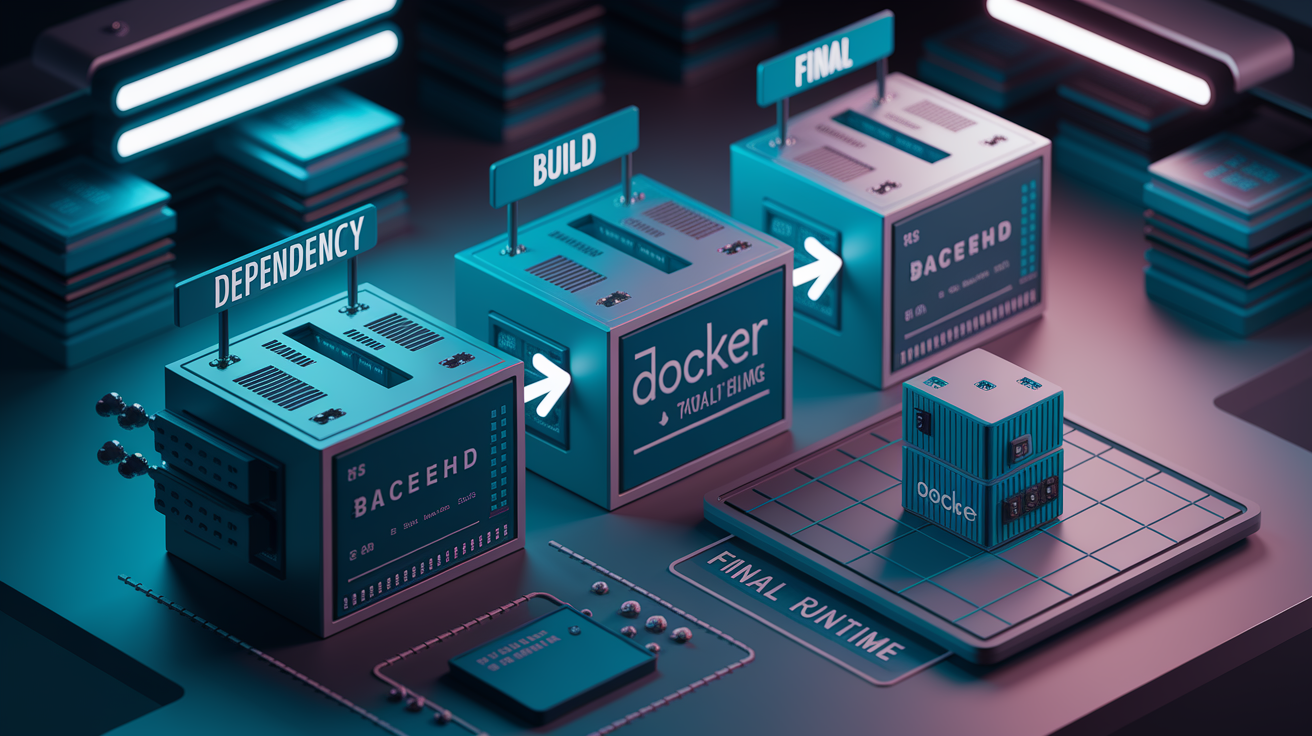
Multi-stage builds split Dockerfiles into multiple FROM statements where each stage does one thing and only necessary stuff moves forward. Build stage gets compilers, dev dependencies, build tools. Final stage receives compiled app and runtime dependencies. Intermediate stages get tossed, so build tooling never bloats production.
Image size and build speed directly impact deployment velocity and infrastructure costs. A 2GB image takes forever to pull on slow networks, burns registry storage, slows down scaling when orchestrators spin up containers. Cached layers speed rebuilds. If only code changed, Docker reuses dependency layers. Generators that structure for optimal caching cut CI/CD times from minutes to seconds.
Typical multi-stage workflow:
Dependency stage copies only manifest files (package.json, requirements.txt, go.mod), installs dependencies, caches this layer heavily.
Build stage copies source, runs build commands, produces artifacts like binaries or bundled JavaScript.
Final runtime starts from minimal base, copies only runtime dependencies and built artifacts, configures non-root user.
Selective COPY uses COPY –from=builder syntax to grab specific files, leaving build cruft behind.
Size reduction often hits 5-10x smaller than single-stage builds with build tools included.
Generators configure these automatically by detecting your stack. Found package.json? Node stages with npm ci. Got go.mod? Go builder with static compilation flags. Python needs requirements.txt before code changes, Java benefits from separate dependency resolution.
Layer Optimization and Caching Strategies
Generators structure RUN commands for cache hits. Instead of scattered apt-get updates, they group package installation early. COPY operations go from least to most changed. Dependencies first, then config, finally code. Code changes don’t invalidate expensive dependency layers.
Cache mounts (RUN --mount=type=cache,target=/root/.cache/pip) keep package caches between builds without bloating final images. Generators using this newer feature speed up dependency installation significantly. Python builds that re-download 200MB of wheels every time instead finish in seconds.
Alpine Linux and Minimal Base Images
Alpine starts around 5MB instead of Debian’s 120MB, attractive for size-conscious deployments. Alpine uses musl libc instead of glibc, which occasionally breaks Python packages with C extensions or Go programs expecting glibc. Generators default to Alpine for languages with good compatibility (Node.js, Go static binaries) but use Debian slim variants (python:3.11-slim) when ecosystems have known issues.
There are trade-offs. Alpine’s smaller size costs you when packages need compilation because build tools (gcc, make) must install and remove in the same layer. Debian slim includes more prebuilt packages. Use Alpine for single static binaries. Choose Debian slim when you need a package manager or hit compatibility problems.
.dockerignore files prevent copying unnecessary stuff that bloats build context and invalidates caches. Generators create entries for node_modules, .git, test directories, build artifacts. This speeds up initial COPY operations and prevents local dev files from breaking containerized builds. Dependency caching like copying manifests first, installing, then copying code ensures changes don’t trigger complete reinstalls.
Security Best Practices and Common Dockerfile Mistakes
Manually written Dockerfiles frequently contain security vulnerabilities that seem minor during dev but create production risks. Developers run as root because it’s easier, use outdated bases with known CVEs, hardcode secrets that leak into layers, skip health checks that would catch failing services. Generators prevent these by encoding best practices into templates, ensuring every generated Dockerfile follows current standards instead of copying insecure patterns from old blog posts.
| Problem | Impact | Generator Solution |
|---|---|---|
| Outdated base image tags (python:3.7, node:12) | Known security vulnerabilities, missing patches, compatibility issues | docker_scout_tag_recommendation suggests current stable versions with security updates |
| Running as root user | Container escape vulnerabilities, excessive permissions, compliance failures | Automatic USER instruction with non-root user (node, app, nobody) |
| Missing .dockerignore | Secrets copied into layers, bloated context, slow uploads | Generated .dockerignore excludes .git, node_modules, test files, local configs |
| Inefficient layer caching | Every code change reinstalls dependencies, slow CI/CD | COPY dependency manifests first, install packages, then copy code |
| Hardcoded secrets (API keys, passwords) | Credentials exposed in history, leaked to registries | Templates use ARG/ENV for secrets, document external secret management |
| No health checks | Orchestrators can’t detect failures, broken services stay running | HEALTHCHECK instruction with framework-appropriate endpoint (HTTP, TCP) |
| Bloated final images with build tools | Larger attack surface, slower deployments, wasted storage | Multi-stage builds leave compilers and dev dependencies in discarded layers |
| Missing vulnerability scanning | Unknown CVEs in dependencies and base images | Templates integrate with docker scout, document scanning in CI/CD |
Stack-specific security guidance prevents language-specific mistakes. Node.js templates never copy nodemodules from host. They run npm ci inside the container for reproducible builds. Python templates avoid installing dev dependencies in production using pip install –no-dev or separating requirements-dev.txt. Go templates compile static binaries with CGOENABLED=0 to eliminate libc vulnerabilities. These patterns get baked in instead of requiring you to remember every security consideration.
Quality generators implement several security features by default. Non-root user config creates a dedicated app user with minimal permissions and switches before ENTRYPOINT. Minimal base selection prefers alpine or slim variants that reduce attack surface. User Namespace Remapping support through proper UID/GID handling ensures containers run unprivileged even if misconfigured. The nobody user works for stateless apps that don’t write files. HEALTHCHECK instructions enable monitoring by defining HTTP endpoints or TCP port checks that orchestrators use to detect and restart unhealthy containers.
Studying generated templates teaches current Docker security practices better than outdated tutorials. Templates show proper secret handling (ARG for build-time, ENV for runtime, both expecting external injection), demonstrate .dockerignore usage, implement principle of least privilege throughout. As Docker releases new security features, maintained generators update templates. You benefit from collective community knowledge instead of researching every CVE bulletin yourself.
Customizing Generated Templates for Development and Production
Generated templates provide working starting points but rarely match exact production requirements without adjustment. A boilerplate Python Dockerfile includes standard dependencies but doesn’t know about your specific database drivers, caching libraries, monitoring agents. Teams customize base images to match approved versions, add app-specific dependencies, configure environment variables that differ across environments, implement company security requirements. Treat generator output as a foundation that encodes best practices while expecting you’ll add project context.
Common customization scenarios:
Changing base versions pins to specific tags (python:3.11.6-slim instead of python:3.11-slim) for reproducible builds or uses internal registry mirrors.
Adding app-specific dependencies installs system packages (postgresql-client, imagemagick) your app needs but standard templates omit.
Configuring environment variables sets DATABASEURL, REDISHOST, LOG_LEVEL differently per environment using ARG/ENV.
Integrating database connections adds wait-for-it scripts or connection pooling configs generic templates omit.
Setting up volume mounts defines VOLUME instructions for uploads, logs, data directories that survive container restarts.
Adding health checks implements HEALTHCHECK with your specific HTTP endpoint or TCP port that actually validates readiness.
ARG instructions define build-time variables you pass during docker build –build-arg ENVIRONMENT=production. ENV instructions set runtime environment variables the application reads. Generators provide common ARG/ENV pairs (like NODE_ENV) but you’ll add environment-specific database URLs, API endpoints, feature flags. Use ARG for values that configure builds (which dependencies to install) and ENV for values the running app needs (which database to connect to).
Development-Specific Container Configuration
Dev containers need different configs than production. Volume mounting with -v $(pwd):/app lets code changes appear immediately without rebuilding. Exposed debugging ports like 8000 for backend and 3000 for frontend enable browser access and debugger attachment. Dev dependencies (pytest, eslint, nodemon) install alongside production packages. Hot-reload through framework dev servers (vite dev, flask –debug) speeds up edit-test cycles. Interactive shell access (docker run -it) helps explore container environment and troubleshoot. Security restrictions relax. Running as root in dev avoids permission issues with mounted volumes.
Docker-compose handles multi-service dev where your app needs database, Redis cache, background worker. The compose file defines services that share a network and reference each other by name. Toggle between dev and production builds using build.args in compose files or separate Dockerfile.dev files that install debugging tools and skip optimization. Dev compose might mount local code, expose extra ports, use sqlite instead of Postgres. Production compose uses built images from registry, restricts ports, expects external database URLs through environment variables.
Preserve generator best practices during customization. If the template uses multi-stage builds, keep that structure when adding dependencies. If it creates non-root user, maintain that pattern even when adding volume mounts (you’ll need to fix permissions). If it optimizes layer caching by copying package manifests first, preserve that ordering when adding files. Debug by checking logs (docker logs container-name), executing shells (docker exec -it container-name /bin/sh), inspecting environment variables (docker exec container-name env).
Version control your Dockerfile modifications and document why you diverged. Comments explaining “we use python:3.11.6-slim instead of 3.11-slim because version 3.11.7 broke our numpy builds” help future maintainers understand constraints. When generator templates update with security improvements, your documentation helps evaluate which customizations to preserve versus which can revert to new defaults.
AI-Powered Dockerfile Creation with GenAI Tools
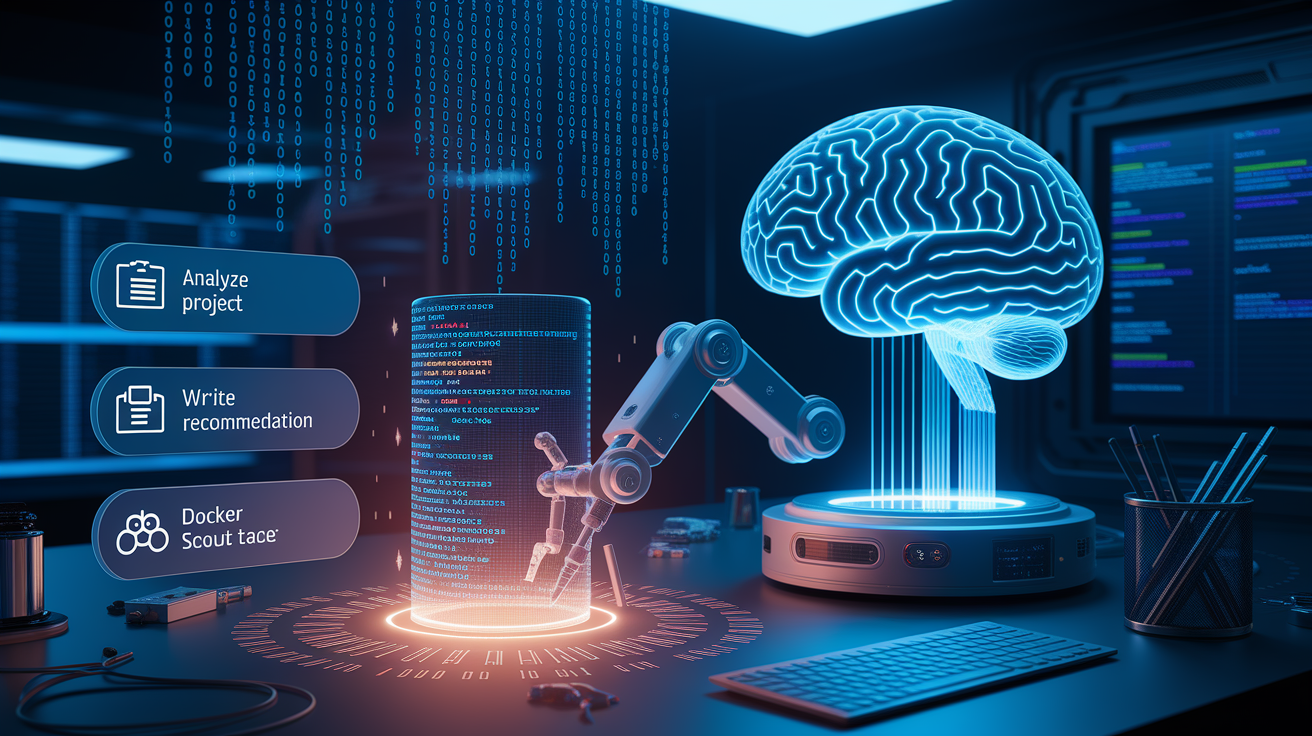
AI generators represent the newest evolution beyond static templates, using large language models to analyze your project structure and generate context-aware Dockerfiles. Instead of selecting “Python” from a dropdown and getting generic templates, these tools examine requirements.txt, detect Flask or Django, notice you’re using PostgreSQL, and generate Dockerfiles that install psycopg2 and include appropriate health checks. The AI understands relationships between project files that static templates can’t, producing starting points closer to production-ready.
Docker Labs and custom implementations equip LLMs like GPT-4 or Llama 3 with specialized functions beyond text generation. The analyzeproject function reads your repo structure, dependency files, configuration to understand what you’re building. The writefiles function creates actual Dockerfiles with proper formatting. The dockerscouttag_recommendation function checks current base image versions and security status, ensuring you don’t start with outdated or vulnerable images. These tools combine high-level system instructions (“create production-ready multi-stage Dockerfiles”), stack-specific best practices in Markdown (how to handle npm, pip, go mod), and callable functions that make the AI actually useful instead of just verbose.
Dynamic prompt engineering adapts to project context and user specs. Base prompt might be “ONLY Generate an ideal Dockerfile for Python with best practices” but if you request “multi-stage build with Alpine and non-root user,” the AI incorporates those requirements. This beats static templates where you’d manually edit generated files. The AI explains choices. “I’m using python:3.11-alpine and creating an ‘app’ user to run the service” helps you learn Docker practices while getting working code.
Local LLM implementations using Ollama and models like llama3.2:3b keep your code private since everything runs on your machine. No project details leave your network, which matters for proprietary codebases. Trade-offs include computational requirements (you need decent GPU/CPU) and slower response times than hosted APIs. Setup involves installing Ollama, pulling the model, running a backend service that interfaces between your generator UI and the local LLM. Hosted services like OpenAI’s API charge per token. Well-crafted prompts that generate fewer tokens cost less, but you’re sending project information to external services.
Unscripted AI behaviors include error recovery where the model fixes invalid JSON after a tool complains and retries the function call. Autonomous task completion happens when the AI determines the Dockerfile is complete and generates a summary of what it built. These behaviors make AI generators feel more capable than static templates, though you still review output before using in production.
CI/CD Pipeline Integration and Microservices Deployment
Dockerfiles generated from templates or AI tools slot directly into automated deployment workflows where every commit triggers builds, tests, deployments. Modern microservices require consistent containerization across dozens of services, each potentially using different languages. Generators produce uniform Dockerfile patterns that work with CI/CD systems while accommodating language differences, letting teams maintain standards without writing infrastructure code by hand for every service.
GitHub Actions, GitLab CI, Jenkins integrate with generated Dockerfiles through config files that define build steps. A GitHub Actions workflow checks out code, builds the Docker image using your generated Dockerfile, runs tests against the container, pushes the image to registry if tests pass. GitLab CI and Jenkins follow similar patterns with different YAML syntax. The Dockerfile itself doesn’t change between CI systems. It’s a standard docker build input.
Typical CI/CD workflow:
Code commit triggers build. Developer pushes to main, webhook notifies CI to start pipeline.
Dockerfile executes in pipeline. CI runner executes docker build using your generated Dockerfile, pulling base images and running all RUN commands.
Tests run against container. Pipeline starts the built container, runs integration tests, checks health endpoints, validates expected behavior.
Image pushed to registry. Successful builds tag images with commit SHA and push to Docker Hub, GHCR, AWS ECR for deployment.
Deployment to staging/production. Orchestrator (Kubernetes, ECS) pulls new image and rolls out containers, monitoring health checks during deployment.
GitHub Actions automatically builds and pushes Docker images to GitHub Container Registry on every push to main. The workflow file references your Dockerfile, sets up registry auth, handles tagging. This pattern scales from single-service projects to organizations with hundreds of microservices all using similar generated Dockerfiles that integrate with the same CI/CD infrastructure.
Microservices and Multi-Container Orchestration
Generators create uniform Dockerfile patterns across service boundaries while respecting language differences. Your user service uses Node.js Dockerfile, billing service uses Python, notification worker uses Go, but all three follow the same multi-stage structure, security practices, health check patterns. This uniformity helps ops teams manage deployments without learning service-specific quirks. Service discovery and networking config that docker-compose or Kubernetes needs works consistently because containers expose ports and respond to health checks in predictable ways.
Docker-compose handles local microservices dev by defining multiple services in one YAML file. Generated Dockerfiles for each service reference from the compose file, which adds networking, volume mounts, environment variables. Typical setup includes API service, frontend service, Postgres database, Redis cache, all starting with docker-compose up. Multi-container deployments use this same pattern in production but with production environment variables and external database URLs instead of containerized databases.
Integration with orchestration platforms like Kubernetes, Docker Swarm, AWS ECS expects Dockerfiles that follow certain conventions. Health checks (HEALTHCHECK instruction or HTTP endpoint) let the orchestrator know when containers are ready for traffic. Proper signal handling (SIGTERM response) enables graceful shutdowns during rolling updates. Non-root users and minimal base images satisfy security policies. Generators that encode these conventions produce Dockerfiles that work when deployed to managed container platforms without requiring rewrites for orchestration compatibility.
Registry selection affects where your CI/CD pipeline pushes built images. Docker Hub offers public and paid private registries. GitHub Container Registry (GHCR) integrates with GitHub Actions and uses GitHub permissions. AWS ECR works with ECS and EKS deployments. All work with generated Dockerfiles. The choice depends on your cloud provider, existing tooling, access control requirements. Artifact management strategies include tagging images with commit SHAs for traceability and semantic versions for releases.
Maintaining consistency across team members and projects using standardized generator outputs prevents Dockerfile sprawl where every service invents its own patterns. When all microservices use generated Dockerfiles from the same tool version, security updates and optimization improvements roll out by regenerating templates. This beats hand-maintaining dozens of similar but different Dockerfiles where best practice improvements require updating each file individually.
Setting Up Your Local Generator Environment

Local installation of Dockerfile generators provides offline access, privacy for proprietary code, customization options that web tools don’t offer. Running generators locally means your project details never leave your machine, which matters for confidential codebases. You can modify generator code, add custom templates, integrate with internal tools. Setup varies by generator type but generally involves installing prerequisites, downloading the tool, configuring options.
Installation and setup:
Tool prerequisites. Install Docker (for testing generated Dockerfiles), Node.js 18+ (for JavaScript generators), Python 3.9+ (for AI tools), Git (for cloning repos).
Downloading generator. Clone the repo with git clone, or install CLI tools via npm install -g dockerfile-generator or pip install dockerfile-tool.
Configuration file setup. Create config files defining default base images, preferred package managers, team-specific patterns, internal registry URLs.
Dependency installation. Run npm install for Node-based generators or pip install -r requirements.txt for Python tools to pull required libraries.
Running the generator locally. Execute CLI commands like dockerfile-gen –language python –framework flask or start web UI servers with npm run dev.
Verifying output. Test generated Dockerfiles with docker build -t test-image . and docker run test-image to ensure they work before committing to repos.
AI generator setup includes additional steps for local LLM tools. Ollama installation (brew install ollama or downloading from ollama.ai) provides the runtime for models. Model pulling with ollama pull llama3.2:3b downloads the language model to your machine (3-4GB download). Starting the Ollama service with ollama serve runs the backend that generator frontends connect to. This setup enables privacy-focused generation where no API calls leave your network.
Web-based generator local hosting splits into backend and frontend components. FastAPI backend runs on port 8000 (python -m uvicorn main:app –host 0.0.0.0 –port 8000), handling Dockerfile generation logic, LLM integration, API endpoints. React frontend runs on port 3000 (npm run dev in the frontend directory), providing the UI where you select languages and specs. Both components run simultaneously. Frontend makes API calls to localhost:8000 to trigger generation. Virtual environment setup (python -m venv myenv and source myenv/bin/activate) isolates dependencies from your system Python.
Updating generators ensures you benefit from new template versions, security improvements, framework support additions. For Git-cloned tools, pull latest changes with git pull origin main. For npm packages, check updates with npm outdated and upgrade with npm install -g package@latest. Python packages update via pip install –upgrade package-name. Check generator changelogs before updating to see if template formats changed in ways that require regenerating Dockerfiles for existing projects.
Final Words
A dockerfile boilerplate generator cuts setup time from hours to minutes and catches security issues before they reach production.
Whether you grab a framework-specific template from GitHub, use a web-based tool with a GUI, or run a local AI-powered CLI, the key is starting with proven patterns instead of reinventing the wheel.
Pick the generator type that matches your workflow, customize it for your project’s specific needs, and let the template handle the boilerplate while you focus on shipping features.
Your containers will be smaller, more secure, and easier to maintain across development, staging, and production environments.
FAQ
What is a Dockerfile generator and why use one?
A Dockerfile generator is an automated tool that creates containerization configuration files based on your project’s language and dependencies, saving you from writing repetitive boilerplate code and ensuring best practices are followed from the start.
Which programming languages do Dockerfile generators support?
Dockerfile generators typically support Node.js, Python, Java, Go, PHP (including Laravel and Symfony), Rust, .NET, and Ruby, with many tools offering framework-specific templates that handle ecosystem conventions automatically.
How do multi-stage builds reduce Docker image size?
Multi-stage builds reduce Docker image size by separating the build environment from the runtime environment, copying only compiled artifacts and runtime dependencies to the final image while leaving build tools and source code behind.
What security mistakes do Dockerfile generators help prevent?
Dockerfile generators help prevent security mistakes like running containers as root, using outdated base images, hardcoding secrets, skipping .dockerignore files, and missing health checks by automatically implementing current security best practices.
Can I customize a generated Dockerfile for my specific project needs?
Yes, you can customize generated Dockerfiles by modifying base image versions, adding project-specific dependencies, configuring environment variables through ARG and ENV instructions, and adjusting settings for development versus production environments.
How do AI-powered Dockerfile generators work?
AI-powered Dockerfile generators work by combining large language models with specialized functions that analyze your project structure, select appropriate base images, and apply stack-specific best practices through dynamic prompt engineering.
What’s the difference between web-based and CLI Dockerfile generators?
Web-based Dockerfile generators provide GUI interfaces in your browser for quick one-off generation, while CLI tools integrate into terminal workflows and automation scripts, offering better repeatability and version control integration.
Should I use Alpine Linux or standard base images?
Alpine Linux produces significantly smaller images (often 50-70% smaller) but may have compatibility issues with certain libraries, while Debian or Ubuntu bases offer better compatibility at the cost of larger image sizes.
How do I integrate generated Dockerfiles into CI/CD pipelines?
Integrate generated Dockerfiles into CI/CD pipelines by adding build steps to GitHub Actions, GitLab CI, or Jenkins that execute the Dockerfile, run tests against the container, and push images to your registry automatically.
What are the benefits of using local LLM-based generators?
Local LLM-based generators keep your code and configuration data on your machine, providing privacy advantages and eliminating per-token API costs, though they require more computational resources and initial setup compared to cloud services.
How do I set up a local Dockerfile generator environment?
Set up a local Dockerfile generator by installing prerequisites (Docker, Node.js, Python), cloning the repository, installing dependencies with npm or pip, configuring any required API keys, and running the generator locally.
What’s the difference between development and production Dockerfiles?
Development Dockerfiles include debugging tools, volume mounts for live code updates, exposed debugging ports, and development dependencies, while production Dockerfiles prioritize minimal image size, security hardening, and optimized layer caching.
How do generators handle docker-compose for multi-container applications?
Generators create docker-compose configurations that orchestrate multiple services (application, database, Redis) with proper networking, volume management, and environment-specific settings for seamless local development and testing workflows.
Can Dockerfile generators create Kubernetes-compatible images?
Yes, Dockerfile generators create portable container images that work with Kubernetes and other orchestration platforms by following standard containerization patterns, implementing health checks, and supporting environment-based configuration through ARG and ENV.
How often should I update my Dockerfile templates?
Update Dockerfile templates whenever base image versions change, security vulnerabilities are discovered, Docker introduces new features like cache mounts, or framework best practices evolve, typically reviewing templates quarterly.