


Stop writing docker-compose files from scratch.
You’re rebuilding the same web–db–cache wiring and reintroducing the same gotchas—missing healthchecks, wrong ports, and broken volume mounts—every project.
This post bundles ready-to-use boilerplate templates (Node+Postgres, Python+Redis, NGINX proxy, Symfony, Rails) with docker-compose.yml, override examples, .env.example, and Dockerfiles you can clone and run in minutes.
Read on for the quick setup, key best practices, and the common pitfalls to avoid so your multi-container app actually starts on the first try.
Ready-to-Use Docker Compose Boilerplate Templates for Fast Multi‑Container Setup

A Docker Compose boilerplate is a pre-configured multi-container stack you can clone and run in minutes. You get a ready-to-go docker-compose.yml, Dockerfiles, and .env examples. Instead of writing service definitions from scratch, you copy docker-compose.override.yml.example to docker-compose.override.yml and run docker-compose up. Done.
Most multi-container stacks follow the same pattern. A web service (Node, Python, PHP), a database (PostgreSQL), a cache (Redis), maybe a background worker or asset compiler. Downloadable templates save hours of setup and eliminate the usual mistakes: missing healthchecks, wrong port mappings, forgotten volume mounts.
The typical boilerplate directory includes docker-compose.yml (production defaults), docker-compose.override.yml.example (local dev overrides), .env.example (sample environment variables), .dockerignore and .gitignore files, one or more Dockerfiles (often multi-stage), and folders like public/ or app/ for your code and static assets. Some frameworks generate application code on demand. The Symfony boilerplate runs at 127.0.0.1:8080 and automatically creates a fresh Symfony 7.0 skeleton using a PHP-FPM container plus NGINX. Others like the Flask, Node, Rails, and Phoenix examples provide complete compose files, CI configurations, and bin/ scripts for ENTRYPOINT tasks.
Ready-to-use boilerplate template types include:
Node + Postgres: Web container with package.json/yarn.lock layer caching, Postgres service with volume persistence, and a worker service sharing the same image.
Python + Redis: Flask or Django app, Redis for session or queue cache, healthcheck endpoint at /up verifying connectivity.
NGINX reverse proxy stack: Static file server or reverse proxy container, upstream application service, shared network for internal communication.
Symfony PHP-FPM + NGINX: Separate FPM execution container and NGINX server container, bind-mounted source in dev, optimized PHP image in production.
Rails + Postgres: Rails web and background job containers, Postgres with init scripts, volume mount for database data, optional Webpack stage for asset compilation.
React frontend container: Node build stage producing static assets, NGINX serving /public, read-only volume when assets are pre-built.
Core docker-compose.yml Boilerplate Structure and Best Practices

Omit the top-level version field when using Docker Compose v1.27 or later. The runtime detects format automatically. Place healthcheck definitions inside docker-compose.yml services rather than in the Dockerfile so environment-specific healthchecks can be overridden. A dev setup can use DOCKERWEBHEALTHCHECK_TEST=/bin/true to silence noisy curl logs.
Publish ports to localhost by default in production. An external NGINX proxy handles public traffic. Allow world access in development via environment variables like DOCKERWEBPORT_FORWARD=8000. Set restart: unless-stopped in production and restart: “no” in development to prevent Docker from auto-starting every local project on reboot.
Use YAML anchors and aliases to reduce duplicated configuration blocks. They can cut repeated 15-line service definitions by half. Profiles (introduced September 2022) let you selectively start services without maintaining separate override files.
| Service | Key Config | Example Value |
|---|---|---|
| web | ports, volumes, healthcheck | ports: [“127.0.0.1:8000:8000”], healthcheck curl localhost:8000/up, volume .:/app |
| db | image, environment, volumes | image: postgres:15, POSTGRES_PASSWORD from .env, named volume db_data:/var/lib/postgresql/data |
| cache | image, restart | image: redis:7-alpine, restart: unless-stopped |
| worker | command, depends_on | command: [“python”, “worker.py”], depends_on db and cache with healthchecks |
| proxy | ports, volumes (config) | ports: [“80:80”], nginx.conf bind-mount, upstream links to web service |
Environment Variable and .env File Setup Inside Docker Compose Boilerplates

Compose reads a .env file in the same directory as docker-compose.yml and substitutes ${VARIABLE} references automatically. Commit .env.example with safe defaults and ignore the real .env file in .gitignore so secrets never reach version control.
Docker Compose 1.26 and later supports export VAR=value syntax inside .env, making the file compatible with both Compose and shell sourcing (source .env). Use .env to store PORT, POSTGRESUSER, POSTGRESPASSWORD, DATABASEURL, REDISURL, DOCKERWEBPORTFORWARD, DOCKERRESTARTPOLICY, and any framework-specific variables like FLASKENV or NODE_ENV.
Environment variables can also be passed to containers via the environment: key in docker-compose.yml or loaded from separate files with env_file: .env.production. Prefer production defaults in .env.example and override risky or environment-specific settings in docker-compose.override.yml or via shell export before running docker-compose up.
Always define sensitive variables (API keys, database passwords) in .env. Never hard-code them in the Compose file or Dockerfile. For secrets management in production, use Docker secrets (Swarm) or mount credential files at runtime and reference them via environment variables pointing to the file path, for example, DATABASEPASSWORDFILE=/run/secrets/db_password.
Boilerplates should include a .env.example entry for every required variable with a placeholder or safe default so new users know what to configure before their first docker-compose up.
Boilerplate Templates for Databases: PostgreSQL and Redis Service Configuration

PostgreSQL and Redis are the most common persistence and cache services in Docker Compose boilerplates. The Postgres service uses the official postgres image, accepts POSTGRESUSER, POSTGRESPASSWORD, and POSTGRESDB environment variables, and mounts a named volume (for example, dbdata:/var/lib/postgresql/data) to persist data across container restarts.
Some templates include an init script directory (./init-scripts:/docker-entrypoint-initdb.d) that automatically runs .sql or .sh files on first launch to create schemas, seed data, or configure extensions. The Redis service typically uses redis:7-alpine, requires no environment variables, and can optionally persist data with a volume mount on /data if you enable RDB snapshots or AOF logging.
Health endpoints in the web app should verify both database and cache connectivity before reporting healthy status. A minimal /up route runs a lightweight query (SELECT 1 in Postgres, PING in Redis) and returns HTTP 200 only if both services respond within a few milliseconds. This pattern prevents the orchestrator from routing traffic to a web container that can’t reach its dependencies.
Define healthcheck in docker-compose.yml for the web service using curl localhost:8000/up and set dependson with condition: servicehealthy so worker services wait for the database to be ready before starting.
Best database service configurations:
Use named volumes instead of bind mounts for database data to avoid permission issues and improve I/O performance on macOS and Windows.
Set POSTGRESPASSWORD and REDISPASSWORD (if auth is enabled) via .env. Never commit real credentials.
Include a healthcheck for Postgres using pg_isready and for Redis using redis-cli ping.
Mount init scripts to /docker-entrypoint-initdb.d in Postgres to automate schema creation and migrations on first boot.
Expose internal ports (5432 for Postgres, 6379 for Redis) only on the Docker network. Publish to localhost only when debugging from the host.
Framework-Specific Docker Compose Boilerplates (Node, Flask, Django, Rails, Symfony)

Framework-specific boilerplates tailor service definitions, Dockerfile stages, and environment variable patterns to match each ecosystem’s conventions. Node boilerplates use multi-stage builds with a webpack stage and an app stage. The first stage compiles frontend assets, and the second copies only /public into a lighter runtime image.
Flask and Django templates define PYTHONUNBUFFERED=true and PYTHONPATH=. in the Dockerfile, bind-mount source code for live reload in development, and run migrations via an ENTRYPOINT script or a dedicated init container. Rails stacks typically include a web service, a background job worker (Sidekiq), Postgres, Redis, and sometimes a dedicated webpack or asset-compilation stage.
Symfony boilerplates split execution across PHP-FPM and NGINX containers, with PHP-FPM handling .php requests and NGINX serving static files from a shared /public volume.
All framework boilerplates should EXPOSE the application port (usually 8000 or 3000) in the Dockerfile for informational purposes and include a health endpoint at /up that checks database and cache connectivity before returning 200 OK. Environment variables like PORT (Heroku-compatible), DATABASEURL, and REDISURL should be injected via .env and referenced in docker-compose.yml as ${DATABASE_URL}. Static assets are commonly served from /app/public or /public and can be generated at build time (multi-stage) or runtime (ENTRYPOINT script).
Node/Flask/Django Service Layout
Node applications install dependencies by copying package.json and yarn.lock (or package-lock.json) first, then running yarn install or npm ci, and finally copying source code. This order maximizes Docker layer caching so dependency layers rebuild only when manifests change.
Customize the Yarn modules folder with a .yarnrc file (–modules-folder /nodemodules) to keep nodemodules outside the app working directory and avoid volume mount clobber. Flask and Django apps copy requirements.txt, run pip install –user (PATH must include ~/.local/bin), set PYTHONUNBUFFERED=true, and define CMD as an array ([“gunicorn”, “app:app”]) to run the process as PID 1 and correctly handle signals.
Health endpoints in these frameworks are lightweight routes. express.get(‘/up’) in Node, @app.route(‘/up’) in Flask. They execute SELECT 1 or PING and return JSON or plain text. Include a timeout of 1–2 seconds so slow queries fail the healthcheck instead of blocking indefinitely. Always log to stdout so Docker’s logging driver (journald, json-file, or CloudWatch) can aggregate and forward logs without custom file-watching or log-rotation logic inside the container.
Rails and Symfony Multi-Container Patterns
Rails boilerplates often define three services: web (Puma or Unicorn), worker (Sidekiq), and db (Postgres). The web and worker services use the same Dockerfile and image but override CMD. The web runs bin/rails server, and the worker runs bundle exec sidekiq. Both share DATABASEURL and REDISURL from .env.
A Webpack service can compile assets in development mode with live reload by running bin/webpack-dev-server, or assets can be precompiled during the Docker build using a multi-stage Dockerfile and copied into /app/public.
Symfony boilerplates typically use two containers: a PHP-FPM container (image built from php:8.2-fpm) and an NGINX container (official nginx:alpine). The FPM container installs Composer dependencies, sets the working directory to /var/www/html, and exposes port 9000 (FastCGI). The NGINX container bind-mounts a custom nginx.conf that proxies .php requests to php-fpm:9000 and serves static files directly from /var/www/html/public.
Both containers share the application source via a volume mount in development or a COPY in the production Dockerfile. This separation allows independent scaling. Run multiple FPM replicas behind a single NGINX instance.
Building Images and Using Dockerfile Multi‑Stage Patterns Inside Boilerplates
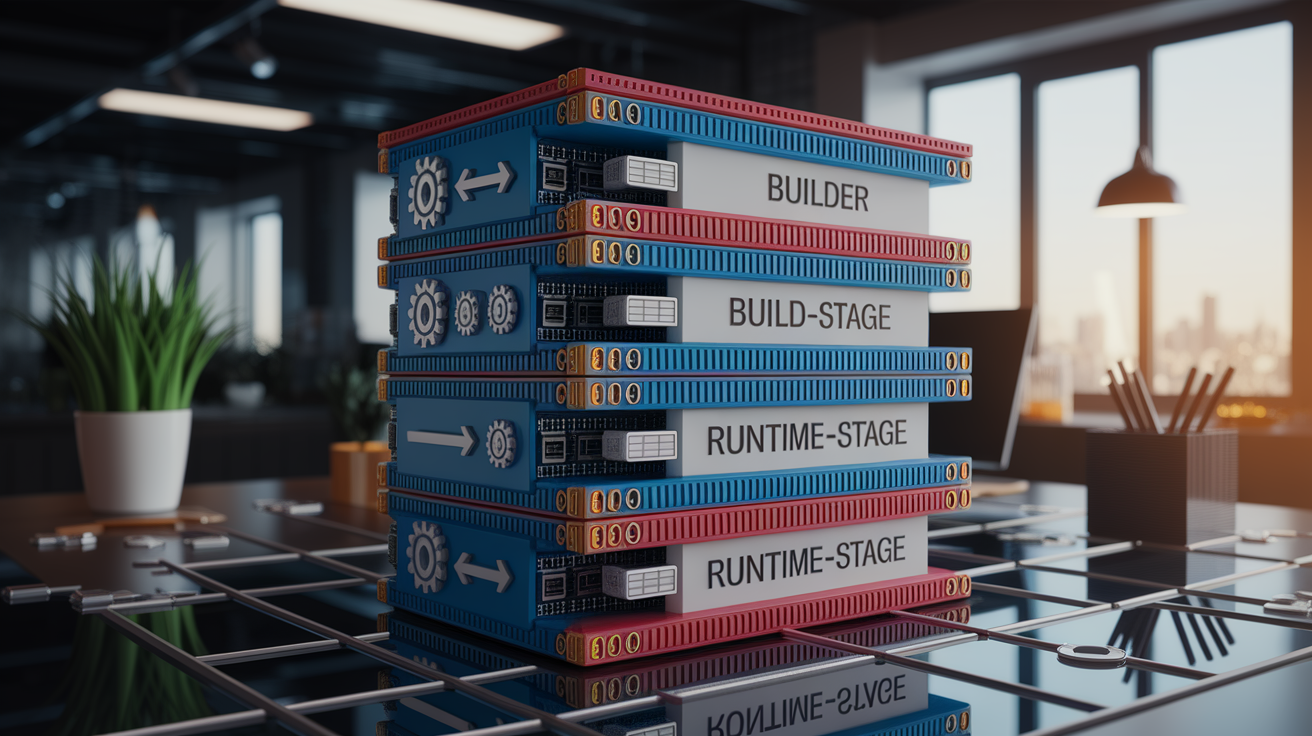
Multi-stage Dockerfiles split the build into two or more FROM statements: a build stage that installs build tools (Node, webpack, gcc) and compiles assets, and a runtime stage that copies only final artifacts and runs the application.
Use COPY –from=webpack /app/public /app/public to move compiled JavaScript and CSS into the runtime image without bundling Node modules or webpack configs. Name each stage (FROM node:18 AS webpack) to reference it explicitly and keep the final image small. Removing build dependencies can reduce image size by 200–500 MB.
Build arguments (ARG NODEENV=production, ARG UID=1000, ARG GID=1000) let you customize the build without editing the Dockerfile. Define build: args: in docker-compose.yml and read them from .env (NODEENV: ${NODE_ENV}) so a single .env file controls both runtime and build-time configuration.
Set frequently changing environment variables (PORT, DATABASE_URL) with ENV in the Dockerfile only when they’re constant across environments. Otherwise inject them at runtime via docker-compose.yml.
Caching and multi-stage benefits:
Copy manifest files (package.json, yarn.lock, requirements.txt) before source code so dependency layers rebuild only when dependencies change.
Use COPY –chown=node:node or COPY –chown=1000:1000 to set correct ownership and avoid permission errors when running as a non-root user.
EXPOSE the application port (EXPOSE 8000) for documentation. docker container ls will show the internal port even if not published.
Prefer array syntax for CMD (CMD [“python”, “app.py”]) to run the process as PID 1 and handle SIGTERM for graceful shutdown.
Running, Managing, and Troubleshooting Docker Compose Boilerplates

Run docker-compose up to start all services. Compose automatically merges docker-compose.override.yml if present. Add -d to run in detached mode or –build to force image rebuilds before starting containers. Use docker-compose logs -f to tail logs from all services or docker-compose logs -f web to follow a single service.
Check running containers with docker container ls and verify internal ports, healthcheck status, and uptime. If a service fails to start, inspect its logs with docker-compose logs
Test healthchecks manually by running docker-compose exec web curl localhost:8000/up or docker-compose exec db pg_isready. If a container exits immediately, override the command with docker-compose run –rm web /bin/sh to start an interactive shell and debug missing files, permissions, or configuration errors.
When bind mounts cause issues in CI (UID mismatch between host and container), either disable volumes in a separate docker-compose.ci.yml or pass –build-arg UID=$(id -u) GID=$(id -g) to match host and container user IDs.
Restart policies can cause confusion. restart: unless-stopped means the container restarts on failure but not after manual docker-compose stop, while restart: “no” requires manual start after every reboot.
Common troubleshooting steps include clearing old volumes (docker-compose down -v), removing orphaned containers (docker-compose down –remove-orphans), pruning unused images (docker image prune), and verifying network connectivity with docker-compose exec web ping db to confirm service discovery. If ENTRYPOINT scripts fail, add set -e and echo statements for visibility and ensure scripts have executable permissions (chmod +x bin/docker-entrypoint.sh before COPY).
Production-Ready Docker Compose Boilerplates and Deployment Patterns

Production Compose files remove bind mounts, enable restart: unless-stopped, define CPU and memory limits, publish ports to 127.0.0.1 only, and rely on external NGINX or a load balancer to expose services publicly.
Resource limits prevent runaway containers from consuming all host memory. Knowing that your app uses ~75 MB at idle lets you plan capacity. A 1 GB server can safely host 10 instances. Use deploy: resources: limits: and reservations: to set hard caps (memory: 256M) and guaranteed minimums (cpus: ‘0.5’).
Healthchecks become critical in production. Define interval, timeout, retries, and start_period to give services time to initialize before the first check.
Profiles (profiles: [“worker”]) replace docker-compose.override.yml for selective service control. Start only the web and db with docker-compose –profile core up or add worker with –profile worker. Multi-stage builds optimize production images by excluding dev tools. A Node build compiles assets in one stage and the final image contains only the /public output and the Node runtime.
Use .dockerignore to exclude .git/, node_modules/, pycache/, and test files so COPY operations stay fast and images remain small.
| Feature | Production Recommendation |
|---|---|
| Restart policy | restart: unless-stopped for automatic recovery; use no in development to prevent auto-start |
| Port publishing | Bind to 127.0.0.1:8000:8000 so only localhost or reverse proxy can access; never 0.0.0.0 in prod |
| Healthchecks | Define in docker-compose.yml with curl localhost:8000/up; set interval 30s, timeout 3s, retries 3, start_period 40s |
| Resource limits | Set memory: 256M and cpus: ‘1.0’ under deploy.resources.limits; monitor actual usage first |
CI Integration and Automated Boilerplate Workflows

CI pipelines automate image builds, run tests inside containers, scan for vulnerabilities, and push tagged images to a registry. Example boilerplates include GitHub Actions workflows that install Docker Compose, copy .env.example to .env, run docker-compose build, start services with docker-compose up -d, execute tests (docker-compose exec -T web pytest), and tear down with docker-compose down.
Disable bind mounts in CI or pass build arguments to match UID/GID so file ownership stays consistent. Many boilerplates define a docker-compose.ci.yml that overrides volumes and uses cached layers from the registry.
Caching Docker layers in CI speeds builds dramatically. GitHub Actions offers actions/cache to store /var/lib/docker or layer tarballs between runs. Build multi-stage Dockerfiles by copying package.json and yarn.lock first, running yarn install, and then copying source. CI rebuilds only changed layers.
Use docker build –cache-from to pull the previous image and reuse its layers when building the new one. Trivy and Snyk scan images for known CVEs. Add a CI step that runs trivy image
Common CI steps for Docker Compose boilerplates:
Check out repository code and set up Docker and Compose runtime.
Copy .env.example to .env and populate secrets from CI environment variables or secret stores.
Run docker-compose build with –build-arg flags for cache or build-time configuration.
Start services in detached mode (docker-compose up -d) and wait for healthchecks to pass.
Execute test suites inside containers using docker-compose exec -T to avoid TTY errors.
Scan built images with Trivy (trivy image) or Snyk (snyk container test) and fail on high-severity findings.
Tag and push images to a registry (Docker Hub, ECR, GCR) if tests pass, using docker-compose push or docker tag + docker push.
Final Words
in the action, you got a pack of ready-to-use templates, core docker-compose.yml patterns, .env handling, and database plus framework-specific examples. We also covered Dockerfile multi-stage tips, running and debugging commands, production recommendations, and CI steps.
Use the templates (docker-compose.yml, Dockerfile, .env, .env.example) as a baseline, tweak ports, healthchecks, and volumes, and run quick checks with docker compose up and logs.
These docker compose boilerplate pieces should cut setup time and reduce surprises. Give one a try — you’ll ship faster.
FAQ
Q: What is a Docker Compose boilerplate?
A: A Docker Compose boilerplate is a ready-to-use repo with docker-compose.yml, Dockerfiles, .env.example, and common services so you can spin up a multi-container app quickly and consistently.
Q: What files and directory structure does a good boilerplate include?
A: A good boilerplate includes docker-compose.yml, docker-compose.override.yml, Dockerfile(s), .env and .env.example, .dockerignore, entrypoint scripts, and folders for app, config, and volumes for persistence.
Q: How are multi-container stacks commonly structured and which services should I expect?
A: Multi-container stacks are structured with a web app service, DB (Postgres), cache (Redis), optional worker, and reverse proxy. Each service has its Dockerfile, networks, volumes, and healthchecks configured in compose.
Q: How should I manage environment variables and .env files in boilerplates?
A: Manage envs by committing .env.example, ignoring real .env, using env_file or variable substitution in compose, and keeping secrets out of git (use Docker secrets or CI vaults for real secrets).
Q: How do I configure Postgres and Redis inside a compose boilerplate?
A: Configure Postgres and Redis by setting POSTGRES_ envs, DATABASEURL and REDISURL, mounting volumes for persistence, adding healthchecks, and providing init or migration scripts run by init or worker services.
Q: When should I use Dockerfile multi-stage builds in a boilerplate?
A: Use multi-stage builds when you need smaller production images and asset compilation (Node webpack, Rails assets). Build assets in one stage, copy final artifacts into a minimal runtime image.
Q: What are key compose best practices to include in a boilerplate?
A: Key best practices are omitting top-level version, using override files or profiles, adding healthchecks, setting sensible restart policies, defining resource limits, and validating with docker compose config/validate.
Q: How do I run and troubleshoot a boilerplate locally?
A: Run and troubleshoot by using docker compose up (with override auto-merge), docker compose logs, docker compose exec for shell, checking health endpoints (e.g., /up), and inspecting containers with docker container ls and logs.
Q: What production changes should I make to a development boilerplate?
A: For production, set restart=unless-stopped, add CPU/memory limits, use profiles or separate compose files, enable multi-stage builds, publish only necessary ports behind an NGINX proxy, and use proper secret management.
Q: How do CI pipelines typically work with compose boilerplates?
A: CI pipelines build multi-stage images, cache layers by copying manifest files first, avoid bind mounts, run migrations and tests inside containers, and include vulnerability scans (Trivy/Snyk) before publishing artifacts.
Q: What common pitfalls or gotchas should I watch for with boilerplates?
A: Common gotchas are committing real .env files, bind-mount permission errors, missing healthchecks, inefficient Dockerfile layer ordering (breaking cache), and using bind mounts in CI which can cause flaky builds.