


Think paying per-seat for SCA is the only way to keep dependencies safe?
Dependency-Track proves you can run continuous software composition analysis (SCA) without vendor lock-in.
It’s an OWASP-backed, open source SBOM server that ingests CycloneDX/SPDX files, matches PURLs to multiple vulnerability feeds, and alerts you before bad components hit production.
Run it in Docker, Kubernetes, or on-prem, keep full control over data and integrations, and avoid surprise licensing bills.
This post shows what Dependency-Track does, how to deploy it, and where it fits in your security toolchain.
Core Functions and Purpose of Dependency-Track as an Open Source SCA Platform

Dependency-Track is an OWASP-backed open source Component Analysis platform that gives you continuous visibility into every software component and dependency running in your applications. It’s a software composition analysis solution that ingests Software Bill of Materials (SBOM) files and matches them against multiple vulnerability intelligence feeds to catch security risks before they hit production.
The platform works as a software bill of materials server that supports CycloneDX as its primary format, plus SPDX, SWID, and Package URL (PURL) identifiers. Upload an SBOM and Dependency-Track automatically checks each component against feeds like the National Vulnerability Database (NVD), GitHub Advisories, Sonatype OSS Index, and VulnDB, then flags any known CVEs tied to those components. After local install, default credentials are admin/admin at localhost:8080 (frontend) and localhost:8081 (API). Change that immediately after you spin up the Docker containers.
Four reasons Dependency-Track stands out as an open source SBOM server:
- Zero licensing cost per developer or repository. No per-seat fees like the commercial SCA products charge.
- Full control over deployment, data retention, and integration patterns. No vendor lock-in.
- Community-driven feature roadmap. Transparency into source code and security practices.
- Extensible REST API and notification framework. Build custom automation and alerting workflows.
The platform includes a policy compliance engine, role-based access control, vulnerability audit trails, and a notification framework that fires alerts when new vulnerabilities pop up or risky components get added to projects.
SBOM Standards and Dependency-Track’s Open Source Format Support

Dependency-Track supports multiple SBOM standards to work across different ecosystems and tooling. CycloneDX is the preferred format for application security use cases. Project maintainers recommend it because it natively supports vulnerability metadata, licensing details, and component relationships. SPDX is also fully supported, especially in environments with regulatory or compliance requirements tied to Linux Foundation standards. Package URL (PURL) identifiers serve as the core component identity mechanism. They enable precise matching across vulnerability databases regardless of the SBOM format used. PURL acts like a fingerprint for each component, so Dependency-Track can map a package from npm, Maven, or PyPI to the right CVE entries.
The ingestion API accepts SBOM files via REST endpoints or manual upload through the web UI. When you upload an SBOM to a project, the backend parses component metadata, extracts PURLs, and queues analysis tasks to correlate components with known vulnerabilities. Teams can generate SBOMs with their preferred tooling (CycloneDX CLI, Syft, cyclonedx-npm, etc.) and publish results without being locked into a single vendor format.
| SBOM Standard | Primary Use Case | Notes |
|---|---|---|
| CycloneDX | Application security and CI/CD pipelines | Recommended format; includes native vulnerability and license metadata |
| SPDX | Compliance and regulatory reporting | Widely adopted in embedded and Linux Foundation projects |
| SWID | Enterprise asset management | Supported for legacy compatibility; less common in DevOps workflows |
| Package URL (PURL) | Universal component identity | Core identifier used internally to map components across all formats |
Deployment Options for Dependency-Track in Open Source Environments
The official deployment package for Dependency-Track is distributed as a Docker Compose configuration with two containers: an API server (dependencytrack/apiserver) and a frontend server (dependencytrack/frontend). The frontend listens on port 8080 and serves the web UI. The backend API runs on port 8081 and handles SBOM ingestion, vulnerability analysis, and policy enforcement. The API container must run as a single instance because it doesn’t natively support horizontal scaling or built-in high availability clustering. Production deployments need to account for this limitation when designing for uptime and resilience.
You can deploy Dependency-Track on-premises using Docker or Docker Compose, or host it in the cloud using managed container services like Azure Container Apps, Azure Kubernetes Service (AKS), AWS Elastic Container Service (ECS), or Google Kubernetes Engine (GKE). Cloud deployments often pair the containers with managed databases and load balancers, though you’ll still need to make sure only one replica of the API container runs at a time. Some teams run the frontend with multiple replicas behind a load balancer and keep the API as a single instance with health-check-based failover. If you’re hosting on AKS, scale the frontend deployment to 3 replicas but keep the API at 1 to avoid data corruption.
Five common deployment patterns:
- Local development. Docker Compose on a laptop or VM for testing and proof-of-concept workflows.
- On-prem production. Docker or Podman on dedicated hardware with external PostgreSQL and a reverse proxy like Nginx or Traefik.
- Kubernetes single-node. Helm chart or manual manifests on a single-node cluster, useful for small teams with limited infrastructure.
- Cloud container service. Azure Container Apps, AWS ECS, or Google Cloud Run for managed scaling and ingress without Kubernetes overhead.
- Kubernetes multi-node. AKS, EKS, or GKE with external database, persistent volumes for the data directory, and ingress controllers for HTTPS termination.
All deployment patterns must map a persistent volume or file share to the Dependency-Track data directory and securely store the encryption key. This preserves notification settings, API keys, and audit history across container restarts.
Database, Persistence, and Production-Grade Configuration for Dependency-Track
Dependency-Track ships with an embedded H2 database by default, but H2 isn’t suitable for production workloads. Data corruption risks and lack of transaction durability during container restarts or crashes make it a non-starter. The recommended production configuration uses an external SQL database such as PostgreSQL or Azure SQL Server, configured via environment variables on the API container. When using a cloud-hosted database, teams should provision a private endpoint or VNet integration to isolate database traffic from the public internet and reduce the attack surface.
Persistence in Dependency-Track requires two critical elements: the data directory and the encryption key. The data directory stores uploaded SBOMs, vulnerability scan results, policies, and notification templates. If this directory isn’t mapped to a persistent volume or file share, email notifications will fail to send because the platform can’t retrieve the stored SMTP configuration after a restart. The encryption key protects sensitive data like API keys and LDAP credentials. It must be backed by the same persistent storage to make sure decryption succeeds after failover or redeployment. Losing the encryption key means you lose access to all stored secrets, including API tokens and SSO configurations.
Five persistence and production-grade configuration requirements:
- Map the Dependency-Track data directory to a cloud file share (Azure Files, AWS EFS, Google Filestore) or a persistent volume in Kubernetes.
- Store the encryption key in the same persistent location as the data directory, not in environment variables or container images.
- Use an external SQL database (PostgreSQL 12+, Azure SQL) with automated backups and point-in-time restore enabled.
- Put together a disaster recovery plan that includes SBOM export, database snapshots, and documented recovery procedures.
- Configure data retention policies to periodically purge old vulnerability scan results and archived projects to manage storage growth.
Cloud providers often offer private endpoints or service endpoints that allow database connections to bypass public routing. Azure SQL with a private endpoint inside the Azure Container Apps virtual network means only the Dependency-Track API container can reach the database. All traffic stays within the Azure backbone.
Authentication and Access Control in the Dependency-Track Open Source Stack

Dependency-Track supports multiple enterprise authentication methods including OAuth2, OpenID Connect (OIDC), LDAP, and Active Directory for single sign-on. OIDC integration is commonly used with identity providers like Entra ID (formerly Azure AD), Okta, or Keycloak. To configure OIDC with Entra ID, you must register a Single Page Application (SPA) in the Azure portal, set the redirect URI to match your Dependency-Track frontend (for example, https://dependencytrack.example.com/static/oidc-callback.html), and add a groups claim to the token configuration so that group memberships are included in the ID token returned to Dependency-Track.
The platform uses role-based access control (RBAC) to assign permissions to teams and individual users. Each team in Dependency-Track can have one or more roles such as Portfolio Manager, Project Creator, or Vulnerability Analyst. Users inherit permissions based on their team membership. When using OIDC with Entra ID, Dependency-Track maps users to teams by comparing the ObjectID of the Entra ID group (not the display name) to the configured OpenID Connect Group in the platform. User membership is dynamically synchronized on each login. Changes to group membership in Entra ID are reflected immediately in Dependency-Track, but it also means manual team assignments inside Dependency-Track will be overwritten on the next sign-in. If you manually add a user to a team in the UI, their next OIDC login will reset their membership based on what’s in Entra ID.
Multi-tenant deployments require careful planning of team and project hierarchies. Large organizations often create one team per department or product line, assign a unique set of projects to each team, and use OIDC group claims to automate membership. API keys are scoped to teams rather than individual users. This simplifies automation and CI/CD integration but requires strict controls over who can view or regenerate team API keys.
Role & Team Mapping Requirements
When configuring group-based access control, you must use the Entra ID group ObjectID (a GUID) rather than the group display name. This value is found in the Azure portal under the group properties and must be pasted into the Dependency-Track OpenID Connect Groups configuration. The groups claim in the Entra ID token configuration must also be enabled and set to include Security Groups or All Groups, depending on your organization’s group structure.
Sign-in workflows will overwrite any manual team assignments, so manage membership exclusively through the identity provider once OIDC is enabled. If a user needs access to multiple teams, add them to multiple Entra ID groups and map each group’s ObjectID to a corresponding Dependency-Track team.
Microsoft Graph API permissions are required for Entra ID integration. The application registration must request email, openid, profile, and GroupMember.Read.All permissions to retrieve group memberships. These permissions must be granted by an Azure AD administrator before users can successfully authenticate and inherit team memberships.
SBOM Creation Workflows and Supported Open Source Tooling

SBOM generation is external to Dependency-Track. The platform is designed to consume SBOMs produced by a wide variety of open source tools. Teams select SBOM generators based on their language ecosystems, build systems, and desired level of detail. CycloneDX CLI is a universal tool that can merge multiple SBOMs into a single BOM file. Useful when a project includes both backend and frontend components that generate separate SBOMs during the build process.
For Node.js projects, cyclonedx-npm is the standard tool and integrates natively with npm package.json files to produce accurate component inventories. Yarn projects currently require CdxGen because an official cyclonedx-yarn equivalent isn’t yet available, but CdxGen has a known limitation: it incorrectly includes devDependencies in the SBOM. This inflates vulnerability counts and can trigger false positives during policy enforcement. Go projects use cyclonedx-gomod, which scans go.mod and go.sum files to generate CycloneDX BOMs. For container images and multi-language repositories, Syft from Anchore is a popular choice. It can scan filesystems, container layers, and archives to discover components across multiple ecosystems in a single pass. Syft is like a Swiss Army knife for SBOM generation. Point it at a container image and it’ll extract Python, npm, and Alpine packages in one scan.
| Tool | Ecosystem | Key Notes |
|---|---|---|
| cyclonedx-npm | Node.js (npm) | Official CycloneDX tool; excludes devDependencies by default |
| CdxGen | Node.js (Yarn, pnpm) | Supports Yarn but incorrectly includes devDependencies |
| cyclonedx-gomod | Go | Scans go.mod and go.sum; warns if license metadata is missing |
| Syft | Multi-language, containers | Scans container images, filesystems, and archives; supports SPDX and CycloneDX output |
| CycloneDX CLI | Universal (merging) | Merges multiple CycloneDX SBOMs into one; useful for monorepos |
| libsbom | Language-agnostic | Library for programmatic SBOM creation; less common in CI/CD workflows |
The choice of tool impacts accuracy and completeness. cyclonedx-gomod will warn if it can’t find license information in the Go module metadata, which can help teams address compliance gaps before the SBOM reaches Dependency-Track. CycloneDX CLI is most useful in monorepo scenarios where a frontend SBOM (from npm) and a backend SBOM (from Maven or Go) need to be combined into a single project BOM. When using CdxGen for Yarn projects, teams should expect higher vulnerability counts because of the devDependencies inclusion. You may need to adjust policy thresholds or manually filter the SBOM before upload.
CI/CD Integration and Automation with Dependency-Track
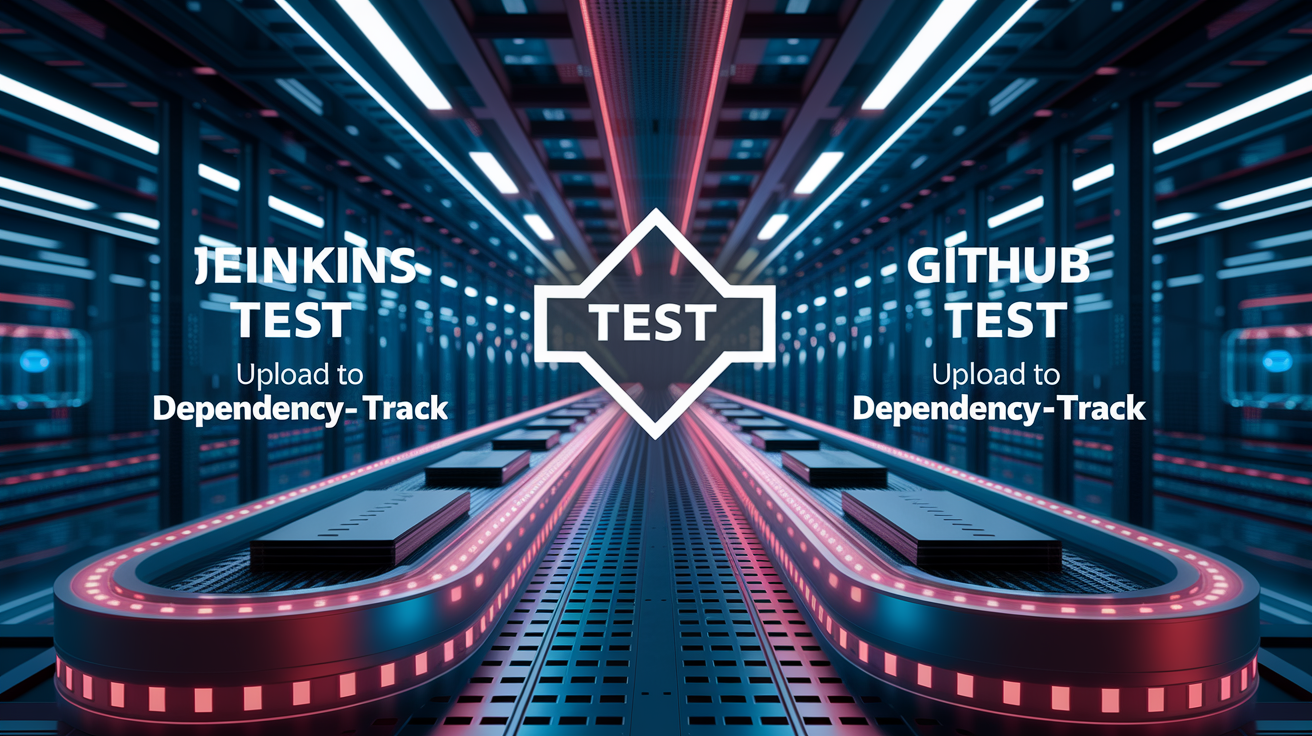
Dependency-Track is designed for automated SBOM ingestion as part of continuous integration and delivery pipelines. The official project provides a Jenkins plugin and a GitHub Action for streamlined integration, but any CI/CD platform can interact with Dependency-Track using its REST API. SBOM uploads require two pieces of information: the Project UUID (a unique identifier for the target project in Dependency-Track) and an API Key (retrieved from the admin interface under Teams). Both values should be stored as secrets in the CI/CD platform to prevent exposure in build logs or version control.
The most common upload method is a curl command or HTTP client that posts the SBOM file to the /api/v1/bom endpoint with the Project UUID and API key in the request headers. For Azure DevOps users, the upload-bom-dtrack-task@1 extension adds native support for uploading SBOMs and enforcing vulnerability thresholds directly in the pipeline. Thresholds let teams define acceptable risk levels. Zero critical vulnerabilities, a maximum of four high-severity findings, unlimited medium or low findings. The pipeline will fail if those thresholds are exceeded. Setting thresholdCritical to 0 means any critical CVE will instantly fail the build, forcing the team to address it before merging.
Six-step integration workflow for automating SBOM upload in a CI/CD pipeline:
- Generate the SBOM during the build stage using the appropriate tool for your language ecosystem (cyclonedx-npm, Syft, etc.).
- Publish the SBOM file as a build artifact so it can be retrieved by downstream jobs or archived for compliance audits.
- Retrieve the Project UUID from Dependency-Track by navigating to the project details page or querying the /api/v1/project endpoint.
- Create or retrieve an API key from the Automation team in Dependency-Track’s admin interface and store it as a secret in your CI/CD platform.
- Upload the SBOM using curl, the Dependency-Track extension, or the official GitHub Action, passing the Project UUID and API key in the request.
- Optionally configure vulnerability thresholds (thresholdCritical, thresholdHigh, thresholdMedium, thresholdLow, thresholdUnassigned) and set the failure action (warn or fail).
Threshold properties are particularly useful for staged rollouts. A team might start by setting thresholdAction to “warn” to observe vulnerability trends without breaking builds, then switch to “fail” once baseline vulnerabilities are remediated. The thresholdHigh property controls the maximum number of high-severity vulnerabilities allowed. thresholdHigh: 4 means the pipeline will fail if five or more high-severity CVEs are detected.
GitHub Actions integration uses the official dependency-track/upload-scan action, which handles authentication and retry logic automatically. Jenkins users can install the Dependency-Track Plugin from the Jenkins Update Center and configure it with the API URL and credentials in the global settings.
Vulnerability Intelligence Sources and Analysis Capabilities

Dependency-Track correlates uploaded SBOM components against multiple vulnerability intelligence feeds to identify known CVEs. The platform natively integrates with the National Vulnerability Database (NVD), GitHub Advisories, and Sonatype OSS Index, with optional support for VulnDB and other proprietary feeds in enterprise deployments. Each component’s Package URL (PURL) serves as the matching key. Dependency-Track can map a specific package version in your SBOM to vulnerability records published by those feeds.
When you upload a new SBOM, the backend queues analysis tasks that look up each PURL in the local vulnerability cache and fetch updates from upstream sources if the cache is stale. CVE records include CVSS scores (both v2 and v3), severity ratings, and links to advisories with remediation guidance. Dependency-Track displays this information in the Audit Vulnerabilities view, where users can mark findings as false positives, suppress them with justifications, or track remediation progress. Marking a CVE as ‘not affected’ with a written justification keeps the audit trail clean and helps the next person understand why it was suppressed.
Four core capabilities:
- Automatic synchronization with NVD, GitHub Advisories, and OSS Index to keep CVE data current.
- PURL-based component identity to accurately match vulnerabilities across ecosystems (npm, Maven, PyPI, NuGet, etc.).
- CVSS v2 and v3 scoring with severity classification (Critical, High, Medium, Low, Unassigned).
- Alerting on new vulnerability disclosures, with notifications triggered when a previously clean component is later linked to a CVE.
The dependency graph view visualizes transitive dependencies. Easier to trace where a vulnerable component is introduced. If a front-end application depends on react-router, which in turn depends on a vulnerable version of history, the graph will show the full chain and help the team decide whether to upgrade react-router or pin the history version as a workaround.
Policy Engine, Governance, and Open Source Compliance Features

Dependency-Track includes a policy engine that lets teams define rules for acceptable component risk and automatically enforce those rules during SBOM analysis. Policies can be configured to trigger warnings or hard failures based on conditions such as vulnerability severity, license type, component age, or the presence of specific packages. A common policy example is a Security Violation policy set to violation state “warn” with conditions for Severity equals Critical and Severity equals High. This flags any SBOM containing components with critical or high vulnerabilities but doesn’t block the build.
License compliance is supported when SBOMs include license metadata for each component. Dependency-Track can flag components with non-permissive licenses (GPL, AGPL) or unknown licenses. Legal and compliance teams can assess open source usage before release. The Policy Compliance dashboard aggregates policy violations across all projects, giving portfolio managers a high-level view of risk exposure and unresolved findings.
Three key governance features:
- Automated enforcement of vulnerability and license policies with configurable actions (info, warn, fail).
- License scanning and reporting to support compliance with organizational policies and regulatory requirements.
- Audit trails that record when policies were violated, who reviewed the findings, and what remediation actions were taken.
Policy conditions can be combined using AND/OR logic. A policy might trigger only when a component has a critical vulnerability AND an unknown license. The team focuses on the highest-risk findings first. Policies are evaluated each time an SBOM is uploaded, so new vulnerabilities discovered after the initial upload will re-trigger the policy and generate fresh alerts.
Notifications, Alerting, and Monitoring in Dependency-Track

Dependency-Track supports multiple notification channels to alert teams when vulnerabilities are discovered, risky components are added, or system errors occur. Email notifications are the most reliable channel and work correctly when the data directory and encryption key are persisted to a file share. The SMTP configuration is stored in the data directory and decrypted on startup. Microsoft Teams notifications are supported in the configuration UI but have known reliability issues and may fail to deliver messages. Teams integration looked promising in the settings, but after three test alerts that never arrived, we switched back to email and Slack webhooks.
The notification framework can be configured to trigger on several event types: new vulnerability discovered, new vulnerable component added to a project, vulnerability analysis complete, and system or configuration errors. Each notification rule can be scoped to specific projects, severity levels, or policy violations. Teams receive only the alerts relevant to their scope. A frontend team might subscribe to notifications for projects tagged “frontend” and ignore backend findings.
Four common notification and monitoring patterns:
- Email alerts to distribution lists or Slack channels via email-to-Slack gateways for vulnerability discoveries and policy violations.
- Webhook notifications to custom endpoints for integration with ticketing systems like Jira, ServiceNow, or PagerDuty.
- Prometheus metrics exported from the Dependency-Track API for observability dashboards in Grafana or Datadog.
- Scheduled reports summarizing open vulnerabilities, policy compliance status, and component inventory changes across the portfolio.
Prometheus integration lets teams track metrics such as the number of projects, total components, unresolved vulnerabilities by severity, and policy violation counts. These metrics can be visualized in Grafana dashboards to identify trends over time. An increasing number of high-severity findings or a spike in unapproved licenses. Alerting rules in Prometheus can trigger when thresholds are crossed. A layered notification strategy combines Dependency-Track’s built-in alerts with external observability tooling.
REST API Usage, SDKs, and Integration Patterns for Dependency-Track
Dependency-Track exposes a comprehensive REST API that enables programmatic access to projects, components, SBOMs, vulnerabilities, policies, and user management. API documentation is served at /api/swagger.json on the backend and can be imported into tools like Postman or Insomnia for interactive exploration. All API requests require an API key, which is retrieved from the admin interface under Teams. The key is passed in the X-Api-Key header and is scoped to the permissions of the associated team.
Common integration patterns include automated project creation, SBOM upload, vulnerability retrieval, and policy query workflows. A centralized security dashboard might poll the /api/v1/vulnerability endpoint to aggregate findings across all projects and display real-time risk scores. Third-party component risk scoring can be done by retrieving the CVSS score and severity for each component and calculating a weighted risk score based on the project’s exposure and business criticality. We built a simple Python script that pulls CVSS scores from Dependency-Track and multiplies them by the number of deployments per component to identify the riskiest dependencies.
Five common API-driven automation workflows:
- Bulk project creation and tagging for new microservices or repositories.
- Scheduled SBOM uploads triggered by nightly builds or release pipelines.
- Vulnerability export to external ticketing or GRC systems for remediation tracking.
- License inventory queries for compliance audits and legal reviews.
- Policy status checks integrated into deployment gates to block releases with unresolved critical findings.
Official SDKs are limited, but the API’s OpenAPI specification makes it straightforward to generate client libraries in languages like Python, Go, or TypeScript using tools like openapi-generator. Teams often wrap common API calls in simple scripts or libraries tailored to their CI/CD platform. Store the API key and base URL as environment variables or secrets to avoid hardcoding credentials.
Troubleshooting and Operational Considerations for Open Source Deployments
Dependency-Track deployments can run into several common operational issues, especially in production environments where persistence, networking, and container orchestration add complexity. One frequent problem is H2 database corruption when the data directory isn’t mapped to persistent storage. This results in lost projects, SBOMs, and configuration settings after a container restart. Teams are forced to reconfigure authentication, policies, and notification rules from scratch. The fix is to always map the data directory to a file share or persistent volume and make sure the encryption key is stored in the same location.
SBOM upload failures are typically caused by incorrect Project UUIDs or missing API keys. The Project UUID is a GUID visible in the project details URL (for example, /projects/2118e953-575f-4208-a544-9b8492bc9f86) and must match exactly in the API request. API keys must have sufficient permissions. If uploads fail with a 403 Forbidden error, verify that the team associated with the key has BOMUPLOAD or PORTFOLIOMANAGEMENT permissions. CdxGen users will notice inflated vulnerability counts because the tool includes devDependencies by default. The workaround is to manually filter the SBOM or configure build tooling to exclude dev dependencies before SBOM generation.
Microsoft Teams notifications are a known issue in some deployments and may fail silently without error messages in the logs. The root cause is unclear, but teams report better success with webhook-based integrations to Slack, Discord, or custom endpoints. Memory limits in containerized deployments (especially Azure Container Apps and AWS ECS) can cause out-of-memory errors during SBOM analysis for large projects with thousands of components. Increasing the container memory allocation to at least 4 GB for the API container resolves most performance bottlenecks.
Five troubleshooting tips:
- Verify that the data directory and encryption key are persisted to prevent configuration loss on restarts.
- Double-check Project UUID and API key permissions when SBOM uploads return 403 or 404 errors.
- Exclude devDependencies from Yarn projects by filtering the SBOM before upload or using a different generation tool.
- Increase API container memory to 4–8 GB if analysis tasks timeout or fail for large SBOMs.
- Switch from Teams to webhook-based notifications (Slack, email, or PagerDuty) if Teams alerts don’t arrive.
Performance tuning often involves adjusting the number of worker threads allocated to vulnerability analysis tasks. This setting is controlled via environment variables on the API container and should be increased for deployments that process frequent SBOM uploads or maintain hundreds of active projects.
Comparison of Dependency-Track with Commercial SCA Alternatives
Dependency-Track competes with commercial software composition analysis solutions such as WhiteSource (now Mend), JFrog Xray, Snyk, and GitHub Advanced Security. GitHub Advanced Security is priced at $49 per active committer per month. That adds up fast for large development teams. A 50-person team would pay approximately $29,400 annually. Dependency-Track eliminates licensing costs entirely, though it requires investment in deployment infrastructure, database hosting, and ongoing operational maintenance.
Commercial SCA platforms typically offer deeper integrations with issue trackers, built-in remediation workflows, and vendor-managed vulnerability feeds with faster update cycles. They also introduce vendor lock-in, usage limits, and per-seat pricing models that penalize team growth. Dependency-Track provides full control over data, deployment architecture, and integration patterns. An attractive choice for cost-conscious organizations or teams with strict data sovereignty requirements. We moved from Snyk to Dependency-Track because our SBOM data couldn’t leave the corporate network, and the $200K annual Snyk bill wasn’t sustainable.
| Feature | Dependency-Track | Commercial SCA |
|---|---|---|
| Licensing cost | Free (open source) | $49+ per active committer/month |
| Deployment flexibility | Self-hosted (cloud or on-prem) | Typically SaaS; some offer on-prem for enterprise |
| Vulnerability feeds | NVD, GitHub Advisories, OSS Index (free) | Proprietary feeds with faster updates and deeper coverage |
| Operational overhead | Requires deployment, database, and monitoring setup | Fully managed; minimal operational burden |
Migration from legacy scanners or commercial SCA platforms to Dependency-Track is straightforward if teams already generate CycloneDX or SPDX SBOMs. The primary effort involves setting up the infrastructure (containers, database, authentication), importing historical SBOMs, and configuring policies to match existing risk thresholds. Cost-of-ownership analysis should include infrastructure hosting fees, database costs, and the engineering time required to maintain the platform. For most mid-to-large teams, the open source model offers significant savings over multi-year commercial contracts.
Final Words
In the action, we covered Dependency-Track’s purpose as an OWASP-backed SCA platform: ingest SBOMs, map components to NVD/GitHub/Sonatype feeds, and enforce policies for vulnerability and license risk.
You also saw supported SBOM formats, deployment and production tips (containers, ports, external DB), auth and RBAC, CI/CD automation, monitoring, and common operational gotchas.
If you want an auditable software bill of materials platform, dependency track open source gives visibility without vendor lock-in. It’s practical, adaptable, and ready to try on a real project.
FAQ
Q: Is dependency track free?
A: Dependency-Track is free. It’s an OWASP-backed open-source SCA platform you can run yourself at no software cost, though you’ll pay for hosting, maintenance, and any external services you use.
Q: Is Owasp dependency-check free?
A: OWASP Dependency-Check is free. It’s an open-source scanner that finds known vulnerabilities in dependencies, runnable locally or in CI; you manage feeds, updates, and pipeline integration.
Q: What are open source dependencies?
A: Open source dependencies are software packages with publicly available source code that your project reuses—libraries, frameworks, or tools you import or link to—and can inspect or modify under their licenses.
Q: Is DTrack open source?
A: DTrack is open source. Dependency-Track (DTrack) is an OWASP-backed SCA/component-analysis platform with public source code you can self-host, inspect, and extend under its open-source license.