


Think your tests and CI protect you from attacks?
They don’t catch vulnerabilities hidden in your dependencies.
Dependency checker tools scan your manifest files (package-lock.json, requirements.txt, pom.xml, etc.), match versions to CVE feeds, and flag risky packages with remediation advice so you can fix them before production and keep your code secure.
This post shows how modern checkers work, which tools fit different ecosystems, and quick CLI or build-step examples you can drop into CI.
Read on to stop libraries from being the weak link in your deploys.
Core Functions of a Modern Dependency Checker

A dependency checker scans your project manifests (package-lock.json, requirements.txt, pom.xml, Gemfile.lock, or composer.lock) and matches the declared libraries against known vulnerability databases. The scanner compares each dependency’s vendor, name, and version against entries in the National Vulnerability Database (NVD), CVE lists, or ecosystem-specific feeds like the npm Advisory Database or PyPI vulnerability reports. When a match appears, the tool flags the package, reports the CVE identifier, assigns a CVSS score, and suggests an upgrade path or patch.
Beyond security holes, these tools spot version conflicts that break builds, identify outdated libraries that lost upstream support, and catch deprecated packages that introduce technical debt. Scans run locally or in CI pipelines, giving you a snapshot of risk before code reaches production. Automated scanning means you’re not hunting CVEs by hand or hoping your team remembers to check changelogs every sprint.
Dependency checkers typically detect:
- Known CVEs in direct and transitive dependencies
- Version mismatches between parent and child dependencies
- Outdated libraries that lag behind stable releases by months or years
- Missing packages referenced but not installed
- License violations when a package’s license conflicts with your policy
- Deprecated or abandoned projects that no longer receive security patches
The high-level scanning workflow looks like this: the tool reads your manifest file, runs analyzers that extract vendor/platform/version evidence, assigns a confidence level (low, medium, high, or highest), generates a Common Platform Enumeration (CPE) identifier, stores it in a local index, cross-checks that CPE against vulnerability feeds, and produces a report in HTML, XML, or JSON. That report becomes your to-do list for upgrades, patches, and suppression-file adjustments.
Dependency Checker Features and Capabilities Across Languages

Dependency checkers support multiple ecosystems, but the depth and maturity of scanning vary by language. Some scanners provide full, production-ready support for Java and .NET while marking Python, Node, and Ruby scanning as experimental. The difference matters because experimental analyzers may produce more false positives or miss transitive dependencies that a mature analyzer would catch.
Most scanners inspect both direct dependencies (the libraries you list in your manifest) and transitive dependencies (the libraries your libraries pull in). They also detect license issues when a package uses a restrictive or incompatible license, and they map vendor/platform/version metadata using language-specific analyzers before correlating that data with CVE records. The result is a full dependency tree that shows where vulnerabilities hide, even three or four layers deep.
Java & JVM Ecosystem
Java scanners analyze pom.xml files, scan compiled jar manifests, and integrate directly into Maven and Gradle build lifecycles. A Maven plugin can run during the test or verify phase, reading dependencies from the project’s dependency graph and checking each artifact against vulnerability databases. Gradle users add a plugin to build.gradle and run a dedicated task that scans all resolved configurations. Because jar files embed manifests with versioning metadata, scanners extract vendor and version strings, generate CPEs, and match them to CVEs. Java scanning is considered mature and complete in most tools.
Python Package Ecosystem
Python scanners read requirements.txt, Pipfile, or wheel metadata files to identify installed packages. Some tools require experimental analyzers to parse setuptools metadata or inspect installed site-packages directories. A scanner like Safety focuses exclusively on Python and provides a curated vulnerability database. Other multi-language tools may treat Python as a secondary ecosystem. Transitive dependencies can be tricky in Python because pip doesn’t always lock sub-dependencies unless you use pip freeze or a lock file. Running pip check helps catch broken dependencies before a scanner reports them as vulnerabilities.
JavaScript & Node.js
Node scanners parse package-lock.json or yarn.lock to capture the full dependency graph, including every transitive package at exact versions. npm audit is built into the npm CLI and queries the npm Advisory Database directly. External scanners read the same lock file and cross-reference additional vulnerability feeds. Transitive dependency depth in Node projects can exceed ten levels, so a single direct dependency might pull in dozens of sub-packages. Scanners flag each vulnerable sub-package individually, which can produce long reports when a popular library has a deep tree.
Comparing Popular Dependency Checker Tools

Open-source, CLI-based scanners like OWASP Dependency-Check and Safety run locally and offline, giving you control over scan timing and data. Commercial SCA (Software Composition Analysis) platforms like Snyk add enrichment (license data, remediation guidance, auto-generated fix PRs, and real-time feeds) but require subscriptions and may send dependency metadata to cloud APIs. Tools like Dependabot and Renovate sit in between: they’re free for public repositories, scan dependencies on a schedule, and open pull requests to upgrade vulnerable packages automatically.
OWASP Dependency-Check runs on your laptop or in a container, scans Java, .NET, and experimentally supports Python, Node, Ruby, and PHP. It produces HTML, XML, and JSON reports and updates its NVD mirror on every scan. Safety focuses on Python and provides CVE links, installed version, and affected version in a concise report. Snyk offers multi-language scanning, license checks, and integrates with GitHub, GitLab, and Bitbucket to block risky PRs. Dependabot and Renovate watch your repositories and open upgrade PRs when new versions fix vulnerabilities or when your dependencies fall behind.
| Tool Name | Primary Use Case | Supported Ecosystems |
|---|---|---|
| OWASP Dependency-Check | Local vulnerability scanning with offline NVD updates | Java, .NET (full); Node, Python, Ruby, PHP (experimental) |
| Safety | Python-focused CVE reports with upgrade recommendations | Python (pip, Pipfile) |
| Snyk | Multi-language SCA with automated fix PRs and license checks | Java, .NET, JavaScript, Python, Ruby, PHP, Go, Docker |
| Dependabot / Renovate | Automated dependency update PRs triggered by vulnerability or version lag | Most ecosystems via manifest parsing; language plugins extensible |
Pick your scanner based on ecosystem maturity, offline versus cloud preference, and automation needs. If you ship Java microservices and need offline scanning, OWASP Dependency-Check is a solid choice. If you maintain Python libraries and want fast CVE lookups, use Safety. If you want a commercial dashboard that aggregates vulnerabilities across twenty repos and opens fix PRs automatically, Snyk or Dependabot will save you hours.
How to Run a Dependency Checker (CLI and Build Tool Examples)

Running a dependency checker from the command line or a build script turns a manual review into an automated step. CLI tools accept flags that control scan scope, output format, and vulnerability thresholds. Standard flags include --scan to specify the directory, --project to name the scan, --format to choose HTML/XML/JSON, and --output to set the report destination. Without explicit output paths, some tools overwrite default files in the current directory, which can lose previous scan results if you run multiple scans in the same folder.
Essential command flags you’ll use repeatedly:
--scan <path>(directory or manifest file to scan)--project <name>(label for the scan, appears in reports and logs)--format <html|xml|json|all>(output format for parsing or review)--output <directory>(where to save the report, avoids overwriting defaults)--enableExperimental(activates experimental analyzers for Python, Node, Ruby)--advancedHelp(shows additional flags for suppression, thresholds, and database updates)
CLI Examples
Scan a project directory using the OWASP Dependency-Check CLI binary and produce an HTML report in a reports folder:
dependency-check.sh --project "MyAPI" --scan /home/dev/myapi --out ./reports --format HTML
Run the same scan in Docker, mounting your project as a volume and exporting reports to a local directory:
docker run --rm -v $(pwd):/src owasp/dependency-check:latest --scan /src --format ALL --out /src/reports
The ALL format generates HTML, XML, and JSON reports in one pass. Use XML or JSON for automated parsing in CI pipelines. Use HTML for manual review.
Maven & Gradle Examples
Maven plugin invocation during the verify phase:
mvn org.owasp:dependency-check-maven:check
This command analyzes dependencies declared in pom.xml, downloads NVD updates if needed, and writes the report to target/dependency-check-report.html by default. Configure thresholds and output paths in your pom.xml plugin block.
Gradle users add the dependency-check plugin to build.gradle and run:
./gradlew dependencyCheckAnalyze
The plugin scans all resolved configurations and produces a report in build/reports/.
Node & Python Examples
Node developers run npm audit to check package-lock.json against the npm Advisory Database:
npm audit
For JSON output and automated processing:
npm audit --json > audit-report.json
Python developers can check for broken dependencies with pip:
pip check
For vulnerability scanning with Safety:
safety check --file requirements.txt --full-report
The full report includes CVE identifiers, descriptions, and links. Add --output text or --output json to format the output for CI parsing.
Integrating Dependency Checkers Into CI/CD Pipelines

Running dependency scans in CI pipelines catches vulnerabilities before they reach production. Set up two scan cadences: a nightly full scan that refreshes the vulnerability database and checks every dependency, and a PR scan that runs on each pull request to block risky changes. Nightly scans use the freshest CVE data and produce detailed reports. PR scans run fast and fail the build when critical issues appear.
Standard failure thresholds include blocking the build if any vulnerability has a CVSS score of 7.0 or higher, or if the critical-vulnerability count exceeds zero. Some teams allow medium-severity issues to pass CI and triage them in backlog grooming, while others enforce a strict no-vulnerabilities policy. Choose thresholds based on your risk tolerance and remediation capacity.
A typical CI integration workflow:
- Install or pull the scanner image (CLI binary, Docker, or plugin).
- Run the scan against the project manifest or working directory.
- Export the report to a shared artifact directory (JSON or XML for parsing).
- Parse the report to count vulnerabilities by severity (Critical, High, Medium, Low).
- Fail the pipeline if the count exceeds your threshold. Otherwise, archive the report and continue.
Most CI platforms support dependency scanning out of the box or through plugins. Jenkins users add a shell or Docker step that invokes the scanner and archives the reports. GitHub Actions users install a scanner action from the marketplace or run a Docker container in a job step. GitLab CI and Azure Pipelines users define a scan stage that runs the CLI and publishes artifacts. Store reports as build artifacts so developers can review findings when a build fails, and feed JSON reports into dashboards or ticketing systems to track remediation over time.
Advanced Dependency Checker Reporting and Interpretation
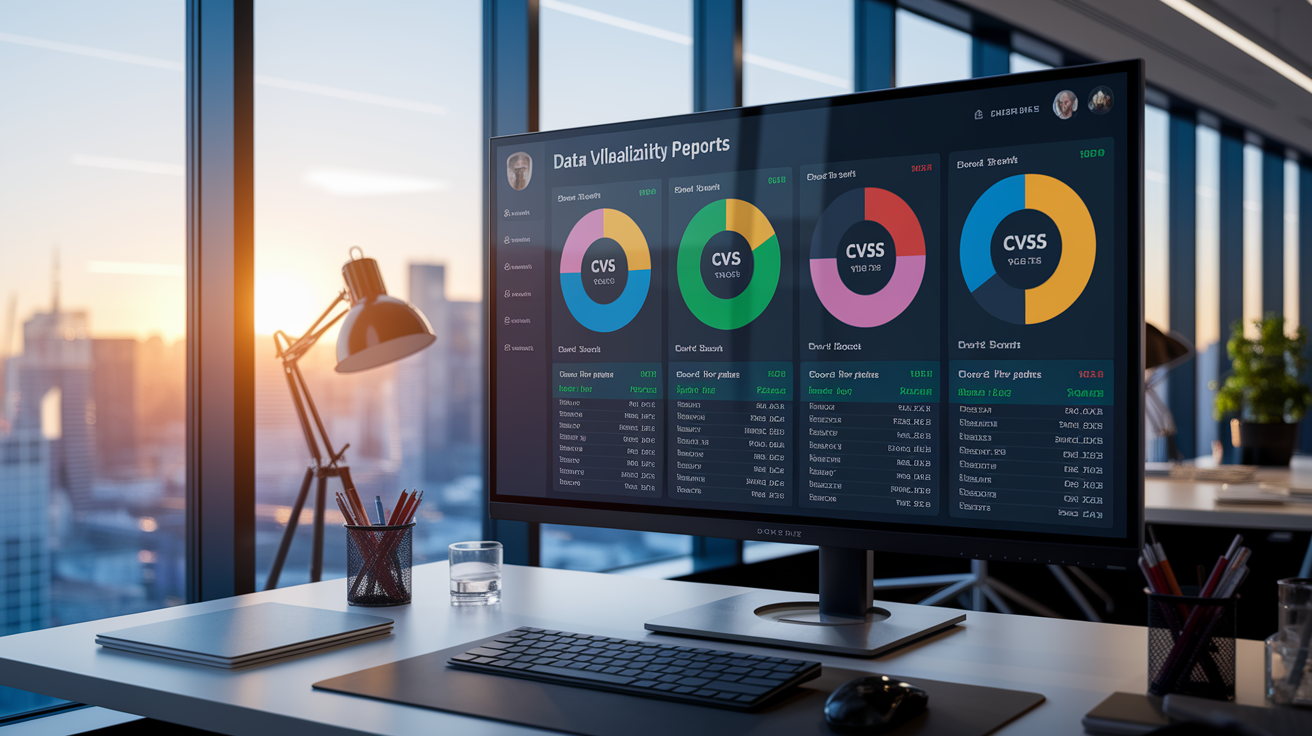
Dependency checker reports list each flagged package with fields like CPE (Common Platform Enumeration), CVE count, CPE confidence (low, medium, high, or highest), evidence count, and the dependency’s version. The CPE identifies the vendor, platform, and version in a standardized format that maps to CVE records. A high-confidence CPE means the scanner found strong evidence (like a manifest entry or jar metadata) that matches a known product. Low confidence means the tool made an educated guess based on file names or partial metadata, which increases the chance of a false positive.
HTML reports include clickable links to CVE details and offer a suppress button next to each finding. Click that button and the tool generates an XML suppression entry you can paste into a suppression file for future scans. JSON and XML reports work better for automated parsing: you can feed them into dashboards, trigger tickets in Jira or ServiceNow, or aggregate counts across multiple projects in a central SCA console.
One CPE per unique dependency appears in the report, even if that dependency exists in multiple modules or directories. If you vendor a library into three microservices, the report lists it once. You’ll need to map the CPE back to each occurrence in your codebase and remediate all instances. CVSS scoring ranges from 0.0 (informational) to 10.0 (critical). Scores 9.0 to 10.0 are critical, 7.0 to 8.9 are high, 4.0 to 6.9 are medium, and 0.1 to 3.9 are low. Prioritize critical and high findings first. Medium and low can wait for scheduled maintenance unless they’re trivially fixable.
Common triage priorities:
- Critical (CVSS 9.0 to 10.0) (remediate within 7 days; these are actively exploited or trivially exploitable)
- High (CVSS 7.0 to 8.9) (remediate within 30 days; serious risk if exposed)
- Medium (CVSS 4.0 to 6.9) (add to backlog; fix during normal sprint work)
- Low (CVSS 0.1 to 3.9) (track but defer; often requires specific conditions to exploit)
Check the evidence count and confidence before panicking. A low-confidence match with a single piece of evidence might be a false positive. Review the CVE description to see if the vulnerability applies to your usage. If you don’t use the affected function or your configuration mitigates the risk, suppress the finding and document why.
Handling False Positives, False Negatives, and Complex Dependency Issues

False positives happen when a scanner incorrectly matches a dependency to a CVE that doesn’t apply. A common cause is filename similarity: a library called “utils” matches hundreds of unrelated products in the NVD. Another cause is version ambiguity. If the manifest doesn’t specify an exact version, the scanner guesses and may flag a vulnerability that your actual version doesn’t have. Most tools let you suppress false positives by adding entries to a suppression XML file. Each suppression entry includes the CPE, CVE, and a justification comment. Re-evaluate suppressions every 30 days to ensure a suppressed issue hasn’t become real due to a dependency upgrade.
False negatives occur when the scanner fails to detect a CPE or the vulnerability database lacks an entry. Experimental analyzers for Python, Node, or Ruby may miss transitive dependencies or misparse manifests. If a dependency has no CPE in the report, switch the report filter to “Show All Dependencies” or “Show Dependencies Without CPE” and inspect the evidence. You can manually add evidence or update the manifest to include clearer version metadata, then re-scan.
Scanners don’t evaluate runtime reachability. They don’t know if your code actually calls the vulnerable function. A CVE in a logging library might not matter if you never log user input. Review the CVE description, check your usage, and decide whether to upgrade, suppress, or accept the risk. Some teams annotate suppressions with “not reachable” and schedule a deeper code audit before the next major release.
Steps to mitigate false results and complex issues:
- Maintain a suppression file and version it alongside your code. Review it monthly.
- Use high-confidence matches to guide urgent fixes. Investigate low-confidence matches manually.
- Combine scanners. Run OWASP Dependency-Check and Safety or npm audit together to catch what one tool misses.
Best Practices for Long-Term Dependency Management and Automation

Sustainable dependency management means fewer surprises and faster remediation. Minimize dependency sprawl by auditing your manifest quarterly and removing unused libraries. Each added package increases your attack surface and maintenance burden. Use automated update tools like Dependabot or Renovate to generate pull requests when new versions fix vulnerabilities or when dependencies fall behind by more than one major version. Review the changelogs, run your test suite against the update, and merge quickly if tests pass.
Run full dependency scans nightly (every 24 hours) to refresh vulnerability data and catch newly disclosed CVEs. Run incremental scans on every pull request to block risky changes before merge. Review your suppression file every 30 days to confirm that suppressed issues remain non-exploitable or have been patched upstream. Set remediation SLAs: critical vulnerabilities get fixed within 7 days, high within 30 days, and medium/low go into the backlog for normal sprint planning.
A sustainable dependency-management workflow:
- Pin dependencies to exact versions in your lock file (package-lock.json, Pipfile.lock, Gemfile.lock).
- Run a nightly scan that updates the vulnerability database and produces a full report.
- Run a quick scan on every PR. Fail the build if critical or high vulnerabilities appear.
- Use Dependabot or Renovate to open automated update PRs for security patches and version bumps.
- Review suppression files monthly. Remove entries for issues that have been patched or are no longer in the dependency tree.
- Archive scan reports as build artifacts and feed JSON outputs into a dashboard for trend analysis.
Before upgrading, read the changelog and check for breaking changes. Test the new version in a feature branch, run your full test suite, and confirm that integration tests pass. If the upgrade introduces regressions, roll back and suppress the CVE temporarily while you investigate alternatives or apply a vendor patch. Keep a changelog of dependency updates so your team knows why versions changed and what security issues were addressed.
Final Words
A modern dependency checker does more than flag vulnerable packages. It scans manifests, maps transitive dependencies, correlates CVEs, and surfaces the exact upgrade paths you need.
Whether you’re running OWASP Dependency-Check locally, integrating npm audit into CI, or automating updates with Dependabot, the workflow stays the same: scan often, triage by severity, and patch fast.
Set up nightly scans. Lock down your CI pipeline with CVSS thresholds. Review suppressions every 30 days.
The right dependency checker keeps your supply chain secure and your releases on track.
FAQ
Q: What is a dependency checker?
A: A dependency checker is a tool that scans your project manifests (pom.xml, package-lock.json, requirements.txt), finds vulnerable, outdated, or conflicting packages by mapping metadata to CVEs, and produces remediation reports.
Q: Is the OWASP dependency-check free?
A: The OWASP Dependency-Check is free and open-source, released under the Apache 2.0 license, and available as a CLI, Maven/Gradle plugins, and an official Docker image.
Q: How to check the dependencies?
A: To check dependencies, run a scanner against your manifest (npm, Maven, pip), open the report (CVE IDs, CVSS, affected versions), then prioritize fixes: upgrade, patch, or suppress false positives.
Q: How to install dependency-check?
A: To install Dependency-Check, download the binary and add it to PATH, use Homebrew where available, run the official Docker image, or add the Maven/Gradle plugin to your build file.