

Over 90% of applications rely on third-party libraries, and each one is a potential security hole. If you’re shipping code without scanning those dependencies, you’re basically hoping nothing breaks. OWASP Dependency-Check is a free tool that automatically scans your project’s libraries and flags known vulnerabilities before they hit production. It cross-references your dependencies against databases like the National Vulnerability Database, catching issues like Log4Shell early. This intro walks through what Dependency-Check does, how to set it up fast, and how to automate scans in your CI/CD pipeline so you stop shipping vulnerable code.
What OWASP Dependency-Check Is and How It Protects Your Applications

OWASP Dependency-Check is a free, open source software composition analysis tool that scans your project dependencies to spot known security vulnerabilities. It examines the libraries and components your application relies on, then cross references them against databases of documented security flaws. You can run it via command line, as an Ant task, or through plugins for Maven, Jenkins, or Gradle. That flexibility lets teams slot security scanning into their existing workflows without major disruption.
The need for this tool becomes obvious when you look at how software gets built today. Over 90% of applications lean on open source libraries and tools to speed up development, according to GitHub. Each third party library is a potential security risk. OWASP Dependency-Check tackles one of the OWASP Top 10 vulnerabilities, vulnerable and outdated components, by automatically detecting CVEs (Common Vulnerabilities and Exposures) in the libraries your project depends on. When something serious like Log4Shell gets discovered, teams using dependency scanning can quickly figure out if their applications are affected instead of manually digging through hundreds of dependencies.
Dependency-Check plays a central role in DevSecOps practices. It helps development teams shift security left in the development lifecycle. Instead of discovering vulnerable libraries during a pre production security review, developers get immediate feedback during the build process. This early detection reduces the cost and complexity of remediation. Fixing a dependency issue before code reaches production is far simpler than patching a live system under time pressure.
Getting started with OWASP Dependency-Check takes just a few steps:
- Download the CLI tool from the official GitHub repository and extract the archive to a directory on your system
- Add the extracted directory to your system PATH so the dependency-check command is available globally
- Obtain a free NVD API key by registering at the National Vulnerability Database website
- Configure the API key in the dependency-check settings file to enable faster database updates
Once installed, a basic scan requires just one command. For example, dependency-check --scan ./my-project --project "MyApp" --format HTML --out ./reports scans your project directory, names the scan “MyApp,” generates an HTML report, and saves it to the reports folder. The --scan flag points to the directory containing your code, --project assigns a name for the scan results, --format HTML specifies a human-readable report format, and --out determines where the report file gets saved.
This quick start approach enables immediate vulnerability scanning within minutes of installation. While this command line workflow suits one-off scans and local development, more advanced integrations with build tools and CI/CD pipelines provide automated, continuous security testing that catches vulnerabilities the moment dependencies are added.
How OWASP Dependency-Check Detects Vulnerabilities in Your Code
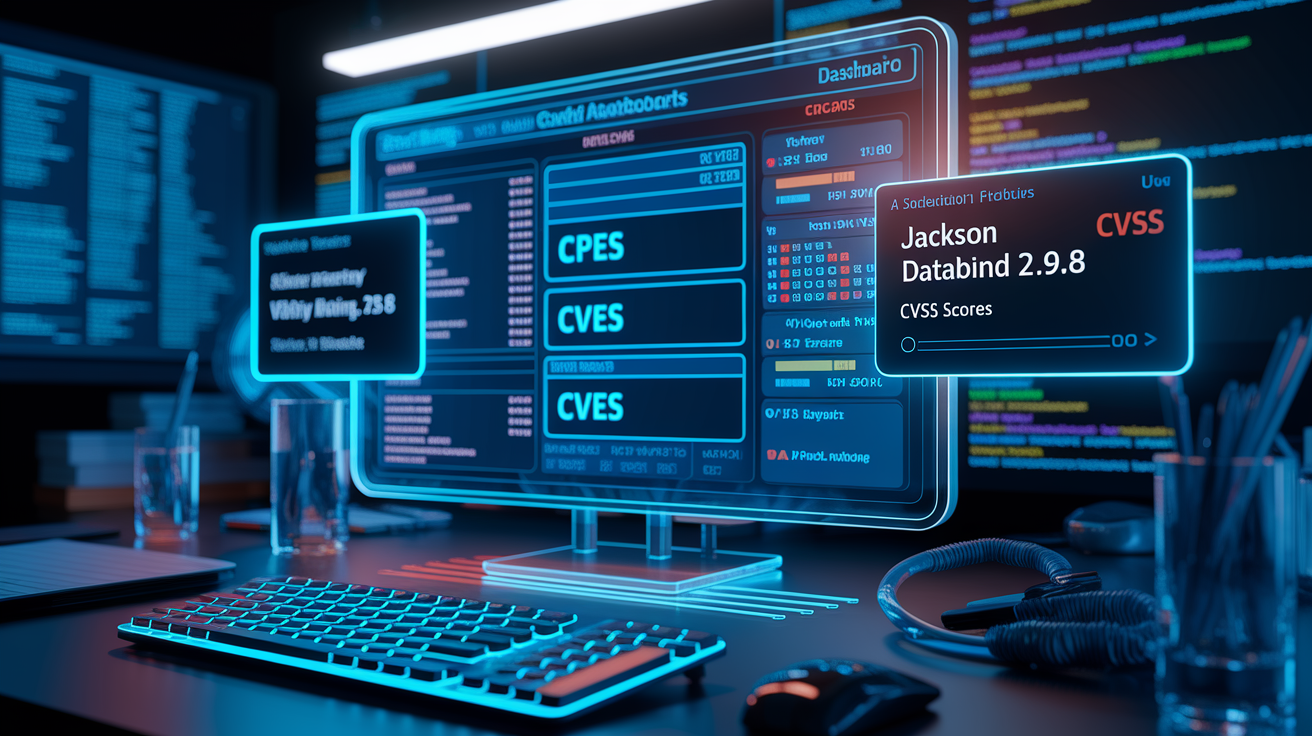
The detection process starts with analyzers that scan your project files to identify dependencies. These analyzers examine package manifests like package.json for Node.js projects, pom.xml for Maven projects, or *.csproj files for .NET applications. Once dependencies are identified, the tool creates standardized names using Common Platform Enumeration (CPE), a structured naming scheme that uniquely identifies software components and their versions. For example, a dependency on Jackson Databind version 2.9.8 gets converted into a CPE like cpe:/a:fasterxml:jackson-databind:2.9.8. That provides a consistent identifier that can be matched against vulnerability databases.
Vulnerability matching happens by comparing these CPEs against the National Vulnerability Database, a comprehensive repository maintained by NIST that contains Common Vulnerability and Exposure entries. Each CVE in the database includes a description of the security flaw, the affected software versions identified by CPE, a CVSS (Common Vulnerability Scoring System) score indicating severity, and sometimes proof of concept exploit code or vendor advisories. When a CPE from your project matches a CPE listed in a CVE record, Dependency-Check flags that library as vulnerable and includes the CVE details in the scan report. The CVSS score helps teams prioritize remediation, with scores above 7.0 typically considered high severity.
Beyond the National Vulnerability Database, OWASP Dependency-Check queries additional data sources to maximize vulnerability coverage. The NPM Audit API provides vulnerability information specific to JavaScript packages in the NPM registry. OSS Index offers vulnerability data for open source projects across multiple ecosystems. RetireJS identifies outdated JavaScript libraries with known security issues, catching cases where libraries remain functional but haven’t received security patches. Bundler Audit covers Ruby Gems with reported vulnerabilities. The tool automatically updates its vulnerability data using the NVD API to ensure scans reflect the latest discovered security issues, though database update performance can vary depending on network conditions and NVD availability.
Supported Languages and File Types for Dependency Scanning
OWASP Dependency-Check offers comprehensive, production ready support for Java, Node.js, and .NET ecosystems. These three platforms represent the majority of enterprise application development, and the analyzers for these languages have been extensively tested and refined over multiple releases. Teams building applications with Spring Boot, Express.js, or ASP.NET Core can rely on accurate dependency detection and vulnerability matching.
The tool also provides experimental support for Python, Dart, SWIFT, and Golang projects. Experimental status means these analyzers may produce less accurate results or miss certain dependency patterns compared to the mature analyzers. Still, they offer valuable security insights for teams working in these languages. Just understand that results may require additional manual verification.
Supported file types and ecosystems include:
- JAR files and Maven POM files for Java projects
- package.json and package-lock.json files for NPM packages and Node.js modules
- *.csproj, packages.config, and project.json files for NuGet dependencies in .NET assemblies
- requirements.txt and Pipfile for Python libraries
- Gemfile and Gemfile.lock for Ruby gems
- composer.json and composer.lock for PHP Composer dependencies
- Swift package manifests for SWIFT projects
- go.mod files for Golang module dependencies
- Archive files including ZIP, TAR, and JAR formats that may contain nested dependencies
Integrating Dependency Scanning into CI/CD Pipelines
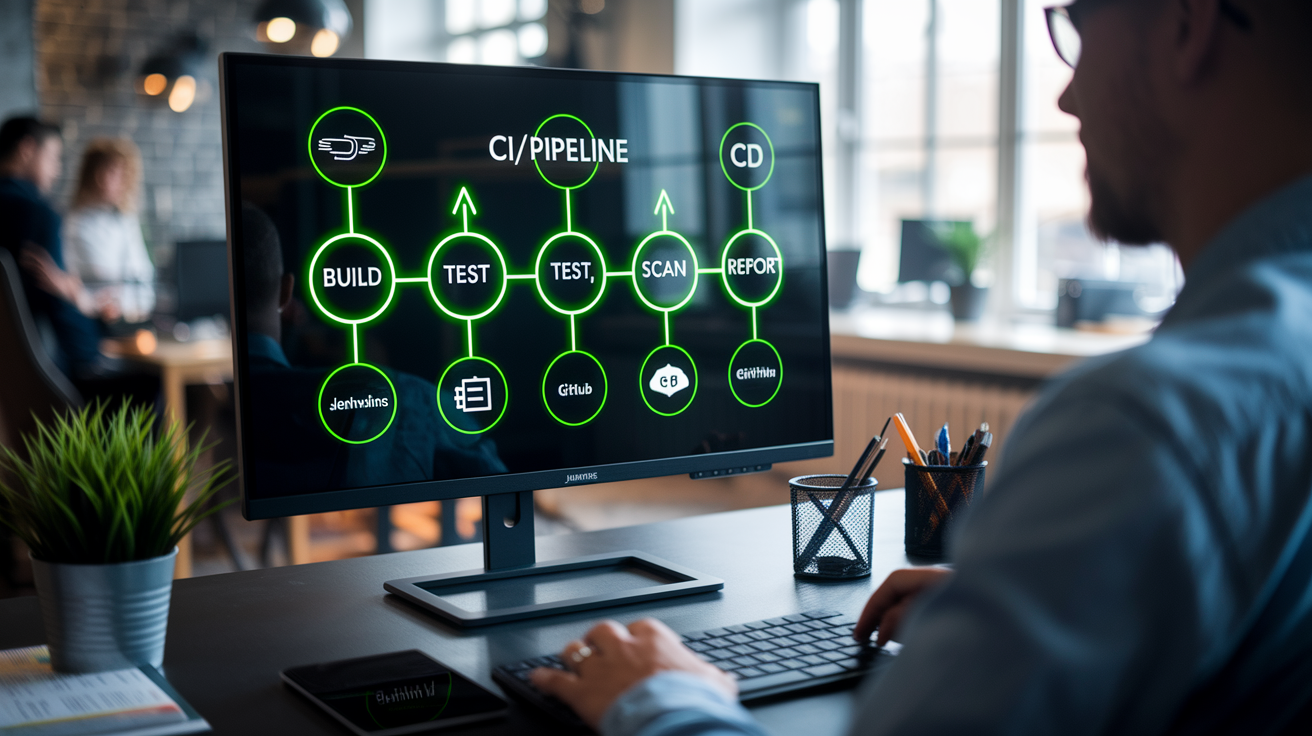
CI/CD integration enables automatic dependency scanning as part of the standard build process, catching vulnerable libraries immediately when they’re added to your project. This automation supports shift left security principles by moving vulnerability detection earlier in the development lifecycle, before code reaches staging or production environments. Instead of discovering a critical vulnerability during a quarterly security audit, developers get feedback within minutes of committing a dependency update. For more context on how these practices fit into broader DevOps best practices, automation and continuous feedback loops are fundamental to modern software delivery.
Maven and Gradle Build Tool Integration
For Maven projects, add the dependency-check-maven plugin to your pom.xml file within the build plugins section. Configure the plugin to execute during the verify phase, so dependency scans run after compilation but before deployment. Set severity thresholds using the failBuildOnCVSS parameter. For example, setting it to 7.0 fails the build if any dependency has a CVSS score of 7.0 or higher, blocking critical and high severity vulnerabilities from reaching production. The plugin supports generating multiple report formats simultaneously, producing both HTML reports for developers to review and XML reports for integration with security dashboards.
Gradle projects use the dependency-check-gradle plugin, applied in build.gradle with apply plugin: 'org.owasp.dependencycheck'. Configure tasks with threshold settings that align with your risk tolerance. A common configuration sets failOnError = true and cvssThreshold = 7.0, ensuring builds fail when high severity vulnerabilities are detected. Both Maven and Gradle integrations support customizable report output directories, format selection, suppression file paths, and analyzer configurations that enable teams to tailor scanning behavior to project requirements.
Jenkins Pipeline Implementation
Jenkins pipelines incorporate dependency-check scanning as a dedicated stage in declarative pipeline syntax. After the build stage completes, a dependency-check stage executes the scan and publishes results using the publishHTML step for report visualization directly in Jenkins. A stage might run sh 'dependency-check --scan ./target --format HTML --out ./reports' followed by publishHTML(target: [reportDir: 'reports', reportFiles: 'dependency-check-report.html', reportName: 'Dependency Check Report']).
Configure build status based on vulnerability thresholds by examining the exit code or parsing the scan results. If critical vulnerabilities are found, mark the build as unstable or failed to prevent deployment. Integrate scan results with issue tracking systems like JIRA through Jenkins plugins that automatically create tickets for newly discovered vulnerabilities, assign them to appropriate teams, and track remediation progress. This workflow ensures vulnerabilities don’t get lost in email threads or chat messages. They become trackable work items with clear ownership and due dates.
GitLab CI/CD and Azure DevOps Integration
GitLab CI/CD configures dependency-check as pipeline jobs in the .gitlab-ci.yml file. Define a dependency-check job that runs in the test stage, executes the scan command, and publishes the report as an artifact. Gate conditions use the allow_failure: false setting combined with exit code checks to block merge requests when vulnerabilities exceed acceptable thresholds. GitLab’s artifact publishing makes reports accessible directly from the pipeline interface, enabling code reviewers to examine security findings before approving changes.
Azure DevOps integration follows similar patterns using Azure Pipelines YAML files. Add a task that runs the dependency-check CLI, configure artifact publishing to capture the generated reports, and set continuation conditions based on scan results. Azure DevOps supports policy based gates that require manual approval when high severity vulnerabilities are detected, providing a review checkpoint before deployment proceeds.
Automated scanning on every commit or scheduled build connects to broader DevSecOps practices where security becomes a shared responsibility rather than a separate team’s concern. Tools like OWASP Dependency-Check provide guardrails that enable developers to make secure dependency choices without requiring deep security expertise. The developer experience improves through immediate feedback. Within minutes of adding a vulnerable library, the build fails with a clear explanation of the security risk and recommended remediation. This continuous scanning builds security awareness across the team through regular exposure to vulnerability reports, transforming security from an occasional audit into a routine part of the development process.
Blocking vulnerable libraries before code review prevents security issues from spreading across feature branches or reaching shared environments. When a developer attempts to add a library with known critical vulnerabilities, the failed build signals the problem immediately, while the dependency is still fresh in their mind and alternative libraries can be easily evaluated.
Understanding Dependency-Check Reports and Output Formats

OWASP Dependency-Check generates reports in three primary formats, each serving different use cases. HTML reports provide human readable output with interactive elements like sortable tables and collapsible sections, ideal for developers reviewing findings during local development or security teams presenting results to stakeholders. XML reports offer machine parseable output that integrates with security dashboards, vulnerability management platforms, and custom reporting tools. JSON output supports custom processing workflows and dashboard integration where teams build their own visualization or tracking systems.
Report structure includes several key sections that guide remediation efforts. The dependency identification section lists all analyzed libraries with their detected versions and file paths. The CVE listings show each vulnerability associated with a dependency, including the CVE identifier, a description of the security flaw, the CVSS score indicating severity, and the attack vector. Severity classifications group vulnerabilities into critical, high, medium, and low categories based on CVSS scores. Critical vulnerabilities (9.0 to 10.0) represent severe security flaws with readily available exploits, while low severity issues (0.1 to 3.9) pose minimal immediate risk.
Each vulnerable dependency appears only once in reports regardless of how many locations it appears across your project. If the same vulnerable version of a library exists in multiple modules or as both a direct and transitive dependency, the report consolidates these occurrences into a single entry. This simplification makes review more efficient, since teams address each unique vulnerability once rather than sorting through duplicate entries.
The remediation guidance section provides actionable next steps for resolving flagged vulnerabilities. It shows which versions of the library are affected by each CVE, identifies fixed versions where the vulnerability has been patched, and recommends upgrade paths. A finding might show that Jackson Databind versions 2.0.0 through 2.9.9 are vulnerable to CVE-2019-12086, with version 2.9.10 containing the fix. This information tells developers exactly which version to target during dependency updates, eliminating guesswork about whether an upgrade will resolve the security issue.
Managing False Positives with Suppression Files

OWASP Dependency-Check can generate false positives when CPE matching incorrectly associates dependencies with unrelated vulnerabilities. This happens because CPE matching relies on library names and version numbers, which sometimes collide between unrelated projects. A library might share a name with a completely different component that has documented vulnerabilities. Manual verification involves examining the CVE description, checking whether the vulnerability actually applies to the dependency in your project context, and confirming whether the affected functionality is even present in the version you’re using.
Suppression files in XML format allow teams to document and exclude verified false positives from future scans while maintaining audit trails with justification notes. When a vulnerability is confirmed as a false positive, adding it to the suppression file prevents that specific finding from appearing in subsequent scan reports, reducing noise and helping teams focus on genuine security issues. Each suppression entry includes a notes field where you document why the finding is being suppressed, whether it’s a CPE mismatch, a vulnerability in a code path your application doesn’t use, or a risk accepted by the security team with appropriate compensating controls.
| Element | Purpose | Example |
|---|---|---|
| suppress | Container element for a single suppression rule | <suppress>…</suppress> |
| notes | Human-readable justification for why the vulnerability is suppressed | <notes>False positive – CVE applies to server component, not client library</notes> |
| gav | Maven coordinates (groupId:artifactId:version) identifying the specific dependency | <gav regex=”true”>com\.example:.*:1\.0\.0</gav> |
| cve | Specific CVE identifier to suppress for this dependency | <cve>CVE-2023-12345</cve> |
Optimizing Scan Performance for Enterprise Environments
The primary performance bottleneck in OWASP Dependency-Check is extremely slow downloads from the National Vulnerability Database. Initial database downloads can take 30 minutes or more, and incremental updates still consume several minutes. This becomes especially problematic for organizations running multiple CI/CD pipelines, where dozens of builds might run concurrently, each attempting to download the same database simultaneously. NVD API keys provide initial speed improvements by increasing rate limits, but API credits deplete quickly with frequent scans across multiple pipelines. A single organization might burn through daily API credit allocations within hours during peak development periods.
The enterprise solution involves creating a local database mirror by implementing a Kubernetes CronJob that downloads the vulnerability database once daily during off hours and hosts it on internal infrastructure. Instead of every pipeline downloading from NVD directly, they retrieve a pre downloaded copy from an internal artifact repository or static hosting service like a Bitbucket static page. This approach reduces external bandwidth consumption, eliminates rate limiting issues, and dramatically improves scan performance since internal network transfers complete in seconds rather than minutes.
Implementation uses the -d flag to specify custom database directory paths, enabling pipelines to point dependency-check at the local database copy. The Kubernetes CronJob executes once nightly, runs the dependency-check update command with the -d flag pointing to a temporary directory, compresses the updated database files, and publishes them to the internal hosting location. Infrastructure patterns include ConfigMaps for storing the bash scripts that orchestrate the download and upload process, and SealedSecrets for secure credential management when pushing database archives to git repositories or artifact registries. This approach avoids committing unencrypted credentials to version control while still allowing the infrastructure to be defined as code.
Database cleanup processes prevent storage bloat by deleting old database files before each update and force pushing to git repositories to avoid historical version accumulation. Without cleanup, repositories would grow by several hundred megabytes with each daily update, quickly consuming storage quotas. The force push strategy maintains only the current database version, treating the repository as a distribution mechanism rather than a historical archive.
Air gapped environment considerations require manual database transfer processes since dependency-check cannot download updates from the internet. Security conscious organizations operating in classified or isolated networks need procedures for periodic USB drive updates or dedicated update servers positioned in secure zones with appropriate security protocols. A designated administrator downloads the database on an internet connected system, transfers the files through approved media, and deploys them to the internal mirror server. Update frequency depends on risk tolerance and operational constraints. Weekly updates provide reasonable security coverage while minimizing manual effort.
Comparing OWASP Dependency-Check with Commercial SCA Tools

OWASP Dependency-Check provides core SCA functionality at no cost, making it ideal for budget conscious teams, open source projects, and organizations just starting their software composition analysis journey. The tool covers the essential use case, scanning dependencies and identifying known vulnerabilities, without license fees or per seat costs. Teams can run unlimited scans across unlimited projects without budget approvals or procurement processes. Commercial tools like Snyk, WhiteSource (now Mend), and Black Duck offer additional features beyond vulnerability detection, including enhanced vulnerability databases with proprietary research, automated license compliance scanning, and developer focused remediation workflows.
Commercial alternatives typically include dedicated support teams that provide timely responses to technical issues, guidance on scan configuration, and assistance with false positive triage. They offer enhanced vulnerability databases that include security research beyond public CVE listings, sometimes identifying vulnerabilities weeks or months before they appear in the National Vulnerability Database. Integrations with proprietary ecosystems, advanced policy enforcement, and vulnerability intelligence feeds differentiate premium offerings from the open source baseline.
| Feature | OWASP Dependency-Check | Commercial Tools (Snyk, Mend, Black Duck) |
|---|---|---|
| Cost | Free and open source | Subscription-based pricing, typically per developer or per repository |
| Database Sources | NVD, NPM Audit, OSS Index, RetireJS | Proprietary research, early vulnerability disclosure, curated feeds |
| License Scanning | Basic license identification | Comprehensive license compliance with policy enforcement and legal guidance |
| Support | Community forums and GitHub issues | Dedicated support teams with SLA commitments |
| Remediation Guidance | Affected versions and fix versions | Automated pull requests, upgrade path analysis, reachability analysis |
| Enterprise Features | Basic reporting and CI/CD integration | Advanced dashboards, risk scoring, policy management, SSO integration |
Best Practices for Effective Vulnerability Management
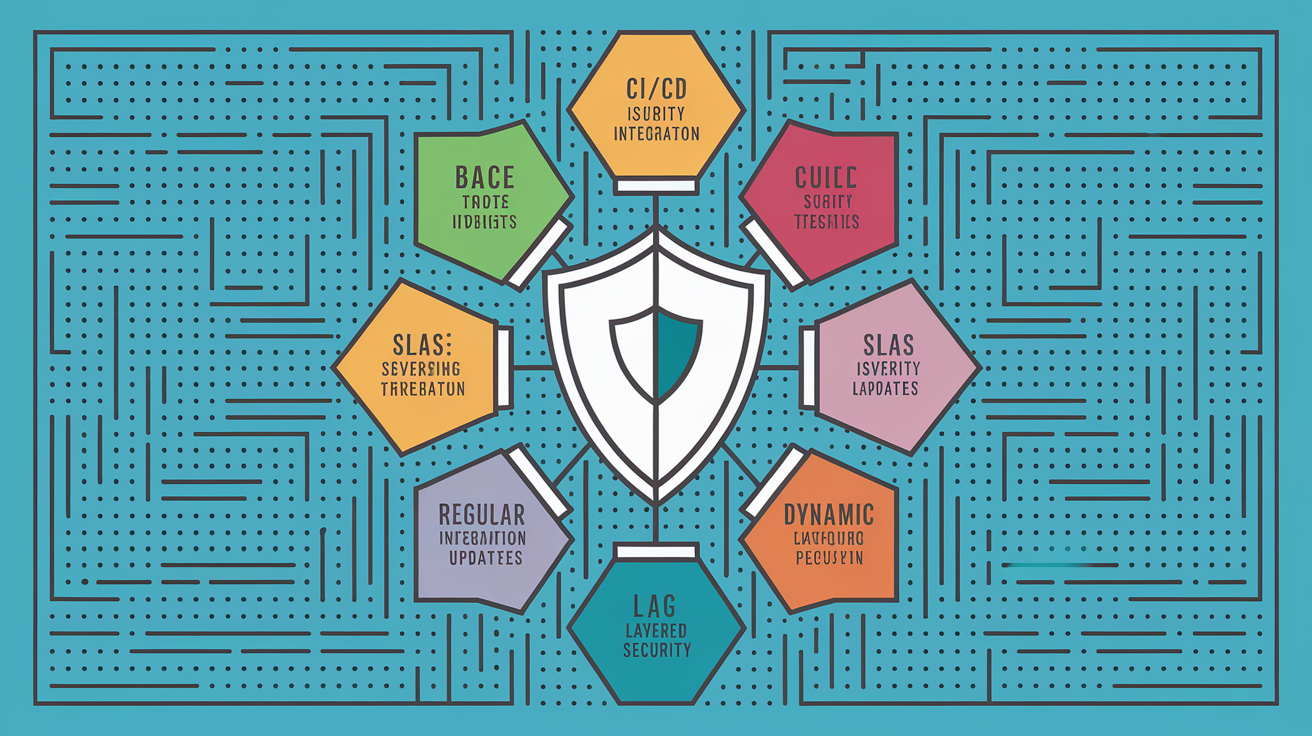
Successful vulnerability management extends beyond tool installation to encompass process design, clear prioritization criteria, continuous improvement cycles, and integration with broader security practices like threat modeling and secure architecture reviews.
Eight best practices for implementing OWASP Dependency-Check effectively:
-
Create a baseline dependency inventory that documents all direct dependencies and transitive (indirect) dependencies your application relies on, establishing a foundation for tracking changes over time
-
Integrate dependency scans into CI/CD pipelines to run automatically on every commit, ensuring new vulnerabilities are caught immediately rather than accumulating until the next security review
-
Configure severity thresholds aligned with your organization’s risk tolerance. Most teams fail builds on critical vulnerabilities (CVSS 9.0+) and require manual review for high severity findings (CVSS 7.0 to 8.9)
-
Establish SLAs (Service Level Agreements) for remediation by severity level, such as critical vulnerabilities patched within 48 hours, high severity within 7 days, and medium severity within 30 days
-
Integrate scan results with issue tracking systems like JIRA or Azure Boards to create tickets automatically for discovered vulnerabilities, ensuring remediation work is tracked and assigned
-
Schedule regular dependency updates as separate maintenance work from vulnerability fixes, proactively adopting newer library versions before security issues are discovered
-
Maintain suppression files with documented justifications for each suppressed vulnerability, including the business or technical reason and the team member who approved the suppression
-
Combine dependency scanning with static analysis tools that examine your code for security flaws, dynamic testing that probes running applications, and penetration testing that simulates real attacks
OWASP Dependency-Check serves as one component of comprehensive application security alongside static code analysis tools that catch coding errors like SQL injection, dynamic testing that identifies runtime vulnerabilities, secure coding guidelines that prevent common mistakes, and security training that builds developer awareness. Tools like Codacy Security offer complementary features including static analysis, license compliance checks, auditable mitigation workflows, and real time security recommendations. This layered defense approach recognizes that no single tool catches every security issue. Vulnerability scanning finds known flaws in dependencies, static analysis catches unsafe coding patterns, and dynamic testing reveals logic flaws that emerge during execution.
Generating Software Bills of Materials with Dependency-Check

Software Bills of Materials (SBOMs) are becoming mandatory for compliance with regulatory standards like Executive Order 14028 on Improving the Nation’s Cybersecurity and PCI DSS (Payment Card Industry Data Security Standard) requirements. These comprehensive inventories document every software component included in an application, creating transparency into the supply chain. When a critical vulnerability like Log4Shell is disclosed, organizations with current SBOMs can immediately identify which applications are affected rather than spending days investigating dependency trees across hundreds of projects.
OWASP Dependency-Check can generate SBOMs in industry standard formats including CycloneDX and SPDX (Software Package Data Exchange). These formats capture dependency names, version numbers, license information, and known vulnerabilities in structured, machine readable files that can be shared with customers, auditors, or regulatory bodies. CycloneDX focuses on supply chain component analysis with rich vulnerability metadata, while SPDX emphasizes license compliance and intellectual property tracking. The tool produces these SBOMs as part of the standard scanning process, requiring only a format flag specification.
Use cases for SBOMs extend beyond compliance checkboxes to practical security and risk management scenarios. Supply chain security audits use SBOMs to verify that vendors follow secure development practices and maintain up to date dependencies. Vendor risk assessments examine whether third party software includes known vulnerable components before procurement decisions. License compliance verification ensures open source licenses are compatible with your intended use and distribution model. Incident response benefits from SBOMs when new vulnerabilities are disclosed. Instead of emergency scans across every application, teams query existing SBOMs to identify affected systems within minutes.
Troubleshooting Common Dependency-Check Issues
Users commonly encounter specific issues during setup and operation that have known solutions, saving hours of debugging when you recognize the symptoms.
Seven common problems and their solutions:
-
Database download timeouts occur when the National Vulnerability Database is slow or rate limiting connections. Use an NVD API key to increase download priority, or implement a local database mirror to eliminate external dependencies entirely.
-
Analyzer failures on specific file types happen when dependency-check encounters malformed manifests or unsupported file formats. Update to the latest version, as newer releases include expanded format support and more robust parsing.
-
Excessive false positives clutter reports with irrelevant findings. Create a suppression file to document and exclude verified false positives, and share this file across your team to maintain consistency.
-
Out of memory errors on large projects occur when the Java heap size is insufficient for scanning thousands of dependencies. Increase heap size with JVM arguments like
-Xmx4gto allocate 4 gigabytes of memory. -
Proxy configuration issues prevent database downloads in corporate networks with restricted internet access. Set proxy properties using system environment variables or dependency-check configuration options that specify proxy host and port.
-
Missing CVE data results from internet connectivity problems or NVD API outages. Verify your network connection, check the NVD service status page, and confirm firewall rules allow HTTPS traffic to NVD endpoints.
-
Scan duration too long impacts pipeline performance when scanning large codebases. Enable parallel processing with the
--enableExperimentalflag, or configure incremental scans that only analyze changed dependencies between builds.
GitHub issues repository and community support channels provide additional troubleshooting resources for edge cases and newly discovered problems. The OWASP Dependency-Check project maintains an active issues tracker where users report bugs and share solutions, and community forums connect users facing similar challenges.
Final Words
OWASP Dependency-Check gives you a practical way to catch vulnerable libraries before they hit production.
Set it up once, integrate it into your build process, and you’ll get automatic vulnerability scanning on every commit.
The tool isn’t perfect. You’ll deal with some false positives and occasional slow database updates. But for a free, open-source SCA tool, it handles the core job well.
Start with the command-line basics, then move to CI/CD integration when you’re ready. Your future self will appreciate catching that critical CVE during the build instead of during an incident.
FAQ
What is OWASP Dependency-Check and why do developers need it?
OWASP Dependency-Check is a free, open-source software composition analysis (SCA) tool that scans project dependencies to identify known security vulnerabilities. Developers need this tool because over 90% of modern applications rely on open-source libraries, creating security risks from vulnerable and outdated components, and Dependency-Check addresses OWASP Top 10 security concerns by automatically detecting CVEs in third-party libraries.
How does OWASP Dependency-Check detect vulnerabilities in dependencies?
OWASP Dependency-Check detects vulnerabilities by using analyzers to scan project files, creating standardized names using Common Platform Enumeration (CPE), then comparing those CPEs against the National Vulnerability Database (NVD) containing CVE entries with CVSS scoring to identify matches.
What programming languages does OWASP Dependency-Check support?
OWASP Dependency-Check supports Java, Node.js, and .NET ecosystems with production-ready coverage, plus experimental support for Python, Dart, SWIFT, and Golang projects. The tool analyzes JAR files, NPM packages, NuGet dependencies, Python libraries, Ruby gems, PHP Composer, .NET assemblies, JavaScript modules, and archive files.
How do I integrate OWASP Dependency-Check into my CI/CD pipeline?
You can integrate OWASP Dependency-Check by adding the dependency-check-maven plugin to pom.xml, applying the dependency-check-gradle plugin in build.gradle, configuring Jenkins pipeline stages with publishHTML steps, or setting up GitLab CI/CD and Azure DevOps pipeline jobs with artifact publishing and severity-based gate conditions.
What report formats does OWASP Dependency-Check generate?
OWASP Dependency-Check generates three primary output formats: HTML for human-readable interactive reports, XML for machine-parseable tool integration, and JSON for custom processing and dashboard integration. Reports include dependency identification, CVE listings with CVSS scores, severity classifications, vulnerability descriptions, and remediation guidance showing affected versions and upgrade paths.
How do I handle false positives in Dependency-Check scans?
You can handle false positives by creating suppression files in XML format that allow teams to document and exclude verified false positives from future scans while maintaining audit trails with justification notes. Each suppression entry can specify the dependency using GAV coordinates and list specific CVE identifiers to suppress.
Why are my Dependency-Check scans running so slowly?
Dependency-Check scans run slowly primarily due to database downloads from the National Vulnerability Database, which is especially problematic for organizations running multiple CI/CD pipelines. The enterprise solution involves creating a local database mirror using a Kubernetes CronJob that downloads the vulnerability database once daily and hosts it on internal infrastructure.
How does OWASP Dependency-Check compare to commercial SCA tools like Snyk?
OWASP Dependency-Check provides core SCA functionality at no cost, making it ideal for budget-conscious teams and open-source projects, while commercial tools like Snyk, WhiteSource (Mend), and Black Duck offer additional features including enhanced vulnerability databases, license compliance automation, developer-friendly remediation workflows, and dedicated support.
What are the best practices for using OWASP Dependency-Check effectively?
Best practices include creating a baseline dependency inventory including transitive dependencies, integrating scans into CI/CD for every commit, configuring severity thresholds aligned with risk tolerance, establishing SLAs for remediation by severity level, and combining with static analysis and penetration testing for comprehensive security coverage.
Can OWASP Dependency-Check generate Software Bills of Materials (SBOMs)?
Yes, OWASP Dependency-Check can generate SBOMs in industry-standard formats including CycloneDX and SPDX, capturing dependency names, versions, licenses, and known vulnerabilities. SBOMs are useful for supply chain security audits, vendor risk assessments, license compliance verification, and incident response when new vulnerabilities are disclosed.
What do I do if Dependency-Check runs out of memory on large projects?
If Dependency-Check runs out of memory on large projects, increase the heap size using JVM arguments when launching the tool. You can also enable parallel processing or use incremental scans to reduce resource consumption and improve scan performance.
How do I configure OWASP Dependency-Check to work behind a corporate proxy?
You can configure OWASP Dependency-Check to work behind a corporate proxy by setting proxy properties in the configuration file or passing them as command-line arguments when executing scans. Verify that your proxy settings include the correct host, port, and authentication credentials if required.
What additional data sources does Dependency-Check use besides the NVD?
Besides the National Vulnerability Database, Dependency-Check queries additional data sources including NPM Audit API for JavaScript, OSS Index for open-source projects, RetireJS for outdated JavaScript libraries, and Bundler Audit for Ruby Gems to provide comprehensive vulnerability coverage across ecosystems.
How often should I update the vulnerability database in Dependency-Check?
You should update the vulnerability database daily to ensure current vulnerability information, especially in automated CI/CD environments. For enterprise environments with multiple pipelines, implement a centralized Kubernetes CronJob that downloads the database once daily during off-hours and distributes it to all scanning instances.
Where can I find help for Dependency-Check issues not covered in documentation?
You can find help for Dependency-Check issues by visiting the GitHub issues repository where the community and maintainers provide support, or by joining community support channels dedicated to OWASP projects for troubleshooting assistance and best practice discussions.