


Ever wonder why you keep rewriting the same database connection code for the fifth time this month? Most developers waste hours recreating logic they’ve already written, hunting through old projects or scrolling Stack Overflow for that regex pattern they used last quarter. A code snippet library tool fixes this by creating a searchable vault of your most-used code fragments, accessible in seconds instead of minutes. The right snippet manager can cut repetitive coding tasks by 30-40%, freeing up time for actual problem-solving instead of boilerplate recreation.
Popular Snippet Management Tools Compared
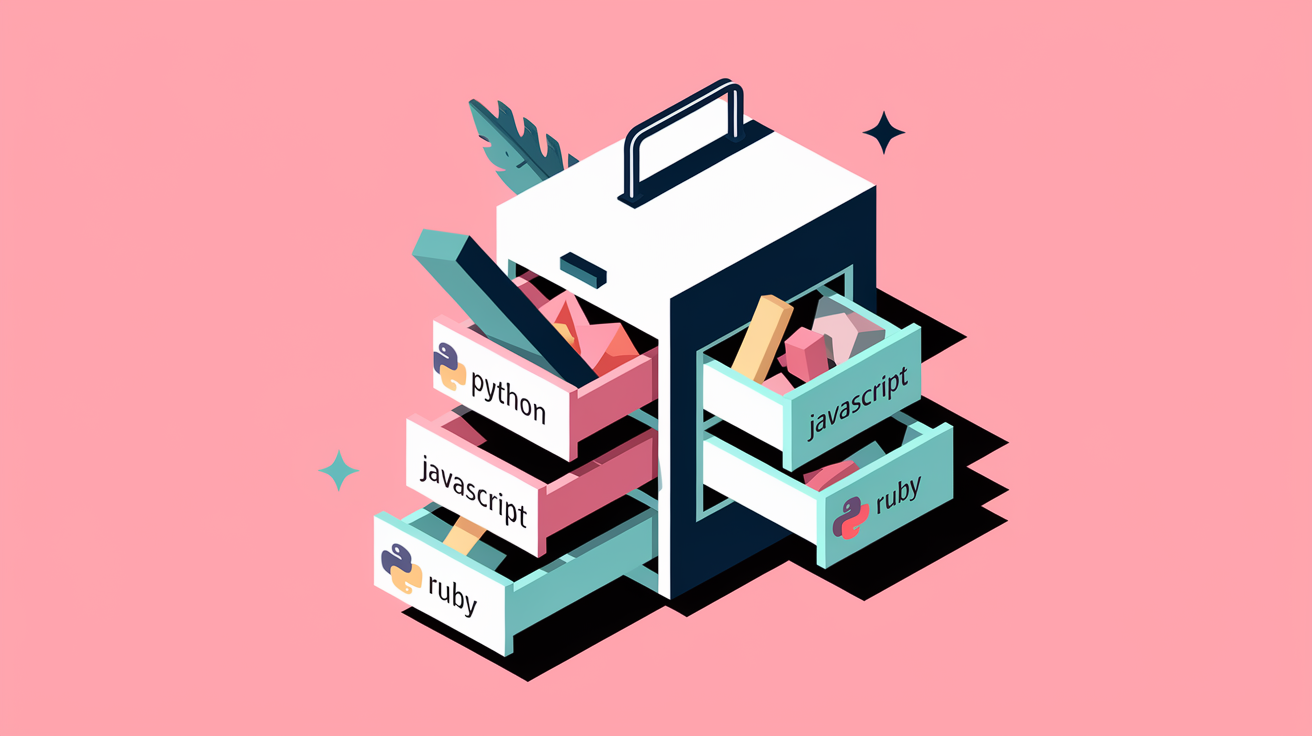
The snippet manager landscape offers options ranging from completely free open source projects to specialized commercial solutions. Some prioritize offline documentation access, others excel at team collaboration, and a few focus on creating visual presentations from code.
When picking a tool, consider factors like offline access, cloud sync, collaboration needs, and platform compatibility. A solo dev working on Node.js projects needs different features than a data science team sharing Jupyter snippets.
| Tool Name | Type | Key Strength | Pricing |
|---|---|---|---|
| Masscode | Open Source | 160+ languages, expandable to 600+ | Free |
| Dash | Commercial | Offline access to 200+ API docs | $29.99 one-time or $39.99/year |
| CodePen | Freemium | Front-end focused, 1.8M users | Free tier, PRO at $12/month |
| Cacher | Commercial | 2-way GitHub Gist sync, IDE integration | $6/month individual, $9/month team |
| 3Cols | Freemium | 100% free cloud storage, 25+ languages | Free, sharing at $1.69/month |
| Snipp.in | Free | Lightweight browser-based, 140+ languages | Free |
| Snappify | Freemium | Visual code presentations with animations | Free tier, Pro at $8/month, Agency at $15/month |
Core Functionality and Key Features

A code snippet library tool is software that stores, organizes, and retrieves reusable code fragments across programming languages and projects. Think of it like a personal code vault where you keep patterns you use repeatedly. API authentication boilerplate, database connection setups, accessible in seconds instead of hunting through old projects or Stack Overflow.
These tools solve the problem of rewriting the same logic over and over. Instead of typing out a date formatting function for the tenth time, you pull it from your library, paste it in, and keep moving.
Essential capabilities include storing code fragments with syntax highlighting across multiple programming languages, organizing snippets using folders, tags, and categories, searching and filtering to locate specific snippets quickly, retrieving snippets with copy-paste or direct IDE insertion. Team sharing matters when you’re collaborating. Syncing across devices via cloud storage or local databases keeps your collection accessible. Previewing code with proper formatting before insertion prevents those “wait, was this the right one?” moments. Supporting custom snippet creation and editing rounds out the basics.
Syntax highlighting works across 80 to 600+ programming languages depending on the tool. Masscode starts with 160 languages out of the box and extends to 600+ using tmLanguage files, while Dash covers 80+ languages with dedicated syntax support. Proper highlighting makes code readable at a glance and catches obvious syntax errors before you even paste.
Organization features range from simple flat lists to multi-level folder hierarchies with tag overlays. Multi-level folders let you nest snippets by project, then by language, then by function type. Tags create cross-cutting views, like tagging all authentication related snippets regardless of which language folder they live in.
Search functionality typically includes filters for language, tags, creation date, and text content within the snippet itself. Type a few characters and the list narrows to matching results. Real time preview shows formatted code before insertion so you can confirm it’s the right snippet, especially useful when you have similar looking utility functions.
Storage, Synchronization, and Platform Compatibility

Cloud storage means you can access snippets from any device with an internet connection, but you’re trusting a third party with your code. Local storage keeps everything on your machine with full privacy control, but you lose cross device access unless you manually sync files. 3Cols offers 100% free cloud storage funded through Patreon, while Snipp.in uses browser based IndexedDB storage with no automatic cloud backup.
Cross platform compatibility covers Windows, Mac, and Linux for most desktop applications, with some tools offering browser based access that works on any operating system with a modern web browser.
Desktop applications provide offline functionality and typically feel more responsive. Browser based tools require zero installation and work from any computer. CodeSandbox runs entirely in the browser, enabling collaboration from any device without installing software. Dash offers offline access to over 200 API documentation sets, perfect for airplane coding or spotty wifi situations.
Storage models fall into these patterns. Cloud only tools requiring internet connection for access. Local only storage with full offline functionality and data privacy. Hybrid sync combining local storage with optional cloud backup. Browser based using IndexedDB without automatic cloud backup. Offline first apps that sync when connected but work without internet.
Mobile access varies significantly. Some tools offer read only mobile apps for reference, others provide full editing capabilities, and many browser based tools work on mobile browsers with varying levels of usability.
Backup considerations matter when you’ve built a collection of hundreds of snippets. Tools with automatic cloud backup protect against local drive failures, while local only tools require manual backup strategies. Data portability means exporting your collection in standard formats like JSON or Markdown if you need to switch tools. Installation requirements range from simple pip commands like pip install snippetlib for Jupyter Notebook environments to pip install snippetlib_jl for Jupyter Lab, while web based options require nothing more than opening a URL.
Workflow Integration and Development Environment Support

Dash integrates directly with VSCode, Atom, IntelliJ, and Sublime, letting you search documentation and insert snippets without leaving your editor. Cacher adds 2 way GitHub Gist syncing on top of IDE integration, automatically keeping your snippets synchronized with your GitHub account.
Different developer roles benefit from specialized snippet tools matched to their specific workflows and common tasks.
Front-End Developers
CodePen focuses on HTML, CSS, and JavaScript with real time preview showing rendered results as you type. This makes it ideal for rapid prototyping of UI components and testing different styling approaches without setting up a full build environment.
The real time editing advantage means you see exactly how your code renders in the browser while you’re still writing it. No save, compile, refresh cycle. Just type and watch the preview update.
Data Scientists and ML Engineers
Snippet Library works as a Jupyter Notebook menu extension specifically designed for data science workflows. Pre-built snippets cover common tasks like reading CSV files, visualizing missing values in Pandas DataFrames, and displaying correlation matrices.
The 4 main built in categories organize snippets by workflow phase. Data operations handle reading, writing, and transforming datasets. Modeling includes sklearn based ML models for classification, regression, and clustering tasks. Plotting provides ready made visualizations using Matplotlib, Bokeh, and Pandas plotting functions. Utils covers supporting infrastructure like Flask servers for model deployment and interactive tables for result exploration.
This tool addresses the reality that data scientists spend significant time on repetitive setup tasks before getting to the actual analysis or modeling work.
Full-Stack and Enterprise Developers
IDE integration with VSCode, IntelliJ, Atom, and Sublime brings snippets directly into your coding environment through keyboard shortcuts. Instead of switching to a browser or separate app, you trigger a shortcut, search your library, and insert code without breaking concentration.
Two way GitHub Gist synchronization keeps your snippets version controlled and accessible through GitHub’s API. Changes made in your snippet manager sync to GitHub, and changes made directly on GitHub sync back to your local collection.
Tools like Cacher and Dash support comprehensive documentation access across entire technology stacks, from frontend frameworks to backend APIs to database query syntax, all searchable from within your editor.
Team Collaboration and Snippet Sharing

Team library features provide centralized snippet collections that multiple developers can access, with permissions controlling who can view, edit, or delete specific snippets. This prevents the situation where each team member maintains their own disconnected collection of slightly different versions of the same utility functions.
Shared boards in tools like 3Cols let teams collaborate on snippet collections organized by project or technology stack. Cacher includes code review capabilities within the snippet manager itself, letting teams discuss and refine snippets before adding them to the official library. Team pricing ranges from $9 per member monthly in Cacher to $16 per member in CodePen Team Standard, up to $26 per member in CodePen Team Plus.
Shared snippets promote consistent coding patterns across the team. When everyone uses the same error handling snippet or the same database connection setup, code reviews go faster and onboarding new developers gets easier. They already know the patterns because they’re documented in shared snippets. Public versus private collection options let teams decide what to share externally and what to keep internal only.
Programming Language and Framework Support
Broad language support matters because most developers work in multiple languages throughout a project. Your backend might be Python, your frontend JavaScript, your infrastructure Terraform, and your data processing SQL. Switching between different snippet tools for each language wastes time and creates organizational friction.
Framework specific collections go deeper than general language support by including snippets tailored to specific libraries and their conventions.
| Tool | Languages Supported | Notable Frameworks |
|---|---|---|
| Masscode | 160+ out of box, 600+ with tmLanguage files | General purpose across all languages |
| Dash | 80+ syntax highlighting languages | 200+ API documentation sets |
| Snipp.in | 140+ programming languages | General web development |
| CodeSandbox | JavaScript, TypeScript, HTML, CSS | React, Vue, Angular |
| General Libraries | HTML, CSS, JavaScript, PHP, SQL, WordPress | jQuery, WordPress, Bootstrap |
Free Versus Paid Snippet Tool Options

The choice between free and paid depends on whether you need advanced features like team collaboration, priority support, or API access, versus just basic snippet storage and retrieval.
Pricing tiers break down into these categories. Completely free options like Masscode (open source) and 3Cols base tier. Freemium models with useful free tiers and paid upgrades (CodePen, Snappify). Low cost solutions from $1.69 to $8 per month (3Cols premium, Snappify Pro). Mid range options from $9 to $16 per month (Cacher team, CodePen Team Standard). Premium tiers at $26+ per month (CodePen Team Plus). One time purchases like Dash at $29.99.
Free tools like Masscode offer surprisingly complete feature sets including multi-level folder organization, 160+ language support, and local storage with full privacy. 3Cols provides unlimited private snippets with cloud storage at no cost, funded through their Patreon model. Built in IDE snippet managers that come with editors like VSCode work fine for basic needs without installing anything extra.
Premium features that justify paid subscriptions include team collaboration with granular permissions, advanced cloud synchronization across unlimited devices, API access for automation workflows, priority customer support, and specialized capabilities like Snappify’s animation and presentation features. The $15 per month Agency tier in Snappify adds custom branding and API access for programmatic snippet creation.
Advanced Snippet Tool Capabilities

Snippet variables and placeholder support let you create dynamic templates that adapt to context. Instead of storing ten variations of an API request snippet for different endpoints, you store one snippet with a {{endpoint}} placeholder that gets replaced when you insert it. Some tools pop up a dialog asking you to fill in variables, others let you tab through placeholders after insertion.
Versioning and metadata tracking show how snippets evolve over time. When you update a database connection snippet to use connection pooling instead of single connections, version history lets you see what changed and when. Metadata like creation date, last modified, usage count, and associated tags helps identify which snippets are actively used versus abandoned experiments that can be cleaned up.
API access enables programmatic integration with build tools, documentation generators, and custom workflows. The $15 per month Snappify Agency plan includes API access for automated snippet creation. Snippet Library uses Python commands for custom snippet creation: from snippetlib import upload_snippet as us for uploading from files and from snippetlib import paste_snippet as ps for copying directly from cells.
Code execution environments in some snippet tools let you test snippets before using them in actual projects. This is especially valuable for complex snippets where you want to verify the logic works with sample data. Animation and presentation features in Snappify turn code snippets into shareable visual content for documentation or teaching, with over 32,000 users creating animated code walkthroughs. Page refresh is required after adding new snippets in some tools to make them visible in the menu, a minor friction point worth knowing about.
Security and Data Privacy Considerations

Snippet security matters because your snippet library often contains proprietary business logic, API keys (which shouldn’t be there, but often are), and internal implementation details you don’t want publicly accessible. A leaked snippet collection could expose authentication patterns, database schemas, or internal service architectures.
Key security considerations when choosing snippet tools include encryption at rest and in transit to protect snippet content from interception, private versus public collection options with granular visibility controls, local versus cloud storage tradeoffs between accessibility and privacy, access controls defining who can view, edit, and delete team snippets, and backup and recovery procedures for restoring lost or corrupted snippet collections.
Free tools like 3Cols offer unlimited private snippets in their base tier, so cost doesn’t force you into public sharing. Local storage tools provide maximum privacy control since data never leaves your machine, though you lose the convenience of cross device sync.
When evaluating cloud based vendors, check whether they encrypt data at rest in their databases, whether they encrypt data in transit using HTTPS, how they handle authentication (two factor support is a good sign), and what their data retention and deletion policies look like. Read their privacy policy to understand whether they analyze your snippet content for any purpose or keep it completely private. Self hosted open source options like Masscode give you complete control over security implementation, but you’re responsible for keeping the server secure and backed up.
Implementation and Setup Guide

Setup typically takes anywhere from 30 seconds for browser based tools to a few minutes for desktop applications with IDE integration.
General implementation steps include choosing a tool based on requirements like language support, collaboration needs, and budget. Install the application or register for a web based service. Import existing snippet collections if migrating from another tool or IDE. Organize your initial collection using folders, categories, and tags. Configure IDE integration or keyboard shortcuts for quick access.
For Jupyter environments, installation uses pip commands. Run pip install snippetlib for standard Jupyter Notebook or pip install snippetlib_jl for Jupyter Lab. If pip installation fails due to network issues or permission problems, download directly from the GitHub repository and install from the local file.
Customization options let you adjust syntax highlighting themes, default folder structures, and snippet templates. Importing and exporting snippets between tools usually works through JSON or XML formats. Most tools include import wizards that read common formats, though you might need to manually reorganize folder structures after import. Command syntax for adding snippets programmatically in Snippet Library requires importing the functions first, then calling them with snippet content and metadata. After adding snippets this way, refresh your browser or restart the Jupyter kernel to see new snippets in the menu.
Optimizing Snippet Organization Best Practices
Folder hierarchy and category systems work best when they match how you actually think about code. Language based organization puts all Python snippets together, all JavaScript snippets together. Project based organization groups snippets by the projects they’re used in, useful when projects have distinct tech stacks. Function based organization categorizes by what the code does: authentication, data validation, error handling, API requests.
Masscode supports multi-level folder structures, letting you combine approaches like Language, then Project, then Function. Snippet Library organizes built in snippets into 4 main categories. Data operations for reading, writing, and transforming datasets. Modeling for sklearn based machine learning. Plotting for Matplotlib, Bokeh, and Pandas visualizations. Utils for supporting infrastructure.
Naming conventions should make snippets self documenting and searchable. Instead of “auth1” name it “express-jwt-middleware-authentication”. Include the language or framework, the specific functionality, and enough detail to distinguish it from similar snippets. Prefixes help sorting: “python-pandas-read-csv” sorts near “python-pandas-merge-dataframes”.
Tagging strategies create cross cutting views that complement folder organization. Tag all authentication snippets with “auth” regardless of language, all error handling with “error”, all async patterns with “async”. This lets you find all authentication code across languages by searching the auth tag. Regular maintenance prevents snippet decay where half your collection becomes outdated code you’d never actually use. Review snippets quarterly, mark deprecated ones, update descriptions when usage patterns change, and delete snippets you haven’t touched in a year.
Final Words
Code snippet library tools save hours of repetitive work when you pick the right one for your workflow.
The choice comes down to your specific needs: offline documentation, team collaboration features, language coverage, or budget constraints.
Free options like Masscode and 3Cols handle most individual developer requirements. Paid tools unlock advanced sync, team libraries, and specialized integrations.
Start with a small, well-organized collection. Add snippets as you encounter patterns you use more than twice. Most developers see productivity gains within the first week of consistent use.
The best code snippet library tool is the one you’ll actually use every day.
FAQ
What is a code snippet library tool?
A code snippet library tool is a software application designed to store, organize, and manage reusable code fragments across multiple programming languages in a centralized location. These tools help developers save frequently used code patterns, reduce repetitive typing, and quickly retrieve boilerplate code through search and categorization features.
How do code snippet managers improve developer productivity?
Code snippet managers improve developer productivity by eliminating repetitive typing of common code patterns, providing instant access to frequently used snippets through search and keyboard shortcuts, and reducing context switching between documentation and coding environments. They centralize code fragment storage so you spend less time recreating solutions you’ve already written.
What programming languages do snippet tools typically support?
Snippet tools typically support between 25 to 600+ programming languages depending on the tool, with most covering popular languages like JavaScript, Python, Java, PHP, CSS, HTML, and SQL. Tools like Masscode support 160+ languages out of the box, expandable to 600+ using tmLanguage files, while others like Dash support 80+ languages with syntax highlighting.
Can I use snippet tools offline?
Yes, many snippet tools offer offline functionality through local storage and desktop applications, with tools like Dash and Masscode providing full offline access to snippets and documentation. Browser-based tools like Snipp.in use IndexedDB for local storage but may lack automatic cloud backup, while cloud-first solutions require internet connectivity for access.
What’s the difference between free and paid snippet managers?
Free snippet managers like Masscode and 3Cols provide core functionality including unlimited private snippets, local storage, and multi-language support, while paid options add team collaboration features, advanced synchronization, API access, and priority support. Paid tools range from $1.69/month for basic cloud sharing to $26+/month for enterprise team features.
How do snippet tools integrate with my IDE?
Snippet tools integrate with IDEs like VSCode, IntelliJ, Atom, and Sublime through plugins and extensions that enable keyboard shortcuts for instant snippet insertion directly into your editor. Tools like Cacher and Dash provide 2-way GitHub Gist synchronization and reduce context switching by keeping snippets accessible without leaving your development environment.
Are code snippets secure and private?
Code snippets can be kept secure and private through local storage options, encryption features, and private collection settings available in most snippet managers. Tools like 3Cols offer unlimited private snippets in free tiers, while local-first tools like Masscode store everything on your machine, giving you maximum control over proprietary code.
What storage options do snippet tools provide?
Snippet tools provide storage options ranging from cloud-only services with cross-device sync, local-only storage for maximum privacy, hybrid approaches combining both, browser-based IndexedDB storage, and offline-first models. The choice depends on whether you prioritize accessibility from any device or data privacy and offline functionality.
How do I organize snippets effectively?
Organize snippets effectively by using multi-level folder hierarchies based on language, project, or function, applying descriptive naming conventions that indicate purpose and context, and using tags for cross-cutting concerns. Following category structures like Data operations, Modeling, Plotting, and Utilities helps maintain findable collections as your snippet library grows.
Can teams collaborate on snippet collections?
Yes, teams can collaborate on snippet collections through shared boards, team libraries with granular permissions, and code review capabilities built into tools like Cacher and CodePen. Team pricing ranges from $9 to $26 per member monthly, with features that promote consistent coding patterns and shared knowledge across development teams.
What are snippet variables and placeholders?
Snippet variables and placeholders are dynamic elements within code snippets that adapt to different contexts, allowing you to insert customizable fields that prompt for input when the snippet is used. This enables creation of flexible templates that work across multiple scenarios without manually editing the code each time.
How do I install a snippet tool for Jupyter Notebook?
Install a snippet tool for Jupyter Notebook by running the pip command pip install snippetlib in your terminal, or use pip install snippetlib_jl for Jupyter Lab compatibility. After installation, import functions using commands like from snippetlib import upload_snippet to add custom snippets, and refresh the page to see new snippets in the menu.
Which snippet tool is best for front-end developers?
CodePen is best for front-end developers focused on HTML, CSS, and JavaScript, offering real-time preview capabilities, a community of over 1.8 million users, and rapid prototyping features. The free tier handles basic needs, while the Developer PRO plan at $12/month adds collaboration and advanced sharing options for component testing.
Do snippet managers support version control integration?
Yes, many snippet managers support version control integration, with tools like Cacher offering 2-way GitHub Gist synchronization that automatically keeps snippets in sync with your repositories. This enables tracking snippet evolution over time, reverting to previous versions, and maintaining snippet history alongside your codebase.
What’s the best free code snippet manager?
The best free code snippet manager is Masscode for most developers, offering open-source software with support for 160+ programming languages, local storage for privacy, and multi-level folder organization without cost. For budget-conscious teams needing cloud storage, 3Cols provides 100% free unlimited private snippets with optional premium sharing at $1.69/month.