


Still managing contracts in email chains and shared drives? Real talk: poor contract processes can cost up to 9% of revenue.
CLM software centralizes every stage, automates approvals, pulls clauses with AI, and surfaces critical dates so nothing slips through the cracks.
This guide compares top CLM platforms, shows the core features you actually need, and lays out tradeoffs so you can pick a solution that cuts review time, closes renewal gaps, and reduces legal risk.
Understanding Modern Contract Lifecycle Platforms and How CLM Software Works

CLM software automates and centralizes every stage of the contract lifecycle, from initial request through drafting, negotiation, approval, execution, performance tracking, renewal, and archival. Instead of managing contracts in email chains, shared drives, or disconnected Word files, modern CLM platforms give you a single system of record where legal, procurement, sales, and finance teams can collaborate, track obligations, and stay compliant. The software orchestrates workflows, stores all versions and audit trails, and surfaces critical dates and terms so nothing slips through the cracks.
Modern CLM platforms now include AI features that analyze unstructured contract data, extract key clauses, identify risk language, and speed up drafting by suggesting approved terms. These AI capabilities cut contract review time from days to hours, highlight non-standard clauses that need legal attention, and let teams query thousands of historical agreements in seconds. “Show me all contracts with auto-renewal clauses expiring this quarter.” AI-powered contract analytics also surface hidden risks, track compliance requirements, and provide real-time insights that help organizations negotiate better terms and catch issues before they blow up.
Organizations adopt CLM software to reduce operational risk and protect revenue. Poor contract management can cost up to 9% of annual revenue through missed renewals, unenforced terms, compliance failures, and contract leakage. CLM platforms reduce these risks by automating alerts, enforcing approval guardrails, and maintaining complete audit trails for regulatory and legal review.
All effective CLM software must support these six core capabilities:
- Contract drafting and authoring using pre-approved templates and clause libraries
- Negotiation and redlining with version control and collaborative editing
- Automated approval workflows that route contracts to the right stakeholders based on value, risk, or term triggers
- Centralized contract repository with metadata tagging, full-text search, and OCR for scanned documents
- Compliance tracking and obligation management with alerts for key dates, deliverables, and renewal windows
- Renewal and lifecycle management to prevent auto-renewals, renegotiate terms, and archive expired agreements
Key Features Found in Leading CLM Software Platforms

Workflow automation and approval routing eliminate bottlenecks by automatically sending contracts to the right people at the right time. Instead of manual email handoffs, the platform applies configurable business rules. If the contract value exceeds $50,000, route it to the CFO. If it includes IP transfer clauses, add legal counsel to the review queue. Automated workflows enforce compliance guardrails, reduce approval cycle times from weeks to days, and create an auditable trail of every decision and edit. Teams can configure multi-stage approvals, parallel review paths, and escalation triggers without writing code.
Clause libraries, templates, and version tracking ensure accuracy and consistency across every contract. Pre-approved clause libraries let users assemble contracts from vetted language, reducing legal review time and preventing risky deviations from standard terms. Templates for NDAs, vendor agreements, and sales contracts speed up drafting while maintaining brand and compliance standards. Version control automatically logs every edit, tracks who changed what and when, and lets teams compare redlines side by side. Critical when multiple parties negotiate terms over weeks or months.
Security requirements are non-negotiable for enterprise CLM software. Audit trails record every action taken on a contract, from creation through execution and renewal, providing forensic visibility for compliance audits and legal disputes. Role-based access control restricts who can view, edit, approve, or delete contracts, ensuring sensitive agreements remain visible only to authorized users. Encryption in transit and at rest protects contract data from unauthorized access, and platforms must support certifications like SOC 2 Type 2, ISO 27001, and GDPR data residency options to meet regulatory and industry standards.
Search features like metadata tagging, OCR, and full-text retrieval turn the contract repository from a static archive into an active knowledge base. Metadata tagging categorizes contracts by counterparty, department, contract type, value, and custom fields, enabling instant filtering and reporting. OCR extracts text from scanned PDFs and images so even legacy paper contracts become searchable. Full-text and natural-language search let users ask questions like “Which vendor agreements contain force majeure clauses?” and get results in seconds, rather than manually opening hundreds of files.
| Feature | Description |
|---|---|
| Automated Workflow Routing | Routes contracts through multi-stage approvals based on value, risk, clause type, and custom business rules without manual handoffs. |
| Pre-Approved Clause Libraries | Provides vetted, reusable contract language and templates to accelerate drafting and ensure compliance with legal standards. |
| Audit Trails and Version Control | Logs every edit, approval, and action with timestamps and user IDs; maintains complete version history for compliance and dispute resolution. |
| Role-Based Access Control | Restricts contract visibility and editing rights to authorized users based on department, seniority, or project role. |
| Smart Search and OCR | Enables full-text, metadata, and natural-language queries across all contracts, including scanned documents, to surface terms and obligations instantly. |
Comparing Top CLM Software Vendors for 2026

Vendor selection depends on your organization’s size, integration requirements, AI readiness, and workflow complexity. Each leading platform offers a distinct blend of automation power, usability, global support, and enterprise connectivity. Understanding where each vendor excels and where they fall short helps you match capabilities to your actual needs rather than chasing feature lists that don’t align with your workflows.
Leah (formerly ContractPodAi) sits in Gartner’s Magic Quadrant as a Visionary, leading with GenAI and agentic AI capabilities for contract creation, analysis, and obligation tracking. The platform offers comprehensive language support, in-app e-signing, and modular pricing designed for mid-to-large organizations and enterprises. Leah emphasizes ease of use and customer-centric design, making it accessible for teams without deep technical resources. Less suitable for very small companies that don’t need enterprise-grade AI or global language support.
Ironclad is known for strong AI features including AI Playbooks and AI Assist, which accelerate contract review and drive high customer adoption rates. The platform handles broad workflow automation and integrates well with modern SaaS stacks. But complex workflows require ramp time and internal support. Limited language support, in-app editing compatibility issues with MS Word, central repository can feel less streamlined, AI workflow administration may need extra vendor or internal resources. Potential cost increases as contract volume grows.
Icertis is enterprise-grade CLM built for deep ERP and CRM integrations, especially with SAP and Microsoft ecosystems. Icertis excels at compliance management, analytics, and supporting high contract volumes across global operations. The platform is designed for large enterprises with strict regulatory requirements and complex vendor ecosystems. May overwhelm smaller teams. Occasional responsiveness and implementation challenges, navigation can be difficult, customization projects can extend timelines and budgets.
Sirion focuses on post-signature governance, vendor and spend management, and AI analytics for contract risk management. Sirion is built for organizations that need advanced governance capabilities and ongoing contract performance tracking after execution. Limited language support, constrained UI-based configuration often requires third-party support, implementations may take longer than initially scoped.
Agiloft is highly customizable with a robust integration hub and flexible pricing models. Agiloft supports deep workflow customization and no-code automation for teams that need tailored contract processes. Steep learning curve, difficult setup, interface design can feel dated, limited support for many non-English EMEA and APAC customers. Customization power comes at the cost of simplicity and faster onboarding.
Pricing Models and Cost Structures in CLM Software

Most CLM vendors don’t publish per-seat or list pricing because cost depends on the number of users, contract volume, automation depth, AI features, integrations, and implementation scope. Basic plans for smaller teams may start in the low hundreds per month, covering core repository, search, and template features. As organizations scale and add workflow automation, AI analytics, advanced integrations, and custom configurations, pricing shifts to enterprise-level contracts that are quoted after a discovery and scoping process.
Enterprise-focused platforms include implementation costs, configuration fees, data migration services, and ongoing support in total cost of ownership. AI governance features, integration development, and language support add incremental costs. Vendors like Agiloft offer flexible pricing models to accommodate different buyer budgets, while platforms like Icertis and Sirion price for large-scale enterprise deployments with multi-year commitments and dedicated customer success resources.
Five major cost factors affecting CLM pricing:
User count and role types. Per-user licensing or tiered pricing based on admins, editors, and read-only users.
Integration complexity. Native connectors may be included. Custom API integrations and bidirectional sync require additional development and support.
AI and analytics features. AI contract review, clause extraction, risk scoring, and real-time analytics add licensing costs and may require usage-based fees.
Implementation and customization. Enterprise deployments include onboarding, workflow configuration, data migration, and training. Complex setups can run into six figures.
Storage volume and contract count. Some vendors charge based on the number of active contracts, storage capacity, or transaction volume. Scalable repository pricing prevents surprise fees as contract portfolios grow.
Implementation Expectations When Deploying CLM Software

Implementation timelines vary based on vendor architecture, customization requirements, and integration scope. Some cloud-based CLM platforms claim customers can go live in under an hour by importing contracts, configuring basic workflows, and starting with out-of-the-box templates. These fast-start deployments work well for small teams with straightforward needs and minimal legacy data. Mid-market and enterprise implementations typically take weeks to months, especially when the project includes migrating thousands of historical contracts, building custom approval workflows, integrating with ERP and CRM systems, and training users across multiple departments and regions.
Configuration and integration challenges extend timelines and require internal resources or vendor professional services. Platforms like Ironclad offer powerful AI workflows but may need extra ramp time to configure approval logic and train teams on advanced features. Agiloft and Icertis deliver deep customization but require significant setup effort and technical expertise to map business rules, design approval matrices, and connect to enterprise systems. Sirion implementations can exceed initial time estimates when third-party support is needed for UI configuration and data modeling. Integration complexity grows when CLM must sync bidirectionally with Salesforce, SAP, Microsoft Dynamics, and legacy procurement systems, requiring API development, middleware, and ongoing maintenance.
Training, support, and change management are critical to adoption and ROI. Users need hands-on training for contract authoring, approval workflows, search techniques, and reporting dashboards. Vendors that provide unlimited human support, dedicated customer success managers, and multi-language onboarding resources reduce time-to-value and help teams overcome resistance to new workflows. Language and regional support differ by vendor. Leah emphasizes broad language coverage for global teams, while Agiloft has limited support for non-English EMEA and APAC customers. Change management plans should include stakeholder buy-in from legal, procurement, sales, and finance, clear success metrics, and regular check-ins to address adoption blockers and refine workflows based on real-world usage.
Integrations That Strengthen CLM Software Performance
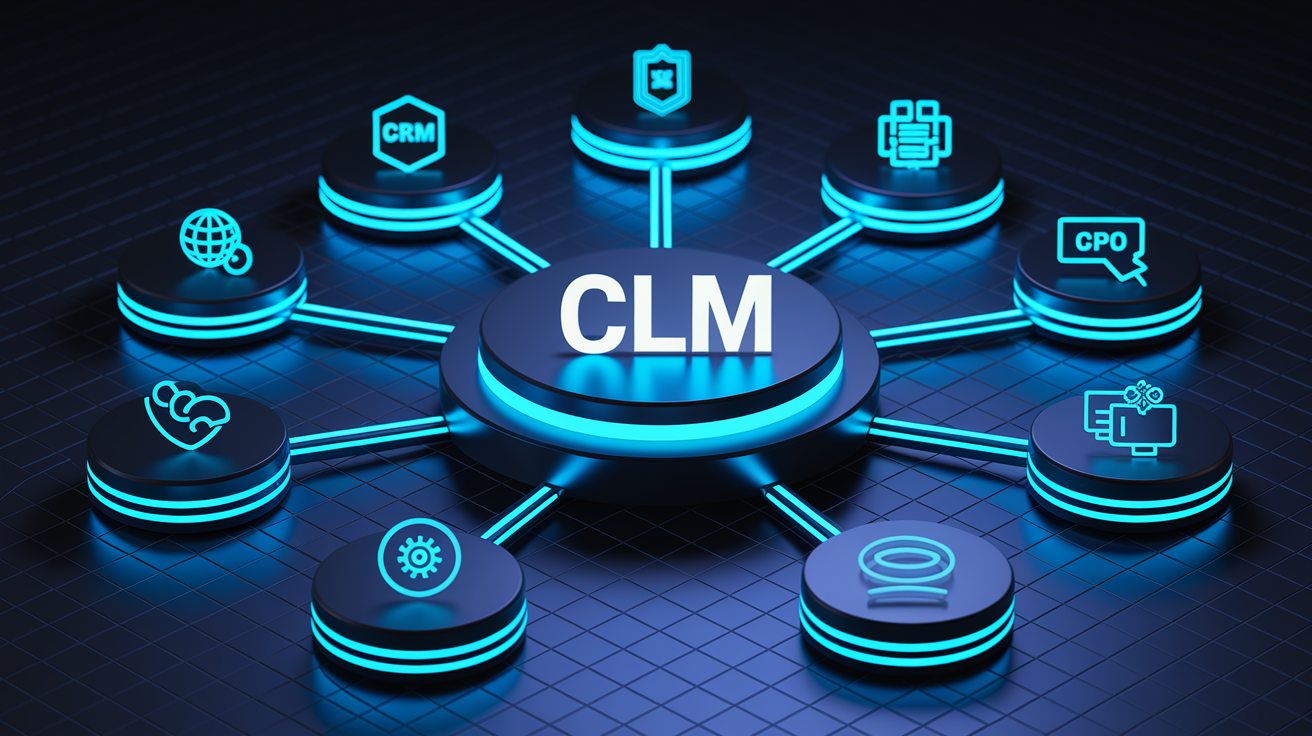
Modern CLM software must connect to the systems where contracts are created, approved, executed, and tracked. Integration depth determines whether the platform becomes a central hub or an isolated tool. Deep integrations automate data flow, eliminate duplicate entry, and ensure contract terms stay in sync with customer records, vendor profiles, pricing data, and compliance requirements across the tech stack.
Six critical integration categories every CLM platform should support:
CRM systems. Salesforce, HubSpot, Microsoft Dynamics CRM to pull customer data, trigger contract workflows from opportunity stages, and push executed agreements back into account records.
ERP and procurement systems. SAP, Oracle, Microsoft Dynamics 365 to automate vendor onboarding, purchase order matching, and compliance verification for procurement contracts.
E-signature platforms. DocuSign, Adobe Sign, or in-app e-signing to execute contracts without leaving the CLM workflow and maintain audit trails in a single repository.
CPQ (Configure-Price-Quote) tools. DealHub, Salesforce CPQ to tie pricing logic and product configurations directly to contract terms and automate sales contract generation.
Collaboration tools. Slack, Microsoft Teams, Outlook to send contract alerts, approval requests, and status updates where teams already work.
Identity and access systems. Single Sign-On (SSO) via Okta, Azure AD, or Google Workspace to enforce role-based access control and simplify user provisioning.
Icertis is known for deep SAP and Microsoft integrations, making it a strong choice for enterprises standardized on those ecosystems. Agiloft provides a robust integration hub with pre-built connectors and API flexibility for custom workflows. Leah offers broad SaaS integrations and in-app e-signing to reduce dependency on third-party signature tools. Many platforms connect to Salesforce, Slack, Teams, Outlook, HubSpot, and CPQ systems using native connectors or middleware like Zapier.
Evaluating Integration Depth
Not all integrations are equal. Basic trigger-based integrations send one-way notifications or export data on a schedule but don’t maintain real-time sync or update records bidirectionally. Bidirectional sync keeps contract data, metadata, and status changes synchronized across systems in near real-time, ensuring sales reps see the latest approval status in Salesforce and procurement teams see updated vendor terms in the ERP. Embedded UI integrations go further, letting users draft, review, and approve contracts directly inside Salesforce, Teams, or SAP without switching applications. This reduces friction, improves adoption, and keeps workflows where users already spend their day.
How CLM Software Delivers ROI and Reduces Business Risk

Poor contract management can cost organizations up to 9% of annual revenue through missed renewal deadlines, unenforced pricing terms, untracked obligations, and compliance failures that trigger fines or legal disputes. CLM software recaptures this leakage by automating alerts for renewal windows, tracking performance milestones, enforcing approval guardrails, and maintaining complete visibility into every contract obligation across the enterprise. The ROI comes from time savings, cost avoidance, risk reduction, and better negotiation leverage through data insights.
AI-enabled CLM platforms deliver measurable efficiency gains by accelerating contract drafting, review, and clause extraction. AI-assisted drafting can reduce contract creation time from hours to minutes by auto-populating templates with approved language and counterparty data. AI contract review surfaces non-standard terms, identifies high-risk clauses, and flags missing provisions in seconds, cutting legal review cycles from days to hours. Clause extraction and analytics let teams query thousands of contracts instantly to find favorable or unfavorable terms, benchmark pricing, and prepare for renewals with complete context. Capabilities that would take weeks of manual work.
Time and cost savings show up across multiple departments. Sales teams close deals faster when contracts move through approvals in days instead of weeks. Procurement reduces manual hours spent tracking vendor agreements and chasing signatures. Legal counsel spends less time on low-risk contracts and focuses on high-value negotiations and strategic guidance. Finance reduces revenue leakage by catching missed renewals, enforcing payment terms, and improving forecasting accuracy with real-time contract data.
Four measurable KPIs for CLM ROI:
Contract cycle time reduction. Measure time from draft to execution before and after CLM. Targets range from 30–50% reduction in approval and signature timelines.
Revenue leakage prevention. Track the percentage of contracts renewed on time, enforced pricing clauses, and avoided auto-renewals. Baseline against the 9% revenue-loss benchmark from poor contract management.
Renewal accuracy and auto-renewal control. Monitor the number of contracts flagged for review 60–90 days before renewal windows and track how many unwanted auto-renewals are prevented.
Compliance events and audit findings. Count regulatory fines, audit findings, and missed obligation deadlines before and after CLM adoption. Target zero missed compliance deadlines within the first year.
Industry Use Cases Enhanced by CLM Software

CLM software supports contract-heavy workflows across legal, sales, procurement, HR, and finance departments. Each function manages different contract types with distinct approval paths, compliance requirements, and performance metrics. A centralized CLM platform replaces fragmented processes, reduces handoff delays, and provides enterprise-wide visibility into obligations, risks, and renewals.
Sales teams use CLM to accelerate customer agreements, NDAs, MSAs, and order forms. Automated templates and pre-approved clauses let reps generate contracts in minutes without waiting for legal review. Integration with CRM systems pulls customer data directly into contracts and pushes executed agreements back into account records, keeping revenue operations in sync. Approval workflows route high-value or non-standard deals to legal and finance automatically, ensuring compliance without slowing down standard transactions.
| Department | Common CLM Use Case |
|---|---|
| Legal | Centralized repository for all contracts, audit trails for compliance reviews, automated obligation tracking, and clause library management to enforce standard terms. |
| Sales / Revenue Operations | Automated sales agreement generation from CRM, faster quote-to-contract workflows, e-signature integration, and real-time approval status visibility to close deals faster. |
| Procurement / Vendor Management | Vendor onboarding automation, purchase order matching, contract compliance verification, spend tracking, and renewal alerts to renegotiate terms and prevent unfavorable auto-renewals. |
| Human Resources | Employment contract generation, NDA management, benefits agreements, contractor onboarding, and policy acknowledgment tracking with automated reminders and secure storage. |
| Government / Regulated Industries | Audit-ready contract repositories, regulatory compliance tracking (GDPR, HIPAA, CIRCIA), obligation management for grant agreements, and secure role-based access for sensitive contracts. |
Buyer Checklist for Selecting the Right CLM Software
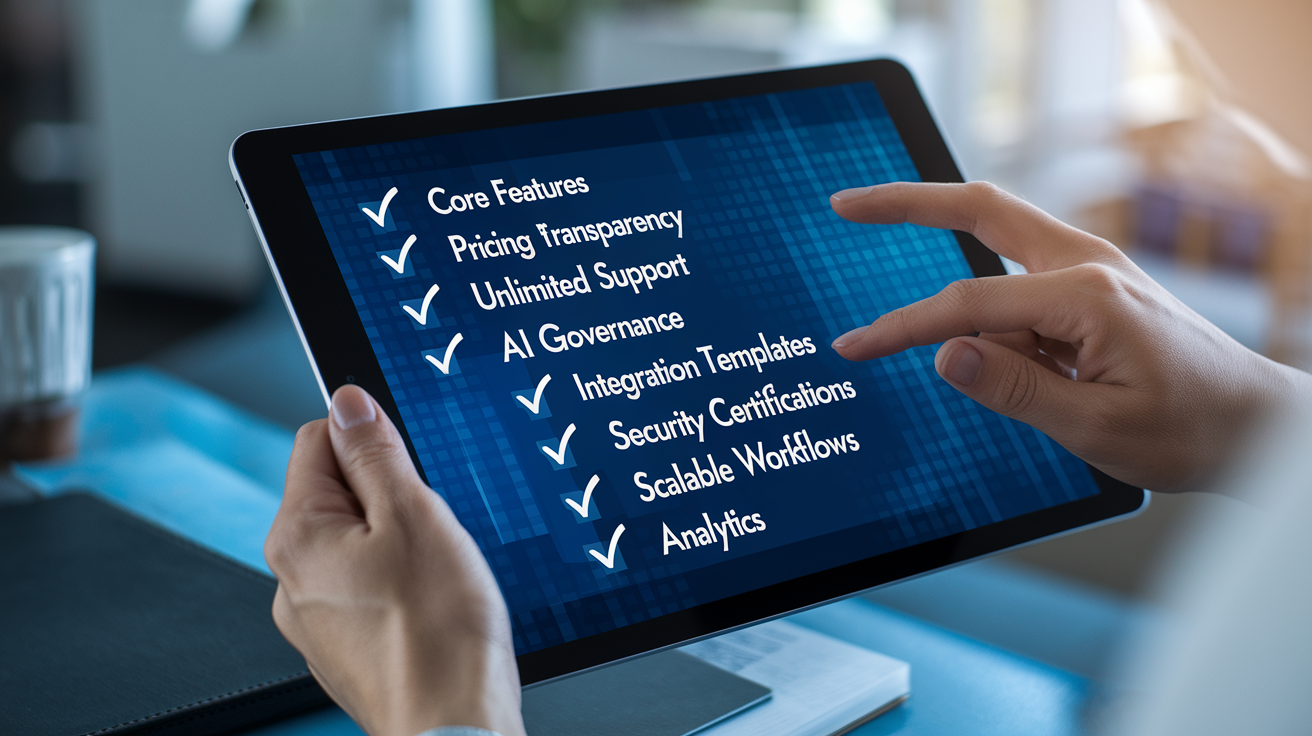
Start your vendor evaluation with a clear requirements list that maps to your organization’s size, contract volume, integration needs, and AI readiness. Avoid the temptation to chase feature lists that don’t align with your actual workflows or to overinvest in enterprise-grade capabilities your team won’t use for years.
Eight essential buyer requirements to validate during demos and proof-of-value pilots:
Core features you’ll use immediately. Centralized repository with full-text search, automated approval workflows, pre-approved templates and clause libraries, renewal alerts, and audit trails. Confirm these work out of the box without heavy customization.
Transparent and predictable pricing. Request modular pricing examples that show costs for your user count, contract volume, and required integrations. Ask about hidden fees for storage, API calls, or premium support tiers.
Unlimited human support and onboarding resources. Verify that training, customer success management, and technical support are included, not paywalled or metered. Check language support for global teams.
AI governance controls and extraction accuracy. Test AI contract review and clause extraction with a sample batch of your actual contracts. Evaluate how the platform handles edge cases, non-standard language, and legacy scanned documents.
Integration templates and deployment timelines. Confirm native or pre-built connectors for your CRM, ERP, e-signature, and collaboration tools. Ask for realistic implementation timelines based on your data migration and customization scope.
Compliance certifications and security standards. Validate SOC 2 Type 2, ISO 27001, GDPR data residency, HIPAA support (if required), encryption in transit and at rest, and role-based access controls.
Scalable workflows that grow with your organization. Ensure the platform supports no-code workflow customization so business users can adjust approval paths, add fields, and refine templates without developer support.
Reporting and analytics depth. Test dashboards, custom reports, and contract analytics to confirm you can track cycle times, renewal pipelines, obligation due dates, and vendor spend without exporting data to external BI tools.
Running an Effective Proof-of-Value Pilot
Validate AI accuracy, integration behavior, and approval routing with a focused pilot before committing to an enterprise rollout. Upload a representative sample of 50–100 contracts that include your most common agreement types, legacy scanned PDFs, and edge cases with complex clauses or non-standard formatting. Run AI extraction to test how accurately the platform identifies key terms, dates, obligations, and risk language, then manually verify results to measure precision and recall. Simulate real approval workflows by configuring multi-stage routing based on contract value, department, and clause triggers, then track how quickly the system escalates exceptions and logs audit trails. Test integrations by syncing a few live CRM or ERP records, triggering contract creation from an opportunity close, and pushing executed agreements back into the source system to confirm bidirectional data flow and metadata accuracy.
Final Words
We mapped the contract lifecycle, named core features, compared top vendors, and covered pricing, implementation, and integrations so you know what to test first.
You saw how AI, clause libraries, and workflows cut risk and speed approvals, plus KPIs to measure ROI.
Run a short proof‑of‑value: test extraction accuracy, approval routing, and integrations. Then pick the clm software that fits your processes and budget. Small pilots find big issues — and they pay off.
FAQ
Q: What is CLM in software?
A: The CLM in software is a system that manages the entire contract lifecycle, from authoring and negotiation to signature, storage, renewals, and compliance, often adding AI clause analysis and risk alerts.
Q: What is the difference between CRM and CLM?
A: The difference between CRM and CLM is that CRM manages customer relationships, sales pipelines, and contact data, while CLM manages contract creation, negotiation, compliance, and obligations; they often integrate for quote-to-contract workflows.
Q: How much does a CLM system cost?
A: The cost of a CLM system is typically modular: basic SaaS plans can start in the low hundreds per month, while enterprise deployments add implementation, integrations, AI, and per-user or volume fees.
Q: What is the difference between DocuSign and CLM?
A: The difference between DocuSign and CLM is DocuSign focuses on e-signature and transaction management, while CLM handles end-to-end contract lifecycle tasks like authoring, negotiation, obligations, and analytics; CLMs often integrate DocuSign for signatures.