


Ever wonder why you’re still copy-pasting config files from last month’s project? You’re not alone. Most developers waste 20 to 45 minutes on project setup every single time they start something new. Folder structures, linters, dependencies, build configs. It’s the same tedious checklist, and if you miss one step, you’ll debug it later when it breaks. Boilerplate code generators cut this down to seconds by automating the repetitive setup work, so you can jump straight into writing actual features instead of fighting with webpack for the third time this week.
Comparing Top Boilerplate Code Generators and Their Key Differentiators

Boilerplate code generators automate the repetitive setup tasks that slow down project initialization. Creating folder structures, configuring build tools, setting up linters, wiring together dependencies. Instead of spending 30 minutes copying files from your last project and hoping you didn’t miss a config tweak, you run a command and get a working starting point in seconds.
| Tool Name | Languages/Frameworks | Pricing | Ease of Use | Key Differentiator |
|---|---|---|---|---|
| Yeoman | JavaScript/TypeScript, multi-framework | Free | Intermediate | Massive ecosystem with 8,500+ community generators |
| Cookiecutter | Python, any language via Jinja2 templates | Free | Beginner | Cross-language templating with simple variable substitution |
| Plop.js | JavaScript/TypeScript | Free | Beginner | Micro-generator for adding files to existing projects |
| Hygen | JavaScript/TypeScript, multi-language | Free | Intermediate | Fast, context-aware generators with built-in shell actions |
| Create React App | React/JavaScript/TypeScript | Free | Beginner | Zero-config React setup with optimized webpack builds |
| Spring Boot Initializer | Java/Kotlin/Groovy | Free | Beginner | Web-based project generator with dependency pre-selection |
| Vue CLI | Vue.js/JavaScript/TypeScript | Free | Intermediate | Plugin-based architecture with interactive project setup |
| Angular Schematics | Angular/TypeScript | Free | Intermediate | Powerful code transformations beyond simple file generation |
| Django-admin startproject | Python/Django | Free | Beginner | Built into Django with instant production-ready structure |
| .NET CLI templates | .NET/C#/F# | Free | Beginner | Microsoft-backed with templates for every .NET workload |
| Express Generator | Node.js/JavaScript | Free | Beginner | Minimal Express.js scaffolding with view engine options |
| Flask-Skeleton | Python/Flask | Free | Beginner | Lightweight Flask starter with common extension setup |
Picking the right tool depends on where you’re working. Building a React app? Create React App or Next.js gets you running faster than a language-agnostic tool that needs configuration. Same with Spring Boot Initializer for Java microservices or Vue CLI for Vue projects. Framework-specific generators understand the conventions and best practices for that ecosystem, so they set up folder structures, build configs, and testing frameworks the way experienced developers in that community expect.
For teams juggling multiple stacks or building internal tooling, flexible generators like Yeoman, Cookiecutter, or Hygen make more sense. These let you create custom templates that match your company’s architecture patterns and coding standards. The setup time you invest in building reusable templates pays back every time someone spins up a new service or module. Most developers report saving 15 to 45 minutes per project just on initial setup, and the real win is consistency. No more wondering if you remembered to add the linting config or which authentication pattern this project uses.
Framework-Specific Template Solutions Across Technology Stacks
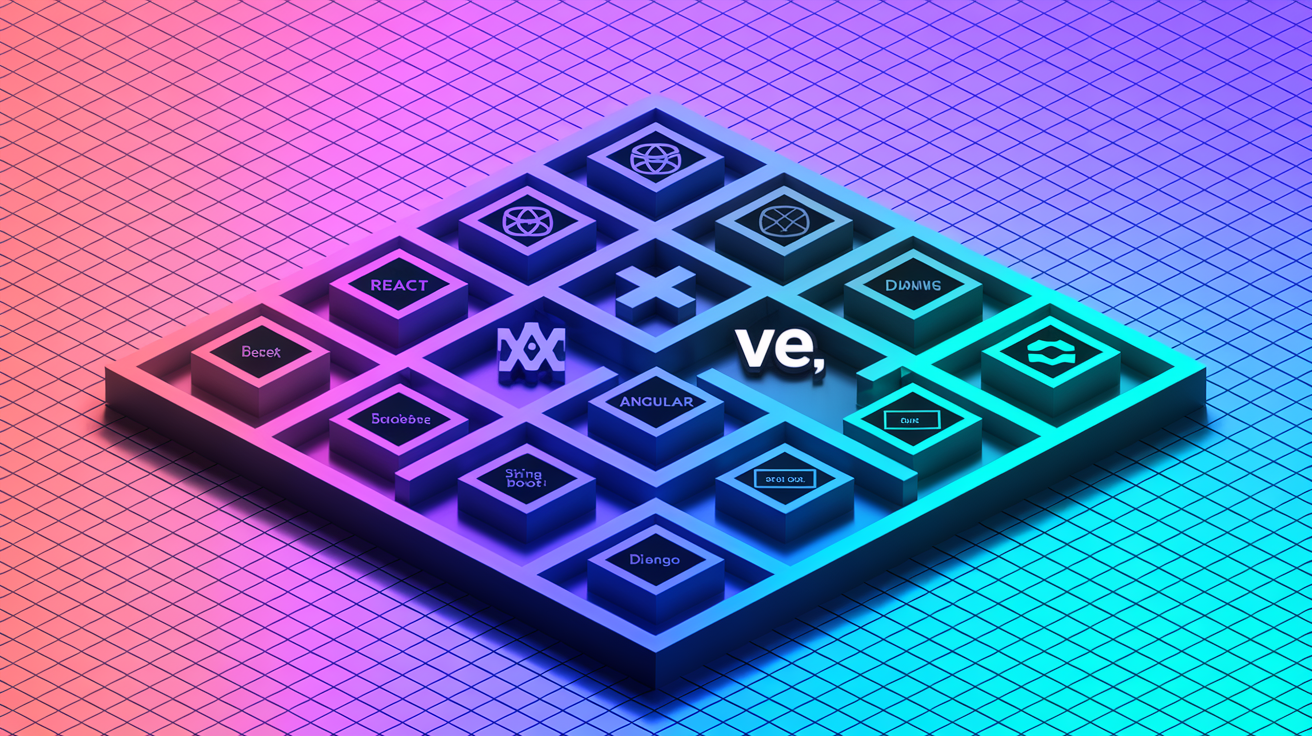
Generic scaffolding tools work, but they treat every project the same. Framework-specific generators understand the conventions, dependencies, and architectural patterns that developers in that ecosystem already follow. Less time tweaking configs and more time writing features.
Frontend Framework Generators
Create React App remains the standard way to start a React project without touching webpack. Run npx create-react-app my-app and you get a working React setup with hot reloading, optimized production builds, and testing infrastructure. Need server-side rendering or static site generation? Next.js includes these out of the box along with routing and API routes.
Angular Schematics go beyond basic file generation. They can modify existing code, update imports, and register new components in module declarations automatically. Add a new component with ng generate component and it creates the files, writes the boilerplate, and wires it into your module. No manual imports.
Vue CLI offers an interactive setup where you select features (TypeScript, routing, Vuex, testing frameworks) and it generates a project configured exactly how you specified. The plugin system lets you add functionality later without rebuilding from scratch.
Backend and API Scaffolding
Spring Boot Initializer (start.spring.io) lets you pick dependencies through checkboxes, then downloads a zip with everything configured. Need JPA, PostgreSQL, and Spring Security? Check three boxes. The generated project includes the right dependencies, application properties templates, and a working main class.
Express Generator creates a basic Node.js API structure with routing and view engine setup. It’s minimal by design. You get a starting point, not a full application framework.
Django’s startproject command generates a production-ready structure with settings for development and production environments, URL configuration, and admin interface setup. Flask boilerplate templates typically add extensions that Flask doesn’t include by default. Database migrations with Alembic, authentication with Flask-Login, and API serialization with Marshmallow.
For .NET, the CLI templates cover everything from console apps to gRPC services. Run dotnet new webapi and you get a working REST API with dependency injection, configuration management, and swagger documentation configured.
Serverless framework generators handle the cloud-specific setup. AWS Lambda handlers, API Gateway configurations, IAM permissions. Takes hours to set up manually and breaks if you miss one CloudFormation setting.
Full-Stack and Microservices Solutions
MEAN and MERN stack generators scaffold both the backend API and frontend application, including the wiring between them. These typically set up database schema generation with Mongoose for MongoDB, authentication middleware, and API routes that the frontend can call immediately.
JAMstack templates from Gatsby, Next.js, or Nuxt handle static site generation with API integration, often including GraphQL setup and serverless function scaffolding.
Microservices templates address the architecture-level setup. Service discovery configuration, API gateway routing, shared authentication, and containerization. These generators create multiple service directories with consistent structure, shared linting rules, and monorepo configuration so you can manage everything in one repository.
GraphQL boilerplate typically includes schema definition files, resolver structure, type generation, and integration with ORMs like Prisma or TypeORM. This eliminates the tedious process of writing resolvers, setting up type-safe database queries, and configuring the GraphQL server from scratch.
The choice between monolithic and microservices scaffolding comes down to team size and complexity. Small team building a focused product? A monolithic template with clear module boundaries is faster and simpler to deploy. Microservices scaffolding makes sense when you have multiple teams, need independent deployment cycles, or expect different scaling requirements across services. But recognize you’re taking on infrastructure complexity that smaller teams often don’t need yet.
Essential Features and Implementation Best Practices
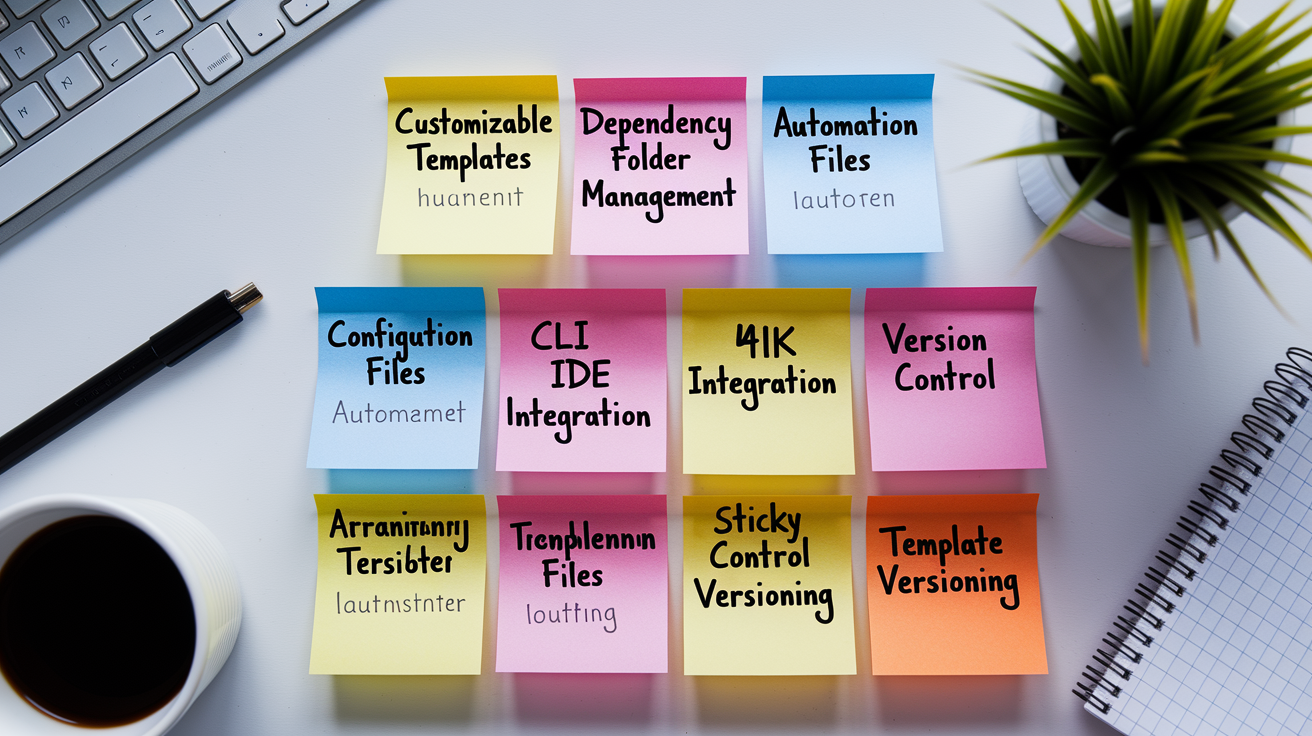
The difference between a generator that gets used and one that gets ignored usually comes down to how well it fits the team’s actual workflow. Developers won’t adopt a tool that creates more friction than it removes, so successful implementation requires both the right feature set and a realistic rollout plan. The most common mistake? Building overly complex templates that try to solve every possible scenario instead of handling the 80% case really well.
Look for these capabilities when evaluating generators:
- Customizable templates that let you modify file structure, variable substitution, and conditional logic without rewriting the entire generator
- Dependency management automation that installs the correct versions and updates package.json, requirements.txt, or build.gradle files automatically
- Folder structure generation following framework conventions and your team’s organizational patterns
- Configuration file creation for linters, formatters, build tools, and test runners with sensible defaults
- CLI interface that works from any terminal without requiring IDE-specific plugins to function
- IDE integration support so developers can trigger generation from VS Code, IntelliJ, or WebStorm without switching contexts
- Version control hooks that initialize git repositories and add appropriate .gitignore files
- Template versioning so teams can update templates without breaking existing projects or losing custom modifications
Here’s how to actually get generators working in your team:
- Start with simple templates covering one use case well. A single service type or component pattern instead of trying to handle every project variation immediately
- Gather team input by watching how developers currently set up projects and identifying the repetitive parts they complain about
- Establish IDE extensions and workflow integration so generation happens where developers already work, not through separate tooling they need to remember
- Document template usage with examples showing inputs, outputs, and when to use each template variant
- Regularly update patterns as frameworks evolve, new best practices emerge, or team conventions change
- Measure adoption metrics by tracking how many new projects use the generator versus manual setup, and asking where the templates fall short
| Integration Point | Tool Examples | Benefit |
|---|---|---|
| CLI setup | npm scripts, custom bash scripts, dotnet new | Works in any environment, scriptable for automation |
| IDE plugins | VS Code extensions, IntelliJ live templates, vim snippets | Reduces context switching, familiar interface |
| CI/CD integration | GitHub Actions, GitLab CI, Jenkins pipeline steps | Validates generated code before merging, enforces standards |
| Version control hooks | pre-commit hooks, husky, lint-staged | Ensures generated code meets quality standards immediately |
Templates aren’t set-it-and-forget-it. Successful teams treat them as living documentation that evolves with their codebase. When React 18 introduced concurrent features, teams using React generators needed to update templates to use the new root API instead of the deprecated ReactDOM.render. When a security vulnerability appears in a commonly used package, updating the template ensures new projects don’t inherit the problem. The key is balancing flexibility with standardization. Templates should be strict enough to ensure consistency but flexible enough that developers don’t route around them when they hit edge cases. Track how often developers modify generated code immediately after creation, because that signals either missing customization options or templates that don’t match real requirements.
Customizing Code Templates for Project-Specific Needs

Generic templates get you started, but most organizations eventually need generators that match their specific patterns and conventions. When every new API needs the same authentication middleware, logging setup, and error handling structure, building those patterns into your templates eliminates an hour of copy-paste work and potential mistakes.
The simplest customization approach is editing the template files directly. Most generators use template engines (Handlebars, EJS, Jinja2) with variable substitution. For example, in Cookiecutter you might have {{cookiecutter.project_name}} that gets replaced during generation. Plop.js lets you define prompts that collect information from the user, then inject those values into template files. More advanced modifications include conditional file generation (only create Docker files if the user selects containerization) and dynamic imports based on selected features.
Defining organization-wide patterns typically means creating a shared template repository that all teams reference. This might live in a private npm package, a Docker image with CLI tools, or a company GitHub repository that developers clone. As teams use the templates, they discover missing pieces. Maybe the database migration setup is incomplete, or the testing configuration doesn’t match how your team actually writes tests. Collect this feedback and update the shared templates regularly, treating them like any other maintained codebase with versioning and release notes.
Common areas worth standardizing:
- Authentication patterns including JWT handling, OAuth flows, session management, and refresh token logic
- API structure like consistent URL naming, standardized error response formats, pagination patterns, and versioning strategies
- Database configuration with connection pooling, migration scripts, and whether to use raw SQL, query builders, or full ORMs
- Testing frameworks covering unit test structure, integration test setup, mocking utilities, and coverage reporting configuration
- Linting rules that enforce consistent code style, import ordering, and framework-specific best practices across all projects
The challenge is knowing when to enforce consistency and when to allow flexibility. Lock down things that make code review and maintenance harder when they vary. Error handling patterns, logging formats, security configurations. Stay loose on things where developer preference doesn’t hurt collaboration. Whether to use tabs or spaces gets handled by a formatter, and component organization within a feature can vary if the public API stays consistent. Check in with your team every quarter or so. Are the templates helping or getting in the way? If developers are constantly overriding the generated code immediately after creation, your templates probably need adjustment or more configuration options.
Repository and Project Configuration Automation

Setting up a repository involves more than code files. You need version control configurations, documentation stubs, dependency manifests, container definitions, and CI/CD pipelines. Doing this manually means copying files from your last project and hoping you updated all the project-specific references.
| Configuration Type | Generated Files | Purpose |
|---|---|---|
| Version control | .gitignore, .gitattributes, .editorconfig | Exclude build artifacts, normalize line endings, consistent editor behavior |
| Documentation | README.md, LICENSE, CONTRIBUTING.md | Project description, usage instructions, legal terms, contribution guidelines |
| Dependency management | package.json, requirements.txt, Gemfile, pom.xml | Track dependencies, define scripts, specify Node/Python/Ruby/Java versions |
| Containerization | Dockerfile, docker-compose.yml, .dockerignore | Container build instructions, multi-container setup, build context optimization |
| CI/CD | .github/workflows, .gitlab-ci.yml, Jenkinsfile | Automated testing, deployment pipelines, release automation |
Environment variables setup is one of those things that breaks silently if you miss a step. Good generators create a .env.example file with all required variables listed (but no actual secrets) and documentation explaining what each variable controls. They might also generate environment-specific configs like .env.development and .env.production with appropriate defaults. Docker configuration automation typically includes both the Dockerfile and docker-compose.yml for local development, with sensible defaults like volume mounts for hot-reloading and exposed ports that don’t conflict with common services. When the generator handles Docker setup, developers can run docker-compose up immediately instead of spending 20 minutes debugging why the container can’t connect to the database.
Maintaining these configurations across project updates is where things get messy. If you update your base Docker image or change CI pipeline structure, those changes need to propagate to existing projects without overwriting custom modifications. Some teams use git submodules or shared config packages that projects reference. Others document the manual update steps and rely on developers to apply them during regular maintenance. There’s no perfect answer, but having a clear update strategy beats letting every project drift into its own snowflake configuration.
Measurable Benefits: Productivity, Quality, and Consistency

Automating project setup eliminates the 30 to 90 minutes developers spend copying files, installing dependencies, and configuring build tools every time they start something new. More importantly, it removes the cognitive load of remembering which linting rules you used last time, whether this project needs Docker, and if you set up pre-commit hooks correctly. Instead of mentally tracking these decisions, developers focus on architecture design and solving the actual business problem.
The combined benefits stack up:
- Reduced project initialization time from 45 to 90 minutes down to 2 to 5 minutes for a fully configured starting point
- Faster onboarding for new developers who can read one template and understand the structure of all projects instead of learning each codebase’s unique organization
- Consistent code quality because linting rules, formatters, and testing frameworks are identical across projects
- Fewer configuration errors since automated generation eliminates typos in config files and missing dependencies
- Accelerated prototyping cycles when you can test an architectural idea in a clean project in minutes instead of hours
- Improved team scalability where adding a new developer doesn’t mean weeks of setup confusion and “how do we do X here” questions
- Standardized folder structures and naming conventions so developers can navigate any project in the organization without hunting for where the API routes or database models live
- Uniform testing setups and linting rules that catch errors consistently regardless of which project you’re working on
- Prevention of configuration drift where projects slowly diverge as developers make different decisions about tooling and structure
Generators enforce the DRY principle at the project level. Instead of copying code from Project A to Project B and hoping you got all the pieces, you generate a new project with the same foundation. When you discover a better authentication pattern or improve your error handling middleware, you update the template and new projects get the improvement automatically. This extends to dependency management. All projects use the same version of React or Express or Django, which means security patches apply uniformly and you don’t debug version-specific bugs that only happen in one codebase.
Shared code quality tooling means ESLint or Prettier or Black formats code the same way everywhere. Code review becomes faster because you’re not debating style issues that should’ve been automated. API patterns stay consistent. If your REST APIs always return errors in the same JSON structure, frontend developers write error handling once and reuse it everywhere. Database connection pooling, logging configuration, health check endpoints. All these architectural decisions get made once in the template instead of recreated imperfectly in every project.
This translates to competitive advantages through faster time-to-market. When a new feature requires a separate microservice, you can have the skeleton deployed and integrated in a day instead of a week. Reduced labor costs show up when senior developers spend 20% less time on setup and maintenance, letting them focus that time on architecture and complex features. For a team of five developers at market rates, saving 5 to 8 hours per person per month adds up to tens of thousands in recovered productivity annually.
Greater project scalability means your team of ten can handle 15 projects because the overhead per project dropped. You’re not context-switching between different build configurations or trying to remember which testing framework this particular service uses. Consistency facilitates smoother project transitions. When an engineer moves from the authentication service to the payment service, the folder structure, testing approach, and linting rules are familiar. Maintenance overhead decreases because fixing a bug or adding a feature in one project teaches you patterns that work in all projects. Client satisfaction improves when you hit delivery dates more reliably because you’re not burning two days of every sprint on setup and configuration debugging. Check out developer productivity tools for additional utilities that compound these gains.
Enterprise and Team Standardization Strategies
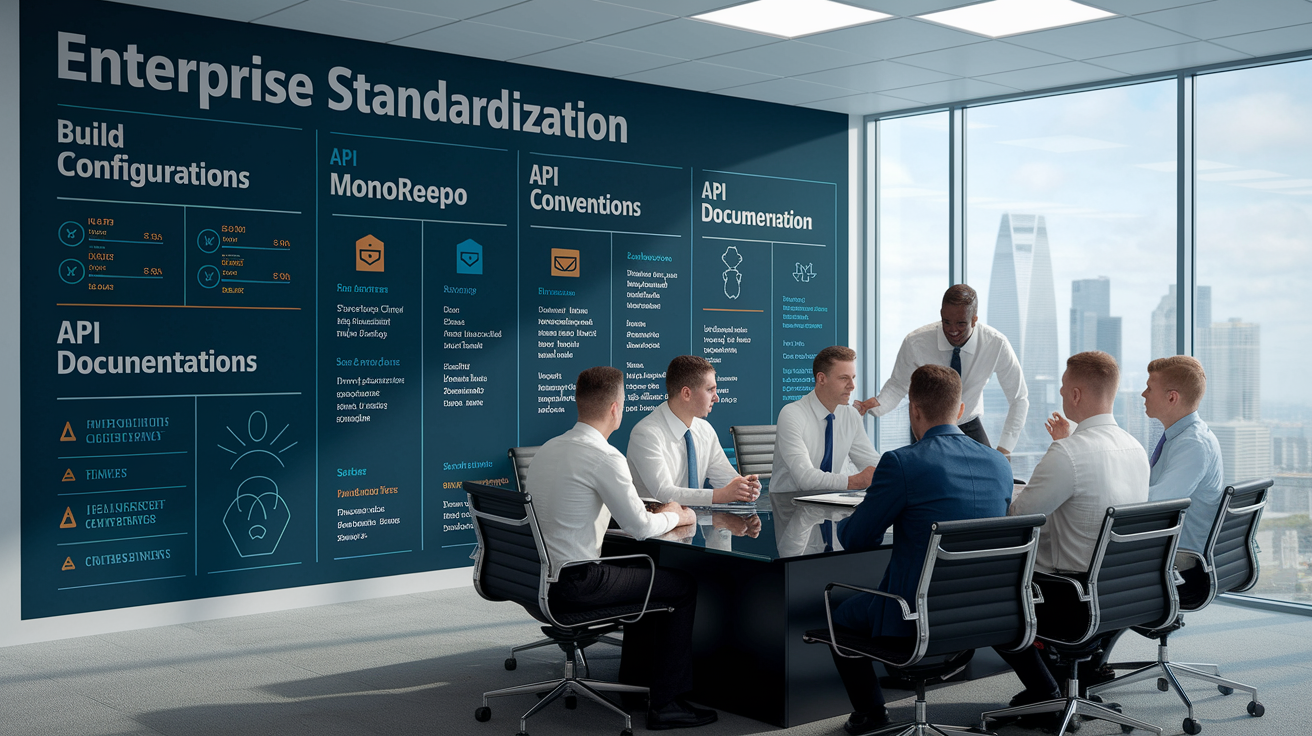
Large organizations face a different problem than solo developers. Dozens or hundreds of engineers working across multiple projects, joining and leaving teams, and needing to understand unfamiliar codebases quickly. When an engineer moves from the customer service to the billing service, they face two challenges. Learning the business domain and learning the code organization. Standardization solves the second problem completely.
| Standardization Area | Implementation Approach | Team Impact |
|---|---|---|
| Build configurations | Shared webpack/vite/rollup configs in npm package, centralized tsconfig.json inheritance | Eliminates build debugging, ensures identical production artifacts |
| Monorepo structures | Nx or Turborepo setup with workspace-level dependency management and shared scripts | Single source of truth for all services, simplified dependency updates |
| API conventions | OpenAPI spec templates, standardized error codes, shared authentication middleware | Frontend teams know what to expect, integration testing becomes reusable |
| Documentation standards | README templates with required sections, automated API doc generation, architecture decision records | New engineers can find answers without interrupting senior developers |
Enterprise code templates reduce onboarding time from weeks to days. Instead of an engineer spending their first week figuring out where the database models live and how the authentication flow works, they can navigate immediately. The codebase looks like the training project they used during onboarding. They know where to find tests, where config files live, and how the CI/CD pipeline works because it’s identical across all projects. This is especially valuable for consulting firms and agencies where engineers rotate between client projects frequently.
Standardization enables engineers to move between projects with minimal friction. When the team working on the mobile API needs help and you pull someone from the analytics service, they’re productive on day one because the folder structure, testing approach, and coding patterns are familiar. Reducing codebase familiarization difficulty is often the biggest win for organizational growth. It means your bottleneck shifts from “understanding the code” to “understanding the business requirements,” which is where it should be. The organization scales more efficiently because knowledge transfer focuses on domain logic instead of technical minutiae.
The tooling infrastructure that enforces consistency matters as much as the templates themselves. Implementing code quality tools consistently across all repositories ensures that linting, formatting, and testing standards don’t drift over time. Centralized dependency management in monorepos means security updates get applied once instead of project by project. Shared build configurations eliminate the “works on my machine” problem because everyone’s machine uses the same build setup as CI/CD.
Free Versus Commercial Generator Options

Most boilerplate generators are open source, but commercial solutions exist targeting enterprise teams that need support guarantees, advanced features, or compliance certifications.
| Aspect | Open Source Tools | Commercial Solutions |
|---|---|---|
| Cost | Free to use, modify, and distribute | Subscription fees from $50 to $500/developer/year or site licenses |
| Customization flexibility | Full source access, modify templates and generator logic freely | Varies; some lock templates, others provide customization APIs |
| Support quality | Community forums, GitHub issues, Stack Overflow, documentation varies widely | SLAs, dedicated support teams, priority bug fixes, onboarding assistance |
| Enterprise features | Generally limited; audit trails and RBAC require custom development | Role-based access, audit logs, compliance reporting, SOC 2 certification |
| Update frequency | Depends on maintainer availability; popular projects update regularly, niche ones may stagnate | Regular releases tied to commercial support agreements |
Open source tools like Yeoman, Cookiecutter, and Hygen work well for most teams. If you hit a limitation, you can fork the project or contribute a fix. The ecosystem around popular open source generators is mature. Thousands of community templates, extensive documentation, and active maintainers. For startups and small teams, the flexibility and zero licensing cost make open source the obvious choice.
Commercial solutions make sense in specific scenarios. If you’re in a regulated industry (finance, healthcare, government), you might need vendor support for audits, security certifications, or guaranteed patch timelines. If your engineering team is too busy to maintain internal tooling, paying for a supported product shifts that responsibility to the vendor. Some commercial generators include features like centralized template management dashboards, role-based permissions for who can modify templates, and detailed usage analytics that help teams understand adoption and identify problems.
Many teams use hybrid approaches. They build on open source foundations. Cookiecutter for project scaffolding, Plop.js for adding components, but add internal wrappers and custom templates specific to their organization. This gets you community-maintained core functionality while keeping your specific patterns private. The cost is building and maintaining the wrapper layer, but for teams with dedicated developer experience engineers, this hits a good balance between flexibility and control.
Total cost of ownership goes beyond licensing fees. Open source tools might be free to acquire, but if you spend significant engineering time debugging generator issues, building missing features, or maintaining custom forks, those costs add up. Commercial tools have upfront fees but might reduce internal maintenance costs. Calculate both sides. Licensing costs plus integration effort for commercial tools versus zero licensing but higher customization and maintenance costs for open source. For most small to medium teams, open source wins because customization time is low and the licensing fees would exceed the value. For large enterprises running hundreds of projects, commercial tools might pay for themselves through reduced support burden and compliance features that would cost more to build internally.
Final Words
Every boilerplate code generator on this list solves the same core problem: cutting project setup from hours down to minutes. The right choice depends on your tech stack, team size, and how much customization you need.
Start simple. Pick a generator that matches your primary framework, test it on a side project, and gradually expand usage across your team. Most developers save 2–4 hours per new project once they’ve got a solid template dialed in.
Whether you’re spinning up microservices, scaffolding React apps, or standardizing enterprise codebases, a good boilerplate code generator pays for itself in the first week. Less setup. More shipping.
FAQ
How do you create boilerplate code?
You create boilerplate code by writing or copying reusable code sections that establish a project’s basic structure, then saving them as templates or using CLI generators like Yeoman, Cookiecutter, or Plop.js to automate this process.
What is boilerplate code generation?
Boilerplate code generation is the automated creation of repetitive code structures, configuration files, and folder hierarchies through tools that scaffold projects based on predefined templates, eliminating manual setup tasks.
How do you write a boilerplate?
You write a boilerplate by identifying common patterns in your projects, creating template files with placeholders for variable content, and organizing them into a reusable structure that can be copied or generated via CLI tools.
What does boilerplate mean in coding?
Boilerplate in coding refers to standardized, repetitive code sections that appear across multiple projects with minimal modifications, similar to template clauses in legal documents that get reused in different contracts.
Which boilerplate generator works best for TypeScript projects?
TypeScript projects work best with generators like Plop.js, Hygen, or TypeScript-specific templates in Yeoman that handle tsconfig.json setup, type definitions, and build configurations automatically.
Can boilerplate generators handle multiple frameworks in one project?
Boilerplate generators can handle multiple frameworks by using full-stack templates like MEAN/MERN generators or custom configurations that scaffold both frontend and backend code with proper folder separation.
How much time do boilerplate generators save on project setup?
Boilerplate generators save 30 minutes to several hours per project by automating file creation, dependency installation, and configuration setup that would otherwise require manual copying and editing.
Do enterprise teams need custom boilerplate generators?
Enterprise teams need custom boilerplate generators to enforce company-specific coding standards, authentication patterns, and API structures across projects, ensuring consistency as engineers move between teams.
What’s the difference between scaffolding and boilerplate generation?
Scaffolding and boilerplate generation are essentially the same concept, both automating project structure creation, though scaffolding sometimes emphasizes framework-specific generators like Angular Schematics or Vue CLI.
Can boilerplate generators create Docker and CI/CD configurations?
Boilerplate generators create Docker and CI/CD configurations by including Dockerfile, docker-compose.yml, and pipeline templates (GitHub Actions, GitLab CI) that match your technology stack and deployment requirements.
How do you maintain boilerplate templates over time?
You maintain boilerplate templates by regularly updating dependency versions, incorporating new framework features, deprecating outdated patterns, and responding to security updates through version-controlled template repositories.
Are open source generators sufficient for commercial projects?
Open source generators are sufficient for most commercial projects, offering community-driven templates and flexibility, though enterprises sometimes need commercial solutions for dedicated support and compliance features.