


Ever spent 20 minutes debugging only to find out DATABASE-URL doesn’t work because your shell hates hyphens? Environment variable naming isn’t just style, it’s avoiding production fires. One bad character, one case mismatch, one collision with a reserved keyword, and your app breaks in ways that waste hours. The rules are simple but strict, and they exist because different shells, operating systems, and frameworks all have opinions about what counts as a valid variable name. Get the naming right and your config works everywhere. Get it wrong and you’re troubleshooting at 11 PM on a Friday.
Fundamental Naming Rules and Standard Format

SCREAMINGSNAKECASE is what everyone uses for environment variables. All uppercase, underscores between words. DATABASEHOST, APIKEY, MAXRETRYATTEMPTS. That kind of thing. It started with Unix systems and now it’s just how you do it, no matter what platform you’re on.
The uppercase thing goes way back to Unix shells. It became the standard because it creates this immediate visual signal: “this is configuration, not code.” When you type export DATABASE_URL=localhost in a terminal, that uppercase format just stands out. It caught on and spread to Windows, macOS, containers, everything. It’s the one pattern that works everywhere without needing translation.
You’ve got three character types allowed in variable names: letters (A to Z), numbers (0 to 9), and underscores (_). Nothing else. No hyphens, periods, colons, spaces, special symbols. Linux shells enforce this hard. Try using a hyphen in MY-APP-KEY and you’ll get a syntax error. Windows is more forgiving, but most Windows deployments end up running Linux somewhere down the line anyway (Docker, WSL, cloud platforms), so following the strict rules saves you trouble later.
The underscore is your only safe delimiter across platforms, but how you use it actually matters. Single underscores separate words in a variable name: DATABASE_HOST, API_KEY, MAX_CONNECTIONS. Double underscores represent hierarchy or nested properties, especially in frameworks that map environment variables to config objects: DATABASE__CONNECTION__TIMEOUT or LOGGING__LEVEL__DEFAULT. This double underscore pattern solves a real problem. Colons work for hierarchical keys in some systems but completely break Bash scripts and other shell environments. Double underscores work everywhere, and frameworks like ASP.NET Core automatically convert __ to : when loading config.
When you’re migrating property names from config files to environment variables, here’s what you do: replace dots with underscores, kill all hyphens, convert everything to uppercase, and replace brackets (array indexes) with underscores and numbers. So spring.main.log-startup-info becomes SPRING_MAIN_LOGSTARTUPINFO, and my.servers[0].host becomes MY_SERVERS_0_HOST. These rules keep you compatible with OS restrictions while staying readable. Case sensitivity is different depending on the OS. Linux treats Path and PATH as totally different variables while Windows sees them as the same thing. Consistent uppercase eliminates that ambiguity and prevents debugging nightmares.
| Configuration Type | Naming Pattern | Example |
|---|---|---|
| Database Credentials | DATABASE_ or DB_ prefix | DATABASE_URL, DB_PASSWORD |
| API Keys | API_ or SECRET_ prefix | API_KEY, SECRET_KEY |
| URLs | _URL suffix | BASE_URL, WEBHOOK_URL |
| Ports | _PORT suffix | PORT, DATABASE_PORT |
| Timeouts | _TIMEOUT suffix | REQUEST_TIMEOUT, CONNECT_TIMEOUT |
| Boolean Flags | ENABLE_ or verb prefix | ENABLE_CACHE, DEBUG_MODE |
| Paths | _PATH or _DIR suffix | LOG_PATH, DATA_DIR |
| Feature Flags | FEATURE_ prefix | FEATURE_NEW_UI, FEATURE_BETA_CHECKOUT |
Prefix Notation and Namespace Organization Strategies
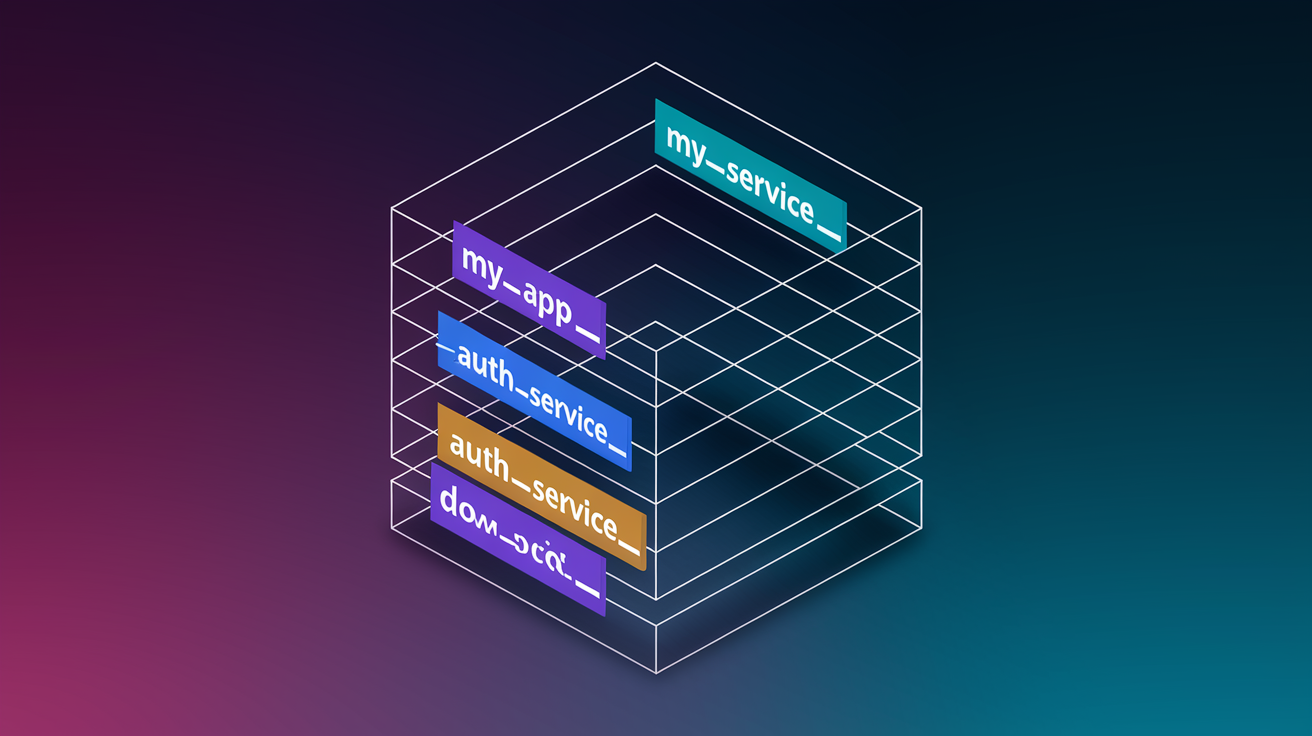
Prefix notation means sticking an application identifier before your environment variable names. Creates distinct namespaces for each app or service. Instead of some generic DATABASE_URL that could belong to anything, you write MYAPP_DATABASE_URL or ORDERSERVICE_DATABASE_URL. Prevents collisions when multiple apps run on the same server or container, and makes it crystal clear which variables belong to which system.
Prefixes give you clean organizational boundaries. When you’ve got MYAPP_DATABASE_URL and OTHERAPP_DATABASE_URL on the same machine, there’s zero ambiguity about which connection string feeds which application. This matters in shared hosting, multi-tenant systems, or dev machines running several projects at once. Common prefix patterns include app name (SHOPIFY), service name (AUTHSERVICE), team name (DATAENG), or environment-specific prefixes combined with app names (PRODANALYTICS vs DEVANALYTICS). What pattern you pick depends on your deployment setup, but staying consistent within each boundary is what counts.
Frameworks often auto-strip prefixes during loading, which keeps your code clean. In .NET, calling AddEnvironmentVariables("MYAPP_") grabs all variables starting with MYAPP_, strips that prefix, and loads what’s left into your configuration object. So MYAPP_DATABASE_HOST becomes accessible in code as DatabaseHost. This auto-stripping lets you use prefixes for organization and conflict prevention without cluttering your application logic with namespace strings.
Common prefix patterns:
- Application level prefixes cover the entire app scope:
ECOMMERCE_API_KEY,ANALYTICS_DB_HOST,EMAILSERVICE_SMTP_PORT - Service specific prefixes mark microservice boundaries:
AUTH_JWT_SECRET,PAYMENT_STRIPE_KEY,SEARCH_ELASTICSEARCH_URL - Environment specific prefixes indicate deployment stage:
PROD_DATABASE_URL,STAGING_CACHE_TTL,DEV_LOG_LEVEL - Team or department prefixes show organizational ownership:
DATAENG_WAREHOUSE_HOST,FRONTEND_CDN_URL,SECURITY_VAULT_TOKEN - Vendor or framework prefixes mark third-party integrations:
AWS_REGION,STRIPE_WEBHOOK_SECRET,SENDGRID_API_KEY
Platform Specific Naming Considerations Across Operating Systems

Linux and Unix systems enforce the strictest character restrictions. Only letters, numbers, and underscores. That makes them the lowest common denominator for cross-platform variable naming. If your variable name works in Bash, it’ll work everywhere. This is why developers targeting multiple platforms should treat Linux naming rules as the baseline, even when working primarily on Windows or macOS. A variable like MY-APP-KEY might not immediately break on Windows, but it’ll explode the moment that code deploys to a Linux container or CI/CD runner.
Windows is more permissive with environment variable names. Even allows spaces in some contexts. But following these relaxed rules creates portability problems. Windows PowerShell uses the $env: prefix to access variables ($env:DATABASE_URL), while CMD uses %DATABASE_URL% syntax, and both work with a wider character set than Bash allows. Most modern Windows deployment targets (Docker containers, WSL environments, cloud platforms) ultimately run Linux though. Using Windows-specific naming flexibility is a trap that’ll bite you later.
Reserved variable names exist on every platform and overwriting them causes system instability or application failures. PATH controls executable search paths, HOME defines user directories, USER identifies the current user, SHELL specifies the command interpreter, and TEMP sets temporary file locations. On Windows, USERPROFILE, SYSTEMROOT, and WINDIR are critical system variables. Don’t use these names for application config. Even variables that look available might be reserved by specific shells or tools. PWD, OLDPWD, IFS, PS1, and RANDOM all have special meanings in Bash.
Writing cross-platform compatible variable names means sticking to SCREAMINGSNAKECASE, avoiding reserved keywords, and testing in Linux environments even if your dev machine runs something else. Shell script compatibility adds another layer. If your variables get referenced in startup scripts, deployment automation, or container entrypoints, they need to parse correctly in sh, bash, zsh, and dash. The safest approach is assuming the strictest ruleset applies everywhere. In practice that means treating your naming conventions as if every variable will eventually be exported in a Bash script running on Alpine Linux.
Language Specific Naming Conventions and Framework Prefixes

Frameworks impose specific naming requirements beyond general conventions. Often using mandatory prefixes to control which variables get exposed to different parts of your application. These aren’t suggestions. They’re hard requirements that determine whether your variables load at all.
Next.js requires the NEXT_PUBLIC_ prefix for any environment variable you want accessible in client-side JavaScript. Variables without this prefix only exist server-side. So NEXT_PUBLIC_API_URL gets embedded into the browser bundle at build time, while DATABASE_PASSWORD stays strictly server-side. This build-time variable loading means changing a NEXT_PUBLIC_ value requires rebuilding and redeploying, not just restarting the server. Create React App follows a similar pattern with REACT_APP_. Only variables starting with REACT_APP_ make it into the production bundle. A variable named API_KEY won’t be accessible in your React components. It must be REACT_APP_API_KEY.
Vite uses VITE_ as its magic prefix for exposed variables. Nuxt.js adopted NUXT_PUBLIC_ for runtime config in version 3. These prefixes serve as a security boundary. They force developers to explicitly declare which configuration values are safe to expose in client code versus which must stay private on the server. Accidentally exposing a database password becomes much harder when the framework refuses to load variables that don’t follow the naming convention. This is why you’ll see variables like VITE_BASE_URL, NUXT_PUBLIC_STRIPE_KEY, or REACT_APP_FEATURE_FLAG_NEW_CHECKOUT in these project environments.
Spring Boot takes a different approach with property transformation and relaxed binding. It’ll automatically convert environment variables to configuration properties by mapping SPRING_DATASOURCE_URL to spring.datasource.url in your application properties. The framework handles the case conversion and delimiter substitution. Lets you use standard SCREAMINGSNAKECASE environment variables while maintaining dot-notation in your Java configuration classes. Python frameworks like Django commonly use DJANGO_ prefixes for framework-specific settings (DJANGO_SETTINGS_MODULE, DJANGO_SECRET_KEY). Flask developers often prefix with the app name or use a general FLASK_ pattern. Ruby on Rails uses RAILS_ENV to determine the environment (development, test, production) and supports RAILS_ prefixed variables, though the framework doesn’t enforce prefixes as strictly as JavaScript bundlers.
Environment Specific Variable Naming for Development Workflows

Managing the same variable names across development, staging, and production creates a common problem: how do you keep DATABASE_URL pointing to localhost on your machine but production servers in deployed code, without changing the codebase?
The environment-specific prefix approach solves this by embedding the environment directly in the variable name: DEV_DATABASE_URL, STAGING_DATABASE_URL, PROD_DATABASE_URL. Your application logic reads from the appropriate prefix based on an environment selector (often another variable like APP_ENV or NODE_ENV). This works but creates duplication and requires conditional logic to pick the right variable set. It’s most useful in scenarios where multiple environments need to exist simultaneously on the same system. Like running integration tests against a staging database while developing against a local one.
The alternative approach keeps variable names identical across all environments but uses different configuration files: .env.development, .env.staging, .env.production. Each file contains DATABASE_URL=different-value, and your deployment process ensures the correct file gets loaded in each environment. This is cleaner in most cases because your code just reads DATABASE_URL without caring which environment it’s running in. The environment-specific values live in the configuration layer, not the naming layer.
CI/CD systems handle environment-specific variable injection through platform features rather than naming conventions. GitHub Actions lets you define secrets per environment, GitLab CI uses environment-specific variables, and platforms like Heroku or Render let you configure different variable sets for each deployment stage. Your code uses generic names like API_KEY, and the platform injects the appropriate value based on which environment triggered the deployment. This separation of concerns (environment selection in the deployment system, generic naming in the code) reduces coupling and makes the codebase more portable.
Security and Sensitive Data Naming Best Practices

Clearly identifying sensitive variables through naming helps both humans and automated tools recognize which configuration values need extra protection. When a variable is named STRIPE_SECRET_KEY instead of just STRIPE_KEY, it signals that this value should never appear in logs, error messages, or client-side code.
Common suffixes that signal sensitive data include _SECRET, _KEY, _PASSWORD, _TOKEN, and _CREDENTIAL. These naming patterns enable security scanning tools to automatically flag variables during code review or CI/CD checks. A secret scanner looking for patterns like *_SECRET, *_PASSWORD, or *_TOKEN can catch accidental commits to version control or exposure in application logs. Naming a variable JWT_SECRET makes it obvious to both developers and tooling that this value grants authentication authority and requires careful handling. JWT_CONFIG wouldn’t trigger the same protective instincts.
Environment variables stored in plaintext files or shell environments don’t provide encryption security. They just separate configuration from code. The CWE-256 plaintext storage vulnerability applies to .env files sitting in your repository or variables set in a shell session. Anyone with file system access or permission to view environment variables can read these values directly. For production environments, secret management services like AWS Secrets Manager, Azure Key Vault, HashiCorp Vault, or Google Secret Manager provide encryption at rest, access control, rotation policies, and audit logs that plain environment variables can’t deliver. Reference Secret Management Best Practices for detailed guidance on encryption and secure storage of sensitive environment variables.
Common sensitive variable suffixes:
- _SECRET for secret keys:
WEBHOOK_SECRET,APP_SECRET,SIGNING_SECRET - _KEY for API keys:
STRIPE_KEY,SENDGRID_KEY,MAPS_API_KEY - _PASSWORD for passwords:
DB_PASSWORD,ADMIN_PASSWORD,REDIS_PASSWORD - _TOKEN for authentication tokens:
AUTH_TOKEN,ACCESS_TOKEN,REFRESH_TOKEN - _CREDENTIAL for credentials:
AWS_CREDENTIAL,SFTP_CREDENTIAL,SERVICE_CREDENTIAL - _PRIVATE for private keys:
SSH_PRIVATE_KEY,TLS_PRIVATE_KEY,ENCRYPTION_PRIVATE_KEY
Documentation Standards and Team Collaboration Guidelines

Providing .env.example or .env.template files in your repository solves the onboarding problem where new developers don’t know which environment variables the application needs. These template files list all required variables with placeholder values or example formats. Never real credentials. A new team member clones the repo, copies .env.example to .env, fills in their actual values (local database password, their own API test keys), and the application runs. This pattern is so common that most frameworks and deployment guides assume it exists.
Inline comments in .env files document variable purpose and expected formats: # Database connection string (postgres://user:pass@host:port/db) or # Stripe publishable key (starts with pk_test_ or pk_live_). README documentation should list all required variables, their purpose, where to obtain values (especially for third-party API keys), and which ones are optional with their default behaviors. Validation schemas, whether through libraries like Joi for Node.js or custom startup checks, enforce that required variables exist and match expected patterns before the application processes requests. Default value patterns in code (reading process.env.PORT || 3000 in Node.js) provide fallbacks for development while requiring explicit configuration in production.
| Documentation Method | Purpose | Example |
|---|---|---|
| .env.example files | Template showing all required variables with safe placeholder values | DATABASE_URL=postgresql://localhost:5432/myapp |
| Inline comments | Explain variable purpose and format directly in config files | # Redis cache URL for session storage |
| README sections | Central documentation of all variables, where to get values, and setup instructions | ## Environment Variables – Required: DATABASE_URL, API_KEY |
| Validation schemas | Programmatic checks that required variables exist and match expected types/formats | joi.object({ PORT: joi.number().required() }) |
| Default value patterns | Code-level fallbacks for optional configuration with sensible defaults | const port = process.env.PORT || 3000; |
Container and Cloud Platform Naming Patterns

Containerized and cloud-native applications introduce additional naming considerations beyond traditional server deployments. Particularly around build-time versus runtime variables and multi-service coordination.
Docker differentiates between ARG instructions for build-time variables (available during docker build, used for base image selection or compilation flags) and ENV instructions for runtime variables (available when containers run, used for application configuration). An ARG named NODE_VERSION might control which Node.js base image you use, while ENV DATABASE_URL sets the connection string when the container starts. This distinction matters because ARG values don’t persist in the final image. Makes them unsuitable for runtime config but perfect for build customization.
Kubernetes introduces ConfigMaps for non-sensitive configuration and Secrets for sensitive data. Both can be exposed as environment variables in pods. Naming conventions here often include the service name and config type: AUTH_SERVICE_DB_HOST or PAYMENT_SERVICE_STRIPE_KEY. The platform handles injection, but keeping names consistent across ConfigMaps, Secrets, and the actual pod environment variables prevents confusion during debugging. Kubernetes also supports variable substitution within config files, so you might see patterns like $(POD_NAME) or $(NAMESPACE) embedded in values.
Cloud provider conventions vary but follow predictable patterns. AWS Systems Manager Parameter Store uses hierarchical paths like /myapp/prod/database/url, which might map to environment variables as MYAPP_PROD_DATABASE_URL when loaded. Azure App Settings and AWS Elastic Beanstalk use key-value pairs that directly become environment variables. The names you set in their web consoles are exactly what your application reads. Microservices architectures need coordinated naming strategies to avoid conflicts. Using service-specific prefixes (AUTH_, PAYMENT_, NOTIFICATION_) ensures that when multiple services run in the same Kubernetes namespace or cloud resource group, their variables stay isolated even if accidentally exposed to the wrong container.
Common Naming Mistakes and Anti-Patterns to Avoid

Naming mistakes create maintenance headaches and debugging sessions where you stare at configuration for 20 minutes before realizing database_url isn’t loading because it should be DATABASE_URL. Inconsistency across a codebase multiplies these problems. When half your variables follow one convention and the other half follow another, every configuration change becomes a guessing game.
The impact shows up in code reviews, production incidents, and developer onboarding time. Mixed conventions force developers to memorize arbitrary differences instead of following a predictable pattern. If API_KEY uses screaming snake case but database-url uses kebab case and cacheTimeout uses camel case, nobody remembers which format to use without checking existing code first.
Common anti-patterns to avoid:
- Using lowercase letters violates platform conventions and reduces visibility (avoid:
api_key,database_url) - Including spaces or special characters breaks shell parsing and causes obscure errors (avoid:
API KEY,DB@PASSWORD) - Creating overly abbreviated names sacrifices readability for minimal typing savings (avoid:
DBURL,APIK,USRPWD) - Omitting prefixes in multi-app environments creates naming conflicts and accidental variable sharing (avoid: generic
PORT,DATABASE_URLwhen multiple apps coexist) - Using inconsistent delimiter patterns mixing single underscores and double underscores randomly (avoid:
APP__DATABASE_URLin same codebase asAPP_API__KEY) - Creating excessively long variable names reduces readability and creates line-wrapping issues (avoid:
MICROSERVICE_AUTHENTICATION_SERVICE_EXTERNAL_API_JWT_SECRET_ENCRYPTION_KEY) - Using ambiguous or generic names provides no context about purpose or scope (avoid:
KEY,URL,CONFIG,DATA) - Mixing naming conventions within same project some variables screaming snake case, others camel case (avoid:
DATABASE_URLalongsideapiTimeoutandcache-ttl)
Consistency is the key principle that prevents most of these problems. Pick a convention, document it in your project’s contributing guide, and enforce it during code review. Even an imperfect convention followed consistently beats a theoretically perfect one applied randomly. Add environment variable naming to your code review checklist. Checking for proper capitalization, prefix usage, and delimiter patterns takes 30 seconds but prevents configuration bugs that waste hours of debugging time.
Migration and Refactoring Strategies for Variable Names

Renaming environment variables in active systems carries the risk of breaking production applications if not handled carefully. Especially when variables control database connections, authentication, or critical integrations.
Backward compatibility strategies support both old and new variable names temporarily during migration periods. Your code reads the new variable name first, then falls back to the old name if the new one doesn’t exist: const dbUrl = process.env.DATABASE_URL || process.env.db_url. This dual-reading approach lets you deploy code that accepts both formats, update environment configuration at your own pace, and remove the fallback logic once all environments use the new names. The transition period might last one release cycle for low-risk applications or several months for distributed systems with multiple deployment stages.
Deprecation warnings help communicate migration timelines without breaking functionality. When your application detects the old variable name, log a warning: “dburl is deprecated and will be removed in version 3.0. Use DATABASEURL instead.” This gives teams visibility into what needs updating without creating immediate outages. Some organizations include deprecation metadata in their configuration management systems. Kubernetes annotations, AWS Systems Manager tags, or custom deployment tooling that flags old variable names during review.
The phased migration process follows: audit (inventory all current variable names and their usage), plan (define new naming convention and create mapping from old to new names), implement (deploy code supporting both old and new names), validate (confirm all environments work with dual support), update (change actual environment variable names in each deployment environment), verify (test that new names work correctly), and deprecate (remove fallback logic for old names after a grace period). Configuration management systems like Configu Orchestrator or custom tooling can automate parts of this process. Tracking which environments still use old names and which have migrated successfully. Version control strategies for tracking variable changes include maintaining a CHANGELOG for environment variable modifications, using git commits to document when variable names change, and tagging releases that remove deprecated variable support. Rollback planning means keeping the dual-reading code in place for at least one release after updating all environments. If a rollback becomes necessary, the previous version still works with either variable name format.
Final Words
Environment variable naming conventions aren’t just style preferences. They’re practical guardrails that prevent production incidents, speed up onboarding, and keep configuration readable across teams.
Stick to SCREAMINGSNAKECASE. Use prefixes when you’re managing multiple apps. Document your variables in .env.example files so the next developer knows what to set.
If your current setup is a mess, start small. Pick one project, audit the variables, and migrate them with backward compatibility. The time you spend now beats debugging cryptic variable conflicts at 2 AM.
Consistent naming makes everything else easier.
FAQ
What are the naming conventions for environment variables?
Environment variables follow SCREAMINGSNAKECASE naming conventions, using all uppercase letters with underscores as word separators. This format became the cross-platform standard because Unix and Linux systems traditionally used uppercase for shell variables. For example, DATABASEURL, APIKEY, and MAX_CONNECTIONS all follow this convention, which ensures consistency across different operating systems and shell environments.
What are the 5 rules for naming a variable?
The five rules for naming environment variables are: use only uppercase letters (A-Z), numbers (0-9), and underscores; start variable names with a letter, not a number; replace dots with underscores when converting property names; remove hyphens entirely; and use single underscores for word separation or double underscores for hierarchical properties. Following these rules ensures your variables work across all platforms and shell environments without compatibility issues.
What are the four naming conventions?
The four primary naming conventions for environment variables are: SCREAMINGSNAKECASE for standard variables (DATABASEHOST), application prefixes for namespace organization (MYAPPDATABASEURL), framework-specific prefixes for exposed variables (NEXTPUBLICAPIURL, REACTAPPVERSION), and security-indicating suffixes for sensitive data (_SECRET, _KEY, _PASSWORD, _TOKEN). Each convention serves a specific purpose in organizing, protecting, and managing configuration across different contexts and deployment environments.
What are the rules for environment variables?
Environment variables must contain only letters, numbers, and underscores, with no spaces, hyphens, periods, or special characters allowed. Variables should use all uppercase letters for cross-platform compatibility, start with a letter rather than a number, and use underscores as the only delimiter. Additionally, avoid reserved system variable names like PATH, HOME, and USER to prevent conflicts with operating system functionality.