


Ever copy the same validation function for the third time this week because you can’t remember where you saved it? Most developers waste 15–20 hours a month rewriting code they’ve already written. A code snippet database stops that cycle by organizing your reusable code in one searchable place. Whether you’re reaching for a React hook pattern, a regex validator, or an API setup, the right snippet manager puts it at your fingertips in seconds. Here’s how to pick and build a system that actually fits your workflow.
Essential Tools and Platforms for Managing Code Snippets

The modern developer’s toolkit includes several powerful code snippet management solutions. Here’s a quick comparison of the top five platforms:
| Tool Name | Type | Pricing | Key Feature |
|---|---|---|---|
| Masscode | Desktop (Open-Source) | Free | 160+ languages out of the box, expandable to 600+ |
| Dash | Desktop | $29.99 one-time | Offline access to 200+ API documentation sets |
| 3Cols | Cloud-based (PWA) | Free (Patreon-funded) | Unlimited snippets with cloud storage |
| Cacher | Cloud-based | $6/month individual, $12/month teams | 2-way GitHub Gist syncing in free tier |
| CodePen | Web-based | $8/month individual, $26/month teams | 1.8 million+ front-end developer community |
Picking the right snippet manager comes down to how you work, what you’re willing to spend, and whether you’re flying solo or collaborating. Want to work offline with total control over your data? Desktop apps like Masscode or Dash make sense. Need real-time sharing across devices? Cloud platforms like Cacher or 3Cols fit better. Budget matters too. Free open-source options like Masscode give you full functionality without opening your wallet, while paid choices like Cacher at $6/month or CodePen at $8/month deliver polish and support. Working solo and hate subscriptions? Dash’s one-time $29.99 fee gets you lifetime access.
Code snippet databases store, organize, and retrieve reusable code pieces you need across projects. Could be single-function helpers or complete boilerplate templates. The main categories are web-based platforms running in your browser, desktop applications working offline, cloud-based storage with cross-device sync, and self-hosted solutions you run on your own infrastructure. Each serves different needs. Web-based tools like CodePen excel at sharing and collaboration, desktop apps like Dash prioritize speed and offline access, cloud platforms handle team workflows, and self-hosted options give you complete data control.
Core Features Every Snippet Management System Should Include
A solid snippet database needs more than just storage. The features determine whether you’ll actually use it or let it collect dust while you keep searching Stack Overflow.
Syntax highlighting and multi-language support can make or break usability. Modern tools support 140+ programming languages with proper color coding and formatting. React Syntax Highlighter powered by Prism.JS has become the standard for code display in web-based snippet tools. This isn’t just about making code look pretty. Proper syntax highlighting catches errors before you paste code into your project. Tools like Snipp.in support over 140 programming languages, while Masscode goes further with 160+ out of the box and expansion to 600+ using .tmLanguage files. When you’re juggling JavaScript, Python, SQL, and YAML in the same project, that language coverage matters.
Organization features separate useful snippet managers from glorified text files. Multi-level folder organization lets you build hierarchical structures that mirror how you actually think about code. Masscode includes multi-level folder organization so you can nest categories like “React > Hooks > useEffect patterns” or “Python > Data Processing > CSV manipulation.” Tagging systems add another dimension. The same Redis connection snippet might have tags for “database,” “caching,” and “Node.js” so you can find it multiple ways. Metadata management includes descriptions, creation dates, last modified timestamps, and author information. This contextual data helps you remember why you saved a snippet six months ago. Drag-and-drop interfaces in tools like Snipp.in let you reorganize quickly without clicking through menus.
Documentation capabilities turn snippet collections into actual knowledge bases. Markdown support lets you write rich documentation alongside your code. Not just what the code does, but when to use it, what dependencies it needs, and what parameters you can adjust. Masscode includes Markdown writing and even presentation creation from snippets. Annotations and comments enable proper code context. A snippet without explanation is just orphaned code. You need space to note things like “requires axios 0.21+,” “breaks with null values,” or “replace API_KEY before using.” For shared libraries, README.md and CONTRIBUTING.md documentation helps new team members understand snippet organization and contribution guidelines.
Snippet preview capabilities, multi-window editing, and contextual storage round out the must-haves. Being able to see code formatting before inserting it prevents layout disasters. Multi-window editing with drag-and-drop means you can compare snippets side by side or pull from multiple sources while building something new. The really important part is storing contextual information about usage, dependencies, and parameters. Code snippets initially stored as single-line strings become unreadable fast. Converting to arrays improves readability significantly. Each snippet should include notes about what it expects as input, what external libraries it needs, and what edge cases it handles (or doesn’t).
Building a Custom Snippet Database from Scratch

Building your own snippet database gives you complete control over features and organization. The first decision is database technology. SQLite version 3.36.0.2 offers relational storage with full SQL query capabilities. Great if you need complex searches or relationships between snippets. Code Box uses this approach for storing code snippets with structured relationships. JSON files provide a simpler alternative. QuickSnip uses local JSON files stored under the /public/data folder, with each programming language getting its own dedicated JSON file. This approach makes community contributions easier since anyone can edit a JSON file. The tradeoff is less sophisticated querying. NoSQL databases like MongoDB sit between these extremes, offering flexible schemas without full SQL overhead. Code snippets stored as single-line strings work but become unreadable. Converting to arrays improves readability significantly, especially for multi-line code blocks.
Essential database schema components for custom snippet storage:
- Unique snippet ID (UUID or auto-increment) for reliable reference and updates
- Language identifier (standardized codes like “javascript,” “python,” “sql”) to enable filtering and syntax highlighting
- Code content field (array or escaped string) storing the actual snippet with proper line break handling
- Tags array (searchable, multiple tags per snippet) for flexible categorization and discovery
- Timestamp fields (createdat, updatedat) to track snippet history and find recent additions
- Author information (user ID or name) for attribution and filtering in shared libraries
Implementation considerations include which libraries to use for the editing experience. RichTextFX library version 0.9.0 provides code editing and syntax highlighting capabilities if you’re building a desktop application. For web-based tools, Monaco Editor (the engine behind VSCode) or CodeMirror offer excellent editing experiences. Organizing by programming language in separate files keeps the database manageable. A single JSON file with 500 snippets across 20 languages gets messy fast. Version control integration matters if you want to track snippet updates over time. Storing your snippet database in a Git repository gives you automatic version history.
IDE Integration and Developer Workflow Optimization
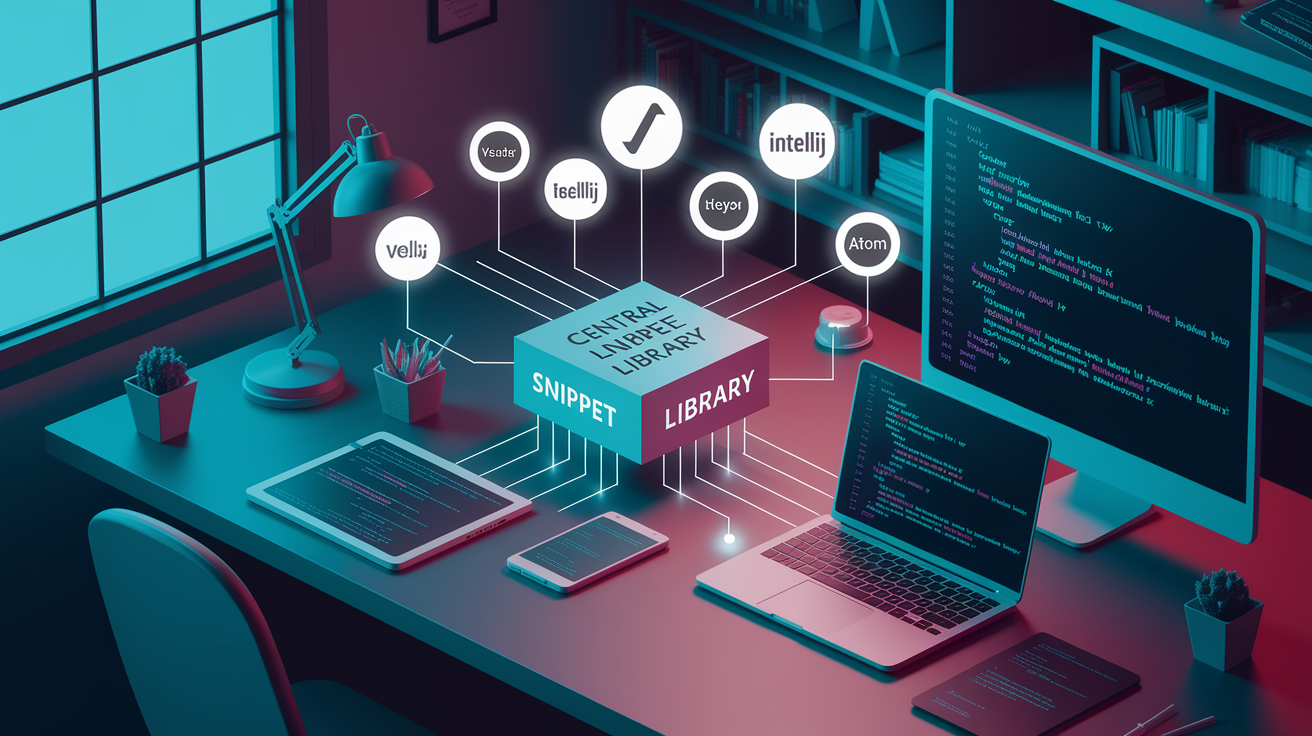
The difference between a snippet manager you use daily and one you forget about often comes down to IDE integration. Dash integrates with VSCode, Atom, IntelliJ, and Sublime, letting you search snippets without leaving your editor. Cacher offers the same integration set. This matters because context switching kills productivity. When you’re mid-flow and need that regex pattern or API call setup, opening a separate app breaks your concentration. IDE integration keeps everything in one place.
Keyboard shortcuts, quick access, and autocomplete features make snippet insertion instant. Set up a shortcut like Cmd+Shift+S to open snippet search in your editor, type a few characters, hit Enter, and the code appears at your cursor. Snippet expansion takes this further. Type a trigger like “reacthook” and it expands to a full useState implementation. Autocomplete features suggest relevant snippets based on what you’re typing and your current file type. If you’re in a .jsx file and type “use,” the autocomplete surfaces your React hooks collection. Snipit offers IDE integration at €7.00/month, connecting your snippet library directly to your coding environment. This automatic suggestion prevents the “I know I have a snippet for this somewhere” search session.
Browser extensions and command-line interfaces extend snippet access beyond traditional IDEs. Browser extensions help with web-based development workflows, especially for front-end work in tools like CodePen’s editing environment. Command-line interfaces matter for terminal-based developers who live in vim or emacs. A quick shell command to search and copy snippets fits naturally into that workflow. For teams working with different development setups, having multiple access methods means everyone can use the shared snippet library their own way. Check out more integrated solutions at the Developer Tools Platform that work across different environments.
Team Collaboration and Snippet Sharing Capabilities

Team collaboration features vary dramatically across snippet management tools. CodePen has built a community of over 1.8 million front-end designers and developers, making it easy to find and share public snippets. Their team tier at $26/month includes private team libraries and collaboration boards. Cacher takes a different approach with 2-way syncing to GitHub Gist in the free tier, then charges $12/month for teams with enhanced collaboration features. 3Cols keeps it affordable at $1.69/month for premium sharing capabilities. The pricing reflects different collaboration models. CodePen focuses on community and public sharing, Cacher emphasizes team libraries and private collaboration, while 3Cols offers basic sharing without the enterprise features.
Permission settings determine who can view, edit, or delete snippets in your collection. Private snippets stay locked to your account or team. Public repositories let anyone discover and use your code, great for open-source projects or building a portfolio. Team libraries sit in between, visible to specific users but hidden from the wider community. Most platforms let you set permissions per snippet or per folder. You might have a “Client Projects” folder that’s team-only and a “Utilities” folder that’s public. Permission models get more complex with roles. Some team members can create and edit, others can only view and copy, and admins can manage the whole library.
Community contributions and shared repositories turn snippet databases into collaborative knowledge bases. Community-driven platforms let developers contribute snippets, suggest improvements, and report issues. Shared boards in team tools create living documentation. The database pattern that solved last week’s production issue becomes available to the whole team immediately. This beats asking around on Slack or searching email threads. The snippet becomes institutional knowledge instead of siloed in one person’s head.
Security Considerations for Storing Code Snippets

Encryption and secure storage matter when your snippets contain API keys, database credentials, or proprietary algorithms. Cloud-based solutions vary in their security approach. Check whether your snippets are encrypted at rest (stored encrypted on their servers) and in transit (encrypted during upload/download). Some platforms encrypt everything by default, others only encrypt on paid tiers. If a snippet contains sensitive data like “const APIKEY = ‘skliveabc123xyz’,” that’s a security risk if stored unencrypted. Either use environment variable placeholders in your snippets (“const APIKEY = process.env.API_KEY”) or ensure the platform encrypts storage.
Backup solutions and data portability prevent snippet loss and vendor lock-in. Even the most reliable cloud service can have outages or shut down. Regular exports of your snippet library (weekly or monthly) give you a local copy. Some tools automate this, others require manual export. Data portability means you can move between platforms without losing work. JSON or Markdown export formats make migration straightforward. Check if the platform lets you export with all metadata (tags, categories, timestamps) intact or just the raw code. Losing organizational structure during export defeats the purpose of careful categorization.
Self-hosted solutions provide full security control versus trusting a cloud provider. Running your own snippet database on your infrastructure means you control encryption, access logs, and data location. Open-source solutions allow code auditing. You can verify exactly how your snippets are stored and who can access them. The tradeoff is you’re responsible for security patches, backups, and server maintenance. Cloud providers handle that but you’re trusting their security practices. For most developers, cloud provider security is actually better than what you’d implement yourself. For organizations with compliance requirements or highly sensitive code, self-hosted wins.
Organization Best Practices for Snippet Libraries

Consistent organization from the beginning prevents the “where did I save that” problem six months later. Start with a clear structure even when you only have ten snippets. It’s easier to maintain an existing organization system than to reorganize 200 randomly saved snippets later. Masscode’s multi-level folder organization lets you build hierarchical structures that scale. A flat list of snippets works until you hit 30 or 40 items, then search becomes mandatory. A clear folder structure means you can browse to find snippets even if you don’t remember exact keywords.
Organization best practices for snippet management:
- Use programming language as the primary categorization level (JavaScript, Python, SQL) with subdirectories for frameworks or use cases (React, Django, PostgreSQL)
- Create descriptive names that explain what the snippet does, not just generic labels like “helper function” or “utility.” Prefer “convert CSV to JSON array” or “authenticate JWT token”
- Apply consistent tagging with 3 to 5 tags per snippet covering language, use case, dependencies, and complexity (like “javascript,” “async,” “api,” “axios,” “beginner”)
- Build folder hierarchies that match your mental model of code organization, typically 2 to 4 levels deep (Language > Framework > Component Type > Specific Pattern)
- Schedule regular maintenance sessions monthly to remove outdated snippets, update deprecated code, and consolidate duplicates
Project-specific versus universal snippet storage requires different strategies. Universal snippets solve common problems across projects. Date formatting, API error handling, input validation. Store these in your main snippet database organized by language and function. Project-specific snippets contain business logic, custom configurations, or unique workflows. Some developers create separate snippet collections per major project. Others tag project-specific snippets and keep everything in one database. The balance depends on whether you switch between projects frequently (favor separate collections) or work on one main project with occasional side work (favor tags in a single database). QuickSnip organizes by programming language with category subdivisions, making it easy to find “Python > Data Processing > CSV cleanup” without sorting through unrelated code.
Self-Hosted vs. Cloud-Based Snippet Solutions

The decision between self-hosted and cloud-based snippet management involves tradeoffs across cost, control, and convenience. Here’s how the key aspects compare:
| Aspect | Self-Hosted | Cloud-Based |
|---|---|---|
| Cost | One-time setup, ongoing server costs | Monthly/annual subscription fees |
| Control | Full control over data, features, updates | Limited to platform features and policies |
| Accessibility | Requires VPN or public hosting setup | Access from anywhere with internet |
| Maintenance | You handle updates, backups, security | Provider manages infrastructure |
| Collaboration | Manual setup, limited real-time features | Built-in team features and sharing |
| Security | You control encryption and access | Trust provider’s security practices |
| Synchronization | Requires custom sync implementation | Automatic cross-device syncing |
| Access Control | Custom user management needed | Built-in roles and permissions |
Synchronization capabilities differ significantly between deployment models. Cloud platforms like Cacher offer 2-way syncing with GitHub Gist, keeping your snippets updated across devices automatically. Edit a snippet on your laptop, and it appears on your desktop within seconds. Cross-device access just works. Log in from any browser or IDE integration and your full library is there. Real-time collaboration features in cloud solutions let multiple team members edit shared snippets simultaneously, like Google Docs for code. Self-hosted synchronization requires more work. You might set up Git-based syncing where each device pulls updates periodically, but this doesn’t support real-time collaboration. Custom webhooks or sync scripts can bridge the gap but add maintenance overhead.
Hybrid approaches combine local storage benefits with cloud sync when needed. Dash offers offline access to 200+ API documentation sets and your snippets with a $29.99 one-time fee, storing everything locally for speed. You’re not dependent on internet connectivity or cloud service uptime. Access control implementation varies. Cloud platforms have built-in role management with options like viewer, editor, and admin. Self-hosted solutions require configuring user authentication and permissions yourself, often using OAuth providers or local user databases. Open-source tools like Masscode allow free modification for customizing access control to your needs. Code Box prohibits commercial sale but lets you modify the code freely, so you could add team features if you wanted. Patreon-funded models like 3Cols provide cloud storage without traditional subscription pressure.
Advanced Search and Discovery Features in Snippet Databases

Full-text search across code content, tags, and metadata turns a snippet collection into a usable reference. Basic search matches snippet titles, but that breaks down when you remember “that thing that parsed JSON arrays” but named the snippet “data processor.” Advanced search looks inside the actual code, finding snippets containing specific function names, variable patterns, or library imports. Tag and metadata search adds another layer. Find all snippets tagged “authentication” and “express” created in the last month. The combination of search targets means you can find snippets multiple ways depending on what you remember.
Code indexing techniques and Algolia integration power sophisticated search in modern snippet tools. Search functionality using Algolia was planned for implementation in QuickSnip to enable instant, typo-tolerant search. Algolia indexes every word in your snippet content, tags, descriptions, and comments, then returns results in milliseconds. Unlike simple string matching, indexed search handles variations. Searching “authentication” finds snippets containing “auth,” “authenticate,” and “authorization.” Multi-language snippet libraries need search that understands code context. Searching for “map” should differentiate between JavaScript array methods, Python dictionary operations, and geographic mapping libraries based on the language filter you apply.
Intelligent suggestions and contextual snippet recommendations reduce search overhead. If you’re working in a React component file and frequently use useState hooks, the system should surface relevant hook snippets automatically. Contextual recommendations based on current project or language mean typing “useE” triggers suggestions for useEffect patterns specifically, not every snippet starting with “use.” Some platforms analyze coding patterns. If you often use a particular API error handling snippet after fetching data, the system learns to suggest it proactively. This predictive approach works better than remember-and-search workflows.
Usage analytics and popular snippet tracking help identify your most valuable code pieces. Usage tracking shows which snippets you access weekly versus ones saved months ago but never used. That information guides cleanup. Maybe delete unused snippets or move them to an archive folder. For team libraries, analytics reveal popular snippets that deserve better documentation or should be promoted to official templates. Frequently accessed snippets in team libraries indicate useful patterns worth sharing. If everyone copies the same error handling snippet, that’s a signal to standardize it and document when to use it.
Import, Export, and Migration Between Snippet Platforms

Standard export formats enable portability across snippet management tools. JSON serves as the common export and import format for portability because it’s structured, readable, and supported everywhere. A typical snippet export includes the code content, language identifier, tags, description, creation date, and folder path. XML works similarly but with more verbose syntax. Markdown export creates human-readable files with code blocks and metadata as frontmatter. Check whether export preserves metadata, tags, and organization or just dumps raw code. Migrating from one platform to another is much cleaner when you can import complete snippet records instead of manually recreating hundreds of tags and descriptions.
GitHub Gist functions as a universal interchange format across snippet tools. Cacher’s 2-way GitHub Gist syncing in the free tier means your snippets live in Gists, readable by other tools. Want to switch from Cacher to another Gist-compatible platform? Your snippets are already there. This approach treats Gist as the source of truth, with snippet managers as different interfaces to the same data. The catch is Gist’s limitation to public or secret visibility without granular sharing controls. For developers already using Gist, integration feels natural. For teams needing complex permissions, it’s restrictive.
Backup strategies and version history preservation protect against data loss. Automated backup solutions for cloud platforms export your snippet library nightly or weekly to external storage like S3 or Dropbox. Manual backups work but depend on actually remembering to do them. Challenges with proprietary formats in commercial tools can lock you into a platform. If the export format is undocumented or tool-specific, migration becomes manual copy-paste work. Open-source solutions tend toward standard formats because the community demands portability. Before committing to a snippet platform, test the export function and verify you can actually use the exported data elsewhere.
Final Words
A solid code snippet database transforms how you write and reuse code.
Whether you pick a free tool like Masscode or invest in team collaboration with Cacher, the right system saves hours of searching and retyping. Start with basic organization by language and category, then layer in tags and folders as your library grows.
The best setup matches your workflow—self-hosted if you need control, cloud-based if you want syncing across devices, or a hybrid if you need both.
Pick one, move your most-used snippets in, and stop rewriting the same code every week.
FAQ
What is a code snippet database and why do developers need one?
A code snippet database is a system for storing, organizing, and retrieving reusable pieces of code that developers reference frequently. Developers need one because it eliminates repetitive typing, reduces context switching, and preserves tested solutions for common coding patterns across projects.
How do web-based snippet platforms differ from desktop applications?
Web-based snippet platforms differ from desktop applications by offering cloud synchronization and browser accessibility, while desktop tools like Dash provide offline access to documentation and snippets with a $29.99 one-time fee instead of recurring subscriptions.
What pricing options exist for code snippet management tools?
Code snippet management tools range from completely free open-source solutions like Masscode, to Patreon-funded platforms like 3Cols, to subscription services like Cacher at $6/month for individuals or $12/month for teams, and one-time purchases like Dash at $29.99.
How many programming languages should a snippet tool support?
A snippet tool should support at least 140+ programming languages for basic coverage, though advanced tools like Masscode support over 160 languages out of the box and can expand to 600+ languages using .tmLanguage files for comprehensive development needs.
What are the essential organizational features in snippet databases?
Essential organizational features in snippet databases include multi-level folder structures, tagging systems for categorization, metadata management for searchable descriptions, and hierarchical organization by programming language to enable quick retrieval as libraries scale.
Should code snippets include documentation alongside the code?
Code snippets should include documentation alongside the code using Markdown support to provide context about usage, explain dependencies and parameters, and clarify complex logic through annotations, ensuring snippets remain useful over time and to other team members.
What database technology works best for custom snippet storage?
SQLite version 3.36.0.2 works best for relational snippet storage with structured queries, while JSON files organized by programming language offer simpler implementation for custom snippet databases, with the choice depending on complexity and querying needs.
How do snippet databases integrate with popular IDEs?
Snippet databases integrate with popular IDEs like VSCode, IntelliJ, Atom, and Sublime through extensions that enable keyboard shortcuts, autocomplete features, and snippet expansion directly within the coding environment, eliminating the need to switch contexts during development.
What collaboration features should team snippet libraries include?
Team snippet libraries should include permission settings for private versus public snippets, shared repositories for community contributions, and pricing tiers like CodePen’s $26/month team plan or Cacher’s $12/month option to support collaborative workflow requirements.
How should developers secure sensitive code snippets?
Developers should secure sensitive code snippets containing API keys or credentials through encryption, use self-hosted solutions for full security control, or verify that cloud providers offer enterprise-grade security features with transparent data storage and encryption policies.
What organization strategy works best for growing snippet libraries?
The organization strategy that works best for growing snippet libraries uses programming language as the primary category with subcategories for frameworks or use cases, combined with descriptive naming conventions and consistent tagging to maintain searchability as collections expand.
What are the main tradeoffs between self-hosted and cloud snippet solutions?
Self-hosted snippet solutions offer complete control and one-time costs like Dash’s $29.99 fee with offline access, while cloud-based options provide automatic synchronization, real-time collaboration like 2-way GitHub Gist syncing, and reduced maintenance but require ongoing subscriptions.
How do advanced search features improve snippet discovery?
Advanced search features improve snippet discovery through full-text indexing across code content and metadata, Algolia-powered search capabilities, and intelligent contextual recommendations based on current project language, helping developers find relevant snippets faster in large libraries.
Can developers migrate snippets between different platforms?
Developers can migrate snippets between different platforms using JSON export formats for portability, leveraging 2-way GitHub Gist syncing as a universal interchange format, though preserving metadata and folder organization during migration requires careful attention to each platform’s capabilities.