


Ever notice how Postman gets slower the more features it adds? You’re not imagining it. Since 2012, Postman went from a lean Chrome extension to a full platform with monitoring, mock servers, and dashboards you probably don’t use. That bloat pushes developers toward lighter, faster alternatives that do one thing well instead of everything okay. This guide covers eight API testing tools that solve real problems: staying in your editor, working offline, syncing through Git, or just testing an endpoint without creating an account. We’ll show you what each tool does best and where it falls short.
Best API Testing Tools: Quick Comparison of 8 Leading Options

Developers hunt for Postman alternatives for a few solid reasons: pricing that doesn’t work for small teams, performance lag from feature overload, or just wanting something cleaner. Postman kicked off in 2012 as a simple Chrome extension for HTTP requests. Over time it grew into a full platform with doc generators, mock servers, monitoring dashboards, and collaboration tools. That evolution made it powerful but also bloated.
What makes alternatives stand out usually boils down to a few things: offline capability, open source code, Git integration, and whether they focus on one workflow instead of everything. Some tools plug straight into VS Code so you stay in your editor. Others sync live through a browser. A few ditch cloud services completely and keep everything local. The right pick depends on what you’re actually doing—quick endpoint tests, team collaboration across time zones, or managing hundreds of API specs with auto docs.
| Tool | Primary Strength | Pricing | Offline | Platform |
|---|---|---|---|---|
| Insomnia | Open-source with enterprise backing | Custom pricing | Yes | Desktop |
| Bruno | Git-driven collaboration | $6/month | Yes | Desktop |
| Thunder Client | VS Code integration | Free | Yes | VS Code extension |
| Hoppscotch | Real-time browser collaboration | Free tier available | No | Web-based |
| APIdog | Development-documentation combo | $9/user/month | Yes | Desktop |
| Stoplight | Design-first workflow | $41/month | No | Web-based |
| SwaggerHub | OpenAPI specialist with SDK generation | $22.80/month | No | Web-based |
| RapidAPI | Native macOS performance | Free | Yes | macOS only |
The sections ahead break down each tool in detail. What it does well, where it struggles, and who should actually use it. Whether you’re moving a whole team or just testing a REST endpoint during lunch, one of these will work.
Insomnia: Open-Source Alternative with Enterprise Backing

Insomnia is an open-source API client that Kong bought a few years ago. That gives it the backing of a bigger company while keeping the code open for anyone to fork or contribute.
You get REST, GraphQL, and SOAP support, cloud workspaces for syncing collections across devices, team tools, and mock servers for testing before the backend’s ready. Insomnia also has a “Run in Insomnia” button you can drop into docs, similar to what Postman does for quick imports.
The interface is cleaner than Postman’s. Fewer nested menus, simpler onboarding, and you can skip making an account if you’re just working locally. No login means you download the app and start making requests inside a minute.
What works about Insomnia:
- Open codebase you can inspect and customize
- Simpler UI without feature sprawl
- No account needed for local work
- Run in Insomnia button for embedding
- Custom enterprise pricing for bigger teams
But there are gaps. No real automation suite for scheduled tests or complex chained workflows. WebSocket support exists but has bugs. Environment variable handling broke in some recent versions, which causes problems if your team relies on dev, staging, and prod switching. Users who jumped from Postman have hit these issues in everyday use.
Bruno: Git-Native Client for Developer Teams

Bruno treats Git as the collaboration layer instead of cloud services. Your collections live in files you commit, branch, and merge like code.
The offline-first setup means no cloud sync, no account, and no external servers. Everything stays local until you push to your repo. For teams already on Git, this fits right into existing workflows. You get the same pull request reviews, merge conflicts, and history tracking you use for app code.
Bruno also removes the cap Postman’s free tier puts on collection runs. Postman stops you at 25 runs monthly unless you pay. Bruno doesn’t limit you, which matters if you’re testing constantly during development or running automated checks in CI.
What Bruno offers:
- Git-native version control for collections and environments
- Offline-first with no cloud dependency
- No account to get started
- Unlimited collection runs versus Postman’s 25-run cap
- $6/month or $19 for two years
- OpenAPI Designer in pro features
Bruno supports importing OpenAPI specs, but there’s a hitch. First import usually works fine. Problems pop up when you reimport an updated OpenAPI doc after changes. Fields don’t always map right, and you’re manually fixing requests. If your specs change often, that friction builds up.
Thunder Client: Lightweight Testing Inside VS Code

Thunder Client is a VS Code extension that puts API testing in your editor. No jumping to another app, no Electron wrapper eating RAM. Just a panel in the IDE you’re already using.
It works completely offline and doesn’t need a login or internet. Install it, open Thunder Client, and you’re making requests. The free tier has all core features, which appeals to solo devs or small teams watching costs.
Compared to Postman’s VS Code extension, Thunder Client trades features for simplicity. Postman on VS Code handles gRPC, WebSocket, and cURL import with stronger environment management. Thunder Client skips those advanced protocols and keeps the UI minimal. If you’re just testing REST endpoints without extra complexity, that works.
Best scenarios for Thunder Client:
- Solo devs who work in VS Code all day
- Offline development (planes, spotty Wi-Fi, locked networks)
- Quick endpoint tests without opening another app
- Simple REST calls without advanced protocols
- Devs avoiding accounts for privacy or compliance
- Setups where Electron apps drag performance
Collaboration’s limited. No real-time sync, no shared workspaces, no comment threads. No mobile access since it’s tied to VS Code. If your team needs those, check Bruno for Git-based collaboration or Hoppscotch for browser teamwork.
Hoppscotch: Browser-Based Real-Time Collaboration
Hoppscotch runs in the browser. No desktop app, no install. Just open the URL and start making requests. That’s useful for quick tests on machines you don’t control or when onboarding someone who needs to hit an endpoint now.
It handles REST, GraphQL, and WebSocket with real-time collaboration through shared workspaces. Multiple people can work in the same collection at once, which helps during pair debugging or when frontend and backend devs need to troubleshoot an integration together.
Import options are broad. Hoppscotch reads OpenAPI specs, Postman collections, Insomnia exports, GitHub Gists, and HAR files. If you’re migrating from another tool or pulling together collections from different places, that flexibility saves time.
When Hoppscotch fits:
- Teams needing fast onboarding without installs
- Browser-only setups like Chromebooks or locked corporate machines
- WebSocket testing that other tools handle awkwardly
- Migrating from multiple tools needing broad import support
- Real-time collaboration during active development
The web-only approach has downsides. No offline mode means you’re stuck without internet. No native desktop app means no OS shortcuts or deeper system integration. For teams wanting offline capability or preferring desktop apps for performance, that’s a problem.
APIdog: Unified Development and Documentation Platform

APIdog combines API development and docs into one workflow instead of splitting them. Most tools make you build requests in one spot and write docs somewhere else. APIdog links them directly.
One standout: automatic example data from schemas. Define your request or response schema, click a button, and APIdog creates realistic example data. Postman needs manual examples or custom scripts. That saved time adds up across dozens of endpoints.
Another differentiator is database debugging integration. APIdog can connect your docs directly to a database for debugging without a live endpoint. Postman needs an actual endpoint. If you’re building a new service that isn’t deployed yet, testing against the database directly speeds things up.
What makes APIdog different:
- One-click schema to example data generation
- Direct database to documentation connections for debugging
- Combined development and docs in one interface
- Team collaboration for commenting and review
- Mock server functionality for frontend work before backend’s done
- Automated testing with assertion libraries
- Affordable pricing with up to 5 projects and 4 users free
The Basic plan runs $9 per user monthly, which undercuts Stoplight and SwaggerHub while offering similar documentation features. The free tier works for small teams testing it or running internal projects without budget approval.
Stoplight and SwaggerHub: Design-First API Platforms

These tools start from the design and spec angle instead of beginning with requests. They’re built for teams defining OpenAPI specs first, then generating code, docs, and tests from those specs.
Stoplight Platform Overview
Stoplight brings design, docs, and testing into one place. You define your API structure with a visual editor or YAML, and it auto-generates documentation without extra work. No copying endpoint descriptions to a separate doc site. No manual updates when a field changes.
It also creates mock APIs from your design, letting frontend devs start integrating before the backend exists. That parallel work speeds delivery when backend and frontend teams work at the same time.
SwaggerHub Capabilities
SwaggerHub specializes in design-first workflow with automatic SDK and server stub generation. Define your API in OpenAPI format, and SwaggerHub generates client libraries in JavaScript, Python, Java, Ruby, and more. It also generates server stubs so backend devs get a starting point instead of writing boilerplate.
| Platform | Monthly Price | Auto-Documentation | Mock APIs | SDK Generation |
|---|---|---|---|---|
| Stoplight | $41 | Yes | Yes | No |
| SwaggerHub | $22.80 | Yes | Limited | Yes |
Pick Stoplight if your team values complete workflow integration from design through testing, and the $41/month price works. Go with SwaggerHub if you need automatic SDK generation in multiple languages and can handle $22.80/month. Keep in mind SwaggerHub doesn’t keep request bodies after reload, so you lose unsaved work if you close the tab. Postman saves those automatically.
RapidAPI and GetAPI: Native macOS Solutions
Native macOS apps run on the operating system directly instead of wrapping a web app in Electron. That difference shows in CPU use, memory footprint, and how the interface feels.
RapidAPI (used to be called Paw) is completely free and uses native macOS frameworks. It’s noticeably lighter on CPU than Electron tools, which matters on older MacBooks or when you’re running a dozen other apps. It supports OpenAPI v3.0 through extensions, so you can import specs and keep them synced.
GetAPI comes from the team behind TablePlus, a popular database client for macOS. It’s freemium. Core features are free, and a pro license costs $39 for one year of updates. That yearly payment gets you priority support and advanced features without monthly subscriptions.
Native app benefits:
- Lower CPU use compared to Electron wrappers
- Better macOS integration with system menus and shortcuts
- Faster UI response and smoother animations
- Native UI patterns matching the operating system
- More efficient memory use overall
The clear limitation is platform lock-in. If anyone on your team uses Windows or Linux, they can’t use RapidAPI or GetAPI. That makes these best for macOS-only shops or individual developers who won’t share collections across different systems. Cross-platform teams should look at Insomnia, Bruno, or Scalar instead.
Scalar: OpenAPI-Centric HTTP Client Innovation

Scalar launched in 2025 with a different approach: work directly from OpenAPI files instead of importing them into a proprietary format. Point Scalar at your openapi.yaml file, and it reads the spec live.
When you modify the openapi.yaml file locally, Scalar auto-updates. Add a new endpoint in your spec, save it, and Scalar immediately shows the new operation. Make a request, and Scalar saves the example straight back to the OpenAPI document. No export step, no sync delay.
This works for teams treating the OpenAPI spec as source of truth. Your docs, tests, and request examples all live in one versioned file. Changes propagate automatically. If someone updates the spec, everyone sees it next pull from Git.
Scalar runs on web, macOS, Windows, and Linux, covering most development environments. The cross-platform support means teams with mixed operating systems can standardize on one tool.
When Scalar works best:
- OpenAPI-driven development where the spec defines the contract
- Teams maintaining spec files in version control
- Automatic doc sync without manual updates
- Avoiding import/export cycles causing drift between spec and tests
- Multi-platform teams with Windows, macOS, and Linux users
- Spec as source of truth workflows following design-first principles
Scalar’s still new, so the plugin and integration ecosystem isn’t as mature as Postman or Insomnia. But if you’re already committed to OpenAPI and want tighter integration between spec and testing, it’s worth checking out.
Feature Comparison: Authentication and Request Capabilities
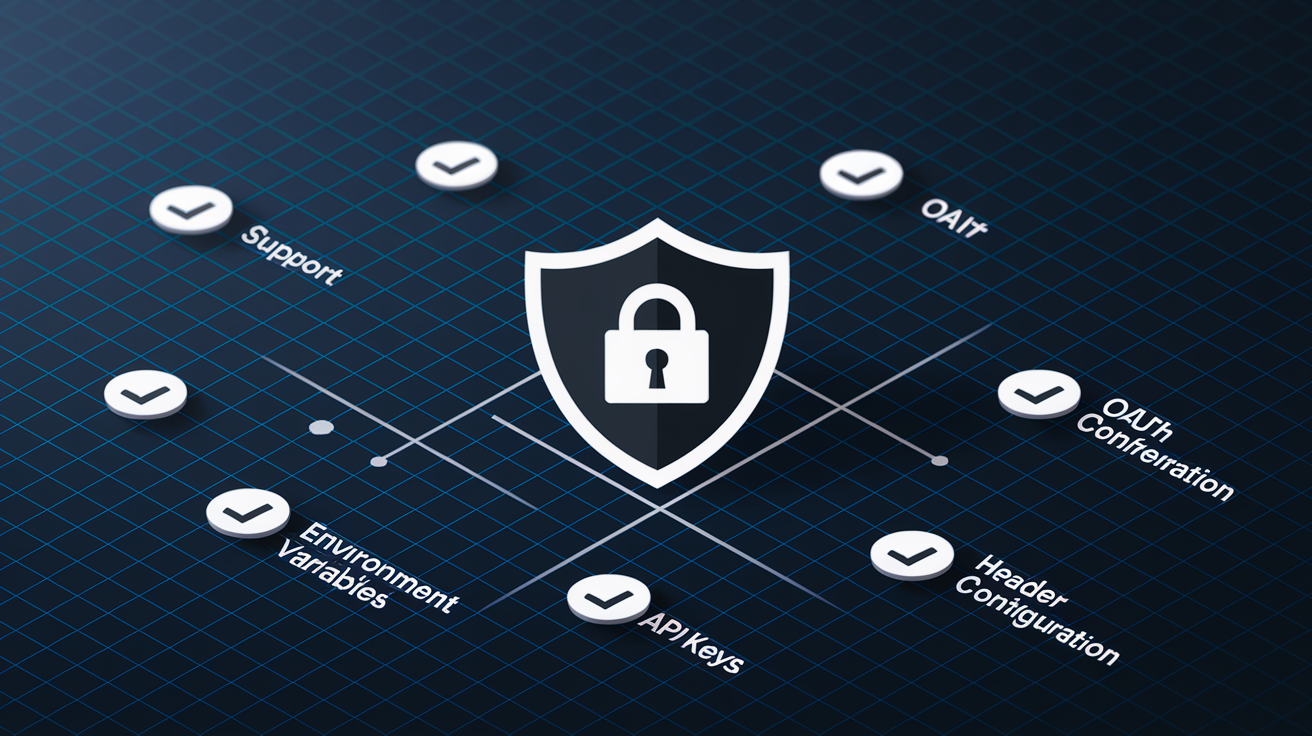
Authentication and environment management show up in every API workflow. How well a tool handles OAuth flows, bearer tokens, and environment variables directly impacts daily productivity.
Environment variable support differs across tools. Insomnia had broken environment variable compatibility in recent versions, causing problems for teams switching between dev, staging, and prod configs. Bruno uses Git to manage environments, storing them in files you commit and branch like code. Thunder Client has weaker environment management than Postman’s VS Code extension, with fewer variable scopes and less inheritance flexibility.
Most alternatives support basic auth methods: API keys, bearer tokens, and basic auth. Differences emerge in OAuth 2.0 flows, where some tools automate token refresh and others make you handle it manually. Header config and query parameter management are usually straightforward, but edge cases like dynamic headers computed from scripts or chained requests can expose limits.
| Tool | OAuth Support | Environment Variables | API Key Management | Header Config |
|---|---|---|---|---|
| Insomnia | Yes | Issues reported | Yes | Yes |
| Bruno | Yes | Git-based | Yes | Yes |
| Thunder Client | Basic | Limited | Yes | Yes |
| Hoppscotch | Yes | Yes | Yes | Yes |
| APIdog | Yes | Yes | Yes | Yes |
| Stoplight | Yes | Yes | Yes | Yes |
If your workflow depends heavily on environment variables, Bruno’s Git-based approach provides the most control and auditability. APIdog offers comprehensive auth features without Stoplight’s complexity. Skip Insomnia if environment variable reliability is critical until the compatibility issues get fixed.
Testing and Automation Feature Analysis
Automated testing separates tools you use for quick manual checks from tools fitting into CI/CD pipelines. Collection runners, test scripts, and CI integration determine whether a tool scales beyond individual developers.
Bruno removes the artificial cap on collection runs that Postman’s free tier has. Postman limits you to 25 collection runs monthly unless you pay. Bruno doesn’t limit you, which matters for teams testing frequently or automating checks in continuous integration. Insomnia lacks a full automation suite, so scheduled tests and complex chained workflows aren’t supported. Thunder Client keeps automation minimal, good for simple cases but limiting for anything sophisticated.
Test scripting support varies. Some tools let you write JavaScript assertions using libraries like Chai. Others provide a simplified assertion builder without custom code. Pre-request scripts that set variables or compute values before a request runs are standard in most tools but with different scripting environments and available functions.
Automation features to compare:
- Collection runners for executing multiple requests in sequence
- Scheduled tests running automatically at intervals
- CI/CD integration for running tests in pipelines (see CI/CD Best Practices)
- Assertion libraries for validating responses
- Test script languages and available APIs
- Pre-request hooks for setup and computation
- Batch execution for running the same request with different data
For automation-heavy workflows, Bruno’s unlimited collection runs and Git integration make it strong. APIdog provides comprehensive testing features including assertions and scheduled runs. Thunder Client and Hoppscotch work better for simpler manual testing where you don’t need extensive automation.
Complete Pricing Breakdown: Free to Enterprise Tiers
Pricing models range from completely free tools funded by other revenue to enterprise platforms with custom contracts. Understanding what you get at each tier helps avoid surprises later.
Completely free options include Thunder Client and RapidAPI (formerly Paw). Thunder Client monetizes through optional pro features but keeps core functionality free. RapidAPI is free because it’s part of a larger API marketplace ecosystem. Affordable options start at $6/month for Bruno’s pro features or $9/user/month for APIdog’s Basic plan. Mid-range tools like SwaggerHub ($22.80/month) and Stoplight ($41/month) add design-first workflows and auto-generated docs. Insomnia uses custom enterprise pricing, so you’ll need to contact sales.
| Tool | Starting Price | Free Tier Available | Team Features | Enterprise Option |
|---|---|---|---|---|
| Insomnia | Custom | Yes (local) | Yes | Yes |
| Bruno | $6/month | Limited | Git-based | No |
| Thunder Client | Free | Yes | Limited | No |
| Hoppscotch | Free tier | Yes | Yes | Contact |
| APIdog | $9/user/month | Yes (5 projects, 4 users) | Yes | Yes |
| Stoplight | $41/month | Limited | Yes | Yes |
| SwaggerHub | $22.80/month | Limited | Yes | Yes |
| RapidAPI / GetAPI | Free / $39/year | Yes | Limited | No |
Pricing things to consider:
- How team size affects total cost at scale
- What the free tier limits in your workflow
- Which collaboration features need paid plans
- Whether support level justifies the price
- Long-term cost if your team grows
Don’t forget migration effort and training time. Switching tools has hidden costs beyond subscription price. A pricier tool your team adopts quickly might cost less overall than a cheaper option with a steep learning curve.
Migration Strategies From Postman to Alternatives
Moving collections, environments, and scripts from Postman takes planning. Most alternatives support Postman collection imports, but success rates vary depending on setup complexity.
Hoppscotch offers the broadest import compatibility, reading OpenAPI, Postman, Insomnia, GitHub Gist, and HAR formats. That flexibility helps if you’re consolidating from multiple sources or keeping options open during evaluation.
Common challenges include environment variable translation, where variable names or scopes don’t map one to one between tools. Script compatibility hits when pre-request or test scripts use Postman-specific APIs the new tool doesn’t support. Data persistence differences matter too. SwaggerHub doesn’t save request bodies after reload, so unsaved work disappears when you close the browser. Postman saves those automatically, which you might take for granted until it’s gone.
Migration steps:
- Export Postman collections in JSON format from the Postman interface
- Audit environment variables and document which ones are used where
- Test import in the target tool with a small collection first
- Verify scripts and pre-request hooks work as expected
- Validate authentication configs carry over correctly
- Train the team on interface differences and new workflows
Run Postman and the new tool in parallel for a week or two. Keep Postman as fallback while you work through edge cases in the new environment. That parallel period reduces risk and gives the team time to adjust.
Bruno’s OpenAPI reimport challenges show up when you evolve a spec and try to reimport it. First import works, but later reimports after schema changes don’t always map fields correctly. You end up manually fixing broken requests, which adds friction if your API changes frequently.
Choosing the Right Alternative for Your Use Case
Decision factors go beyond feature checklists. Team size, existing tools, workflow preferences, and budget all shape which alternative fits best.
Solo Developers and Freelancers
Thunder Client makes sense if you work primarily in VS Code and want to avoid context switching. RapidAPI works well for macOS users wanting a free native app with lower resource use. Bruno fits if you prefer offline tools and already use Git for everything.
Small Development Teams
APIdog provides affordable collaboration at $9/user/month with a generous free tier (up to 5 projects and 4 users). Bruno offers Git-based teamwork leveraging skills your team already has. Hoppscotch enables quick onboarding through the browser without software installation or account setup.
Enterprise and Large Teams
Insomnia brings enterprise backing from Kong with custom pricing that scales. Stoplight supports design-first workflows where architecture review happens before implementation. SwaggerHub generates client SDKs and server stubs across multiple languages, helping when different teams use different tech stacks.
Specific Workflow Needs
For OpenAPI-centric development, Scalar works directly from spec files without import steps. Offline development favors Bruno or Thunder Client, which don’t need internet connections or cloud services. macOS-only shops can use RapidAPI or GetAPI’s native performance. WebSocket testing works better in Hoppscotch than most alternatives.
Decision criteria to weigh:
- Team size and how it affects per-user costs
- Budget constraints including free tier limits
- Collaboration needs like real-time sync or async review
- Existing tools already in use (VS Code, Git, specific CI platforms)
- Platform requirements across Windows, macOS, Linux, and web
- Automation complexity for testing and CI/CD workflows
- Documentation priority and whether it’s tightly coupled to development
- Learning curve tolerance and onboarding timeline for the team
For teams prioritizing productivity improvements, understanding how tools fit into daily workflows matters more than raw feature counts. See Developer Productivity Tools for broader context on choosing development tools that actually improve speed and reduce friction.
Final Words
Each of these postman alternative tools brings something specific to the table. Whether you need Bruno’s Git-driven offline workflow, Thunder Client’s VS Code convenience, or Scalar’s OpenAPI-first approach, there’s a match for your setup.
The right choice depends on your team size, budget, and whether you prioritize collaboration, automation, or just fast endpoint testing.
Most tools offer free tiers or trial periods. Test a couple with your actual API collections before committing.
You’ll know pretty quickly which interface clicks and which workflows feel natural for your day-to-day development.
FAQ
Why are people moving away from Postman?
People are moving away from Postman primarily due to pricing concerns, feature complexity, and performance issues that don’t match their actual workflow needs. The platform evolved from a simple Chrome extension into a feature-heavy ecosystem including documentation, mocking, monitoring, and testing, which many developers find overcomplicated for basic endpoint testing. Teams also cite frustration with the free tier’s 25 collection run limit, mandatory cloud sync requirements, and resource consumption from the Electron-wrapped desktop app.
Is Postman deprecated or discontinued?
Postman is not deprecated and remains actively maintained as a leading API development platform. The tool continues receiving regular updates, new features, and enterprise support, though some developers choose alternatives based on specific workflow preferences, pricing structures, or performance requirements rather than any obsolescence of Postman itself.
Is Postman still the best API testing tool in 2025?
Postman remains a comprehensive API testing tool, but whether it’s “best” depends entirely on your specific use case, team size, and workflow requirements. Solo developers working in VS Code might find Thunder Client more efficient, teams prioritizing Git workflows often prefer Bruno, and macOS users seeking native performance may choose RapidAPI instead. The best tool matches your actual needs, not feature count.
What replaces Postman inside VS Code?
Thunder Client serves as the primary Postman replacement inside VS Code, offering a free, lightweight extension that works offline without requiring login. Postman also offers its own VS Code extension with broader protocol support including gRPC and WebSocket, though Thunder Client remains popular for its simplicity and zero-configuration approach to quick REST API testing directly in the editor.
How does Thunder Client compare to Postman’s VS Code extension?
Thunder Client offers a simpler, lighter-weight experience focused on REST APIs, while Postman’s VS Code extension provides broader protocol support including gRPC, WebSocket, and cURL with more robust environment management. Thunder Client requires no account and works completely offline, making it ideal for quick endpoint tests, whereas Postman’s extension suits teams needing advanced collaboration features.
Can I import Postman collections into alternative tools?
Most Postman alternatives support importing Postman collections with varying success rates. Hoppscotch offers the broadest import compatibility including Postman, OpenAPI, Insomnia, Gist, and HAR formats, while Bruno and others support OpenAPI and Postman formats. Environment variables and custom scripts may require manual adjustment after import, and request history typically doesn’t transfer between tools.
Which Postman alternative works best for team collaboration?
Bruno excels for teams using Git workflows with its native version control integration and offline-first collaboration model at $6 per month. APIdog provides comprehensive collaboration features with combined documentation workflows starting at $9 per user monthly for up to five projects. Hoppscotch offers real-time browser-based workspace collaboration for teams needing quick onboarding without desktop installations.
What are the completely free Postman alternatives?
Thunder Client offers completely free REST API testing inside VS Code, while RapidAPI provides a free native macOS application with better performance than Electron-wrapped alternatives. Hoppscotch has a free tier for browser-based testing, and Bruno’s open-source core is free, with optional $6 monthly pro features. APIdog allows free use for up to five projects and four users.
Which alternative is best for offline API development?
Bruno provides the strongest offline-first architecture with no cloud sync requirement and Git-native collaboration, priced at $6 monthly or $19 for two years. Thunder Client works completely offline inside VS Code without internet connection or login requirements. RapidAPI and GetAPI both offer offline-capable native macOS applications, with RapidAPI being completely free.
Do any alternatives support design-first API development?
Stoplight combines API design, documentation, and testing in one platform at $41 monthly with auto-generated documentation from design specs. SwaggerHub specializes in design-first workflows at $22.80 per month with automatic SDK and server stub generation across multiple languages. Scalar offers emerging OpenAPI-centric development working directly from specification files across all platforms.
Which tool is best for OpenAPI specification workflows?
Scalar works directly from OpenAPI files without import steps and auto-updates when you modify the openapi.yaml locally, saving examples directly to the specification document. SwaggerHub provides comprehensive OpenAPI tooling with SDK generation at $22.80 monthly. Stoplight offers design-first workflows with automatic documentation generation from OpenAPI specs at $41 per month.
What’s the most affordable team-focused Postman alternative?
Bruno offers the lowest team pricing at $6 per month for pro features or $19 for a two-year license including OpenAPI Designer, with unlimited collection runs and Git-native collaboration. APIdog provides team collaboration starting at $9 per user monthly, free for up to five projects and four users, with combined development-documentation workflows.
Are there native macOS alternatives to Postman?
RapidAPI, formerly Paw, is a completely free native macOS application offering better CPU efficiency than Electron-wrapped web apps with OpenAPI v3.0 support through extensions. GetAPI provides a freemium native macOS option from the TablePlus developers with a $39 annual pro license. Both deliver superior performance and OS integration compared to cross-platform alternatives.
Which alternative has the best environment variable management?
Bruno integrates environment management with Git workflows, allowing version-controlled environment configurations alongside your code. APIdog offers comprehensive environment management with its development-documentation integration. Avoid Insomnia if environment variables are workflow-critical, as users report broken environment variable support creating significant workflow difficulties.
What tool replaces Postman for WebSocket testing?
Hoppscotch supports WebSocket testing alongside REST and GraphQL in a lightweight browser-based client with real-time collaboration features. Postman’s VS Code extension includes WebSocket support with better environment management than Thunder Client. Insomnia lacks dedicated WebSocket support, making it unsuitable for teams requiring WebSocket protocol testing.