


Think CONTRIBUTING.md is optional? Think again.
A clear CONTRIBUTING.md cuts repetitive maintainer replies, removes onboarding friction, and gets people committing real fixes instead of asking how to run tests.
This post supplies a ready-to-drop CONTRIBUTING.md you can copy-paste into your repo root, with a friendly welcome, linked table of contents, issue and PR templates, test and setup commands, coding standards, and realistic reviewer expectations, so new contributors can get productive fast and you get fewer repeat questions.
Ready-to-Use contributing.md Template Overview

This section gives you a complete, copy-ready CONTRIBUTING.md you can drop into your repository root without tweaking a single line.
The template covers everything you need to bring in first-time contributors without answering the same setup questions over and over. You get a welcoming intro that doesn’t assume prior knowledge, a linked table of contents for quick jumps, bug and feature templates contributors can download, pointers to where tests live, setup instructions, PR expectations, and the usual housekeeping stuff like code of conduct and contact info.
Here’s what’s inside:
- A friendly welcome that defines terms like “fork the repository” for people who’ve never done this before
- Table of contents with Markdown anchor links
- Issue templates and step-by-step workflows for reporting bugs or requesting features
- Pull request protocol, including how long reviews take and what reviewers will actually do
- Coding standards with commit-message rules, length limits, and language examples
- Communication channels so people know where to ask questions
Drop this CONTRIBUTING.md in your repository root next to README.md and LICENSE.md. Link to your humans.txt file if you’re tracking contributor credits, point to your development guide if setup lives elsewhere, and reference external tools like Zenodo if you’re archiving datasets with DOI assignment.
Core Structure of a contributing.md Template
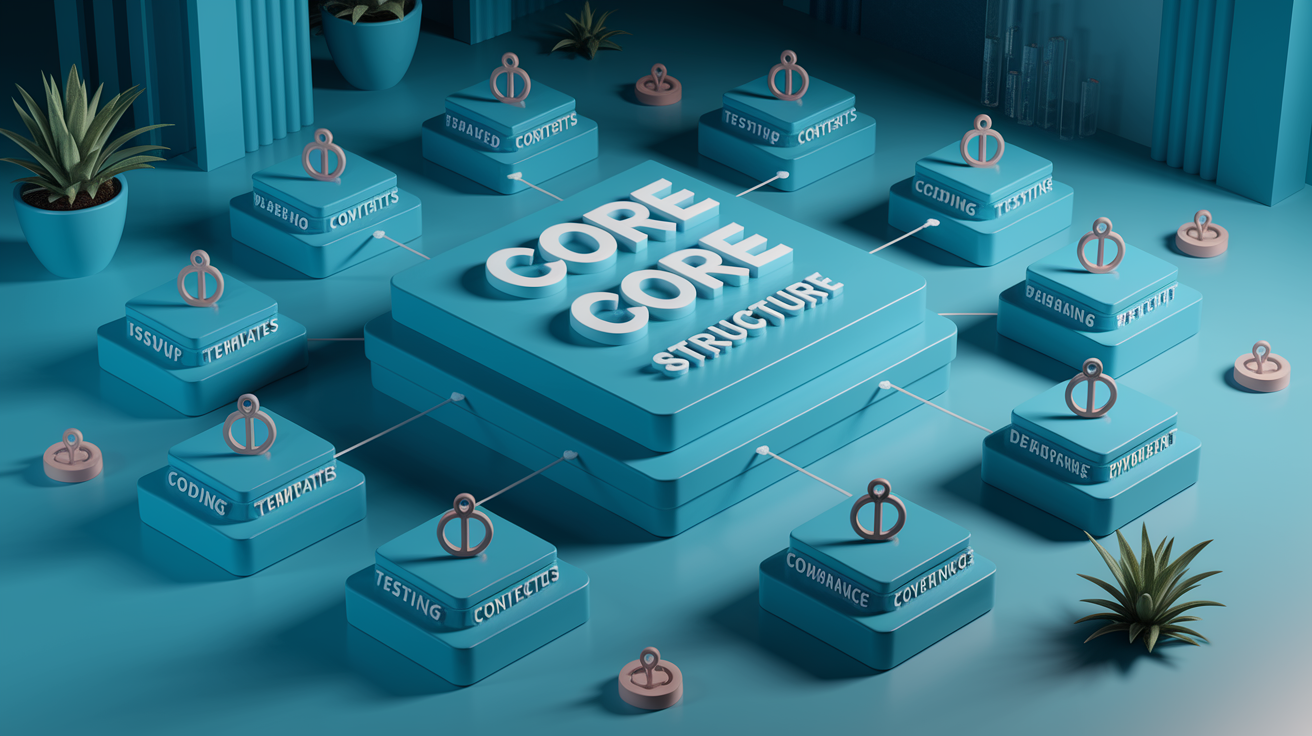
A well-organized CONTRIBUTING.md cuts down on repetitive maintainer replies and makes it easier for someone to jump in without reading a novel first. When the structure’s obvious and sections are scannable, contributors can find what they need fast.
Start with a welcome note and a linked table of contents. The welcome sets tone with something like “Thanks for wanting to contribute!” and explains jargon upfront. “A pull request (PR) is how you propose changes to our codebase.” Markdown headings auto-generate anchor URLs on GitHub and GitLab, so your TOC can link straight to sections using [Section Title](#section-title) where spaces turn into hyphens and everything’s lowercase.
After the TOC, throw in quick links to important stuff like your bug tracker, communication spots (GitHub Discussions, Discord, Discourse), roadmap, and any handbook or developer guide. Include dedicated sections for templates. Link to or embed bug report and enhancement templates so contributors can grab them offline. State where tests live and how to run them, whether that’s npm test or a link to detailed testing instructions in your README.
The second half tackles submission mechanics and social expectations. Walk through your PR workflow in concrete steps, state realistic maintainer response times with honest caveats (“We aim to respond within three business days but may take longer during releases”), and outline required PR checklist items like passing CI, referencing an issue, and following style rules. Wrap up with housekeeping: code of conduct (inline or linked), recognition model (badges, acknowledgments, or a humans.txt file), licensing summary with a link to LICENSE.md, and contact info for core contributors.
Issue Reporting Sections for a contributing.md Template
This section tells contributors exactly what information you need when they open an issue and what counts as a bug versus a feature request. Define a bug as code, functionality, or UI not meeting documented intent or user expectations, then link to your issue tracker and existing bug reports so contributors can check for duplicates first.
Your issue reporting guidance needs:
- A clear definition of what qualifies as a bug versus expected behavior
- Link to a bug report template with fields for reproduction steps, expected behavior, actual behavior, environment details, and error messages
- Instruction to search existing issues before opening a new one
- Required metadata like labels (bug, question, enhancement) or environment tags (OS, browser, version)
- Examples of helpful bug reports with concrete reproduction steps and version details
Feature requests follow a similar pattern but focus on verification and rationale. Explain how to propose enhancements, link to related issues or your roadmap, and clarify the triage process. “Tag your enhancement with enhancement and explain the use case. Maintainers will label it accepted, under consideration, or wontfix within one week and move accepted items to the roadmap.” If you use starter issues or “good first issue” labels, mention them and link to filtered issue lists so new contributors can jump in without guessing which tasks are approachable.
Pull Request Workflow Guidance in a contributing.md Template

Walk through the fork and pull request workflow step by step and assume zero prior Git experience. “Fork the repository using the Fork button, clone your fork locally, create a new branch with git checkout -b fix-typo-readme, make your changes, commit with a clear message, push to your fork, then open a pull request against our main branch.” Reference issues by number in your commit messages and PR description using patterns like Fixes #42 or Relates to #89 so GitHub automatically links them.
Give contributors a checklist they must complete before requesting review. Required items usually include passing all CI checks, running linters and formatters locally, adding or updating tests to cover the change, and keeping scope tight so the PR addresses only one issue. Outline reviewer expectations too. Reviewers should respond constructively, suggest specific improvements, and approve once all feedback is addressed. Mention whether you squash-merge, rebase, or preserve commit history.
State realistic turnaround times and set honest expectations about maintainer availability. If core contributors only review on weekends or during specific windows, say so. Clarify whether contributors should address open issues first or can submit unsolicited PRs, and note whether you expect discussion in an issue before major feature work begins.
| PR Step | Description |
|---|---|
| Fork and clone | Create a fork, clone it locally, and set upstream remote to keep your fork synced |
| Create a branch | Use a descriptive branch name like `fix-json-parser-bug` or `add-csv-validator` |
| Make changes | Edit files, add tests, run linters and formatters, verify CI passes locally if possible |
| Commit and push | Write a commit message in present tense, under 72 characters, referencing the issue number |
| Open a PR | Submit the PR against the main branch, fill out the template, wait for maintainer feedback |
Coding Standards and Style Guide for contributing.md Template

Spell out formatting requirements upfront so contributors know which linters and formatters to run before opening a PR. List the tools your project uses like Prettier for JavaScript, Black for Python, gofmt for Go, and state whether formatting is enforced via CI or pre-commit hooks. If you use a tool like pre-commit.ci that auto-formats on push, mention it and link to setup instructions.
Commit message rules prevent messy history and make changelogs easier to generate. Enforce present tense (use “Fix bug” not “Fixed bug”), keep the first line under 50 or 72 characters, and require issue references. Example format: “Add CSV validation for headers (fixes #12)”. If you follow Conventional Commits or a similar standard, link to the spec and show three examples covering a feature, a fix, and a documentation update.
Add language-specific code examples for clarity. If your project uses JavaScript, show how to format a function with the required indentation and naming conventions. For documentation, specify Markdown line length or heading hierarchy. If you maintain specs or tests in a language like CoffeeScript or RSpec, include a short snippet demonstrating proper style. Mention optional tooling like EditorConfig files or IDE plugins that auto-apply your rules, and note whether you enforce checks in CI or expect contributors to run them manually before pushing.
Testing Requirements in a contributing.md Template

Contributors need to know where your tests live, how to run them locally, and what coverage expectations you enforce. Point to the test directory, like tests/ or spec/, and provide the exact command to run the full suite.
Your testing instructions should cover:
- The command to run tests locally (example:
npm test,pytest,go test ./...) - Required dependencies or test-only packages that must be installed first
- Expected coverage threshold or behavior (example: “All new code must include tests; we enforce 80 percent line coverage in CI”)
- CI behavior and when checks run (example: “GitHub Actions runs tests on every push and PR; PRs can’t merge until all checks pass”)
If your setup is already in README.md, link there instead of duplicating instructions. Just say “See the Development Setup section in the README for how to install dependencies and configure your environment, then run make test to execute the full test suite.” If you use platform-specific test commands or require environment variables, list them in a short table or code block so contributors can copy-paste without hunting through scattered docs.
Development Environment & Setup for contributing.md Template
Clear environment instructions eliminate the “it works on my machine” problem and help contributors get to a working local build in under five minutes. Explain upfront why reproducibility matters. Consistent tooling reduces debugging time, prevents environment drift, and makes sure CI results match local runs.
Contributors must configure these items to match your project:
- Language runtime version (Node.js 18.x, Python 3.11, Go 1.21) with installation instructions or a link to official docs
- Package manager and lockfile usage (npm with package-lock.json, pip with requirements.txt, go.mod)
- Required system dependencies (database drivers, native libraries, platform-specific tools)
- Environment variables or config files needed for local development (API keys, feature flags, database URLs)
If your project supports Docker, include a quick Docker Compose setup or a single-command containerized dev environment. “Run docker-compose up to start the app, database, and any background workers. The API will be available at http://localhost:8080 with hot-reload enabled.” Docker instructions reduce platform-specific friction and give contributors a known-good baseline.
Link to your README.md if detailed setup steps already exist there. “Follow the Installation section to install dependencies, then return here for contribution-specific workflows.” Don’t copy-paste large setup blocks into CONTRIBUTING.md. Keep this file focused on contribution mechanics and reference external docs for installation details.
Communication Channels & Support in a contributing.md Template

Clarify where contributors should ask questions, propose ideas, and get help so you don’t end up answering the same setup question in five different places. Specify the purpose of each channel. Use GitHub Issues for bug reports and feature requests, GitHub Discussions or a forum for open-ended questions and design conversations, and chat platforms like Discord or Slack for real-time troubleshooting and quick checks.
State expected response times and maintainer availability honestly. If core contributors only review on weekends or during evenings in a specific timezone, say so. “Maintainers typically respond to issues within three business days. For urgent questions, ping us in the #help channel on Discord, but we may not be available immediately.” This sets realistic expectations and prevents contributors from feeling ignored when they don’t get instant replies.
Reference a humans.txt file or a dedicated “Core Contributors” section for contact details. humans.txt sits in your repository root and lists each contributor’s name, role, contact method, and timezone if relevant. Link it from CONTRIBUTING.md like this: “See humans.txt for current maintainers and their preferred contact methods.” This keeps contact info in one place and avoids scattering email addresses or social handles throughout the doc.
Housekeeping & Governance in a contributing.md Template

Link to your code of conduct or embed it inline if it’s short. A simple statement like “We expect all contributors to follow our Code of Conduct, which outlines respectful communication and consequences for violations” sets the tone and gives you a clear reference when addressing behavior issues.
Required housekeeping items:
- Link to LICENSE.md with a one-sentence summary of reuse permissions (example: “This project is licensed under the MIT License, see LICENSE.md for details”)
- Contributor recognition model explaining how you credit contributors (acknowledgments in release notes, badges, or a humans.txt listing)
- Optional contributor license agreement (CLA) or Developer Certificate of Origin (DCO) if your project requires signed contributions
- Governance notes if you use a formal decision-making process, such as a steering committee or RFC workflow for major changes
Explain your recognition model so contributors know how their work will be acknowledged. If you generate release notes from commit messages and automatically credit authors, mention it. If you maintain a humans.txt file or a CONTRIBUTORS.md, link to it and explain how people get added. Consider optional DOI assignment via Zenodo to archive releases and datasets, especially if your project produces research outputs. Link to Zenodo’s GitHub integration docs and note that maintainers handle DOI creation for official releases. Close by noting who’s responsible for maintaining this file and how contributors can suggest updates. “This CONTRIBUTING.md is maintained by the core team; open a PR to suggest improvements.”
Final Words
In the action, this post handed you a plug-and-play contributing.md template: sections for welcome, TOC, issue and PR workflows, coding standards, tests, dev setup, communication, and governance.
Use it at repo root alongside README.md, LICENSE.md, and humans.txt. Copy-paste, tweak the checklists, and wire links to templates and CI. The guide also shows practical PR checklists, issue report fields, test commands, and commit-message rules so maintainers and contributors know what to expect.
Drop this contributing.md template into your repo root, run a quick test of workflows, and you’ll shave onboarding time and noisy back-and-forth. You’ve got a clear path forward.
FAQ
Q: What is this contributing.md template for?
A: This contributing.md template is a complete plug-and-play file that gives a ready-to-copy structure for contribution workflows, issue/PR templates, coding standards, testing, and support to onboard contributors fast.
Q: What sections are included in the template?
A: The template includes a welcome note, linked table of contents, issue and PR workflows, bug/feature templates, coding conventions, testing instructions, development setup, communication, and recognition sections.
Q: Where should CONTRIBUTING.md be placed and which files should it reference?
A: The CONTRIBUTING.md should sit at the repository root and reference supporting files like README.md, LICENSE.md, and humans.txt for setup, legal, and core-contributor contact details.
Q: How do I report a bug using the issue reporting section?
A: To report a bug follow the defined bug template: describe the bug, steps to reproduce, expected vs actual behavior, attach logs, reference related issues, and include environment metadata.
Q: What key elements should an issue report include?
A: An issue report should include a clear title, reproduction steps, expected outcome, actual outcome, environment or version info, and relevant logs or screenshots for faster triage.
Q: How do I submit a pull request using the PR workflow?
A: To submit a PR follow fork-branch-PR flow: create a branch, link the related issue, run tests, follow the PR checklist, write clear commits, and open a PR for review.
Q: What should the PR checklist require?
A: The PR checklist should require linking the issue, passing tests, linting/formatting, clear commit messages, changelog or release notes when applicable, and a brief description of the change and rationale.
Q: What coding standards belong in CONTRIBUTING.md?
A: The CONTRIBUTING.md should state formatting and linting rules, language-specific style notes, required tools, examples, commit-message conventions, and enforcement via linters or CI checks.
Q: How should commit messages be formatted?
A: Commit messages should follow a concise convention: short imperative subject (50 chars), optional body explaining why, and reference to issue number, for example “fix(auth): validate token expiry (#42)”.
Q: Where do tests live and how do I run them?
A: Tests live in the repository’s test folder or language-standard locations; run them with the provided commands (for example npm test or pytest), and include expected coverage and CI behavior in the docs.
Q: What development setup details should be documented?
A: Document dependency installation, required tool versions, environment variables, reproducible steps, and optional Docker or devcontainer instructions to make local setup predictable and quick.
Q: How can contributors get help or contact maintainers?
A: Contributors should use issues, discussions, or the listed chat/forum channels for help; the CONTRIBUTING.md should state expected response times and point to humans.txt for direct maintainer contacts.
Q: What housekeeping and governance items should be included?
A: Include a code of conduct, link to LICENSE.md, contributor recognition guidance, optional CLA/DCO instructions, governance model summary, and archival/DOI notes for project stewardship.