


Ever notice how the hardest part of building a Flask app isn’t the features, it’s the three hours you spend configuring authentication, database connections, and deployment scripts before you write a single line of actual business logic? Flask boilerplate generators kill that setup grind. They give you a working app with login systems, database models, and production configs already wired up. You run one command, answer a few prompts, and start building features instead of debugging why SQLAlchemy migrations won’t run.
Essential Flask Boilerplate Generators: Complete Comparison

Flask boilerplate generators spit out pre-configured project templates with authentication, databases, and deployment scripts already working. You don’t spend days wiring up login systems, database connections, and production configs. You run one command and get a working Flask app with the boring stuff done. These generators kill the “blank file anxiety” that shows up when you type flask init and stare at an empty directory.
| Generator Name | Best Use Case | Key Features | Repository/Source |
|---|---|---|---|
| Cookiecutter-Flask | General purpose projects | Flexible templates with SQLAlchemy, migrations, testing | GitHub |
| AppSeed Flask Dashboards | Admin panels and dashboards | 70+ UI components, Bootstrap 5, persistent dark mode | AppSeed platform |
| Flask-Scaffold | Microservices and containerized apps | Docker-first setup, Docker Compose configurations | GitHub |
| Supastarter | SaaS applications | Serverless architecture, authentication, payments | Commercial |
| Enferno | AI-enhanced SaaS projects | AI-assisted workflows, modern stack | GitHub |
| Flask-RESTful Boilerplates | REST API backends | Swagger docs, JWT, Pydantic validation | GitHub |
| Flask-LDAP Templates | Enterprise applications | LDAP integration, token authentication | GitHub |
| Minimal Flask Templates | Learning and prototypes | Simple structure, basic routing | GitHub |
Getting started with Cookiecutter-Flask:
- Install cookiecutter via pip:
pip install cookiecutter - Run cookiecutter with the template URL:
cookiecutter https://github.com/cookiecutter-flask/cookiecutter-flask.git - Answer the configuration prompts for project name, database choice, and authentication setup
- Navigate into the generated directory and install dependencies:
pip install -r requirements.txt - Start the development server:
flask run
For AppSeed dashboards:
- Clone the specific dashboard template from AppSeed’s Github
- Create a virtual environment and activate it
- Install requirements with
pip install -r requirements.txt - Set up the database with
flask db init && flask db migrate && flask db upgrade - Run the application with
flask run
These generators ship with session authentication using flask_login, database models with SQLAlchemy or Flask-mongoengine, Docker configurations with multi-stage builds, and deployment scripts for Gunicorn/Nginx or Heroku. Config work that normally takes two weeks happens in two minutes. You get forms validation with Flask-WTF, blueprint architecture for modular routing, migrations with Alembic, and production-ready WSGI files. Some templates include over 100 pre-built UI components, OAuth integration via Github, and deployment configs for three different hosting environments. If you’re building API request builders and tools, the REST-focused boilerplates include Swagger documentation and request validation that make testing endpoints way faster.
Installing and Using Cookiecutter for Flask Projects

Cookiecutter is a command-line tool that creates projects from templates. It asks you a few questions and then generates a complete directory structure with configured files. It’s language agnostic but has some of the best Flask templates around.
Installation and setup:
- Install cookiecutter with pip:
pip install cookiecutter - Run the cookiecutter command with a Flask template URL:
cookiecutter https://github.com/cookiecutter-flask/cookiecutter-flask.git - Answer the template prompts like project name, author, database type (SQLite, PostgreSQL, MySQL), whether to include authentication, and deployment options
- Navigate into the newly created project directory:
cd your-project-name - Create and activate a virtual environment:
python3 -m venv venv && source venv/bin/activate - Install all dependencies from requirements.txt:
pip install -r requirements/dev.txt - Initialize the database and run migrations:
flask db upgrade - Start the development server:
flask runorpython run.py
cookiecutter https://github.com/cookiecutter-flask/cookiecutter-flask.git
cd my-flask-app
pip install -r requirements.txt
flask run
The generated project includes a run.py bootstrapper configured via the FLASK_APP environment variable, a modular code structure with blueprints for different features, and all the configuration files you need for development and production. The next step is usually creating your first user through the registration form, then building out your specific features in the generated blueprint structure.
Project Structure and Included Features
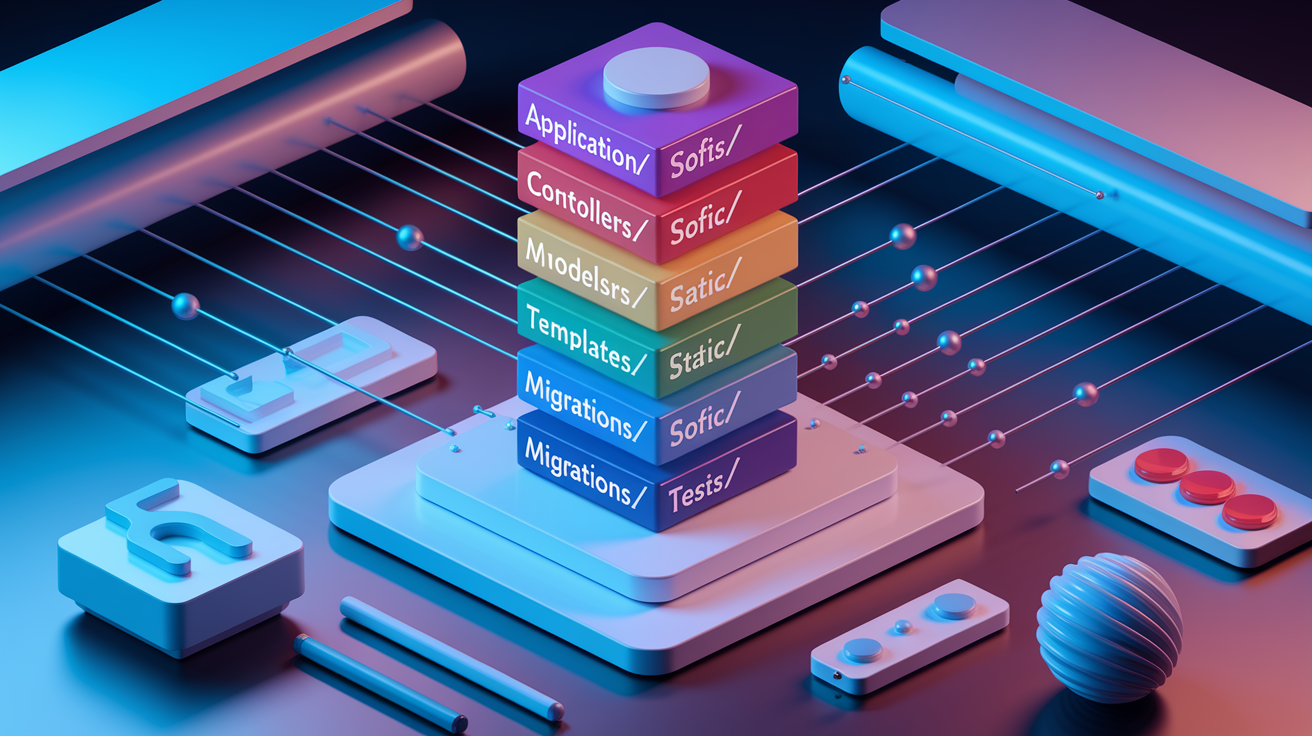
Good project structure prevents the “where does this file go?” paralysis and makes onboarding new developers faster. Flask boilerplate generators create organizational patterns that scale from prototype to production without a painful refactor six months down the line.
Standard directory layout:
- application/ contains main application code with all logical components
- controllers/ holds route handlers and view functions organized by feature
- models/ contains database models and schema definitions
- templates/ stores Jinja2 HTML templates with base layouts and partials
- static/ keeps CSS, JavaScript, images, and other static assets
- init.py handles app factory function and extension initialization
- config/ stores environment configurations (development.py, production.py, testing.py)
- tests/ organizes unit tests, integration tests, and test fixtures
- deploy/ contains deployment scripts, Docker configs, and infrastructure files
- migrations/ tracks database migration files managed by Flask-Migrate/Alembic
- manage.py or run.py provides CLI commands for running the app, database operations, and custom scripts
- requirements.txt lists Python dependencies (sometimes split into requirements/dev.txt, requirements/prod.txt)
- wsgi.py serves as WSGI entry point for production servers like Gunicorn
- .env.example templates environment variables
The application factory pattern in application/__init__.py creates the Flask app instance and registers extensions, blueprints, and configuration. This lets you create multiple app instances with different configs, which matters for testing. Routes go in the controllers directory, grouped by feature area like auth.py, api.py, or dashboard.py. Models live in application/models/, where each file defines related database tables. This separation makes finding specific code easy without hunting through a giant app.py file.
Authentication Features
Most Flask boilerplates include session authentication using the flask_login module. It handles user session management, login/logout flows, and protecting routes with @login_required decorators. User passwords get hashed with Werkzeug’s security functions before storage. For API templates, JWT tokens replace sessions, letting you authenticate requests with a bearer token in the Authorization header.
OAuth integration for Github, Google, and other providers comes pre-wired in dashboards like Flask Soft UI. You skip reading OAuth docs for the third time. Some templates implement passwordless magic links sent via email, where users click a link instead of typing a password. Enterprise boilerplates include LDAP authentication with token session management for corporate directory integration.
Security implementations cover password hashing with bcrypt or argon2, CSRF protection on all forms via Flask-WTF, and input validation that rejects bad data before it hits your database. The default setup requires manual user creation through a registration form before you can access private pages. Keeps test deployments from being wide open.
Database Layer Configuration
SQLAlchemy serves as the standard ORM in nearly every Flask boilerplate. Database models inherit from db.Model and define table schemas with column types, relationships, and constraints. Foreign keys and relationships use db.relationship() to link models together. You can query related data without writing raw SQL joins.
Flask-Migrate and Alembic handle database migrations, tracking schema changes over time. When you modify a model, you run flask db migrate to generate a migration file, review the auto-generated SQL, then flask db upgrade to apply it. Beats manually tracking what changed between deploys.
Supported databases include SQLite for local development (zero config, file based), PostgreSQL for production (handles concurrent writes, full-text search, JSON columns), MySQL for legacy compatibility, and MongoDB via Flask-mongoengine for document storage when relational schemas don’t fit. Database configuration lives in config/development.py and config/production.py, with separate connection strings for each environment.
Boilerplates keep database credentials in environment variables referenced in config files. You never commit passwords to git. The config object switches based on the FLASK_ENV variable, loading the right database URL automatically.
These components work together following Flask best practices. Models define data structure, migrations manage schema evolution, and configuration keeps environment settings separate. Generators customize this based on whether you picked SQLAlchemy or MongoDB during project creation, but the organizational pattern stays consistent. The modular approach means you can swap SQLite for PostgreSQL by changing one config line without touching model code.
REST API Development with Flask Boilerplate Generators
Half the Flask boilerplates out there focus on REST API development. That’s what modern web apps need. API templates include pre-built endpoint structures, request validation, and documentation generation that would otherwise take a week to set up.
Flask-RESTful extension provides resource classes that map HTTP methods to Python functions. A typical CRUD endpoint inherits from Resource and implements get(), post(), put(), and delete() methods. The boilerplate includes sample endpoints for user registration, login, and profile management. Shows you the pattern for adding your own resources. Routes map to resource classes in one line instead of separate function decorators.
Swagger/OpenAPI integration generates interactive API documentation automatically from docstrings and route definitions. You describe endpoints, parameters, and response schemas in Python, and the boilerplate renders browsable docs at /api/docs. You can test requests right in the browser. Beats maintaining separate Postman collections that go stale after the second sprint.
Common API features in boilerplates:
- Request validation with Pydantic schemas that reject malformed JSON before it reaches your route handlers
- Response serialization using marshmallow or Pydantic to convert SQLAlchemy models to JSON consistently
- Error handling middleware that catches exceptions and returns proper HTTP status codes with error messages
- CORS configuration allowing frontend apps on different domains to call your API
- Rate limiting setup with Flask-Limiter to prevent abuse and stay within quota on third-party services
- Authentication decorators for JWT token validation on protected endpoints
Python Flask App boilerplates for containerized microservices include Docker Compose files that spin up your API alongside a database and Redis cache. The setup separates concerns so each microservice handles one domain, communicating over REST. Flask Rest API templates combine SQLAlchemy for data persistence, Docker for consistent environments across dev and prod, and Pydantic for request validation that catches type errors before they cause 500s in production.
Testing Framework Integration in Flask Boilerplates
Production applications need tests that catch bugs before users do. Quality Flask boilerplates include testing infrastructure so you can write tests immediately. You don’t set up pytest three weeks into development when everything’s already broken.
Pytest is the standard testing framework in modern Python projects. The boilerplate creates a tests/ directory with sample test files showing how to test routes, database models, and authentication flows. Fixtures defined in conftest.py create test database instances, authenticated clients, and sample data that each test can use without duplicating setup code. You import client or db fixtures and pytest handles the initialization and cleanup automatically.
Test coverage for authentication, database models, and API endpoints comes pre-written in quality boilerplates. Auth tests verify registration creates users, login returns tokens, and protected routes reject unauthenticated requests. Model tests check validation rules, relationship loading, and custom methods. API tests hit endpoints with valid and invalid data, asserting correct status codes and response structure. These examples show you the testing patterns so adding tests for your features follows the same structure.
Many boilerplates include .github/workflows/tests.yml or .gitlab-ci.yml files that run your test suite on every commit. The CI pipeline installs dependencies, sets up a test database, runs pytest with coverage reporting, and fails the build if tests break or coverage drops below a threshold. This catches regressions before they merge. Beats discovering broken auth flows in production at 2am.
Docker and Production Deployment in Flask Templates
Deploying Flask apps to production involves WSGI servers, reverse proxies, environment configs, and database migrations that can go wrong in about fifteen different ways. Boilerplate generators include deployment configurations and scripts that handle the complexity. Your first deploy doesn’t take three days of Stack Overflow debugging.
Docker integration means the boilerplate includes a Dockerfile with multi-stage builds that keep the final image small. The first stage installs build dependencies and compiles Python packages. The second stage copies only the compiled artifacts into a slim runtime image. A docker-compose.yml file orchestrates your Flask app container alongside PostgreSQL and Redis containers, networking them together with persistent volumes for data. One docker-compose up command starts the entire stack locally in an environment that matches production.
Traditional deployment with Gunicorn as the WSGI server and Nginx as the reverse proxy uses configuration files and systemd service definitions included in the deploy/ directory. The Gunicorn config sets worker processes, timeout values, and bind addresses. The Nginx config handles SSL termination, static file serving, and proxying API requests to Gunicorn. Startup scripts initialize the database, run migrations, and launch the services in the correct order.
Deployment targets supported:
- Docker containers on any platform supporting container runtimes
- Heroku with included Procfile defining web and worker processes
- AWS/GCP cloud platforms using provided CloudFormation or Terraform templates
- Traditional VPS servers with systemd service files for automatic restart on crash
- Kubernetes manifests defining deployments, services, and ingress rules for cluster orchestration
Environment configuration management separates development and production settings across multiple files in the config/ directory. Development uses SQLite, debug mode enabled, and permissive CORS. Production uses PostgreSQL connection pooling, debug disabled, restricted CORS origins, and secrets loaded from environment variables. The app factory selects configuration based on FLASK_ENV, so the same codebase runs correctly in both environments without code changes.
Customizing Generated Flask Application Code
Boilerplates give you a foundation, not a finished product. The generated code is meant to be modified, extended, and sometimes ripped out entirely when your requirements don’t match the template’s assumptions.
Configuration customization happens through environment variables and config files in the config/ directory. You add new settings to the Config class, reference them with app.config['SETTING_NAME'], and override values per environment. Switching from SQLite to PostgreSQL means changing SQLALCHEMY_DATABASE_URI in config/production.py. Adding email functionality requires setting SMTP credentials in environment variables and loading them in the config. The pattern keeps secrets out of source control and makes environment behavior explicit.
Adding new Flask extensions follows the same pattern the boilerplate uses for existing extensions. Install the package, import it in application/__init__.py, initialize it with extension = Extension(), then call extension.init_app(app) in the app factory. Integrating Redis caching with Flask-Caching, email with Flask-Mail, or background tasks with Celery follows this three-line pattern. The boilerplate’s extension setup shows you the pattern so you’re not guessing where initialization happens.
Common customization tasks:
- Adding new database models in
application/models/following the existing model structure - Creating custom blueprints in
application/controllers/for new feature areas with their own routes - Modifying authentication logic to add two-factor authentication or switch from sessions to JWT
- Changing UI frameworks from Bootstrap to Tailwind by swapping static assets and template base files
- Adjusting deployment configurations for different cloud providers or container orchestration platforms
Maintaining upgradability when customizing means keeping your changes separate from the boilerplate’s core structure. If you modify generated files, document what you changed and why. Better yet, extend functionality through new files rather than editing existing ones. When the boilerplate template updates with security patches or new features, you can regenerate and selectively merge changes instead of starting over. Template updates are rare, but keeping a clean separation between “generated” and “custom” code makes future maintenance less painful.
Final Words
A good flask boilerplate generator saves you from rebuilding authentication, database setup, and deployment configs from scratch every time you start a project.
Pick one that fits your use case. Cookiecutter-Flask if you need general flexibility. AppSeed dashboards for admin panels. Flask-RESTful templates for APIs.
Install it, answer a few prompts, and you’ve got a working app structure in minutes instead of hours.
Most of these templates are MIT-licensed and on GitHub, so you can modify them however you need. That’s the point—start shipping faster, not rebuilding the same foundation over and over.
FAQ
What are Flask boilerplate generators and how do they save development time?
Flask boilerplate generators are command-line tools that create pre-configured Flask projects with authentication, database integration, Docker support, and deployment scripts already set up. They eliminate weeks of repetitive setup work by generating production-ready project structures with best practices built in from the start.
Which Flask boilerplate generator is best for building SaaS applications?
Supastarter is best for SaaS applications because it provides serverless architecture with pre-configured authentication and payment integration. Enferno is another strong choice, offering AI-assisted development workflows and a modern stack specifically designed for SaaS projects.
How does Cookiecutter work with Flask projects?
Cookiecutter works with Flask projects by running a command-line utility that downloads a template repository, prompts you for project configuration details, and generates a complete Flask application structure. You install it via pip, run the cookiecutter command with a template URL, and answer setup questions to initialize your project.
What directory structure do Flask boilerplate generators create?
Flask boilerplate generators create a modular directory structure with an application folder for controllers and models, a config folder for environment settings, a tests folder for unit tests, and deployment files including requirements.txt and run.py. This structure follows the application factory pattern and Blueprint architecture for maintainable, production-ready code.
What authentication methods are included in Flask boilerplate templates?
Flask boilerplate templates include session-based authentication using flask_login, JWT tokens for API authentication, OAuth integration options, passwordless magic links with Flask-Email-Login, and LDAP authentication for enterprise templates. Security features like password hashing, CSRF protection, and input validation come pre-configured.
How do Flask boilerplate generators support database integration?
Flask boilerplate generators support database integration through SQLAlchemy ORM with pre-configured database models, Flask-Migrate for migrations, and support for SQLite in development and PostgreSQL or MySQL in production. MongoDB integration is available through Flask-mongoengine in specialized templates.
What REST API features are pre-built in Flask boilerplate generators?
Flask boilerplate generators include pre-built REST API features like Flask-RESTful resource classes, Swagger/OpenAPI documentation, request validation with Pydantic, response serialization, error handling middleware, and CORS configuration. Authentication decorators and rate limiting setups are also typically included for API security.
What testing infrastructure comes with Flask boilerplate templates?
Flask boilerplate templates come with pytest as the standard testing framework, organized test files in a dedicated tests directory, sample test cases for authentication and database models, and fixture configurations. Many include continuous integration configuration files for automated testing on commit.
What deployment options do Flask boilerplate generators provide?
Flask boilerplate generators provide deployment options including Docker with Dockerfile and docker-compose.yml, Gunicorn and Nginx configurations for traditional hosting, Heroku with Procfile, AWS and GCP cloud platform setups, and Kubernetes manifests. Environment-specific configuration management separates development from production settings.
How do you customize a generated Flask boilerplate application?
You customize a generated Flask boilerplate application by modifying environment variables and config files, adding new Flask extensions like Redis caching or Celery for background tasks, creating custom blueprints for features, and adjusting database models. The modular structure allows easy extension while maintaining upgradability.
What UI frameworks are available in Flask dashboard boilerplates?
Flask dashboard boilerplates include Bootstrap 5 with over 70 frontend components in Flask Soft UI Dashboard, Material Dashboard with five color filter choices, and Flask Bootstrap 5 Volt with over 100 jQuery-free components. All dashboard templates release under MIT license for unlimited commercial use.
How does the application factory pattern work in Flask boilerplates?
The application factory pattern works in Flask boilerplates by separating app initialization code in application/init.py, placing route logic in application/controllers, and organizing model code in application/models. This modular approach allows multiple app instances with different configurations for testing and production environments.