


Think webhooks are just simple HTTP POSTs you can slap on in five minutes?
They look small, but they cause timeouts, duplicate jobs, and security headaches if you don’t design them right.
This post walks through how to set up a reliable webhook endpoint: create the POST route, parse JSON, verify signatures, ensure idempotency, and push heavy work to a background job so you can respond fast.
You’ll also get quick tips for local testing with ngrok and what status codes stop retries.
Setting Up a Basic Webhook Endpoint for Incoming HTTP POST Requests

A webhook endpoint is just an HTTP route on your server that waits for incoming POST requests with JSON payloads. When an external service needs to tell your app something happened, it fires a POST to your endpoint URL. Your code grabs the payload, handles the event, and sends back a 2xx status to confirm you got it.
Most webhook providers need three things: a public URL for your endpoint, the event types you want, and a signing secret to verify it’s legit. Your endpoint URL has to be reachable on the public internet, and your handler needs to respond in a few seconds or the provider starts retrying.
Network hiccups and retries can cause duplicate deliveries. Your endpoint should track events you’ve already processed using an idempotency key like webhook-id or ce-id from the headers. If processing takes longer than a few seconds, throw the work into a background job and return 200 OK right away so the sender doesn’t time out.
Step-by-step process to create a basic webhook endpoint:
- Set up a server route listening for POST requests at something like
/webhooksor/api/webhook. - Parse the incoming JSON payload from the request body, your framework probably does this automatically.
- Check the idempotency key in the headers to see if you’ve seen this event before, skip if you have.
- Do lightweight validation or queue the event data for a background worker to handle.
- Return a JSON response with status 200 and a quick acknowledgment, make sure you respond before any timeout hits.
Webhook Endpoint Request Handling and JSON Payload Processing

Modern web frameworks parse JSON request bodies for you when the Content-Type header says application/json. You don’t need to manually decode anything most of the time. The parsed data shows up as a request object property, and your route handler can pull out event details, timestamps, and IDs straight from there.
The basic pattern across frameworks is pretty consistent. Declare a POST route, grab the parsed body, look at the event type or action field to figure out what to do, then send back 200 OK. If your code returns something other than 2xx or takes forever to respond, the webhook provider marks it failed and schedules a retry. Keep your initial handler fast and push heavy work to background queues.
Common JSON parsing middleware by framework:
- Express.js (Node.js): Use
express.json()middleware to parse JSON bodies automatically, access them viareq.body. - Flask (Python): Call
request.get_json()inside the route handler to get the parsed dictionary. - Django (Python): Use
json.loads(request.body)to manually parse the raw request body into a Python dictionary. - PHP Slim: Use
$request->getParsedBody()after registering JSON middleware to get the decoded associative array.
Authenticating and Validating Webhook Requests with Signature Verification

When a webhook provider sets up your endpoint, it gives you a signing secret. You only see it once, so store it securely as an environment variable. This secret generates a cryptographic signature of each payload that gets included in a request header. You can verify the webhook actually came from the real sender and wasn’t messed with in transit.
Signature verification usually means computing an HMAC digest of the request body using your stored secret, then comparing that to the signature header the provider sent. Many providers also include a timestamp in the signature to stop replay attacks. Check that the timestamp is recent, typically within five minutes.
Most webhook SDKs and Standard Webhooks libraries have helper functions for signature verification. Methods like unwrap() throw an exception if the payload’s invalid. If you’re building verification yourself, follow the provider’s docs exactly. The correct hash algorithm, the signed payload format, the header names for signature and timestamp, all of it matters.
Five essential security checks for webhook endpoints:
- Verify the HMAC signature by computing your own hash of the payload and comparing it to the signature header.
- Check the timestamp in the signature payload to make sure the request isn’t a replay of an old event.
- Reject requests with missing or malformed signatures by returning 401 Unauthorized immediately.
- Rotate your signing secret if it ever gets exposed in logs, version control, or error messages.
- Use HTTPS for all webhook endpoints so payloads are encrypted in transit and can’t be intercepted.
Handling Event Types, Business Logic, and Idempotency in Webhook Endpoints

Webhooks deliver real-time notifications about stuff like response.completed, order confirmations, subscription changes, or repository pushes. Your endpoint should check the type or event field in the payload to figure out which logic to run, and treat each event as something that can be processed exactly once.
Duplicate deliveries happen all the time in webhook systems because of retries and network issues. Every endpoint needs idempotency by checking whether an event’s already been processed before running any side effects. Use the webhook-id, ce-id, or similar unique identifier from the request headers as your idempotency key. Store it in your database alongside the processed event and skip processing if the key already exists.
Typical event types handled by webhook endpoints:
- Order created or updated triggers inventory checks and confirmation emails.
- Payment succeeded or failed updates subscription status and notifies accounting systems.
- Background job completed signals that a long-running task finished and results are ready.
- Repository push or pull request kicks off CI/CD pipelines and deployment workflows.
- Fine-tuning job finished indicates that a model training run completed and new weights are available.
After verifying the signature and confirming the event’s not a duplicate, enqueue the event data to a background worker or message queue. That way the endpoint can return 200 OK within the required time window. Log each event with its idempotency key, timestamp, and processing result for observability and debugging.
Error Handling, Status Codes, and Retry Behavior for Webhook Endpoints

Webhook providers look at your endpoint’s HTTP status code to decide whether the delivery worked or should be retried. Successful delivery is any 2xx response, usually 200 OK or 201 Created, returned within a few seconds. If your endpoint returns 4xx or 5xx, or if the request times out, the provider schedules a retry using exponential backoff for up to 72 hours.
Redirects aren’t followed in most webhook systems, so a 3xx response gets treated as a failure and triggers retries. Always configure your endpoint URL to point directly to the final destination, not to a redirect or a load balancer that issues 301 or 302.
Your code should handle malformed payloads, missing headers, and unexpected event types gracefully by returning a status code that signals whether the problem is temporary or permanent. If the payload fails signature verification, return 401 Unauthorized to show the request is invalid and shouldn’t be retried. If your database is temporarily down, return 503 Service Unavailable so the provider knows to try again later.
Six example response codes and their meanings in webhook contexts:
- 200 OK: Event was received, validated, and queued successfully, no retry needed.
- 400 Bad Request: Payload is malformed or missing required fields, do not retry.
- 401 Unauthorized: Signature verification failed, do not retry.
- 500 Internal Server Error: Unexpected exception occurred, provider will retry.
- 503 Service Unavailable: Temporary issue like database downtime, provider will retry.
- 504 Gateway Timeout: Endpoint took too long to respond, provider will retry.
Testing a Webhook Endpoint Locally Using Public Tunnels and Mock Services

To test a webhook endpoint during development, you need a publicly reachable URL the webhook provider can send requests to, even if your server’s running on localhost. The easiest fix is using a tunnel tool like ngrok. It creates a temporary public URL that forwards traffic to your local dev server and lets you see incoming requests in real time.
Once ngrok’s running, copy the public URL it gives you and register that URL with your webhook provider’s dashboard or API. Most dashboards also have a “test event” feature that sends a sample payload to your endpoint without waiting for a real event. Useful for verifying signature validation, payload parsing, and response handling.
Four steps to test a local webhook endpoint:
- Start your local server on a specific port, like
http://localhost:3000/webhooks. - Run ngrok with
ngrok http 3000to expose that port and get a public URL likehttps://abc123.ngrok.io. - Register the ngrok URL in your webhook provider’s dashboard as the endpoint URL for your chosen event types.
- Trigger a test event from the dashboard and watch the request show up in your local server logs and the ngrok web interface.
For quick payload inspection without building a full endpoint, you can use webhook.site. It generates a unique URL that receives webhook POSTs and displays the headers and body in a browser. But webhook.site won’t let you process or store the data, so it’s only good for one-off debugging, not integration testing.
Deployment Considerations for Production-Ready Webhook Endpoints

When deploying a webhook endpoint to production, it needs to be publicly accessible over HTTPS with a valid TLS certificate. It also needs to handle the expected volume of incoming requests without dropping connections or timing out. Most teams deploy webhook endpoints on cloud infrastructure that provides automatic scaling, like AWS Lambda, Google Cloud Functions, or containerized services running on Kubernetes.
Serverless platforms work well for webhooks because they scale automatically with traffic, respond quickly to individual requests, and let you focus on handler logic instead of server provisioning. AWS Lambda and Google Cloud Functions both support HTTP triggers that can receive POST requests, parse JSON payloads, validate signatures, and enqueue work to services like SQS or Pub/Sub within milliseconds.
Store your signing secret and other sensitive config in environment variables or a secrets manager service. Never in your source code or version control. Configure firewalls and security groups to allow inbound traffic only on the webhook port. Set up logging and monitoring to track delivery success rates, error rates, and processing latency so you can quickly spot and fix issues.
| Hosting Option | Pros | Ideal Use Case |
|---|---|---|
| AWS Lambda | Auto-scaling, pay-per-request, integrates with SQS and DynamoDB | High-volume event ingestion with variable traffic |
| Google Cloud Functions | Fast cold starts, built-in Pub/Sub integration, simple deployment | Event-driven workflows and real-time processing |
| Docker on Kubernetes | Full control, custom runtime, horizontal scaling, persistent connections | Complex applications with multiple services and long-running tasks |
| Traditional VPS or EC2 | Predictable pricing, easy to debug, familiar environment | Low to moderate traffic with simple infrastructure needs |
Practical Webhook Endpoint Examples in Node.js, Python, and PHP

The following examples show how to build a minimal webhook endpoint in three popular languages. They cover JSON parsing, signature validation hooks, and fast response handling. Each example runs as a standalone server that listens for POST requests, verifies the payload, and returns 200 OK within a few milliseconds.
Node.js Express Example
In Express, use the express.json() middleware to automatically parse incoming JSON payloads. Create a POST route that reads req.body and req.headers to grab the event data and signature. Call a verification helper function that computes the HMAC and compares it to the signature header, throwing an error if validation fails. If the signature’s valid and the event’s not a duplicate, enqueue it to a background job system like Bull or AWS SQS. Then send a 200 response with a quick acknowledgment. The entire handler should finish in under 100 milliseconds to avoid timeouts.
Python Flask Example
Flask gives you request.get_json() to retrieve the parsed dictionary from the request body. Access headers via request.headers. Before processing the event, call a signature verification function that hashes the raw request body using your stored signing secret and compares the result to the X-Signature or similar header. If the signature’s invalid, return a 401 response right away. If valid, check your database for the ce-id or webhook-id to make sure you’re not processing duplicates. Then dispatch the event to the right handler function based on the type field. Flask’s lightweight design makes it easy to test locally and deploy to serverless platforms.
PHP Example
In PHP, use a framework like Slim or Laravel to define a POST route that calls $request->getParsedBody() to access the decoded JSON payload as an associative array. Grab the signature from the request headers using $request->getHeader('X-Signature'). Compute the expected signature by hashing the raw request body with hash_hmac('sha256', $rawBody, $secret). Compare the computed signature to the header value using a timing-safe comparison function to prevent timing attacks. If the signature matches and the event ID hasn’t been processed, insert the event into a queue table or send it to a message broker. Then return a 200 response with application/json content type and a success message.
Webhook Integration with Popular Providers (Stripe, GitHub, Shopify)
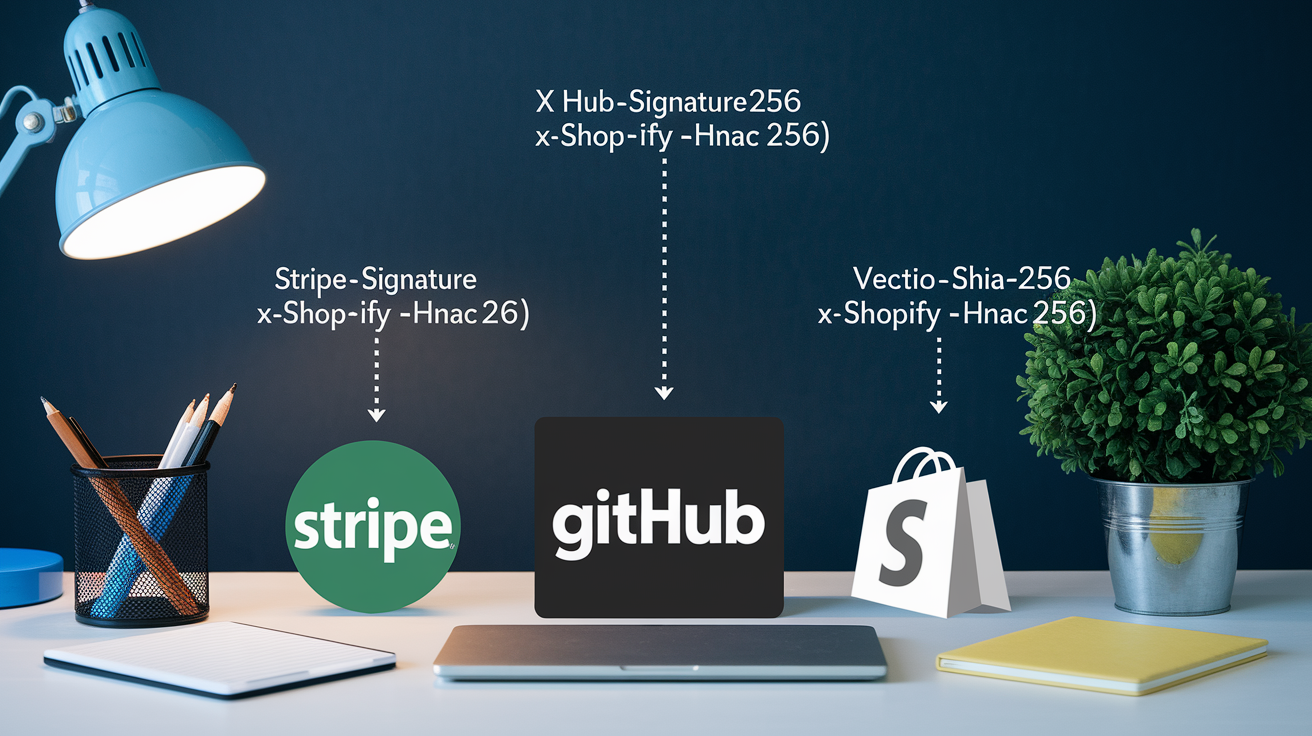
Major webhook providers like Stripe, GitHub, and Shopify each use their own signature formats and event structures. But the core principles stay the same: verify authenticity, parse the payload, respond quickly. Understanding the small differences in authentication methods and payload schemas helps you integrate faster and avoid common mistakes.
Stripe webhooks include a Stripe-Signature header that contains a timestamp and one or more versioned signatures. You have to parse the header to extract the timestamp and the signature value, concatenate the timestamp and raw request body with a period separator, compute the HMAC-SHA256 hash using your webhook signing secret, and compare the result to the signature. Stripe also provides official libraries that handle this verification automatically. You can just call stripe.webhooks.constructEvent() and let the SDK do the work.
Provider-specific authentication and payload notes:
- Stripe: Uses
Stripe-Signatureheader with timestamp and HMAC-SHA256, events includetypeanddata.objectfields, official SDKs verify signatures automatically. - GitHub: Uses
X-Hub-Signature-256header with SHA-256 HMAC, payload is JSON withactionand repository details, timestamp isn’t part of the signature so replay protection is optional. - Shopify: Uses
X-Shopify-Hmac-SHA256header, signature is base64-encoded HMAC of the raw body, events cover orders, products, customers, and inventory updates.
Best Practices for Secure and Scalable Webhook Endpoint Operations

Security matters for webhook endpoints because they’re publicly accessible. Bad actors can try to inject fake events or cause denial-of-service issues. Always validate signatures, rotate signing secrets if they’re exposed, and reject any request that fails authentication immediately without processing the payload.
Performance and scalability get important as your webhook volume grows. Use a load balancer to spread incoming requests across multiple server instances. Make sure your endpoint can handle traffic bursts during high-activity periods without dropping connections. If you process events synchronously within the webhook handler, you risk timeouts and retries. Use a message queue or background job system to separate ingestion from processing.
Operational reliability needs logging for every incoming webhook with its headers, payload, and processing outcome. That way you can debug failures and replay events if needed. Set up monitoring and alerting for error rates, response latency, and queue depth. Build automated replay workflows that can reprocess events by date range, user identifier, or task ID when things go wrong.
Six operational best practices for webhook endpoints:
- Rotate signing secrets regularly and whenever a secret is suspected to be compromised or accidentally exposed.
- Rate limit incoming requests by IP or source identifier to prevent abuse and protect your infrastructure from denial-of-service attacks.
- Log every event with its idempotency key, timestamp, signature status, and processing result for auditing and debugging.
- Monitor delivery success rates and set up alerts when error rates exceed normal thresholds or when queue depths grow unexpectedly.
- Use IP whitelisting when providers publish a list of webhook source IPs, and configure firewall rules to accept traffic only from those addresses.
- Automate replay workflows so you can reprocess failed events by date range or event ID without manual intervention.
Final Words
You set up an HTTP POST route, parsed incoming JSON, verified signatures, and returned fast 2xx acknowledgments so providers stop retrying.
You handled idempotency, queued long tasks, tested locally with a tunnel, and reviewed deployment needs like TLS and secret rotation.
With these steps you can create webhook endpoint implementations that are reliable and maintainable. Small, practical checks like fast responses and event deduping save time and late-night pages. Go ship it.
FAQ
Q: What is a webhook endpoint and what does it need to accept?
A: A webhook endpoint is an HTTP POST receiver that accepts JSON payloads and quickly returns a 2xx status; it needs a public HTTPS URL, route handler, and fast acknowledgment.
Q: How do I set up a basic webhook endpoint quickly?
A: To set up a basic webhook endpoint create a POST route, parse the JSON body, validate signatures, enqueue long work, and return a quick 200 OK JSON acknowledgment.
Q: How should I handle parsing incoming JSON payloads across frameworks?
A: Parsing incoming JSON payloads uses framework middleware—Express body-parser, Flask’s request.get_json, Django or PHP Slim parsers—to map event types, validate schema, and keep handlers fast.
Q: How do I verify and authenticate webhook requests securely?
A: To verify and authenticate webhook requests validate the HMAC or signature with the provider’s signing secret, check timestamps, use SDK helpers when available, store secrets securely, and rotate if compromised.
Q: What is idempotency and how do I prevent duplicate webhook processing?
A: Idempotency means safe to run twice; prevent duplicate processing by recording webhook-id or ce-id, using atomic database checks, and ignoring events already persisted.
Q: How should I handle long-running tasks triggered by webhooks?
A: Long-running tasks triggered by webhooks should be queued: return a fast 2xx, push the job to a background queue (Redis, SQS), and let workers handle processing and retries.
Q: What status codes should my endpoint return to avoid retries?
A: Return 2xx quickly to avoid retries; use 400 for malformed payloads, 401 for auth failures, and 5xx for server errors while fixing root causes to stop repeated retries.
Q: How do webhook providers retry failed deliveries and what causes retries?
A: Providers retry failed deliveries with exponential backoff, often up to 72 hours; non-2xx responses, timeouts, or network errors typically cause retries.
Q: How can I test a webhook endpoint locally before deployment?
A: To test locally expose your port with ngrok or similar, send dashboard test events, inspect requests on webhook.site, and verify signatures and logs before deploying.
Q: What production deployment considerations should I keep in mind for webhooks?
A: For production ensure a public HTTPS endpoint, secure environment variables for secrets, rotate keys, enforce TLS, configure firewalls, enable logging, and pick scalable hosting or serverless.
Q: How do webhook implementations differ between Stripe, GitHub, and Shopify?
A: Stripe, GitHub, and Shopify differ in signature methods (Stripe HMAC, GitHub SHA-256, Shopify HMAC+timestamp), payload shapes, and common event types like payments, commits, and orders.
Q: What are the top operational best practices for secure, scalable webhook handling?
A: Key best practices are fast 2xx acknowledgments, signature validation, secret rotation, robust logging and metrics, queueing long jobs, rate limiting, and alerting on repeated failures.