


What if a critical vulnerability is weaponized before you finish patching? Nearly a third of exploitable flaws are targeted within 24 hours, so the first day decides whether you stop an incident or clean up a breach. This post gives practical remediation advice for vulnerabilities: immediate triage steps to isolate assets, revoke credentials, and apply emergency controls; a repeatable workflow for tracking fixes; and patch and coding habits that stop repeat problems. Read on to learn how to fix security flaws fast and cut your risk window.
How to Fix Security Vulnerabilities: Immediate Steps

When you discover a critical vulnerability, the first 24 hours are what matters. Nearly a third of known exploitable vulnerabilities get targeted within one day of disclosure. That’s your window.
The moment a high-risk finding appears (scheduled scan, vendor advisory, threat intelligence alert) you need to isolate the affected system, revoke exposed credentials, and apply the fastest control available to shrink your attack surface.
Before you start patching anything, figure out what you’re protecting. Is the vulnerable asset internet-facing? Does it process sensitive data? Is it sitting in a high-value production environment? Those factors tell you how fast to move and which compensating controls to deploy while you prep a permanent fix.
- Isolate the affected system. Restrict network access temporarily or move it to a quarantine segment.
- Revoke or rotate compromised credentials, API tokens, and SSH keys that may have been exposed.
- Apply an emergency patch or hotfix if the vendor has one ready. Use emergency change control procedures to speed up deployment.
- Enable compensating controls like WAF rules, ACLs, or IPS signatures that block exploit attempts.
- Disable vulnerable features or services if you can’t patch immediately. Turn off an exposed API endpoint or unused admin panel.
- Monitor logs and alerts for signs of active exploitation: unusual authentication attempts, weird database queries, unexpected outbound connections.
If the vulnerability shows signs of active exploitation (anomalous traffic patterns, failed login spikes, known indicators of compromise in threat feeds) escalate to your incident response team immediately. Treat an exploited vulnerability as a containment event, not a routine patch job. You’ll need to collect forensic evidence, identify lateral movement, and prevent re-compromise after remediation.
Conducting a Comprehensive Vulnerability Assessment

You can’t fix what you don’t know exists. Start with automated scanning tools that crawl your network, cloud environments, and web applications to identify unpatched software, open ports, weak encryption, exposed credentials, and insecure configurations. Schedule these scans weekly for internet-facing assets, monthly for internal infrastructure. Run targeted scans immediately after deploying new code or infrastructure changes.
Automated scanners catch the obvious stuff, but they also produce false positives and miss context-specific flaws. Validate high-severity findings manually. Check software versions, test exploit conditions in a controlled environment, review configuration files. Prioritize findings using CVSS scores (0 to 10 scale) combined with business context. A critical vulnerability on an isolated test server ranks lower than a medium-severity flaw on a production payment gateway. Use additional metrics like EPSS (Exploit Prediction Scoring System) to identify which vulnerabilities are actively exploited in the wild.
Once you’ve validated and scored findings, build a remediation plan that documents each vulnerability’s CVE identifier, affected asset, discovery date, assigned owner, target remediation date, and recommended fix. Track this in a centralized system. Spreadsheets break down at scale, so integrate with your ticketing or CMDB platform to maintain audit trails and measure progress over time.
Assessments typically uncover these vulnerability categories:
- Unpatched or outdated software running versions with known CVEs and available security updates
- Code injection flaws like SQL injection, command injection, or XML external entity (XXE) exploits
- Authentication and session management weaknesses: default credentials, missing multi-factor authentication, weak password policies
- Misconfigurations like open cloud storage buckets, exposed admin panels, unnecessary services listening on public IPs, overly permissive firewall rules
- Cryptographic failures: outdated TLS versions, weak cipher suites, hard-coded secrets, unencrypted data at rest
Building an Effective Remediation Workflow

Remediation workflows turn a list of vulnerabilities into trackable, accountable fixes. The workflow starts when you discover a vulnerability and ends when verification proves the issue is closed and no new risk has been introduced. Each step requires clear ownership. Assign vulnerabilities to the team or individual responsible for the affected asset, set a target remediation date based on severity and SLA, and provide enough context (CVE details, exploit availability, business impact) so the assignee understands why the fix matters.
Once assigned, the owner investigates the fix: applying a vendor patch, reconfiguring a service, replacing an unsupported component, or decommissioning the asset entirely. Before deploying the fix to production, test it in a staging environment that mirrors the production configuration. Testing catches incompatibilities, performance regressions, and unintended side effects that can cause outages if you push a patch blindly.
Verification and Regression Testing
After deployment, verification proves the vulnerability is actually closed. Re-scan the affected asset to confirm the CVE no longer appears, check software version numbers, review access logs to ensure the exploit path is blocked. When it’s safe, attempt to reproduce the vulnerability in a controlled test environment. Verification also includes regression checks to confirm the fix didn’t break existing functionality, introduce new misconfigurations, or degrade performance for end users.
The full remediation lifecycle follows these workflow stages:
- Ticket creation and assignment. Automatically generate tickets from scanner findings with CVE ID, severity, asset details, and recommended fix. Route to the responsible team based on asset ownership.
- Investigation and fix selection. Owner evaluates patch availability, tests compatibility, and selects the appropriate remediation action (patch, configuration change, replacement, or decommission).
- Change management and deployment. Submit the fix through your change control process, schedule a maintenance window if needed, and deploy the patch or configuration to production following rollback plans.
- Post-remediation verification. Re-scan, validate the fix, confirm no regression, document evidence, and close the ticket with a completion date and verification method.
Patch Management and Update Strategy

Patch management is the operational backbone of vulnerability remediation. It requires maintaining an accurate, real-time inventory of all systems: cloud instances, on-premises servers, containers, endpoints, and network devices. You need to know where patches need to be applied. Subscribe to vendor security advisories, CVE feeds, and threat intelligence sources to stay informed about new patches the moment they’re released. Integrate these feeds into your ticketing or CMDB system so patch notifications automatically create work items.
Establish regular patch cycles. Monthly for routine updates, weekly for high-risk internet-facing systems. Reserve an out-of-band emergency process for critical vulnerabilities and zero-day exploits. Out-of-band patches bypass the standard schedule and use accelerated change approval to deploy fixes within 24 to 48 hours when the risk justifies it. Cross-national advisories have highlighted that some widely exploited vulnerabilities had patches available since 2017, yet remained unpatched in production environments years later. Patch management discipline prevents that lag.
| Patch Type | Typical Deployment Time | Risk Level Addressed |
|---|---|---|
| Critical/Zero-Day Patches | 24–48 hours (emergency change process) | Actively exploited or high CVSS score with exploit code available |
| Routine Security Patches | 7–14 days (monthly patch cycle) | Moderate CVSS, no active exploitation |
| Non-Security Updates | 30+ days (scheduled maintenance windows) | Feature updates, performance improvements, low-risk fixes |
Secure Coding Practices to Prevent Recurring Vulnerabilities

The most efficient remediation is the one you never have to perform. Shift security left by integrating secure coding practices into your software development lifecycle so vulnerabilities are caught (and fixed) before code reaches production. Start with input validation and sanitization on every user-supplied field, query parameter, and API request. Treat all external input as untrusted, validate data types and lengths, and reject anything that doesn’t match expected patterns.
Manage dependencies carefully. Most modern applications rely on dozens or hundreds of open-source libraries, and those libraries introduce transitive dependencies that multiply risk. Use automated dependency scanning to identify known CVEs in third-party packages, pin library versions in your build manifests, and schedule regular updates to stay current with security patches. Rotate credentials and secrets frequently, store them in vault systems rather than hard-coding them in configuration files, and enforce least-privilege access policies so compromised credentials have limited blast radius.
Adopt secure authentication and session management patterns. Enforce strong password policies, implement multi-factor authentication (MFA), use short-lived session tokens with secure HTTP-only and SameSite cookie flags, and log authentication events for anomaly detection. Conduct peer code reviews with a security checklist, use automated linters to flag common anti-patterns, and run unit tests that validate input handling and access control logic before merging pull requests.
Developer Security Tools
Integrate security tooling directly into the CI/CD pipeline so every build is automatically scanned for vulnerabilities. Static application security testing (SAST) analyzers parse source code to identify code injection risks, hardcoded secrets, and insecure API usage patterns before the code is compiled. Dynamic application security testing (DAST) tools test running applications by simulating attacks: fuzzing inputs, testing for SQL injection and cross-site scripting, and attempting authentication bypasses. Software composition analysis (SCA) tools scan dependencies and container images to flag outdated libraries with known CVEs, licensing issues, and supply-chain risks. Configure these tools to fail builds when critical findings appear, forcing developers to remediate security flaws before deployment rather than discovering them in production scans weeks later.
Remediation Strategies for Common Vulnerability Types
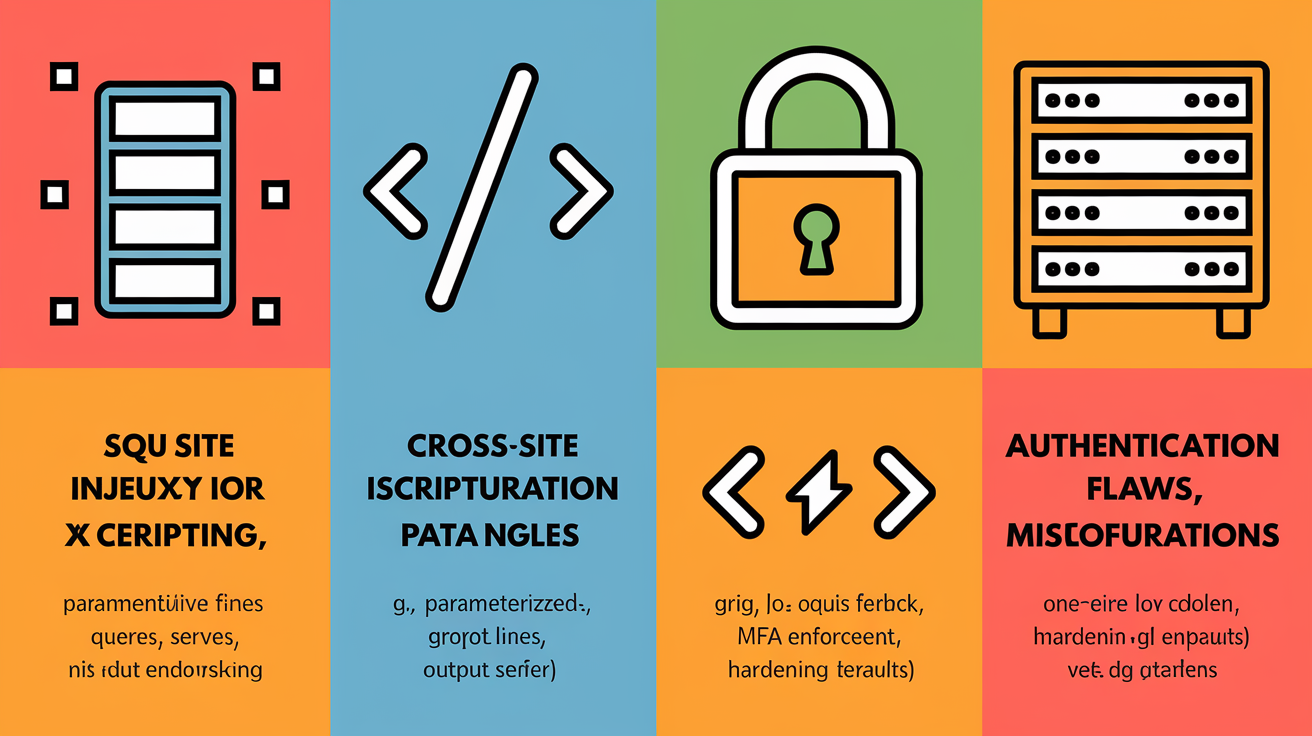
SQL injection vulnerabilities appear when user input is concatenated directly into SQL queries without validation or escaping. Attackers exploit this by injecting malicious SQL commands that can dump databases, modify records, or execute operating system commands. Fix SQL injection by replacing inline string concatenation with parameterized queries (also called prepared statements) that separate query structure from user data. In parameterized queries, the database engine treats user input strictly as data, not executable SQL syntax. That blocks injection attempts regardless of payload complexity.
Cross-site scripting (XSS) vulnerabilities occur when applications render user-supplied content in HTML, JavaScript, or other browser-executable contexts without proper encoding. Attackers inject scripts that steal session cookies, redirect users to phishing sites, or modify page content. Remediate XSS by applying context-appropriate output encoding: HTML entity encoding for content rendered in HTML tags, JavaScript encoding for data embedded in script blocks, and URL encoding for data inserted into URLs. Use Content Security Policy (CSP) headers to restrict which scripts the browser will execute, reducing the impact of any XSS that slips through encoding.
Authentication flaws include weak password policies, missing multi-factor authentication, insecure password reset flows, and session fixation vulnerabilities. Fix these by enforcing strong password complexity requirements, implementing rate limiting and account lockout on failed login attempts, requiring MFA for privileged accounts and internet-facing applications, and regenerating session identifiers after login to prevent fixation attacks. Review authentication logic for timing attacks and ensure error messages don’t leak information about valid usernames or account states.
Misconfigurations are one of the most common vulnerability types. They include open cloud storage buckets, exposed admin panels, unnecessary services running on public IPs, default credentials, and overly permissive firewall rules. Remediate by hardening default configurations: disable unused services, change default passwords, restrict administrative interfaces to internal networks or VPNs, apply least-privilege access policies, and use infrastructure-as-code templates that enforce secure baselines. Regularly audit configuration drift using automated scanners and configuration management tools to catch settings that revert to insecure defaults after manual changes.
| Vulnerability Type | Root Cause | Recommended Fix |
|---|---|---|
| SQL Injection | User input concatenated into SQL queries | Use parameterized queries or prepared statements; validate and sanitize all input |
| Cross-Site Scripting (XSS) | User content rendered without encoding | Apply context-appropriate output encoding; set Content Security Policy (CSP) headers |
| Authentication Flaws | Weak passwords, missing MFA, session fixation | Enforce strong password policies, require MFA, regenerate session IDs after login |
| Misconfigurations | Default settings, unnecessary services, overly permissive rules | Harden configurations, disable unused features, apply least-privilege access controls |
Recommended Tools for Vulnerability Detection and Remediation

Vulnerability detection and remediation rely on a layered toolset that covers code analysis, infrastructure scanning, configuration auditing, and automated patching. Static application security testing (SAST) tools analyze source code repositories to identify code-level vulnerabilities (injection flaws, insecure cryptographic functions, hardcoded secrets) before deployment. Dynamic application security testing (DAST) tools probe running web applications by sending malicious payloads and observing responses, uncovering runtime vulnerabilities that static analysis can’t detect, like authentication bypasses and server misconfigurations.
Infrastructure vulnerability scanners continuously discover and assess assets across on-premises networks, cloud environments, and containers, reporting unpatched software, open ports, weak encryption, and compliance violations. Configuration analysis tools audit infrastructure-as-code templates, cloud configurations, and container images against security benchmarks like CIS controls, flagging deviations before they reach production. Automated patch management systems integrate with asset inventories and vulnerability scanners to deploy patches across fleets of servers and endpoints, track patch compliance, and roll back failed updates when regressions occur.
Common tool categories and their use cases:
- Vulnerability scanners (network and infrastructure): discover assets, identify CVEs, assess patch levels, and generate prioritized remediation lists for servers, endpoints, and network devices.
- Static Application Security Testing (SAST): scan source code repositories to find code injection risks, insecure API usage, and hardcoded credentials during development.
- Dynamic Application Security Testing (DAST): test running applications by simulating attacks to uncover runtime flaws like XSS, SQL injection, and broken authentication.
- Software Composition Analysis (SCA): scan dependencies and container images for known CVEs in open-source libraries, outdated packages, and supply-chain risks.
- Automated patch management platforms: schedule, deploy, and verify patches across infrastructure. Integrate with change control and ticketing to track remediation progress and compliance.
Final Words
in the action: we covered immediate steps—isolate affected systems, revoke compromised credentials, apply emergency patches—and how to run full vulnerability assessments, build a remediation workflow, manage patches, and use secure coding to prevent repeats.
We walked through fixes for SQLi, XSS, auth issues, and misconfigurations, plus verification, escalation rules, and tool categories to automate checks. The numbered steps and workflow stages give a playbook you can run.
Keep a prioritized backlog and use remediation advice for vulnerabilities as your daily checklist. Small, steady fixes cut risk and save time.
FAQ
Q: What is the vulnerability remediation process?
A: The vulnerability remediation process is a repeatable workflow: identify and triage findings, assign fixes, patch or reconfigure, test in staging, deploy changes, verify the fix, and document for tracking and follow-up.
Q: What are the mitigation strategies for vulnerabilities and what is a critical step in remediation?
A: The mitigation strategies for vulnerabilities include applying patches, isolating affected systems, revoking compromised credentials, adding compensating controls (WAF/firewall, access limits), and boosting monitoring; a critical step is prioritizing and isolating high-risk assets immediately.
Q: What are 5 of the signs you should look out for when assessing vulnerability?
A: Five signs to look out for when assessing vulnerability are outdated or unpatched software, exposed or reused credentials, unnecessary open ports/services, insecure or default configurations, and abnormal network or process activity.