


If you think requirements.txt keeps your app safe, think again.
Transitive dependencies and outdated packages slip into production and cause real incidents.
A Python dependency scanner automates checking every package, top-level and nested, against CVEs, EOL warnings, and license issues so you catch problems before they hit CI.
This post walks through core functions, compares popular tools, and shows quick setup patterns you’ll add to local workflows and CI in minutes.
Read on to pick a scanner that fits your repo size, risk profile, and build-speed needs.
Core Functions of a Python Dependency Scanner for Modern Projects

A Python dependency scanner automates the work of checking every package your code relies on, from top-level imports down to the nested libraries they pull in. Without scanning, you’re flying blind. Outdated packages ship known CVEs, transitive dependencies introduce breaking changes, and unmaintained libraries quietly pile up in your stack. Scanners catch these risks before they hit production, turning dependency hygiene from a manual audit into something you can actually repeat.
Most scanners work by reading your project’s manifest files (requirements.txt, setup.py, setup.cfg, pyproject.toml, or lockfiles like Pipfile.lock and poetry.lock), then cross-referencing every declared package against vulnerability databases. Tools like Auditly query CVEs and deprecated-package registries. FawltyDeps inspects your source code to confirm imported packages match what you’ve declared, surfacing both undeclared dependencies and unused bloat. PySentry wraps the same detection logic in a Rust-based CLI, prioritizing scan speed and flexible reporting. The best scanners go beyond top-level packages and traverse the full transitive graph, flagging risky sub-dependencies that never appear in your requirements.txt but still run in your environment.
Developers use scanners locally to clean up unsafe packages before committing. In CI/CD, they fail builds when high-severity vulnerabilities or licensing violations appear. JSON output from tools like Auditly feeds into policy engines, ticketing systems, and security dashboards, while dependency-tree visualizations help prioritize which nested dependencies to patch first. Scanners are the first line of defense against supply-chain attacks, accidental bloat, and “works on my machine” failures.
Core capabilities that define a modern Python dependency scanner:
- CVE and vulnerability checks – Match installed packages against public databases like OSV, PyUp, and NIST to surface known exploits and security advisories.
- Outdated package detection – Compare current versions with the latest available, flagging deprecated or end-of-life releases that no longer receive patches.
- Transitive dependency analysis – Scan every layer of the dependency tree, not just direct imports, to catch risks hidden in sub-dependencies.
- Manifest scanning – Parse requirements.txt, setup.py, pyproject.toml, and lockfiles to discover declared dependencies and version constraints.
- Automated vulnerability alerts – Surface alerts with severity scores (CVSS), exploitability flags, and suggested fixes or upgrade paths.
- Remediation insights – Provide actionable guidance (upgrade to version X, remove unused package Y, or replace deprecated library Z) to speed up triage and patching.
Leading Python Dependency Scanner Tools and Their Key Differences
Open-source scanners like pip-audit and Safety offer fast, no-cost vulnerability checks. Commercial platforms such as Snyk and Dependabot bundle automated upgrades, PR generation, and license compliance into managed services. If you need a quick CLI scan before deploying, pip-audit queries the OSV database with minimal setup. If you’re managing compliance across dozens of repositories, Snyk’s license checks and policy engine may justify the subscription. Performance also varies. PySentry’s Rust implementation emphasizes scan speed, while Auditly focuses on clarity, progress feedback, and deep transitive analysis with zero configuration overhead.
Detection scope separates the pack. FawltyDeps targets undeclared and unused dependencies by statically analyzing Python source files, making it ideal for cleaning up bloat and ensuring manifest accuracy, but it doesn’t scan for CVEs. Safety and pip-audit focus on vulnerability detection but rely on different databases, so coverage and update frequency differ. Dependabot and Snyk automate the full remediation loop by opening pull requests when safer versions exist, while Auditly and PySentry stop at reporting, leaving upgrade decisions to you. Choose based on whether you need a quick local audit or a full CI/CD integration with automated patches.
| Tool | Strengths |
|---|---|
| pip-audit | Free, OSV-focused, minimal dependencies, fast CLI scans for CVE detection and version checks |
| Safety | License compliance checks, vulnerability database subscription option, integrates into CI easily |
| Snyk | Commercial platform, automated remediation PRs, policy enforcement, license scanning, and container image checks |
| Dependabot | Native GitHub/GitLab integration, automatic upgrade PRs, scheduled scans, zero config for hosted repos |
| Auditly | Deep transitive scans, dependency-tree visualization, progress bars, JSON output for CI, deprecated/EOL warnings |
Installation and Setup Approaches for Python Dependency Scanning
Set up a clean virtual environment before running any scanner to avoid false positives from global site-packages or cached wheels. Most scanners require Python 3.7 or higher (Auditly and FawltyDeps explicitly state 3.7+ compatibility), so check your project’s runtime version first. Installation methods vary. pip-audit, Safety, and FawltyDeps install via pip, while PySentry may ship as a standalone binary or container image to eliminate Python version conflicts. If you’re scanning private package indexes, configure pip’s index-url and extra-index-url before installing the scanner, or the tool won’t resolve internal packages correctly.
Binary tools and Rust-based scanners like PySentry skip Python interpreter overhead entirely, making them faster for large monorepos or slow CI environments. Container images are useful for reproducible scans. Lock the scanner version in a Dockerfile, mount your project directory, and run the scan without polluting your local environment. Regardless of method, validate that the scanner can access your manifest files and that the environment matches your deployment target, or results won’t reflect production risks.
Step-by-step installation for most scanners:
- Create and activate a virtual environment matching your project’s Python version (3.7+ recommended).
- Install the scanner using pip, a binary release, or a container image (
pip install auditlyordocker pull pysentrydepending on the tool). - Configure any private package indexes or authentication tokens your project requires so the scanner can resolve internal dependencies.
- Run a test scan on a small manifest or a known-vulnerable package (e.g., an old requests version) to confirm detection works.
- Validate that JSON or Markdown output formats generate correctly, especially if you plan to parse results in CI or store artifacts.
Running Python Dependency Scanner Tools with Examples and CLI Patterns
A basic environment scan reads installed packages from the active virtual environment and checks them against the vulnerability database. Run auditly with no arguments to scan top-level packages, or point it at a requirements.txt file when you want to validate dependencies before installing them. Deep scans traverse the full transitive tree, flagging sub-dependencies that never appear in your manifest. Auditly’s --deep mode includes a progress bar for long scans and warns about deprecated or end-of-life packages. FawltyDeps uses --deps requirements.txt to target a specific manifest and --detailed to show import locations and context for each mismatch.
JSON output is designed for CI/CD pipelines. Parse the structured report in a GitHub Action or GitLab job, then fail the build if high-severity CVEs appear or if unused dependencies exceed a threshold. Markdown reports work well for human review, especially when shared in pull requests or team documentation. If you’re scanning lockfiles like Pipfile.lock or poetry.lock, the scanner must understand the format. Most tools require you to generate a requirements.txt from the lockfile first, or they’ll miss pinned sub-dependencies.
Common scan scenarios and how to run them:
- Environment scan – Scan installed packages in the active venv to catch vulnerabilities before committing changes.
- Lockfile scan – Generate requirements.txt from poetry.lock or Pipfile.lock, then scan to validate pinned versions against CVE databases.
- Transitive scan – Use deep-scan mode to inspect every layer of the dependency tree and surface risks in nested sub-dependencies.
- License scan – Run a compliance-focused scan to detect GPL, AGPL, or other restrictive licenses that conflict with your project’s terms.
- CI JSON scan – Export structured JSON output, parse it in a pipeline step, and enforce policies like “fail on any CVE with CVSS > 7.0.”
Example commands (adjust tool names and flags to match your scanner):
auditly --deep --json > scan-results.json
fawltydeps --detailed --deps requirements.txt
safety check --json --output safety-report.json
pip-audit -r requirements.txt --format json
Understanding Transitive Dependency Risks and Vulnerability Surfacing

Most vulnerabilities don’t live in the packages you intentionally installed. They hide in the sub-dependencies pulled in by your top-level libraries. A single outdated requests version might bundle urllib3 with a known CVE, and that vulnerability ships to production even though urllib3 never appears in your requirements.txt. Transitive scanning solves this by walking the full dependency graph, checking every package that ends up in site-packages, regardless of whether you declared it explicitly. Auditly’s deep-scan mode tracks progress and highlights deprecated or end-of-life packages that maintainers have abandoned, so you can replace them before they become attack vectors.
Scanners score vulnerabilities using CVSS (Common Vulnerability Scoring System), which combines exploitability, impact, and attack complexity into a 0 to 10 severity rating. High-severity CVEs (7.0+) with public exploits get flagged first, while low-severity issues with no known exploit may be safe to defer. Some tools add exploitability analysis: has the CVE been weaponized in the wild, or is it still theoretical? This context helps you prioritize patches when you’re triaging a report with dozens of findings and limited time to fix them all.
Dependency-tree visualization turns abstract reports into actionable triage. Tools like Auditly render the full hierarchy so you can see which top-level package introduced a risky sub-dependency, then decide whether to upgrade, replace, or remove the parent. If a single vulnerable library appears as a transitive dependency under three different top-level packages, upgrading all three becomes the fix, not hunting for the hidden sub-package. The tree also exposes version conflicts (two packages requiring incompatible versions of the same sub-dependency) before runtime errors surface in production.
Integrating Python Dependency Scanners into CI/CD Pipelines
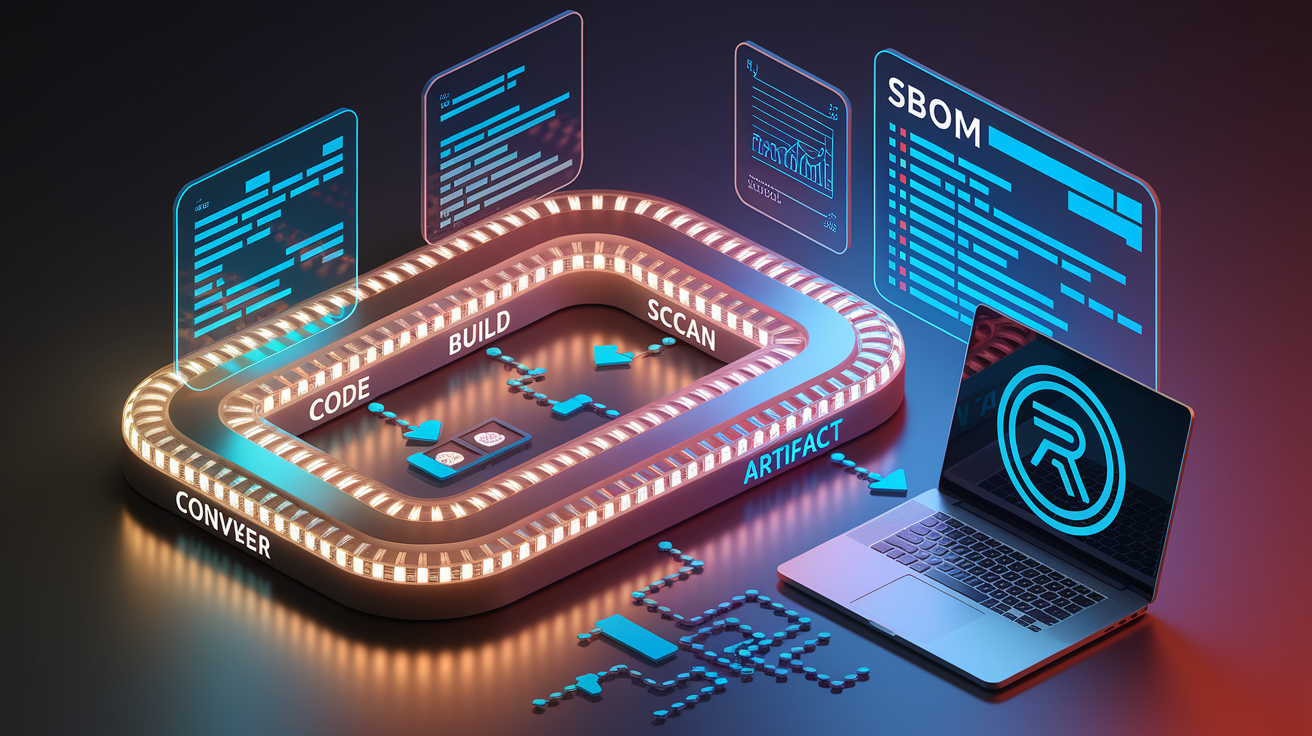
Automated pipeline integration moves scanning from a manual pre-commit step to a required gate that blocks unsafe code from merging. Run the scanner in a dedicated CI job, export JSON output, then parse results to enforce policy: fail the build if any CVE scores above 7.0, or if a new dependency appears without team approval. Auditly’s JSON format is designed for this workflow, including fix suggestions and severity metadata that feed directly into policy scripts or ticket-creation tools. PySentry’s Markdown and JSON outputs work the same way, though the specific fields and structure vary by tool.
GitHub Actions, GitLab CI, and Jenkins all support scanner jobs. Mount your project directory, install the scanner in the pipeline environment, run the scan, and upload the JSON report as a build artifact. If the scan fails, the pipeline stops, preventing the merge until someone patches the vulnerable package or documents an accepted risk. Some teams go further and parse the JSON to open Jira tickets automatically, assign them to the package owner, and track remediation SLAs in a dashboard. FawltyDeps runs inside the same environment as the project to accurately map import names to distribution names, so your CI job must install all dev dependencies before scanning, or it’ll miss mismatches.
Common CI tasks for dependency scanning:
- Fail builds on high-severity CVEs – Parse JSON output, extract CVSS scores, and exit with a non-zero code if any score exceeds the threshold.
- Generate and store SBOMs – Export a bill of materials in JSON or SPDX format, then upload it to artifact storage for compliance audits.
- Upload JSON reports – Archive scan results as pipeline artifacts so security teams can review findings without rerunning the scan.
- Automated ticket creation – Use the JSON output to open tickets in Jira or Linear, tagged with CVE IDs, affected packages, and suggested fixes.
- Dependency graph artifacts – Render and store dependency-tree visualizations to help reviewers understand transitive risks and prioritize patches.
Sample pipeline snippet (adjust to match your scanner and CI syntax):
run: auditly --deep --json > scan.json
run: python parse_scan.py --input scan.json --fail-on high
upload-artifact: scan.json
License Compliance, SBOM Generation, and Dependency Governance

Scanners don’t just catch CVEs. They also detect license conflicts that can block commercial distribution or open-source contributions. A GPL-licensed sub-dependency buried three layers deep in your tree can force your entire project into GPL compliance, even if you never declared that package. Tools like Safety and Snyk include license-detection modules that flag restrictive terms, while Auditly’s actionable output and team-focused clarity make it easier to surface compliance risks in a format legal and engineering teams both understand. SBOM (Software Bill of Materials) generation turns scan results into a standardized inventory, required for regulatory compliance, vendor audits, and supply-chain transparency.
Governance workflows rely on policy enforcement. Maintainers define allowed licenses, banned packages, and acceptable CVSS thresholds, then the scanner enforces those rules in every build. If a developer adds a package with an unknown license or a deprecated maintainer, the pipeline fails and requests approval. PySentry and Auditly both support flexible output formats suitable for SBOM creation, though you may need a separate tool to convert JSON into SPDX or CycloneDX standards. Storing SBOMs as versioned artifacts lets you track dependency evolution over time and prove compliance during audits.
| Compliance Feature | Purpose |
|---|---|
| License detection | Identify GPL, AGPL, proprietary, or unknown licenses in direct and transitive dependencies |
| SBOM export | Generate a machine-readable inventory of all dependencies for regulatory and audit requirements |
| Conflict identification | Flag license incompatibilities (e.g., MIT project pulling in a GPL sub-dependency) |
| Governance enforcement | Block builds or merges when packages violate team-defined license or security policies |
Advanced Techniques for Maintaining Safe and Up‑to‑Date Dependencies

Pinning every dependency to an exact version prevents surprise breakages but also locks in known vulnerabilities until you manually upgrade. A safer strategy combines range constraints (requests>=2.28.0,<3.0.0) with scheduled scans that flag outdated packages and deprecated libraries. Auditly’s deep scans warn about end-of-life packages during the scan itself, so you catch maintainer abandonment before a CVE appears. FawltyDeps helps you remove unused packages that bloat your environment and expand the attack surface without providing any value, cutting down the number of dependencies you need to monitor.
Automated upgrades from Dependabot or Snyk reduce the manual effort of tracking new releases, but they can introduce breaking changes if you don’t test thoroughly. Set a cadence (weekly scans for low-risk libraries, daily scans for critical dependencies) and pair automated PRs with a test suite that catches regressions before merging. When evaluating upgrades, check the transitive impact. Upgrading requests might pull in a new urllib3, which could conflict with another package’s pinned version. Dependency-tree visualization surfaces these risks before you commit, and JSON output from your scanner feeds into upgrade-planning dashboards.
Semantic versioning helps predict compatibility, but it’s not foolproof. Some maintainers ship breaking changes in minor releases, and others abandon packages without marking them deprecated. Scanners that detect EOL status (Auditly highlights these during deep scans) give you a heads-up to find replacements before the package becomes a liability. Regularly audit your pinning strategy. Locked versions reduce churn but delay security patches, while loose ranges invite breakage but keep you current. Most teams pin in production lockfiles and use ranges in development, then rely on scanners to catch the gap.
Six best-practice actions for dependency hygiene:
- Define a pinning strategy – Use exact pins in lockfiles for production, range constraints in manifests for flexibility, and document exceptions for legacy packages.
- Run periodic deep scans – Schedule weekly or daily scans that traverse the full transitive tree and flag deprecated, EOL, or vulnerable packages.
- Evaluate EOL packages immediately – When a scanner warns about abandoned libraries, open a ticket to find alternatives before CVEs appear with no upstream patch.
- Verify transitive changes before upgrading – Check the dependency tree after every upgrade to catch new sub-dependencies or version conflicts introduced by the change.
- Remove unused dependencies – Use tools like FawltyDeps to identify declared packages that no code imports, then delete them to shrink the attack surface.
- Set update cadences by risk – Upgrade critical security libraries (crypto, auth, HTTP clients) weekly, and low-risk utilities (formatters, dev tools) monthly or quarterly.
Final Words
We ran through what a scanner does—detecting vulnerable or outdated packages, parsing manifests, and surfacing transitive risks—plus how scanners fit into real workflows.
We compared tools (Auditly, PySentry, FawltyDeps, pip-audit, Safety, Snyk), covered install and CLI patterns, CI integration, SBOMs, and strategies to keep deps healthy.
Treat a python dependency scanner as a small automation that pays off: fewer late-night fixes, clearer upgrades, and more reliable releases. Start with a quick test scan and iterate. You’ve got this.
FAQ
Q: What does a Python dependency scanner do and why should I use one?
A: A Python dependency scanner detects outdated, insecure, or incompatible packages and transitive risks, helping you catch CVEs, keep compatibility, and automate alerts to avoid runtime failures and security incidents.
Q: Which Python dependency scanners should I consider and how do they differ?
A: Recommended scanners include pip-audit, Safety, Snyk, Dependabot, Auditly, PySentry, and FawltyDeps; they differ by speed, detection depth, license checks, automation, fix suggestions, and CI-friendly output formats.
Q: How do I install and set up a dependency scanner for my project?
A: To install and set up a scanner, create a virtualenv, pip install the tool or use a container/binary, configure private indexes, run a test scan, and validate the CLI or JSON output.
Q: How do I run scans for requirements.txt, Pipfile.lock or poetry.lock?
A: To scan manifests, run the scanner with the file or mode flag (requirements.txt, Pipfile.lock, poetry.lock), enable deep/transitive mode for sub-deps, and export JSON for CI or further parsing.
Q: What are transitive dependency risks and how do scanners help prioritize them?
A: Transitive dependency risks come from indirect packages; scanners map dependency trees, match CVEs/CVSS scores, and surface exploitability so you can prioritize high-risk nodes for remediation.
Q: How do I integrate dependency scanning into CI/CD pipelines?
A: Integrating scanners into CI means running scans on push or PR, exporting JSON reports, failing builds on critical CVEs, generating SBOMs, and optionally opening automated PRs or tickets for fixes.
Q: Can scanners help with license compliance and SBOM generation?
A: Scanners assist with license detection, SBOM export, conflict identification, and governance reporting, making it easier to track legal risk and produce audit-ready artifacts for compliance teams.
Q: What are practical best practices for keeping Python dependencies safe and up to date?
A: Practical best practices: pin versions, run periodic scans, evaluate EOL or deprecated packages, verify transitive changes after updates, remove unused deps, and use automated upgrade workflows with human review.