


Ever search for a CVE only to find yourself clicking through five different pages just to figure out if it actually matters to your stack? The National Vulnerability Database is the go-to source for vulnerability details, but knowing how to search it efficiently saves you from that frustrating rabbit hole. Whether you’re looking up a specific CVE identifier or scanning for vulnerabilities in a product you run, NVD gives you severity scores, affected versions, and patch info in one place. This guide walks through exactly how to search NVD by CVE ID or product name and what to look for in the results.
How to Access and Use the National Vulnerability Database for CVE Search

The National Vulnerability Database lives at nvd.nist.gov. It’s maintained by the National Institute of Standards and Technology as the U.S. government’s repository of standards based vulnerability management data. Getting to the search interface is simple. Click “Search” in the main navigation or just head straight to the vulnerability search page. The database holds over 150,000 CVE vulnerability entries pulled from over 200 data sources, each one using the Common Vulnerabilities and Exposures naming standard with unique identifiers that follow the format CVE-2026-[sequence number], like CVE-2025-23013 for vulnerabilities registered in 2025.
Got a CVE identifier already? The direct lookup process takes about 30 seconds:
- Open the NVD search interface at nvd.nist.gov and find the CVE ID search field in the upper section
- Type or paste the complete CVE identifier including the year and sequence number (for example, CVE-2024-12345)
- Click the “Search” button or press Enter to submit the query
- Review the search results page, which shows matching entries with basic severity information
- Click the CVE ID link to open the full detail page with CVSS scores, affected products, and remediation guidance
Search results pop up within seconds and display a summary card showing the CVE ID, severity rating, publication date, and a short description excerpt. The full detail page loads when you click through, presenting complete CVSS scoring, affected product configurations using CPE notation, references to vendor advisories, and links to patches when they’re available.
Beyond direct CVE ID lookups, the NVD search interface supports queries by vendor name, product name, or keyword phrases from vulnerability descriptions. Use the “Vendor Search” dropdown to filter results by software manufacturer, then narrow further by selecting a specific product from that vendor’s catalog. Keyword searches scan vulnerability descriptions for terms like “remote code execution” or “authentication bypass” across the entire database. You can combine multiple filter criteria to zero in on relevant vulnerabilities, like searching for all critical severity issues in Apache products published within the last 90 days.
Understanding CVE Details and Vulnerability Information Fields

Each NVD entry follows a structured format designed to present vulnerability information in standardized sections. Identifiers, description, severity metrics, affected products, weakness classification, references, and change history. The layout stays consistent across all entries, making it straightforward to locate specific information once you understand the structure.
The Common Vulnerability Scoring System provides the framework for measuring severity. NVD currently uses CVSS version 3.1 as the standard. CVSS produces scores ranging from 0 to 10 that quantify exploitability and impact, helping security teams compare relative risk across different vulnerabilities. The base score represents inherent characteristics of the vulnerability that remain constant across environments.
Base score calculation combines two metric groups: exploitability and impact. Exploitability factors assess how difficult it is to attack the vulnerability, considering attack vector (network, adjacent network, local, or physical), attack complexity (low or high), privileges required (none, low, or high), and whether user interaction is needed. Impact metrics measure the consequences if exploitation succeeds, evaluating effects on confidentiality, integrity, and availability of the affected system.
The CVSS framework breaks down into these measurement categories:
Attack Vector: Determines where the attacker must be positioned to exploit the vulnerability (remote network, adjacent network, local access, or physical access)
Attack Complexity: Measures conditions beyond the attacker’s control that must exist to exploit the vulnerability (low complexity means no special circumstances required)
Privileges Required: Specifies what level of system access the attacker needs before exploitation (none, low level user, or high level administrator)
User Interaction: Indicates whether exploitation requires a human user to perform some action like clicking a link or opening a file
Scope: Determines whether successful exploitation can affect resources beyond the vulnerable component’s security authority
Impact Metrics (CIA Triad): Quantifies damage to confidentiality (data disclosure), integrity (data modification), and availability (denial of service)
NVD categorizes vulnerabilities into severity ranges that translate numeric CVSS scores into qualitative ratings. Low severity covers 0.1 to 3.9, typically representing issues with limited impact or difficult exploitation requirements. Medium spans 4.0 to 6.9, indicating moderate risk that requires some mitigation attention. High ranges from 7.0 to 8.9, representing serious vulnerabilities that should be patched quickly. Critical reaches 9.0 to 10.0, reserved for remotely exploitable flaws with severe consequences that demand immediate remediation.
Keep in mind these severity scores are generic assessments that may not accurately reflect risk in your specific environment due to configuration differences. A vulnerability marked critical in NVD might pose no actual threat if the vulnerable feature is disabled in your deployment or protected by compensating controls. Conversely, a medium severity issue could be critical if it affects an internet facing system handling sensitive data. Vulnerability exploitability varies between environments, so always evaluate NVD identified severe vulnerabilities against your actual configuration and exposure.
The affected products section uses Common Platform Enumeration notation to identify vulnerable software versions and configurations. CPE strings look cryptic at first glance, something like “cpe:2.3:a:apache:http_server:2.4.49:::::::*”, but they precisely specify vendor, product, version, and other attributes that determine whether you’re running affected code. This structured format lets automated tools match vulnerabilities to your software inventory.
The references section at the bottom of each entry contains the most immediately actionable information for security teams determining remediation strategies and assessing potential damage. Vendor security advisories appear here as clickable links directing you to manufacturer published bulletins with detailed analysis and patch download locations. Third party security advisory links point to analysis from organizations like CERT or security researchers who discovered the flaw. When patches exist, you’ll find direct links to software updates or update instructions explaining the remediation process. For vulnerabilities without patches, references often include workarounds and temporary mitigations like configuration changes or compensating controls to reduce risk until a fix arrives. Pay attention to the published date showing when NVD first cataloged the entry versus the last modified date indicating when information was updated, as modifications might add new patch links or revised severity scores.
NVD Search Filters and Advanced Query Techniques

The NVD search interface provides robust filtering beyond basic CVE ID or keyword searches. You’ve got controls for CVSS score ranges, CWE identifiers, vendor and product combinations, vulnerability types, and publication or modification date ranges. Stack multiple filters together to narrow results precisely, like finding all SQL injection vulnerabilities in Microsoft products with critical severity published in the last 30 days.
| Search Scenario | Filters to Use | Example |
|---|---|---|
| Recently disclosed critical vulnerabilities | CVSS Score range + Date range | CVSS 9.0-10.0, Published within last 7 days |
| All vulnerabilities in specific product version | Vendor + Product + Version | Vendor: Oracle, Product: Database, Version: 19c |
| Authentication bypass vulnerabilities | Keyword + CWE ID | Keyword: “authentication” + CWE-287 |
| Remotely exploitable network vulnerabilities | CVSS Vector + Attack Vector | Attack Vector: Network, Privileges Required: None |
| Vulnerabilities patched in recent updates | Last Modified date + Vendor | Modified within last 30 days, Vendor: Adobe |
Date range filtering proves especially valuable for tracking newly disclosed vulnerabilities that might require urgent attention. Set the publication date filter to “Last 7 Days” to spot fresh CVE assignments that just entered the database. The last modified date filter catches updates to existing entries, useful for finding vulnerabilities that recently received patches or revised CVSS scores. Combine date filters with vulnerability type searches to monitor specific categories of flaws, like searching for all remote code execution vulnerabilities published this month. The CVSS score range slider lets you focus on severity levels that match your patching priorities, filtering out low severity issues when you need to concentrate on critical and high risk vulnerabilities first.
CVE versus NVD: Understanding the Relationship Between Databases
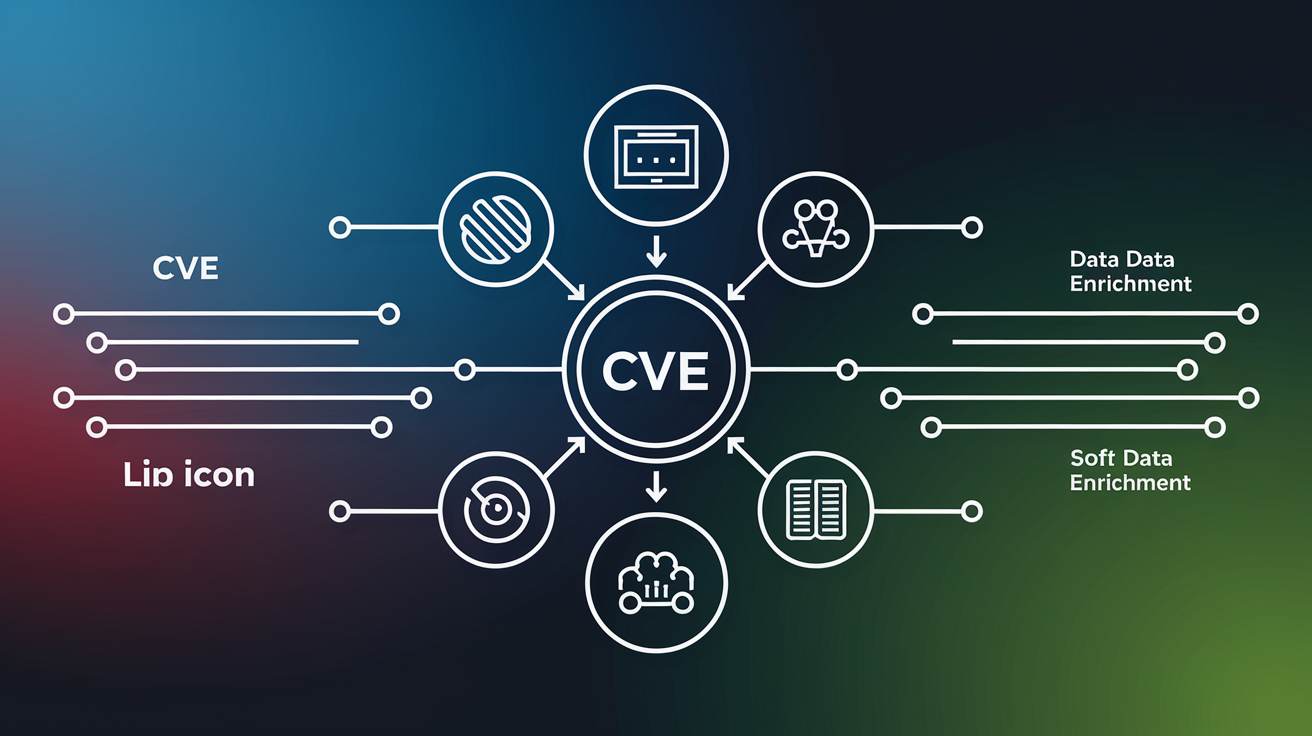
The Common Vulnerabilities and Exposures database serves as the foundational identifier system. It’s maintained by the MITRE Corporation as a public list of disclosed software security vulnerabilities. CVE provides the naming standard and basic descriptions, acting as the initial reporting point where security researchers, vendors, and CVE Numbering Authorities submit newly discovered vulnerabilities. Each entry receives a unique identifier that becomes the universal reference used across the security industry, but CVE entries contain minimal information. Just a description of approximately one paragraph without severity scores or detailed remediation guidance.
The National Vulnerability Database imports vulnerability data from CVE and augments it with rich analysis. Adding CVSS severity scores that quantify risk, systematic vendor tracking showing which manufacturers are affected, remediation guidance linking to patches and workarounds, and references to third party security advisories providing additional context. NVD essentially takes the raw CVE identifiers and descriptions, then enriches them with the practical information security teams need for vulnerability management and risk assessment. Both databases only cover known vulnerabilities that have been publicly disclosed, meaning private vulnerabilities shared under embargo or flaws still under researcher analysis won’t appear in either system.
Under normal operations, vulnerability data flows from disclosure to CVE assignment to NVD enrichment with predictable timing. There’s typically a delay of one to two hours between when a vulnerability appears in the CVE database and when NVD creates a corresponding entry, though delays stretch longer during high volume periods. The complete NVD analysis adding CVSS scores, CPE identifiers, and reference links typically lagged two to six weeks per vulnerability before recent operational challenges, meaning CVE provides faster initial visibility while NVD delivers deeper analysis after a processing delay. Security teams often check CVE first for immediate awareness of new vulnerabilities, then follow up in NVD for severity assessment and remediation planning once the enriched analysis becomes available.
NVD Email Alerts and Notification Systems for CVE Monitoring
NVD offers email alert subscriptions that deliver notifications when new vulnerabilities match your specified criteria, turning passive database searching into proactive monitoring. Configure alerts based on CVSS severity thresholds, specific vendors or products you use, or combinations of multiple filter conditions.
Alert setup walks you through selecting notification triggers like “all critical vulnerabilities” or “any vulnerability affecting Cisco products.” Choose delivery frequency, typically daily digests or real time alerts for urgent severity levels. The subscription system sends formatted emails with CVE identifiers, severity ratings, and direct links to full NVD entries, saving you from running manual searches every day to catch new vulnerabilities relevant to your environment.
The weekly NVD newsletter provides a different approach to staying current. It summarizes key vulnerability disclosures from the previous seven days in a curated digest format. Unlike targeted alerts that filter by your criteria, the newsletter covers significant vulnerabilities across all vendors and products, useful for maintaining general awareness of the threat landscape. Security teams often subscribe to both: targeted alerts for their specific technology stack and the weekly newsletter for broader situational awareness of major vulnerabilities hitting the industry.
Common Platform Enumeration (CPE) and Product Identification in NVD

Common Platform Enumeration provides a structured naming scheme for identifying software, hardware, and operating systems in a standardized machine readable format. CPE strings appear in every NVD entry to precisely specify which products and versions are vulnerable, enabling automated matching between vulnerability databases and asset inventories.
CPE 2.3 format breaks down into components separated by colons: part (application, operating system, or hardware), vendor name, product name, version number, update level, edition, language, software edition, target software, target hardware, and other attributes. A typical CPE string looks like “cpe:2.3:a:vendor:product:version:update:edition:language:swedition:targetsw:target_hw:other” with asterisks indicating wildcards for unspecified components. The part field uses “a” for applications, “o” for operating systems, and “h” for hardware devices.
Interpreting CPE strings in NVD entries requires matching each component to your installed software characteristics. Look at the vendor and product fields first to confirm the entry applies to software you’re actually running. Check the version number carefully, as vulnerabilities often affect specific version ranges like 2.4.0 through 2.4.49 but not 2.4.50 and later. Wildcards in update or edition fields mean the vulnerability affects all variants regardless of those attributes.
Version range notation in NVD uses operators and multiple CPE entries to express complex affected version sets. You might see separate CPE strings with version comparators indicating “versions from 2.0 through 2.4.48 are vulnerable” combined with configuration specific conditions like “only when SSL module is enabled.” Pay attention to configuration notes accompanying CPE entries, as some vulnerabilities only manifest under specific settings or when optional features are installed. A large portion of NIST analysis resources are spent on CPE generation work, reflecting the complexity and importance of accurate product identification for effective vulnerability management.
Weakness Classification Using CWE in NVD Entries

Common Weakness Enumeration categorizes software and hardware weaknesses that lead to vulnerabilities, serving as a complementary classification system alongside CVE identifiers. While CVE identifies specific vulnerability instances in particular products, CWE describes the underlying flaw type or weakness class that enabled the vulnerability to exist.
NVD entries display CWE identifiers in the format CWE-### where the number corresponds to a specific weakness category in the CWE taxonomy. CWE-79 represents cross site scripting flaws, CWE-89 covers SQL injection, CWE-787 indicates out of bounds write issues, and hundreds of other codes classify weaknesses ranging from authentication failures to cryptographic problems. Click the CWE link in an NVD entry to view detailed descriptions of the weakness type, common consequences, example attack scenarios, and prevention recommendations.
Common weakness categories reveal patterns in how vulnerabilities occur across different products and vendors. Injection weaknesses like SQL injection (CWE-89) and command injection (CWE-78) appear frequently because applications often fail to validate user input before passing it to interpreters. Authentication weaknesses (CWE-287) point to flawed identity verification implementations. Cryptographic failures (CWE-327) indicate use of weak algorithms or improper key management. Buffer overflows and memory corruption issues fall under various CWE categories depending on whether they involve stack buffers, heap allocations, or other memory management problems. Understanding CWE classifications helps identify systemic security issues in your codebase, guiding targeted code review and security testing efforts beyond just patching individual CVE vulnerabilities. When multiple vulnerabilities in your software share the same CWE category, that signals a weakness pattern worth addressing through improved coding practices or architectural changes.
Using NVD for Vulnerability Assessment and Risk Prioritization

Security teams integrate NVD data with vulnerability scanners to correlate discovered vulnerabilities against comprehensive severity and remediation information. Most vulnerability scanners rely on CVE data to determine which vulnerabilities to search for, reporting findings by CVE identifier that teams then look up in NVD for detailed analysis. Organizations use NVD for automated vulnerability management by feeding database exports into security information and event management systems or ticketing platforms that track remediation workflows.
Prioritization methodologies extend beyond raw CVSS scores to incorporate exploit availability, asset criticality, and threat intelligence. A vulnerability might score 9.8 in CVSS, but if no public exploits exist and the affected system sits behind multiple network barriers handling non sensitive data, it might rank lower in patch priority than a 7.5 rated flaw with active exploitation attempts targeting internet facing systems. Combine NVD severity data with asset inventory metadata showing which systems are mission critical, internet exposed, or processing regulated data to build prioritization models that reflect actual business risk.
Asset centric vulnerability management correlates NVD data with configuration management databases to understand vulnerability exposure across the entire infrastructure. Map CVE identifiers to specific servers, applications, and network devices in your environment, then use NVD’s CPE data and version information to determine which assets require patching. This approach produces remediation plans organized by asset owner or business unit rather than by CVE, making patch deployment more practical when different teams manage different infrastructure components.
Compliance frameworks and audit requirements frequently mandate consultation of the National Vulnerability Database for standards based vulnerability management. NIST cybersecurity framework controls reference NVD as the authoritative source for vulnerability data. PCI-DSS requires organizations to identify security vulnerabilities using reputable sources and assign risk rankings based on industry best practices like CVSS scoring. Real world implementation examples include the U.S. Department of Homeland Security using NVD data to prioritize patching across over 100,000 assets, and McKesson healthcare provider improving vulnerability coverage by 47% by combining NVD data with internal scanner results to catch vulnerabilities that scanners missed.
Current Challenges and Limitations of NVD CVE Coverage

NIST scaled back the National Vulnerability Database program in mid February due to increased vulnerability volume and reduced interagency support. They’re now prioritizing analysis of the most significant or actively exploited vulnerabilities while delaying less urgent CVE enrichment. Resource constraints and staffing challenges at the agency forced difficult choices about which vulnerabilities receive immediate attention versus which sit in the backlog awaiting analysis resources.
The analysis backlog represents a growing problem as disclosure rates climb. NVD recorded 33,137 vulnerability disclosures last year, a 318% increase from 2005 when the database first launched with just under 8,000 annual entries. Before the operational slowdown began, NVD analysis typically lagged two to six weeks per vulnerability as analysts worked through CVSS scoring, CPE generation, and reference compilation. The cumulative backlog has reached over 100,000 vulnerabilities missed or delayed by CVE and NVD over time, meaning security teams can’t rely on complete coverage even for publicly disclosed vulnerabilities.
Zero day vulnerabilities present an inherent coverage gap since attackers exploit these flaws before public disclosure and CVE identifier assignment occur. The time between active exploitation and CVE publication creates a window where organizations have no database entry to search for, no scanner signature to detect the vulnerability, and no NVD guidance on remediation. Both CVE and NVD only cover known vulnerabilities that have been publicly disclosed, leaving security teams blind to undisclosed vulnerabilities until researchers or vendors go public.
Alternative vulnerability information sources help fill gaps during NVD service disruptions. CISA’s Known Exploited Vulnerabilities catalog tracks vulnerabilities with confirmed exploitation evidence, providing a focused list of actively abused CVEs that require urgent attention regardless of NVD analysis status. Vendor specific security feeds from manufacturers like Microsoft Security Response Center, Oracle Critical Patch Updates, or Red Hat Security Advisories deliver vulnerability information directly from the source before or during NVD processing delays. Security researchers and commercial threat intelligence providers publish vulnerability analysis through blogs and reports that supplement official databases, though with less standardization than NVD’s structured format.
NVD Integration with Security Tools and Vulnerability Scanners

Network vulnerability scanners consume NVD data feeds to keep their detection signatures current, comparing software versions and configurations discovered during scans against the database of known vulnerabilities. Most vulnerability scanners rely on CVE data to determine which vulnerabilities to search for, using NVD’s detailed CPE information to match CVE identifiers to specific products and versions found in scanned environments. Organizations now face major disadvantages understanding what software and products in their environments are vulnerable to specific CVEs without proper NVD integration, as manual cross referencing between scan results and vulnerability databases becomes impractical at scale.
The NVD API 2.0 provides REST endpoints for programmatic access to vulnerability data, supporting automated queries and data synchronization workflows. Access the API at services.nvd.nist.gov/rest/json/cves/2.0 with parameters specifying search criteria like CVE identifiers, date ranges, CVSS scores, or keywords. Authentication isn’t required for basic access, but request an API key to increase rate limits and ensure reliable service during high traffic periods. Endpoints return structured data containing complete vulnerability records including CVSS metrics, affected products, reference links, and change history.
NVD delivers data in JSON and XML formats depending on the access method, with JSON becoming the preferred format for modern integrations. JSON responses organize vulnerability information into nested objects with clear field names and data types that programming languages parse easily. The response structure includes a vulnerabilities array containing CVE objects, each with properties for ID, description, CVSS scores (packaged as a cvssMetricV31 object), configurations listing affected CPE ranges, references with URLs and tags, and metadata about publication and modification dates.
Rate limiting policies prevent individual consumers from overwhelming NVD infrastructure with excessive requests. Without an API key, you’re limited to 5 requests per 30 second rolling window. With an API key, limits increase to 50 requests per 30 second window, sufficient for most automation workflows. Implement request throttling in your code by spacing API calls appropriately and caching responses locally when you need to access the same data multiple times. Best practices include requesting only changed records by using last modified date filters rather than downloading the complete database repeatedly.
| Tool Category | How It Uses NVD | Example Use Case |
|---|---|---|
| Network Vulnerability Scanners | Match discovered software versions against NVD CVE database using CPE identifiers | Nessus identifies Apache 2.4.49 running on a server and flags CVE-2021-41773 based on NVD CPE match |
| Software Composition Analysis | Check open source dependencies and third party libraries against known vulnerabilities | OWASP Dependency-Check scans Java application libraries and reports CVEs affecting Log4j based on NVD data |
| Security Information and Event Management | Correlate vulnerability intelligence with security events and asset inventory | Splunk imports NVD feeds and alerts when logs show activity targeting systems with critical CVEs |
| Patch Management Systems | Prioritize patch deployment based on NVD severity scores and affected product data | Microsoft System Center pulls NVD severity data to rank patches by CVSS score and deploy critical fixes first |
Software composition analysis tools focus specifically on open source vulnerabilities in third party libraries and dependencies, checking project manifest files and dependency trees against NVD records. These tools help development teams identify vulnerable components before deploying applications to production, catching issues like outdated JavaScript packages or Java libraries with known CVEs. Custom integrations built for in house tools use NVD APIs to add vulnerability intelligence to internal security dashboards, ticketing systems, or compliance reporting platforms. Scripting languages like Python make it straightforward to query the API, parse JSON responses, and integrate results into existing workflows.
Final Words
The National Vulnerability Database gives you direct access to detailed vulnerability intelligence that’s critical for keeping your systems secure.
Start with a simple nvd cve lookup by identifier, then dig into CVSS scores, affected products, and patch availability to understand what needs fixing first.
Use the advanced filters to track vulnerabilities across your specific tech stack, and set up email alerts so you’re not hunting down new CVEs manually.
NVD isn’t perfect—there are backlogs and zero-day gaps—but it’s still the most comprehensive source for actionable vulnerability data when you’re making patch decisions or responding to security incidents.
FAQ
What is the National Vulnerability Database and how do I access it?
The National Vulnerability Database is the U.S. government repository of standards-based vulnerability management data maintained by NIST that contains over 150,000 CVE entries. You can access NVD directly through its web interface at nvd.nist.gov, where you can perform searches using CVE identifiers, vendor names, products, or CVSS severity scores.
How do I search for a specific CVE identifier in NVD?
To search for a specific CVE identifier in NVD, navigate to the NVD search interface and enter the CVE ID in the format CVE-2026-[sequence number] into the search box. The database returns a detailed page showing the vulnerability description, CVSS score, affected products, and available patches or remediation guidance within seconds.
What information appears on an NVD CVE detail page?
An NVD CVE detail page displays the vulnerability description, CVSS severity score, affected products using CPE format, CWE classification, reference links to vendor advisories, patch availability, and publication dates. Each entry provides approximately one paragraph describing the vulnerability’s nature, attack vectors, and potential impact on confidentiality, integrity, and availability.
What do CVSS severity scores mean in NVD?
CVSS severity scores in NVD range from 0 to 10 and classify vulnerabilities as Low (0.1-3.9), Medium (4.0-6.9), High (7.0-8.9), or Critical (9.0-10.0). NVD uses CVSS version 3.1 as the current standard to measure exploitability and impact, though these generic scores may not reflect actual risk in specific environments.
How does NVD differ from the CVE database?
NVD differs from the CVE database by importing vulnerability data from MITRE’s CVE and augmenting it with CVSS scores, vendor information, remediation guidance, and third-party security advisory links. CVE serves as the initial reporting point for newly discovered vulnerabilities, while NVD adds detailed analysis typically within one to two hours, though complete enrichment may take two to six weeks.
Can I receive email alerts for new vulnerabilities in NVD?
You can receive email alerts for new vulnerabilities in NVD by subscribing to notifications based on CVSS severity, specific vendors, or product criteria. NVD also offers a weekly newsletter that summarizes key vulnerability disclosures from the previous seven days for continuous security monitoring.
What is CPE in NVD entries and how do I use it?
CPE (Common Platform Enumeration) in NVD entries is a structured naming scheme that identifies affected systems using components like vendor, product, version, update, and edition. You can match CPE strings from NVD entries to your installed software to determine whether specific versions are vulnerable, using wildcards and range indicators for configuration-specific vulnerabilities.
What is CWE classification in NVD?
CWE (Common Weakness Enumeration) classification in NVD categorizes the software and hardware weaknesses that lead to vulnerabilities, such as injection flaws, authentication issues, or cryptographic failures. NVD integrates CWE identifiers (formatted as CWE-###) alongside CVE entries to help security teams identify systemic security issues and prioritize targeted code reviews.
How do I use NVD for vulnerability prioritization?
You use NVD for vulnerability prioritization by correlating asset inventories with CVSS scores, exploit availability, and affected product information to determine which vulnerabilities pose the greatest risk. Organizations integrate NVD data with vulnerability scanners to validate findings, prioritize patching, and demonstrate compliance with frameworks like NIST and PCI-DSS.
What are current limitations of NVD coverage?
Current limitations of NVD coverage include operational challenges since February 2024 when NIST scaled back the program due to resource constraints and a 318% increase in vulnerability disclosures since 2005. Analysis delays have extended beyond the typical two-to-six-week lag, creating a backlog of over 100,000 vulnerabilities, and zero-day vulnerabilities remain untracked until public disclosure.
How do I integrate NVD data with security tools?
You integrate NVD data with security tools by using NVD API 2.0 REST endpoints that provide programmatic access to vulnerability information in JSON, XML, or CSV formats. Most vulnerability scanners automatically consume NVD feeds to determine which vulnerabilities to search for, while software composition analysis tools check third-party libraries against NVD entries for open-source vulnerabilities.
What filters can I use for advanced NVD searches?
You can use NVD filters for advanced searches including CVE ID, CVSS score ranges, CWE ID, vendor names, product names, vulnerability types, and publish or update date ranges. Combining multiple filters enables precise queries, such as finding all critical vulnerabilities for a specific vendor disclosed within the last 30 days.